If you are an Amazon Prime user like me, you are probably curious about Amazon Luna, the streaming gaming platform! In this guide, I’ll show you how to play Amazon Luna on Steam Deck, with step by step instructions on how to get things setup on your Deck.
If you use other Amazon Prime features such as free shipping and Prime Video, then Luna feels like a ton of free games on your Steam Deck!
Quick Summary: Amazon Luna on Steam Deck
Aspect | Details |
|---|---|
What is Luna? | Cloud streaming service with Prime-free games (e.g., Fortnite, Assassin’s Creed, Resident Evil) + Luna+ for more titles. |
Requirements | Amazon Prime (free tier), Steam Deck, Google Chrome, 10–15 Mbps internet (5GHz Wi-Fi best). |
Setup Time | 5–10 minutes: Desktop Mode → Install Chrome → Add to Steam → Gaming Mode launch. |
Controller | Steam Deck controls work natively; Xbox/Luna controller optional. |
Blank screen: Clear Chrome cache. Lag: Use Ethernet/5GHz. No sound: Check audio output. | |
Pros | Free Prime games, no downloads, portable on Deck, rotating library. |
Cons | Internet-dependent; region limits; smaller library vs. native Steam. |
What is Amazon Luna?
Amazon Luna is a dedicated cloud streaming platform that lets you stream and play games over the internet without needing a physical system, powerful hardware, or local game downloads.
The Amazon Luna gaming service allows users to stream cloud-based games directly to their devices, making it easy to access a wide variety of titles. The platform supports a wide range of devices, including PCs, phones, tablets, smart TVs, and systems like the Steam Deck. You can use your own Xbox controller, or you can get a dedicated Luna controller that will be compatible.
Luna offers access to games through subscription-based channels, with a rotating selection of many big titles, including those available with Amazon Prime, and expanded libraries available through paid options like Luna+.
The Luna standard edition is included with Prime and is considered one of the best features for gamers, offering access to cloud gaming and free monthly games. As everything is cloud-based, players can jump into games quickly, switch between devices, and avoid storage limitations, making Luna a convenient option for casual and portable gaming.
Click here to try out Amazon Luna.
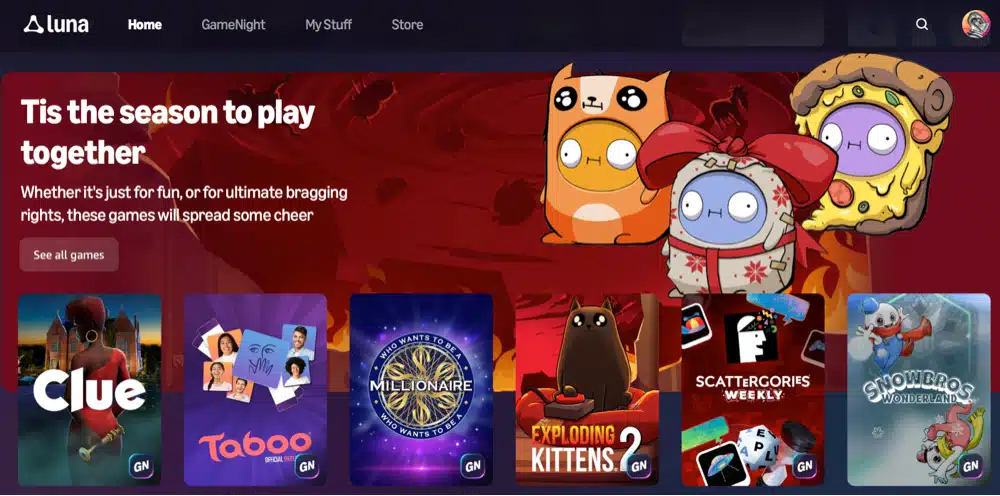
Amazon Luna GameNight
GameNight is a special selection of games that you can ply with your phone and your family or friends. It is inclued for free with your Amazon Luna account.
Amazon Luna Premium
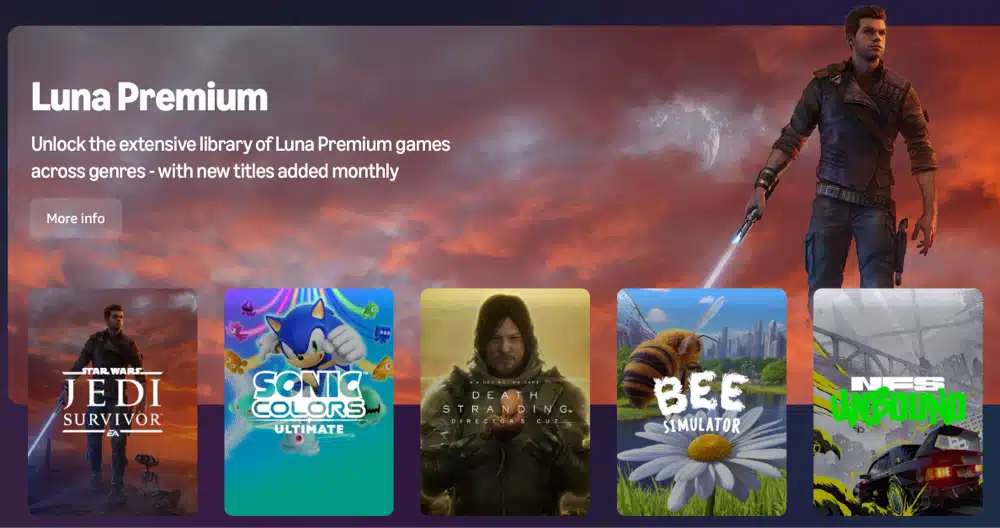
For an extra $10 per month, you can subscribe to Amazon Luna Premium and get access to hundreds of more premium games.
What Games Are on Amazon Luna?
Amazon Luna’s game library is wide and varied, offering something for a wide range of gamers. The exact selection you see can depend on your subscription tier (Prime Gaming, Luna Premium, Ubisoft+), and Amazon updates the library regularly.
Here are some of the kinds of games you can find on Luna right now:
- Fortnite (from Epic Games)
- EA SPORTS FC 24 / FC 25
- Assassin’s Creed Valhalla
- Assassin’s Creed Mirage
- Assassin’s Creed Odyssey
- Immortals Fenyx Rising
- Far Cry 6
- Watch Dogs: Legion
- Star Wars Jedi: Survivor
- World War Z
- Hollow Knight
- Control
- Metro Exodus
- Resident Evil 2
- Resident Evil 3
- Devil May Cry 5
- LEGO DC Super-Villains
- LEGO Jurassic World
- Hot Wheels Unleashed
- Bee Simulator
- Overcooked! 2
- Moving Out
- SpongeBob SquarePants: Battle for Bikini Bottom
- Angry Birds: Flock Party
- Jackbox Party Pack titles
- Exploding Kittens
Recent offerings have included popular titles such as Tomb Raider, Elite Dangerous, and Fallout New Vegas Ultimate Edition. The Luna library features both new games and classic titles from years past, so you always have a choice on what to play.
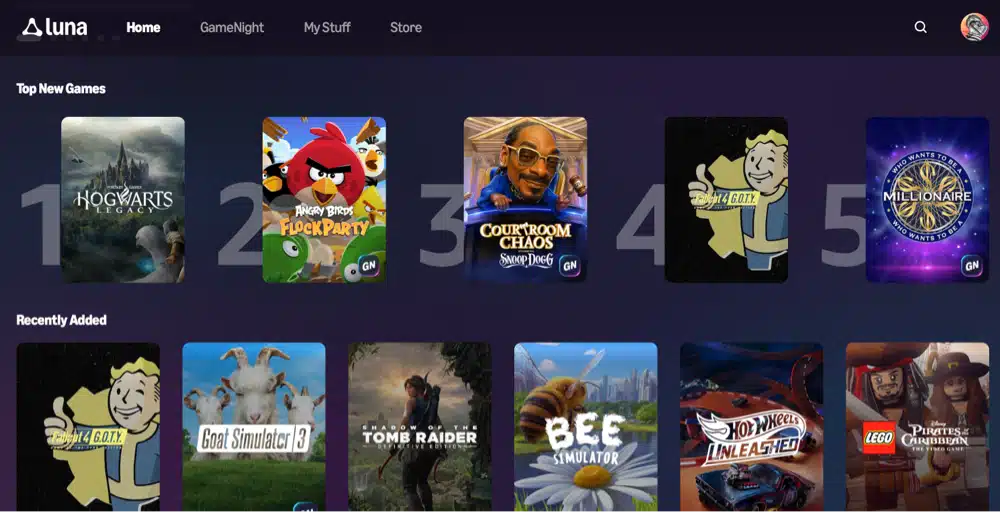
How to Play Amazon Luna on Steam Deck (Tutorial)
You can easily play games and access Amazon Luna on Steam Deck by following these steps, making cloud gaming accessible and seamless for Steam Deck users.
Step 1: Switch to Desktop Mode
- Press the Steam button on your Steam Deck.
- Select Power and then Switch to Desktop (this lets you install and configure a web browser)
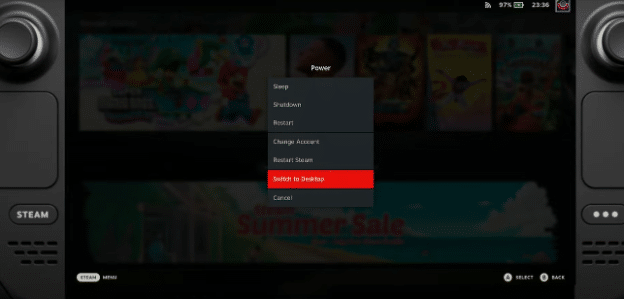
Step 2: Install Google Chrome
- Open the Discover Software Center (shopping bag icon) (also known as the ‘discover app’ on Linux systems)
- Search for Google Chrome
- Click Install (Google Chrome works the best with Amazon Luna and controller support)
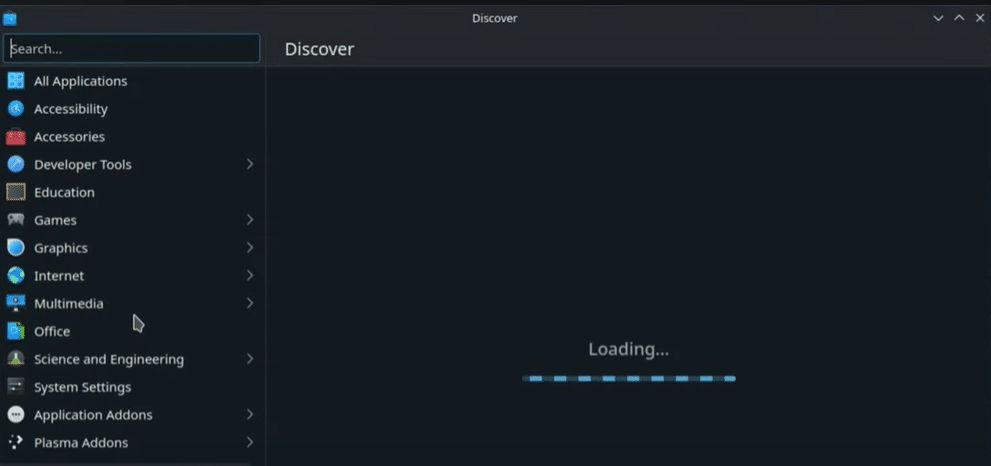
Step 3: Open Amazon Luna
- Launch Google Chrome
- Go to amazon.com/luna
- Sign in with your Amazon account.
- If you’re a Prime member, you’ll immediately see the available games.
Step 4: Test a Game
- Choose a game from the Luna library.
- Click Play
Step 5: Add Luna to Steam (Important)
This makes Luna easy to launch from Gaming Mode.
- Open Steam while still in Desktop Mode
- Click Add a Game and then Add a Non-Steam Game
- Select Google Chrome
- Click Add Selected Programs
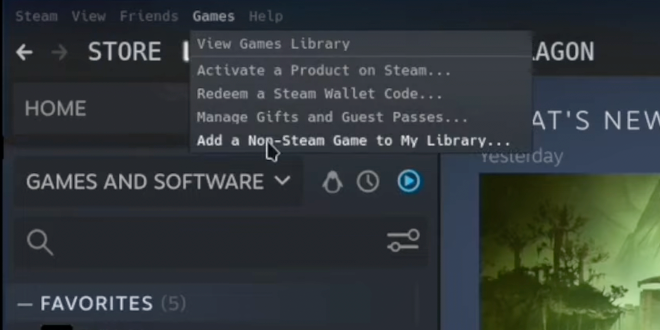
Step 6: Return to Gaming Mode
- Double-click Return to Gaming Mode on the desktop
- Open your Steam Library
- Launch Amazon Luna like any other game
How to Setup the Amazon Luna Controller on Steam Deck
Pair the Luna Controller via Cloud Direct (Wi-Fi) for lowest latency—Bluetooth works but adds delay.
- Enable Wi-Fi on controller (hold Luna button + Back until light flashes).
- In Desktop Mode, open Chrome to amazon.com/luna, sign in, and select a game. The controller pairs automatically when detected.
- Switch to Gaming Mode, launch Luna shortcut; remap buttons in Steam Input if needed (emulates Xbox layout natively).
You can buy your Luna controller below!
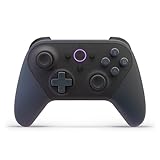
Amazon Luna Performance Optimization Tips
Achieve smooth 720p/60fps streaming with these tweaks for minimal lag on Deck.
- Network: Use 5GHz Wi-Fi or Ethernet dock (15+ Mbps down/up); test speed at fast.com.
- Chrome Flags: In chrome://flags, enable #enable-webrtc-hw-decoding and #disable-background-timer-throttling; relaunch.
- Deck Settings: Gaming Mode → Quick Access → Performance → Limit 40-50 FPS; enable TDP slider to 10-12W.
- Luna Mode: Fullscreen kiosk (–kiosk “amazon.com/luna”) in Steam shortcut; close background apps.
Monitor with Deck’s FPS overlay (QAM + Battery icon); expect Xbox Cloud-level performance on good connections.
Amazon Luna vs Other Cloud Services
Looking to compare Amazon Luna compared to other services? I’ll keep it incredibly easy for you:z
Service | Pros on Steam Deck | Cons on Steam Deck | Best For |
|---|---|---|---|
Amazon Luna | Free Prime games (Fortnite, Assassin’s Creed), quick Chrome setup, native Deck controller support | Region locks, smaller rotating library, internet-dependent | Prime users wanting free AAA without downloads |
GeForce Now | Massive library (Steam/Epic owned games), high-quality 1080p/120fps streams, free tier | Session limits on free tier, queue times, needs game ownership | Steam library owners with fast internet |
Game Pass Ultimate library (hundreds of games), Xbox controller seamless, 1080p/60fps | Requires Game Pass sub ($15+/mo), Microsoft account only | Game Pass subscribers, console gamers | |
Boosteroid | Owns 10,000+ games (no purchase needed), affordable (€10/mo), multi-platform | Higher latency in some regions, less polished Deck integration | Budget users with huge non-owned libraries |
Amazon Luna on Steam Deck Not Working
Amazon Luna Won’t Load or Gets Stuck on a Blank Screen
This is usually caused by browser compatibility or cached data. Make sure you are using Google Chrome (recommended for Luna), then clear the browser cache and cookies. Restart Chrome and reload the Luna website. If the issue continues, fully close Chrome and relaunch it from Desktop Mode.
Controller Inputs Not Working
If buttons or sticks don’t respond, Luna may not be detecting the Steam Deck controller properly. Launch Luna through Steam Gaming Mode (not Desktop Mode) to ensure controller mapping is active. Also, confirm the game supports controllers and that Steam Input is enabled for the Chrome shortcut.
Poor Performance, Lag, or Stuttering
Amazon Luna relies heavily on your internet connection. Switch to a 5 GHz Wi-Fi network or use a wired Ethernet connection via a USB-C hub, if possible. Lower other network activity in your home and make sure your connection meets Luna’s recommended speeds (10–15 Mbps or higher).
Audio Issues or No Sound
Audio problems are often caused by incorrect output settings. Open the Steam Deck’s Audio settings and confirm the correct output device is selected (Speakers or Headphones). Restart the game or Chrome if the audio doesn’t return immediately.
Amazon Luna Won’t Launch from Gaming Mode
If Luna works in Desktop Mode but not Gaming Mode, double-check the Chrome shortcut launch options. Make sure the shortcut points to Chrome and includes the Luna URL. Removing and re-adding the Chrome shortcut in Steam often fixes launch issues.
Account or Region Errors
Some games or features may not appear if Luna isn’t fully supported in your region or if your Amazon account isn’t active for Luna. Confirm you’re signed into the correct Amazon Prime account and that your Prime or Luna+ subscription is active.
Is Amazon Luna Free?
Amazon Luna offers a free way to play for many users, especially if you’re already an Amazon Prime member. Prime members get access to a rotating selection of Luna games at no extra cost, meaning you can start playing instantly without buying games or paying an additional subscription. Popular games like Fortnite are also playable for free, even without a Prime membership, making Luna one of the most accessible cloud gaming services available, compared to Xbox Cloud Gaming.
Beyond Luna, Amazon Prime adds even more value for gamers. Prime members receive free PC games every month through Prime Gaming, in-game loot for popular titles, Twitch channel subscriptions, and exclusive discounts. These free Prime games can help you save all the money you’d otherwise spend on new titles, letting you invest in accessories or other purchases. PC gamers also receive free PC games monthly to play.
Luna+
For players who want a larger game library, Amazon also offers optional Luna+ subscriptions and partner channels such as Ubisoft+, which unlock additional AAA titles and newer releases. While not everything on Luna is free, Prime gives you plenty to play without spending extra.
If you’re looking for alternative ways to access games on your Steam Deck, consider using major store launchers like the Epic Games Store and GOG Galaxy. Logging in with your GOG or Epic account lets you manage and play your existing libraries.
Another excellent option is the Heroic Games Launcher (also called Heroic Launcher), an open-source application that works across all major operating systems.