
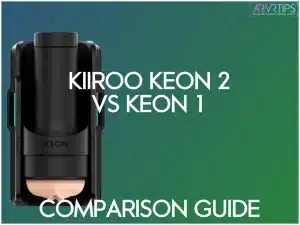
Kiiroo’s Keon is an awesome interactive strokers that sync with VR videos, interactive porn, and scripted content. In this Kiiroo Keon 2 vs Keon 1 comparison guide, I will deep dive into whether the Keon 2 improves speed, stroke depth, and connectivity for real users.
Keon 2 is a major step up in raw speed, stroke length, and wireless features compared to Keon 1. It adds faster movement, deeper travel, dual Bluetooth and WiFi, better charging, and universal stroker support so you get more control over how each session feels.
The guide here is for three main readers: Keon 1 owners who wonder about upgrading, buyers comparing Keon vs The Handy or Lovense stroker options, and first-time users who want to know whether the Keon 2 or Keon 1 is better for your habits and budget.
Related: Check out the overall best VR sex toys.
Quick Comparison: Kiiroo Keon 2 vs Keon 1 at a Glance
Key idea: Keon 2 is faster, deeper, smarter, and more flexible. Keon 1 is simpler and likely cheaper once discounts hit.
Spec | Keon 1 | Keon 2 | Why it matters for buyers |
|---|---|---|---|
| How to buy | Buy Keon 1 | Buy Keon 2 | |
Max speed (mm/sec) | 259 mm/sec | 684 mm/sec | Higher peak speed means more intense “finisher” strokes and faster scripts. |
Min speed (mm/sec) | Higher floor (less slow control) | 28.5 mm/sec | Lower minimum speed helps slow, edging-focused sessions and stamina training. |
Strokes per minute (max) | Up to ~180 | Up to ~300 | Higher SPM helps match fast-paced VR and script scenes more closely. |
Max stroke length | 70 mm | 95 mm | Longer stroke gives a deeper, more “full thrust” feel closer to piston machines. |
Speed range | Narrower band | Much wider range | Wider range fits both gentle and intense play in one device. |
Battery life | Shorter total runtime | Up to ~3 hours (about 205 min at 50% speed) | Longer runtime means fewer mid-session charge breaks. |
Charging method | Proprietary charger | USB-C fast charging (~90 minutes) | USB-C is easier to replace and quicker to charge from empty. |
Wall plug operation | No direct plugged-in mode | Yes (via 100W USB-C PD adapter) | Plugged-in mode supports truly long or back-to-back sessions. |
Connectivity | Bluetooth only | Bluetooth + WiFi | WiFi lets you sync with platforms without keeping your phone app open. |
App ecosystem | Feel Connect, interactive partners | Feel Connect + FeelMe AI trial | Extra software adds AI-driven sync and more content options from day one. |
Stroker compatibility | Kiiroo sleeves only | Kiiroo + universal (with strap cradle) | Universal cradle lets you use popular third-party sleeves you might already own. |
Controls layout | Fewer buttons, mixed placement | 6 front-facing buttons | Front controls are easier to hit mid-session without fumbling. |
Weight | Heavier feel with older housing | ~996 g with updated ergonomics | Slightly lighter and better-balanced housing helps with comfort and mounting. |
Noise profile | Louder motor mount | Quieter motor mount | Lower noise helps with privacy and late-night sessions. |
Safety features | Standard basic protection | Thermal sensor, LED warning, auto shutoff | Extra protection helps for long sessions and heavy “finisher” use. |
Bottom line: Keon 2 wins on performance, power options, and future-proof connectivity. Keon 1 still makes sense if you want a cheaper entry point and do not care about universal sleeves or WiFi.
Who Should Upgrade from Keon 1 to Keon 2?
You should upgrade to the new Keon 2 stroker if you fall into one of these categories:
- Heavy VR users: You run a lot of scripted or VR content and hate when strokes lag behind what you see on screen. Keon 2’s higher max speed, wider speed band, longer stroke, and WebSocket-based sync help close that gap and make fast scenes feel “in time.”
- Long-session users: You enjoy longer sessions, edge often, or use the device for stamina training.
Keon 2’s USB-C fast charging, longer battery life, and plug-in mode remove many of the session-length limits you feel with Keon 1. - Sleeve collectors: You already own sleeves from brands like Fleshlight, Kiiroo, or similar. The universal strap cradle lets you put more of your existing collection to work instead of buying new Keon-only sleeves.
Keon 1 still has a place on the desk for some users:
- You only use basic interactive functions and do not care about WiFi or dev features.
- You run short, simple sessions and rarely hit battery limits.
- You are price-sensitive and prefer to invest in new sleeves or other toys instead of another stroker body.
If you don’t have any VR male sex toy yet and want to buy, jump straight to the Keon 2 and get all of the new benefits, better stroke speed, and smooth motion.
Click here to upgrade to the Kiiroo Keon 2.
What Is Kiiroo Keon 2? (Next-Generation Interactive Stroker Overview)
Keon 2 is a next-generation automated male masturbator that builds on the original Keon with more speed, more stroke length, and smarter connectivity features. It sits in the “interactive stroker” and VR sex toy category, and aims to give smoother script sync, longer sessions, and better support for different sleeves.
The focus is simple: stronger performance for power users while still staying easy enough for first-time buyers.
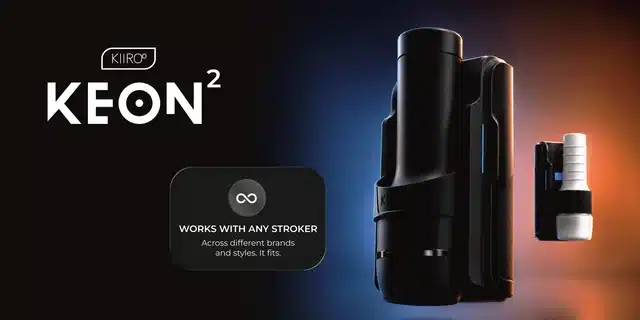
Keon 2.0 Key Features and Unique Selling Points
Here is a clear breakdown of the 13 key features and what they actually do for the user.
- Wider speed range: Keon 2 has a much higher peak speed plus a slower minimum speed. This gives more control for both “finisher” blasts and slow edging sessions, and it helps scripts match fast or gentle scenes more accurately.
- Extended stroke length: Keon 2 offers a 95 mm stroke, which is longer than Keon 1. This makes each stroke feel deeper and closer to a full thrust, which matters if you compare it to devices like The Handy.
- USB-C fast charging: Keon 2 uses USB-C and can charge in around 90 minutes. This cuts downtime between sessions and makes it easier to charge from common chargers on your desk or nightstand.
- Wall plug operation: Keon 2 supports plug-in use with a 100W USB-C Power Delivery adapter. This gives “unlimited” session length because you are not stuck with whatever is left in the battery.
- Bluetooth + WiFi dual connectivit: Keon 2 includes Bluetooth for app control and WiFi for direct platform sync. WiFi helps reduce dropouts and means you do not have to keep your phone screen awake to stay connected.
- Finisher Mode: A single button pushes Keon 2 to its maximum speed instantly. This acts like a panic button for pleasure when you want to end a session quickly or hit a strong climax.
- Custom Mode: You can save your own patterns in the Feel Connect app and play them back offline. This suits users who like “go-to” routines and want consistent patterns without needing WiFi or a script every time.
- Universal stroker compatibility: With the strap cradle accessory, Keon 2 can hold many popular stroker brands, not just Kiiroo sleeves. This protects your investment in existing sleeves and lets you tune feel, tightness, and texture without changing the core device.
- Redesigned ergonomics: Keon 2 has a refined shell, front-facing control buttons, and a slightly lighter body. This makes it easier to use one-handed, mount on stands, and adjust settings without hunting for buttons.
- FeelMe AI — 1 month free: New users get a month of access to AI-powered content sync via FeelMe. This means you can test the “best interactive masturbator for VR” style experience right away without buying extra scripts on day one.
- Stamina Training mode: Stamina tools in the app guide longer sessions and delay-focused training. This appeals to users who want more control over their endurance rather than just a quick release.
- Thermal safety protection: Keon 2 monitors temperature, flashes a warning LED at a set limit, and cuts power if things get too hot. This gives peace of mind during long or plugged-in sessions, especially for users who push “Finisher Mode” often.
- WebSocket-native architecture: Keon 2 uses low-latency communication for content and developer control. This matters most to power users and developers who want smoother, frame-accurate sync with VR and scripted platforms.
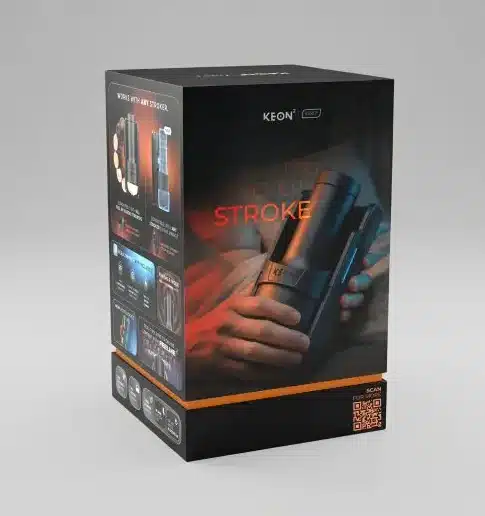
Kiiroo Keon 2 Target Users: VR Enthusiasts, Solo Users, Couples
Keon 2 targets several clear user types, and each one cares about slightly different benefits.
- VR enthusiasts: VR users want the best interactive masturbator for VR and care about speed, latency, and script accuracy. For them, Keon 2’s longer stroke, higher max speed, WiFi sync, and WebSocket support help make VR scenes feel better matched to on-screen action.
- Solo users: Solo buyers want a hands-free stroker for solo use that is easy to set up, easy to charge, and fun to experiment with. Keon 2’s USB-C charging, Finisher Mode, Custom Mode, and stamina training tools support quick sessions.
- Couples: Couples often use interactive toys as part of remote play or as a new twist in the bedroom.
Keon 2’s dual Bluetooth and WiFi, plus FeelMe AI and interactive content, give partners more ways for long distance play.
Keon 1 Overview: Why It Became a Popular Interactive Masturbator
Keon 1 has been featured as my favorite VR sex toy in the past. It has a solid reputation. Without the new Kiiroo Keon 2 vs 1 to compare to, the original would still be one of my favorite strokers.
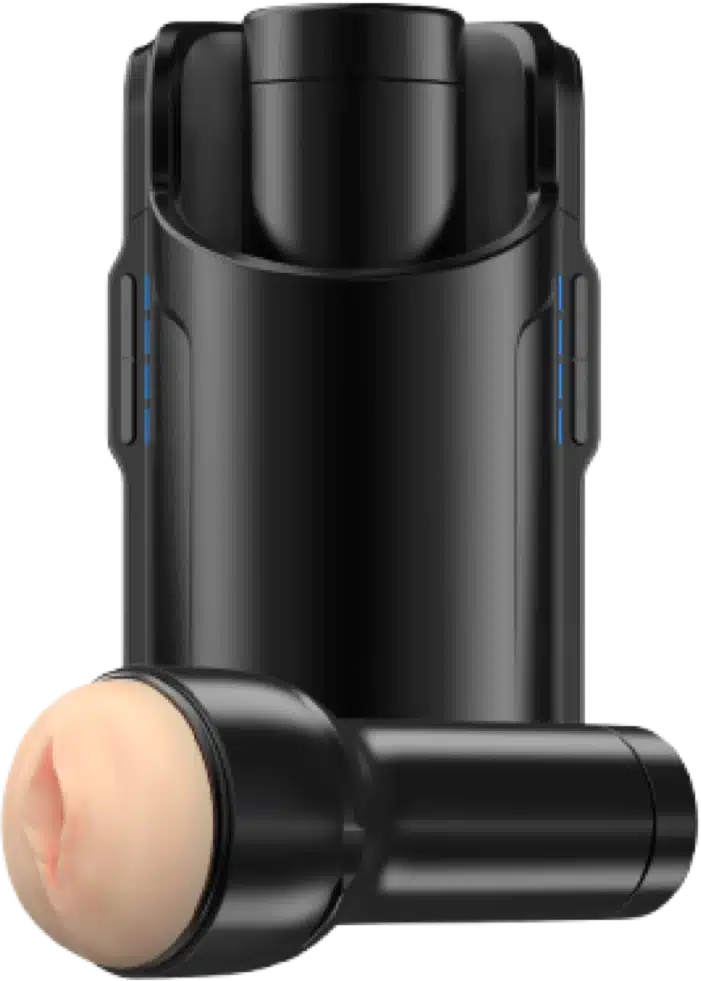
Core Features of the Original Kiiroo Keon
Here are the main strengths that helped Keon 1 grow a loyal base.
- Interactive content support: Keon 1 connects to scripts, interactive videos, and some VR platforms through the Kiiroo and partner ecosystem. This gives users a bridge from passive viewing to active, synced motion, which is why many early “original Kiiroo Keon review” articles highlighted it as an easy way to test scripted content.
- Bluetooth app control: Keon 1 uses Bluetooth to talk to the Feel Connect app and partner services. This gives basic pattern control, script playback, and remote partner control without extra hardware.
- Reasonable speed and stroke for its time:Keon 1 offers a respectable max stroke length and speed compared to its peers when it launched. Many Keon 1 pros and cons lists praised its balance of compact size and performance for users who wanted more than a manual toy yet did not want a large thrusting machine.
- Kiiroo ecosystem support: Keon 1 fits Kiiroo’s own sleeves and “FeelStar” line. This made it easy for users to pair their favorite performer-branded sleeves with the same body, which helped content platforms push “matching” videos and toys.
- Simple learning curve: Keon 1 has fewer buttons and a more basic interface. This means new users can start a script or adjust speed without reading a long manual.
Kiiroo Keon 2 vs 1 Performance Comparison
Max Speed and Strokes Per Minute
Keon 2 vs Keon 1speed is one of the biggest reasons people consider upgrading. Keon 2 can reach about 684 mm/secin Finisher Mode, while Keon 1 tops out around 259 mm/sec, so Keon 2 can move well over twice as fast at peak.
In practical terms, Keon 2 can hit up to 300 strokes per minute, where Keon 1 sits closer to about 180 strokes per minute, which matters if you want the fastest interactive stroker experience for intense scripts and fast-paced scenes.
Here is a quick view:
Metric | Keon 1 (approx) | Keon 2 (approx) | What this means in use |
|---|---|---|---|
Max speed (mm/sec) | 259 mm/sec | 684 mm/sec | Keon 2 can “sprint” much harder with faster motion for climax or intense scripts. |
Max strokes per minute | ~180 SPM | ~300 SPM | Keon 2 follows faster beats and action scenes more closely. |
Minimum speed | Higher floor | 28.5 mm/sec | Keon 2 can slow down more for edging and stamina sessions. |
Keon 2 also has a lower minimum speed, so you get a wider span from slow, teasing strokes to blazing-fast finisher strokes in one device. This wider range helps scripts feel smoother, because the motor does not “top out” as quickly when a script demands a quick burst of motion.
Stroke Length and Depth
Keon 2 stroke length vs Keon 1 is the second big upgrade. Keon 1 offers about 70 mm of travel, which works fine for shorter strokes and mid-depth motion. Keon 2 extends this to about 95 mm, which is about a 36% increase in stroke length.
This matters because:
- A deeper stroke interactive toy feels closer to a full thrust rather than a shallow pump.
- Longer travel helps scripts that use big up-and-down movements feel more natural instead of clipped.
Table view:
Stroke metric | Keon 1 | Keon 2 | Benefit for user |
|---|---|---|---|
Max stroke length | 70 mm | 95 mm | Keon 2 reaches more of the shaft each stroke. |
Relative increase | — | +36% | More depth per stroke, closer to piston-style motion. |
Feel on long scripts | More limited | Fuller motion | Keon 2 matches “deep thrust” patterns better. |
If you enjoy long, rolling strokes that travel most of the shaft, Keon 2 has a higher stroke range. If you only enjoy short strokes around the tip, Keon 1 still works, but Keon 2 gives you both options in one device.
Kiiroo Keon 2 vs 1 Battery Life, Charging, and Wall Plug Use
Charging
Keon 2 USB-C charging is a quality-of-life upgrade that helps both casual and heavy users. Keon 1 relies on an older charging system, while Keon 2 charges through USB-C and can go from empty to full in about 90 minutes. This shorter charge time makes it easier to keep the device ready for continuous use without planning far ahead.
From a Keon 2 battery life vs Keon 1 angle:
- Keon 2 offers up to around 3 hours of extended use, with about 205 minutes at 50% speed as a realistic sweet spot.
- Keon 1 typically delivers shorter runtime and slower recharge, so long sessions can feel more restricted.
Charging / battery metric | Keon 1 | Keon 2 |
|---|---|---|
Charging port | Proprietary / older | USB-C fast charging |
Charge time | Longer | ~90 minutes |
Approx battery life | Shorter sessions | Up to ~3 hours |
Runtime at moderate speed | Lower | ~205 minutes at 50% speed |
Keon 2 Wall Plug Mode: Unlimited Wall Sessions
Keon 2 plug-in mode is one of its best hidden features for serious users. With a 100W USB-C Power Delivery adapter, Keon 2 can run directly from wall power using a direct DC 20V input. This means you can treat it like a small machine and enjoy effectively unlimited session length without worrying about battery bars.
This matters if you:
- Run long edging sessions.
- Share the device between partners or back-to-back sessions.
- Use Keon 2 in a fixed rig or mount where plugging it in once is easy.
How Long Does the Battery Last on Keon 2 at Different Speeds?
For Keon 2 real battery life, it helps to think of runtime as a sliding scale rather than one fixed number. At moderate speeds, many users can expect around 205 minutes (just under 3.5 hours) of use, while full-speed or Finisher-heavy sessions will shorten this time. This makes sense because high speed and long stroke movements draw more power.
You can look at it this way:
Usage style | Typical speed range | Approx runtime feel |
|---|---|---|
Light use / slow edging | Lower speeds, shorter strokes | Closer to the upper end (~3 hrs) |
Mixed sessions (average user) | Mid speeds, mixed strokes | Around ~205 minutes |
Heavy use / finisher focus | High speeds, longer strokes | Closer to 1–2 hours |
From a Keon 2 battery test mindset, the best way to stretch runtime is to:
- Use moderate speed and mid stroke length for most of the session.
- Keep Finisher Mode for short bursts near the end.
- Charge after each longer session, so you start next time from a full battery rather than guessing.
So, while the headline number is “up to 3 hours,” real-world results will depend on how often you push the device to its maximum speed and depth.
Kiiroo Keon 2 vs 1 Connectivity and App Features
Keon 2 Bluetooth + WiFi vs Keon 1 Bluetooth Only
Keon 2 WiFi vs Keon 1is a big leap for anyone who loves interactive content. Keon 1 connects through Bluetooth only, so it depends on a nearby phone or PC and the link can drop if the device moves too far or if the app goes to sleep. Keon 2 adds WiFi on top of Bluetooth, which lets it connect directly to platforms and reduces the need for an active phone screen during long sessions.
Here is how that helps if you want the best stroker for interactive content:
- WiFi can give more stable connections with less lag, which helps scripts and VR scenes stay in sync.
- Direct platform sync means you can start content from your PC or headset and let Keon 2 talk to the service without juggling your phone.
Bluetooth still matters for quick app control, but WiFi turns Keon 2 into more of a “networked device” than a simple Bluetooth toy.
Feel Connect App and Custom Modes on Keon 2
The Feel Connect app is the main control hub for both Keon 1 and Keon 2, but Keon 2 gets more depth in its feature set. For Keon 2 app features, you can adjust speed, stroke pattern, and link to different content sources from inside the app. You also get support for remote control sessions and script playback.
The standout feature for power users is Custom Mode. Here is how to use Keon 2 custom mode in a simple way:
- Open the Feel Connect app and pair your Keon 2.
- Record or build a custom pattern (for example: slow rise, mid-speed plateau, short bursts).
- Save that pattern to the device and assign it to a button.
Once you save it, Keon 2 can play that pattern offline without any internet connection. This makes Custom Mode very handy for users who want a few “favorite routines” that they can start with one button even when WiFi or phone data is off.
FeelMe AI and VR Content
Keon 2 ships with a 1-month free FeelMe AI trial, which gives buyers instant content to test the device with. FeelMe AI aims to match motion to a wide library of 2D and VR scenes using AI-driven syncing, so you get more than just a handful of pre-made scripts. This helps new buyers see what a “full” interactive session can feel like without extra purchases on day one.
From a Keon 2 VR compatibility angle, this means:
- You can load supported VR content and let FeelMe AI drive the motion, so the device reacts to what happens in the video.
- You do not have to hunt down scripts manually right away, which lowers the learning curve for your first sessions.
Kiiroo Keon 2 vs 1 Stroker and Sleeve Compatibility
Keon 2 Universal Stroker Compatibility (With Strap Cradle)
Keon 2 universal stroker compatibility is one of the most buyer-friendly upgrades, especially if you already own other sleeves. With the strap cradle accessory, Keon 2 can hold many popular stroker canisters by clamping them in place with adjustable straps without any extra cost. This design lets the motor move the entire canister up and down without needing a special Kiiroo shell.
In practice, this means you can often use a Fleshlight with Keon 2 or similar-sized toys if they fit within the cradle measurements and weight limits.
Keon 1 Stroker Compatibility and Limitations
On the flip side, Keon 1 stroker compatibility is much more limited. Keon 1 is built for Kiiroo sleeves only, especially their in-house and performer-branded “FeelStar” canisters. The shell and mount are shaped around this ecosystem, so it is difficult or impossible to use random third-party strokers in a safe and stable way.
Kiiroo Keon 2 vs 1 Ergonomics, Noise, and Build Quality
Design and Weight
Keon 2 ergonomics vs Keon 1 show that Kiiroo spent time on small comfort details. Keon 2 sits around 996 g, which gives a solid feel without being overly heavy. The big change is that all six buttons sit on the front, so you can see and reach them more easily when the device is in use.
From a comfortable interactive stroker perspective:
- Front-facing controls help you change speed or mode without twisting your wrist or guessing where buttons sit.
- The refined shell and weight balance help when you use the device in bed, on a desk mount, or in different positions.
Keon 1, by comparison, feels more like a first-generation shell with less focus on how the hand holds and controls the device during long sessions.
Noise Levels: Is Keon 2 Quieter Than Keon 1?
Many buyers ask about Keon 2 noise level because privacy matters in shared spaces. Keon 2 uses a quieter motor mount and updated internals, which aim to reduce rattling and high-pitched whine compared to Keon 1. Keon 1 can sound more mechanical, especially at higher speeds and longer strokes.
So, Keon 1 vs Keon 2 noise breaks down like this:
- Keon 2 is still a motorized device, so it is not silent, but the tone tends to be smoother and less harsh.
- Keon 1 can be more noticeable through thin walls or in very quiet rooms, especially when running at max speed.
A simple real-world tip: pair Keon 2 with low-volume background music or a fan and you will likely mask most of the noise without needing to blast sound.
Ease of Use, Cleaning, and Storage
Ease of use is another area where Keon 2 tightens things up. From aeon 2 vs Keon 1 ease of useangle, the front buttons, better ergonomics, and improved connectivity reduce friction for daily use.
Pairing is smoother, switching modes is easier, and the universal cradle gives more flexibility with sleeve setups.
For how to clean Keon 2, the basics stay similar to Keon 1:
- Remove the stroker sleeve or canister from the device.
- Clean the sleeve with warm water and suitable toy cleaner or mild soap, then dry it fully.
- Wipe down the Keon body with a damp cloth, keeping water away from charge ports and vents.
In both models, the electronics stay dry and the sleeves handle the messy part, but Keon 2’s better ergonomics and universal cradle make the whole cycle of use–clean–store feel smoother.
Kiiroo 2 vs 1 Price, Bundles, and Where to Buy
Keon 2 price depends on whether you choose the combo or base package. At launch, Keon 2 Combo (device plus stroker) sits higher than the Keon 2 Only base, which gives you just the stroker body if you already own sleeves.
Here is a simple view of Keon 2 combo vs base:
Option | What you get | Who it suits best |
|---|---|---|
Keon 2 Combo | Keon 2 body + Kiiroo/Feel stroker | New users who want a complete ready-to-use kit. |
Keon 2 Only (Base) | Keon 2 body only | Owners with existing sleeves or universal cradle plans. |
You can buy both options from Kiiroo’s website and major retailers that carry interactive toys. Sometimes bundle deals add extras like FeelMe AI trials, extra sleeves, or discount codes for partner platforms.
Keon 1 Current Pricing and Discounts
For Keon 1 price ioday, it will likely sit lower than Keon 2 and may see regular discounts as retailers make room for newer models. This positions Keon 1 as a budget-friendly interactive option for buyers who do not need WiFi, universal compatibility, or Finisher Mode.
Is Keon 1 still worth buying?
Yes, if:
- You want a cheaper way into interactive content with a respected brand.
- You plan shorter sessions and basic Bluetooth scripts.
However, if the price gap between Keon 1 and Keon 2 is small for you after discounts and sales, Keon 2 usually offers much better value.
Keon 2 vs Keon 1 Value for Money
Many buyers ask: is Keon 2 worth it vs Keon 1? The answer depends on how you use interactive toys:
- If you love VR scripts, want deeper strokes, plan long sessions, or own multiple sleeves, Keon 2 is usually the best Keon for the money.
- If you mainly want to test interactive toys on a tight budget, Keon 1 can still make sense as a cheaper entry point.
If you see yourself using the device multiple times per week, Keon 2’s extra power, WiFi, plug-in mode, and universal cradle pay off over the long run.
Which Should You Buy: Kiiroo Keon 2 or Keon 1?
Best Choice for New Buyers
For someone searching best Keon for beginners, the pick depends on budget and how “serious” you are about VR and interactive content.
- VR-heavy users and tech fans: If you want Keon 2 vs Keon 1 for VR, Keon 2 wins clearly because of its WiFi, WebSocket support, higher speed, and longer stroke. This makes it the better “future-proof” choice if you plan to use VR, scripts, and interactive sites a lot.
- Casual users and first-time interactive toy buyers: If you just want a hands-free stroker with some scripts, Keon 1 is cheaper and easier to justify as a test purchase. However, if you can afford it, Keon 2 gives more room to grow without needing another upgrade later.
- Budget-focused buyers: If price is the main limit, check Keon 1 deals first, then compare that number to Keon 2 base pricing. If the gap is small, it often makes more sense to stretch to Keon 2 because of its stronger specs and longer useful life.
- Universal sleeve fans: If you already own Fleshlights or similar sleeves and care about universal sleeves, Keon 2 plus the strap cradle is the clear winner, since Keon 1 is locked to Kiiroo sleeves.
Should Existing Keon 1 Owners Upgrade?
Many readers ask: should I upgrade from Keon 1 to Keon 2? The answer depends on how often and how intensely you use your Keon 1 today.
You should strongly consider upgrading if:
- You use scripts and VR often and feel that Keon 1 cannot keep up with fast or deep patterns.
- You hit battery limits often and want longer or plug-in sessions.
- You want to use non-Kiiroo sleeves and value the universal cradle feature.
You can likely stay with Keon 1 for now if:
- You use interactive content only occasionally and Keon 1 still feels “good enough.”
- You rarely empty the battery and do not mind proprietary charging.
- You do not see yourself investing in more sleeves or VR content any time soon.
Both Kiiroo strokers are quality, it just depends if you want the more range that Keon 2 offers.
Final Verdict: Keon 2 vs Keon 1 for Different Types of Users
Here is a simple summary by user type:
User type | Better pick | Why |
|---|---|---|
VR enthusiasts | Keon 2 | Faster speed, longer stroke, WiFi, better sync tools. |
Script power users | Keon 2 | Wider speed range, Custom Mode, dev-friendly design. |
Long-session / edging fans | Keon 2 | Longer battery, plug-in mode, stamina tools. |
Sleeve collectors | Keon 2 | Universal cradle, more sleeve choice. |
Budget buyers | Keon 1 | Lower price, still interactive. |
Curious beginners | Keon 1 or Keon 2 base | Pick based on budget and VR interest. |
In short, Keon 1 suits budget and light users, while Keon 2 targets VR fans, frequent users, and anyone who wants a more flexible, long-term interactive stroker.
FAQs: Kiiroo Keon 2 vs Keon 1
Does Keon 2 work with my existing Kiiroo sleeves?
Yes, Keon 2 works with official Kiiroo and FeelStar sleeves, and you can also use compatible third-party sleeves with the strap cradle.
Can Keon 2 be used while charging?
Yes, Keon 2 can run in plug-in mode when connected to a suitable 100W USB-C Power Delivery adapter.
Is Keon 2 better than The Handy for VR?
Keon 2 offers strong VR support with WiFi and WebSocket features, but which feels “better” depends on your preferred stroke style, mounts, and content ecosystem.
How loud is Keon 2 compared to Keon 1?
Keon 2 has a quieter motor mount than Keon 1, but both produce some mechanical noise that you can usually mask with light background sound.
Can I still buy the original Keon 1?
Yes, many retailers and some resellers still list Keon 1, often at reduced prices compared to Keon 2.