
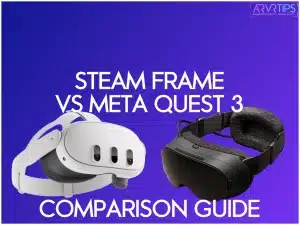
In this Steam Frame vs Meta Quest 3 comparison guide, I’ll show you if I think the new VR headset from Valve is worth it over Meta’s flagship device.
Related: Check out the top Meta Quest 3 accessories to buy.
Key Summary of the Steam Frame vs Meta Quest 3
Feature | Valve Steam Frame | Buyer Takeaway | |
|---|---|---|---|
Performance Power | Snapdragon 8 Gen 3 + 16 GB RAM | Snapdragon XR2 Gen 2 + 8 GB RAM | Hardcore gamers and PC streamers will love the Steam Frame’s extra horsepower. |
Display & Visuals | Dual 2160×2160 LCDs, pancake lenses, up to 144 Hz refresh rate | Slightly higher per-eye res, up to 120 Hz, vibrant full-color passthrough. | Steam Frame = buttery smooth gameplay; Quest 3 = incredible MR visuals. |
Storage & Expansion | 256 GB or 1 TB UFS + microSD expansion. | 128–512 GB internal, no expansion. | Steam Frame wins for massive libraries and mod-heavy gamers. |
Tracking & Cameras | 6 cameras (4 external + 2 eye-tracking) | RGB cameras for inside-out tracking + full‑color MR passthrough. | Mixed‑reality fans: Quest 3. Traditional VR purists: Steam Frame. |
Connectivity | Dual-radio setup (6 GHz + Wi-Fi 7) | Wi‑Fi 6 E for general use; no dedicated PC channel. | Need to see how the Steam Frame performs |
Audio Experience | Dual-driver spatial sound per side | Integrated 3D audio with strong clarity. | Steam Frame for precision; Quest 3 for cinematic immersion. |
Comfort & Build | 440 g total weight, balanced with rear battery; adjustable IPD dial (60–70 mm). | Lightweight, excellent ergonomics, broader IPD range. | Steam Frame feels premium and solid; Quest 3 offers superior comfort for long sessions. |
Battery & Charging | 21.6 Wh Li‑ion battery | Solid battery life (approx. 2 hrs VR, 3 hrs MR). | Slight advantage to Steam Frame for overall endurance. |
Controllers | Magnetic drift‑proof sticks, full finger‑tracking surfaces, | Touch Plus controllers | Steam Frame geared for precision; Quest 3 optimized for MR interaction. |
Best For | Serious VR gamers, PC‑VR enthusiasts, and those with large Steam libraries. | Casual gamers, MR explorers, or newcomers wanting easy setup and great content. | Choose Steam Frame for power + flexibility, or Quest 3 for ease + versatility. |
Cost | Unknown, expected around $699 USD (est.). | Starting at $499 USD, available now. | Can’t wait? Grab Quest 3 today. Big Steam fan? Hold out for Steam Frame. |
| BUY NOW | COMING SOON | Buy Meta Quest 3 |
Meta Quest 3 Overview
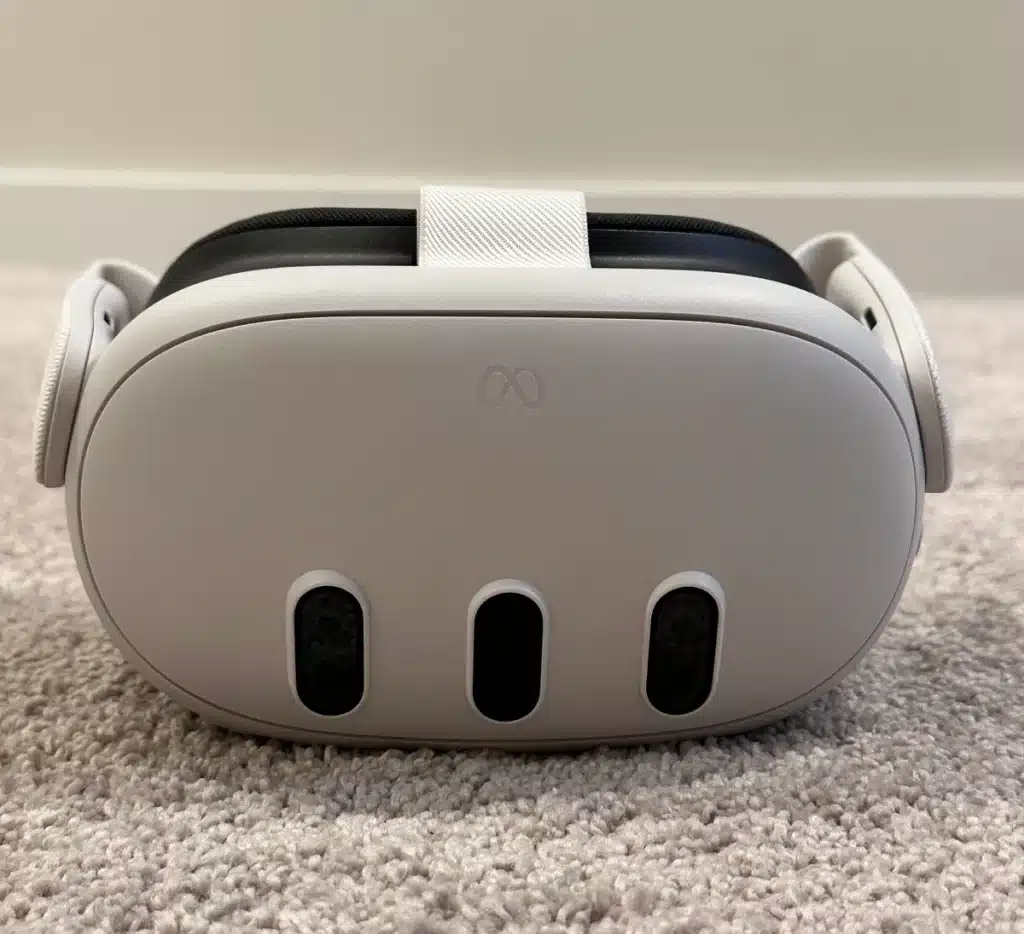
When I first got my hands on the Meta Quest 3, I was impressed by the sheer power packed into this headset. At its core lies the Snapdragon XR2 Gen 2 processor, a beast of a chip that handles complex VR and AR tasks with ease. I noticed smooth performance across various applications, from productivity tools to graphics-intensive games.
The 8GB of RAM keeps things snappy, even when multitasking between different virtual workspaces. If you are comparing size, I highly recommend the 512 GB option. This will give you enough room for productivity apps, documents, and games for break times.
The dual 2640×2280 LCD screens are a sight to behold. Text appears crisp and legible, while graphics are vibrant and detailed. I did notice some subtle differences compared to OLED displays, particularly in black levels.
Immersive Experience
The Meta Quest 3’s wide 110° field of view is where it really shines. When I first fired up a virtual desktop, I was blown away by how much screen real estate I had. It feels like you’re surrounded by your work, which can be both a blessing and a curse for productivity!
One feature that surprised me was the color video pass-through for AR. This is a game-changer for blending virtual elements with your real environment. The text readability could be better in passthrough mode.
Standalone Capabilities
The Meta Quest 3’s ability to function as a standalone device is a massive plus in my book. There’s no need to lug around a powerful laptop or fiddle with cables—everything you need is right there in the headset.
The out-of-the-box VR and AR functionality is impressive. From the moment you put it on, you’re greeted with a intuitive interface that lets you access a wide range of productivity tools and immersive experiences.
One thing to keep in mind is battery life. In my testing, I got about 2 hours of active use before needing a recharge. You’ll want to have a power bank handy for longer work sessions.
Buy your Meta Quest 3 today using the link below:

Steam Frame Overview
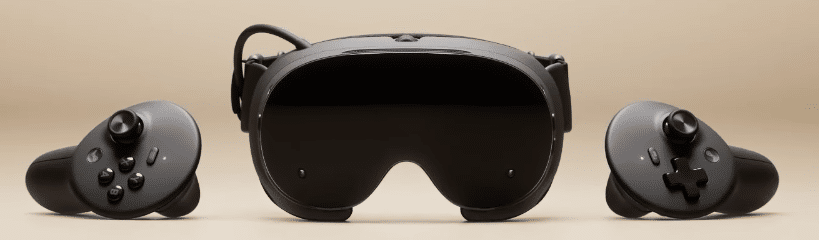
The Steam Frame was announced at the end of 2025, marking Valve’s first virtual reality high-end standalone headset since the Valve Index. The Steam Frame runs SteamOS and supports both native VR titles and traditional Steam games. It is optimized for streaming VR games from your PC wirelessly to the headset.
The Steam Frame has dual 2160×2160 LCD displays with pancake lenses to deliver sharp visuals across a generous field of view, with refresh rates ranging up to 144 Hz. There are two storage options available, both of which can be expanded via the microSD card slot.
The Steam Frame is expected to release sometime in early 2026.
Key Specs
- Processor: Qualcomm Snapdragon 8 Gen 3 (4 nm, ARM64)
- Memory (RAM): 16 GB unified LPDDR5(X)
- Storage Options: 256 GB or 1 TB UFS, plus microSD expansion slot
- Display: Dual LCD panels, 2160 × 2160 per eye
- Refresh Rate: 72 Hz, 90 Hz, 120 Hz, up to 144 Hz (experimental mode)
- Optics: Custom pancake lenses, with a maximum field of view of around 110°
- IPD Range: Adjustable via dial, approx. 60-70 mm
- Audio: Dual stereo speaker drivers per side mounted in the head-strap
- Connectivity:
- Dual-radio: Dedicated 6 GHz adapter (plug-in) for PC streaming + separate Wi-Fi link for general internet
- Wi-Fi: Wi-Fi 7 (2×2)
- Bluetooth: 5.3
- Battery: 21.6 Wh rechargeable Li-ion; USB-C (45 W) charging
- Weight: 185 g for the core module and 440 g total with head-strap, rear-mounted battery, and facial interface included
Steam Frame vs Meta Quest 3 Comparison
Display
Valve’s Steam Frame features dual 2160×2160 LCD panels with pancake lenses, delivering a sharp, balanced image with refresh rates of 120–144 Hz, depending on the mode. The Meta Quest 3 uses slightly higher-resolution LCD panels per eye and supports up to 120 Hz, giving it a very crisp image.
Both headsets deliver strong visual quality and low persistence. Still, the Quest 3’s slightly higher per-eye resolution and full-color passthrough tools cater more to mixed-reality use. At the same time, the Steam Frame focuses heavily on clean visuals for better game streaming.
Processor
The Steam Frame is powered by the Snapdragon 8 Gen 3, a mobile processor that offers significant gains in efficiency and graphics potential. The Quest 3 runs on the Snapdragon XR2 Gen 2, a chip optimized for VR workloads and mixed-reality rendering.
While the XR2 Gen 2 is highly capable for standalone VR, the 8 Gen 3 gives the Steam Frame more processing power, especially when paired with PC streaming.
RAM
With 16 GB of LPDDR5 RAM, the Steam Frame has twice the memory of the Quest 3, giving it more room for multitasking, complex scenes, and high-bandwidth streaming operations.
The Quest 3’s 8 GB of memory is still sufficient for current VR titles, but the larger memory pool on the Steam Frame helps future-proof and run more demanding programs within SteamOS.
Storage Options
Steam Frame users get flexible storage options with 256 GB and 1 TB, plus a microSD expansion slot. The Quest 3 offers fixed internal storage options without expansion, generally topping out at 512 GB.
This gives the Steam Frame an advantage for users who install many large VR titles or want to manage their entire Steam library without relying solely on internal space.
Cameras & Tracking
The Steam Frame uses four external tracking cameras and two internal eye-tracking cameras, focusing on precise motion tracking and rendering for efficient PC streaming. The Quest 3 uses a more mixed-reality-oriented camera array, including RGB sensors, enabling robust eye-tracking and full-color passthrough.
Some VR headsets use base stations for outside-in tracking, which provide highly accurate 6 degrees of freedom tracking; however, neither the Steam Frame nor the Quest 3 relies on base stations, as both use camera-based inside-out tracking systems.
Overall, both track well, but the Quest 3 emphasizes mixed reality experiences, while the Steam Frame prioritizes visual reality optimization.
IPD Adjustment
Steam Frame offers hardware IPD adjustment within a typical VR range, ensuring comfort for most users while playing games. The Quest 3 provides a broader IPD range and a smooth adjustment mechanism, making it more accommodating across different face shapes.
While both offer physical tuning, the Quest 3’s wider range makes it slightly more flexible for headset users.
Passthrough Camera
The Steam Frame primarily uses monochrome passthrough to set up your boundary and conduct brief environmental checks. The Quest 3 features full-color, high-quality passthrough designed for mixed-reality gameplay and AR-style apps.
As a result, the Quest 3 dramatically outperforms the Steam Frame in passthrough quality, making it the superior device for mixed reality experiences.
Audio
Both headsets include built-in spatial audio speakers, but the Steam Frame’s dual-driver configuration on each side is designed to reduce vibration interference. The Quest 3’s integrated speakers deliver solid 3D audio and strong clarity.
Both offer good sound without headphones, but the Steam Frame aims for a more stable VR environment, while the Quest 3 leans toward immersive entertainment and mixed reality for non-VR games.
Controllers
Steam Frame controllers feature drift-resistant magnetic sticks, full finger-tracking surfaces, and a gamepad-style button layout suited for Steam gaming. They also include more buttons for enhanced input options, giving users greater control and flexibility.
The Meta Quest 3’s Touch Plus controllers are lighter and refined for VR, offering good haptics and precise tracking through the headset’s cameras. The Steam Frame emphasizes precision and durability for long PC gaming sessions, while the Quest 3 controllers focus on ergonomics and MR-friendly interaction.
Who Should Buy the Steam Frame?
If you’re a PC gamer with a sizable Steam library who wants a truly portable VR standalone headset, then Valve’s Steam Frame is made for you. It’s ideal for users who value streaming games from their powerful desktop via Wi-Fi as well as playing native Steam titles on the go.
The inclusion of micro-SD storage makes it perfect for gamers who download larger games, and the eye tracking helps deliver high visual quality without massive bandwidth demands. If you’re looking for a premium headset built for serious VR experiences, the Steam Frame is an excellent choice.
Who Should Buy the Meta Quest 3?
If you’re looking for a standalone, mixed-reality headset that’s great for both immersive VR and augmented-reality style experiences, then the Meta Quest 3 is also a strong choice. Compared to the Vision Pro, the Meta Quest 3 offers a more compact design and prioritizes affordability, while still delivering high-end graphics and full-color passthrough.
The Quest 3 is ideal for users who value portability and ease of use, and it can be easily used alongside other devices in your household, making it convenient for shared or multi-device environments. Due to its balanced design and relatively affordable starting price, it’s well-suited for casual gamers and social VR users.
Which VR Headset is Better?
Both of these VR headsets shine in different areas, so the “better” option depends on what matters most to you. The Steam Frame is the stronger choice for performance-focused users who want sharper visuals, PC-VR streaming, and hardware that fully leverages a powerful gaming PC. It’s ideal for users who care about flexibility.
The Meta Quest 3, however, stands out as the better all-around consumer headset thanks to its affordable price, excellent mixed-reality passthrough, and large standalone content library. If you want raw power and PC integration, go with Steam Frame, but if you want convenience, versatility, and great MR experiences, the Quest 3 is the better fit.