
R.E.P.O. doesn’t have official VR support, but a free mod called RepoXR adds full 6DOF motion controls to the game, and you don’t need any programming knowledge to install it. In this guide, I’ll walk you through installing RepoXR, setting up your headset, and fixing the most common problems people run into.
This guide is current for RepoXR v1.2.3, which supports R.E.P.O. game version v0.4.4. If you run into a mismatch between your game version and the mod, check the compatibility notes in the troubleshooting section below.
If you get stuck anywhere, let me know in the comments.
What Is RepoXR?
RepoXR is a community mod built by a developer known as DaXcess, who also built LCVR, the equivalent VR mod for Lethal Company. It adds full 6DOF (six degrees of freedom) motion controls to R.E.P.O., running on top of Unity’s OpenXR plugin. That means it isn’t tied to one VR platform. It works with Oculus, SteamVR, Virtual Desktop, and most other OpenXR-compatible runtimes.
With RepoXR installed, you can grab and manipulate items directly with your hands, pull up your inventory and map from a virtual toolbelt, and use a handheld or head-mounted flashlight instead of a flat-screen UI element. If your headset supports eye tracking, RepoXR supports that too.
The mod is free and open source under the GPL-3.0 license, and it’s hosted on GitHub and distributed through Thunderstore, the main mod database for R.E.P.O.
Does R.E.P.O. Officially Support VR?
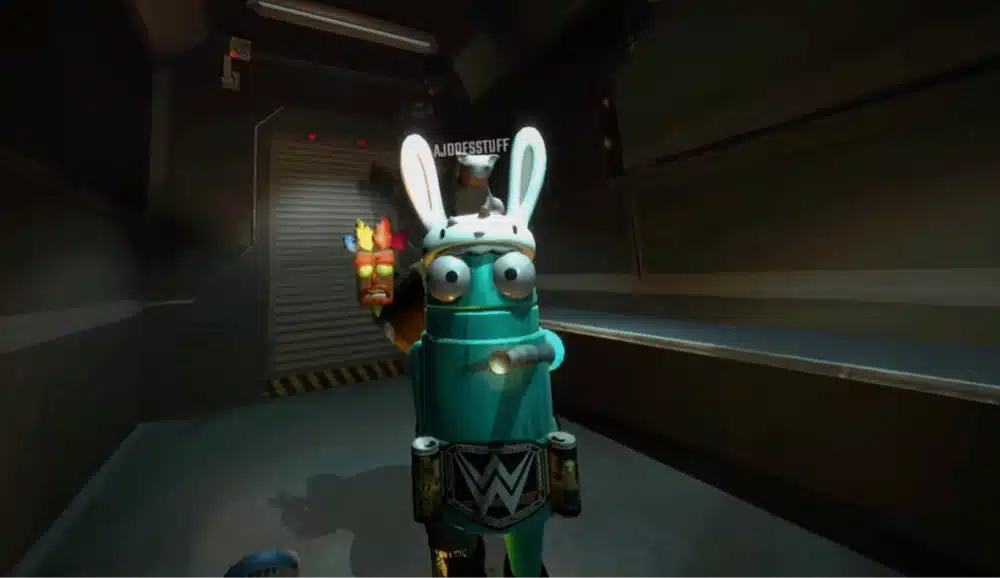
No. R.E.P.O. ships as a flat-screen game with no built-in VR mode, and developer Semiwork hasn’t listed VR support among its public Early Access priorities. You may have seen a clip claiming “R.E.P.O. VR support coming soon,” but that was a fan-made teaser, not an official announcement. Everything covered in this guide comes from RepoXR, a third-party mod, not from the game’s developer.
Why Not Use UEVR Instead?
If you’ve modded other games into VR before, you may know UEVR, the popular universal VR injector. It won’t work here. UEVR only injects VR support into Unreal Engine games, and R.E.P.O. is built in Unity.
That’s also why RepoXR exists in the first place:
Unity games need a dedicated mod written specifically for that title, since there’s no universal injector for Unity the way there is for Unreal Engine. RepoXR is the only real way to play R.E.P.O. in VR right now, not one of several competing options.
What You Need to Play R.E.P.O. in VR
Before you install anything, make sure you have the following:
- R.E.P.O. purchased and installed on Steam
- A VR headset and runtime that supports OpenXR
- A PC that meets R.E.P.O.’s system requirements (VR needs some headroom above these, more on that below)
- The Gale mod manager, covered in the installation steps below
Compatible VR Headsets and Runtimes
RepoXR runs through Unity’s OpenXR plugin, so it isn’t locked to a single headset brand. It ships with built-in controller profiles for the Oculus Rift S, Meta Quest 2, Meta Quest 3, Valve Index, HTC Vive, HP Reverb G2, and Windows Mixed Reality headsets, and it works with SteamVR and Virtual Desktop as runtimes.
If you’re playing on a Quest headset over Virtual Desktop, Air Link, or a native Link cable, your connection quality matters a lot for a smooth experience. If you’re getting stutter over wireless streaming, a dedicated router built for Meta Quest streaming makes a noticeable difference.
PC System Requirements
R.E.P.O.’s official Steam minimum requirements are:
- Windows 10 64-bit, an Intel Core i5-6600 (or equivalent)
- a GTX 970
- 8GB of RAM
- DirectX 10
- 1GB of free storage.
The recommended spec bumps that up to Windows 11, an Intel Core i7-8700, and a GTX 1070, with the same 8GB of RAM and 1GB of storage.
Those numbers are for the flat-screen game, though. VR rendering means your PC is drawing two images at once (one for each eye) instead of one, so you’ll want some real headroom above the minimum spec to keep frame rates comfortable in VR, especially if you’re also running SteamVR or streaming to a Quest over Wi-Fi.
Mod Requirements (BepInEx)
RepoXR is built on BepInEx, the mod loader most R.E.P.O. mods use. You don’t need to install BepInEx yourself: the Gale mod manager handles that as a dependency automatically when you install RepoXR. I’m calling this out mainly so you know why RepoXR could theoretically break if R.E.P.O.’s core structure changes significantly in a future update.
If that happens, check the mod’s GitHub or Thunderstore page for an update before assuming your install is broken.
How to Install the RepoXR Mod and Play R.E.P.O in VR
Launch R.E.P.O. Once First
If you haven’t already, install R.E.P.O. through Steam and launch it once in flat mode before installing any mods. This lets the game generate its normal config files, which gives the mod manager a clean install to work with. If you haven’t set up your headset with SteamVR before, this guide walks through that setup first.
While you’re at it, put on your headset and confirm SteamVR (or your runtime of choice) can see it and track properly outside the game first. Ruling out a basic headset or tracking problem now saves you from misdiagnosing it as a RepoXR issue later.
Install the Gale Mod Manager
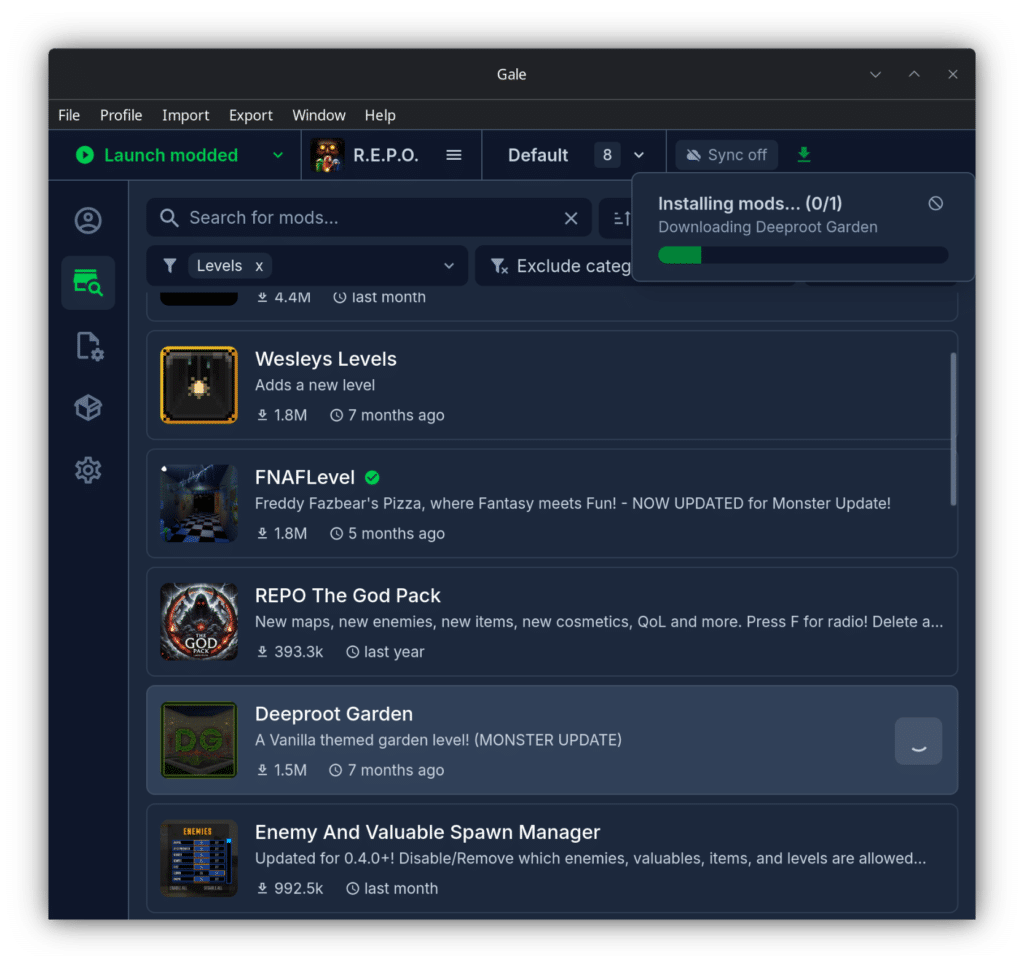
RepoXR’s own documentation recommends using Gale as the mod manager. Download and install Gale, then open it and select R.E.P.O. from your list of games.
Install RepoXR Through Gale
Inside Gale, search for “RepoXR” by DaXcess and install it. Gale will automatically pull in the required dependencies for you, including BepInEx and the OpenXR support libraries, so you don’t need to track those down or copy any files manually.
Launch R.E.P.O. With the Mod
Put on your headset and make sure SteamVR (or your runtime of choice) is running, then launch R.E.P.O. through Gale’s launch button, not directly from Steam.
Launching directly from Steam skips the mod loader entirely, which is the single most common reason people end up in flat mode instead of VR.
Setting Up Your Headset and VR Settings
Accessing VR Settings In-Game
Once R.E.P.O. launches with RepoXR installed, you should boot straight into VR with your headset active. From the main menu, go to Settings, then VR Settings, to adjust comfort and control options specific to the mod. This is also where you’d go if a setting ever needs resetting after an update.
Movement, Interaction, and the Toolbelt
Once you’re in, you grab and carry items directly with your hands rather than through a flat-screen pickup prompt. Your inventory and map live on a virtual toolbelt you reach down to access, and your flashlight can be used either handheld or head-mounted, depending on what feels more natural.
If your view ever feels off-center, use your headset or runtime’s standard recenter command (this varies slightly by headset) to reset your position.
Eye Tracking Support
If your headset has eye tracking hardware, RepoXR supports it. There’s nothing extra to install for this. It’s detected automatically and enabled through the VR Settings menu if your headset and runtime report eye tracking as available.
Playing Multiplayer With VR and Non-VR Players
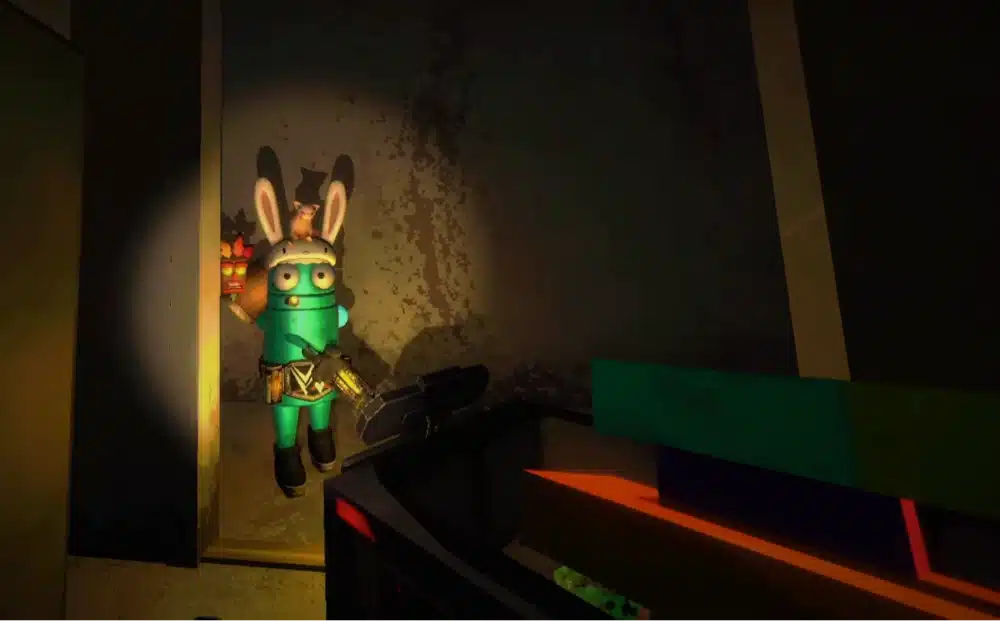
One of the best things about RepoXR is that it doesn’t split your friend group into separate lobbies. It’s compatible with multiplayer, and VR players and flat-screen players can play together in the same lobby, which fits right into R.E.P.O.’s co-op design and the site’s wider list of multiplayer VR games worth playing. Flat-screen players will even see your arm and head movement reflected in-game if only part of your group has headsets.
One caveat worth knowing before you host: if the lobby host doesn’t have RepoXR installed, physics calculations can behave differently for VR players, which can feel disruptive during physical interactions. For the smoothest experience, it’s best if whoever is hosting also has the mod installed, even if they’re playing on a flat screen themselves.
RepoXR Troubleshooting
The Game Launches in Flat Mode Instead of VR
This almost always means the game was launched directly from Steam instead of through Gale. Close the game, make sure your headset and VR runtime are running first, then launch again from Gale’s launch button specifically.
Physics Feel Off in Multiplayer
If items feel like they’re behaving strangely in someone else’s lobby, check whether the host has RepoXR installed. As noted above, hosting without the mod changes physics behavior for VR players joining that lobby. Try hosting yourself, or hosting with a friend who also has RepoXR installed, to compare.
Performance, Lag, or Stutter
Since VR rendering is more demanding than flat-screen play, stutter is usually a hardware headroom issue rather than a bug in the mod. Lowering in-game graphics settings helps, and if you’re streaming to a Quest headset over Wi-Fi, a stronger router or switching to a wired Link cable connection can resolve a lot of stutter that looks like a performance problem but is really a connection problem.
Resetting Your RepoXR Settings
If your RepoXR settings get into a bad state, you can reset them back to default by deleting the config file at BepInEx/config/io.daxcess.repoxr.cfg in your R.E.P.O. install folder. RepoXR will regenerate a fresh copy of this file the next time you launch the game.
Frequently Asked Questions About R.E.P.O. VR
Is RepoXR free?
Yes. RepoXR is a free, open source mod released under the GPL-3.0 license. There’s no cost to download or use it.
Can I use UEVR to play R.E.P.O in VR instead?
No. UEVR only works with Unreal Engine games, and R.E.P.O. is built in Unity. RepoXR, a mod written specifically for R.E.P.O., is the only working way to play it in VR right now.
Which VR headsets work with RepoXR?
Any headset that works through OpenXR, which covers most modern headsets: Oculus and Meta headsets (including Quest 2 and Quest 3 via Link, Air Link, or Virtual Desktop), SteamVR headsets like the Valve Index and HTC Vive, HP Reverb G2, and Windows Mixed Reality headsets.
Is using RepoXR against R.E.P.O’s rules?
R.E.P.O. doesn’t use anti-cheat software, and RepoXR’s own documentation doesn’t mention any restriction on using it. That said, it’s still a third-party mod rather than an officially supported feature, so as with any mod, use it at your own discretion.
What is RepoXR stops working after a R.E.C.O update?
RepoXR is built for a specific game version, though it does dynamically check compatibility on startup and can sometimes support newer versions automatically. If it stops working after an update, check RepoXR’s GitHub or Thunderstore page for the latest release before assuming your install is broken.
Final Thoughts
RepoXR is a genuinely well-built mod for a game that never officially planned to support VR, and being able to mix VR and non-VR players in the same lobby makes it easy to try out with a group without everyone needing a headset.
If this is your first time modding a flat game into VR, our roundup of games with VR mods is a good next stop for more titles that work the same way. If you run into anything this guide didn’t cover, drop a comment and I’ll help you sort it out.