
The XREAL One Pro+ is a refresh of the XREAL One Pro, and this XREAL One Pro+ vs One Pro guide covers exactly what changed, what stayed the same, and whether the upgrade is worth it. XREAL’s own listing calls it the XREAL 1 Pro+, and you’ll also see it written as the XREAL One Pro Plus. It’s the same glasses under all three names.
The short version: the XREAL One Pro+ costs $599, the same price the One Pro sells for right now. For that money you get a brighter display (1,200 nits vs 700), 2D-to-3D conversion at 60 fps, AI HDR, three one-tap viewing modes and a redesigned nose pad. The 57 degree field of view and the X1 chip are unchanged.
I pulled every spec below from XREAL’s own pages. Where XREAL doesn’t publish a number, like the Pro+ weight, I say so instead of guessing.
XREAL One Pro vs One Pro Plus: Quick Verdict
- Buying new? Get the XREAL One Pro+. It costs the same $599 as the One Pro, so the upgrades are free at that price.
- Already own a One Pro? Upgrade only if brightness, the 30 fps 3D conversion or nose comfort bothers you today. The panel, field of view and chip are the same, so most of what you already like carries over.
- On price, the One Pro is $599 on sale from a $649 list price, while the One Pro+ is $599 with no markdown.
- Still missing: a camera. 6DoF tracking needs the XREAL Eye, which is a $99 add-on.
XREAL One Pro+ Specs vs XREAL One Pro Specs (Full Comparison Table)
Here are the XREAL One Pro Plus specs side by side with the One Pro. This is also the XREAL 1 Pro+ vs 1 Pro table, if that’s the name you searched.
| Spec | XREAL One Pro+ | XREAL One Pro |
|---|---|---|
| Price | $599 | $599 sale ($649 list) |
| Display | Sony micro-OLED | 0.55″ Sony micro-OLED |
| Resolution | 1080p per eye* | 1920 x 1080 per eye |
| Field of view | 57 degrees | 57 degrees |
| Peak brightness | 1,200 nits | 700 nits |
| Refresh rate | 120 Hz | Up to 120 Hz |
| 2D-to-3D conversion | 60 fps, on the glasses | 30 fps† |
| AI HDR | Yes | Not listed |
| Display modes | Standard, Movie, Reading | Not listed |
| Chip | X1, native 3DoF | X1, native 3DoF |
| Motion-to-photon latency | 3 ms | 3 ms |
| Dimming | Electrochromic | 3-mode electrochromic |
| Audio | Sound by Bose | Sound by Bose |
| IPD sizes | M (57-66 mm) and L (66-75 mm) | M (57-66 mm) and L (66-75 mm) |
| Weight | Not published | 87 g |
| Built-in camera | No | No |
| 6DoF | With XREAL Eye ($99) | With XREAL Eye ($99) |
*XREAL’s Pro+ page doesn’t list panel size or resolution. Launch coverage describes the same 0.55-inch 1080p Sony panel as the One Pro.
†XREAL’s One Pro page doesn’t state a 2D-to-3D rate. The 30 fps figure comes from launch coverage of the Pro+.
XREAL One Pro+ Improvements: What Changed vs the One Pro
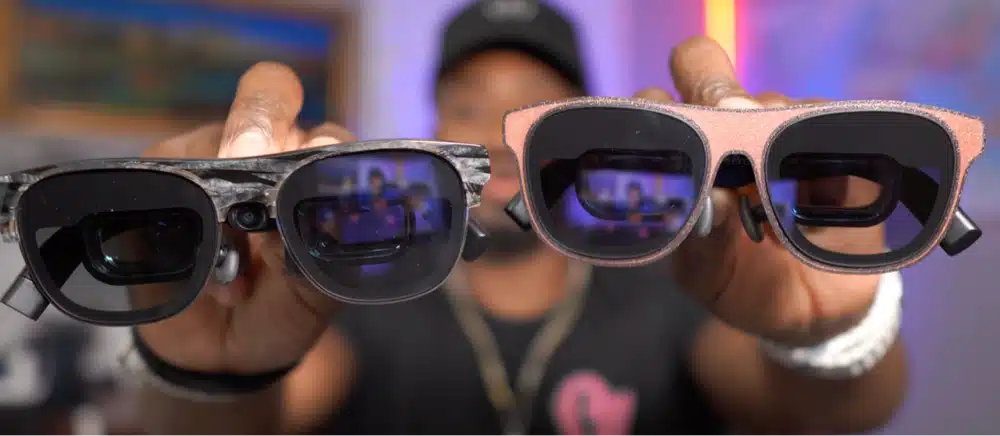
Five things changed on the Pro+, and only one of them is physical.
XREAL One Pro+ Brightness: 1,200 Nits vs 700 Nits
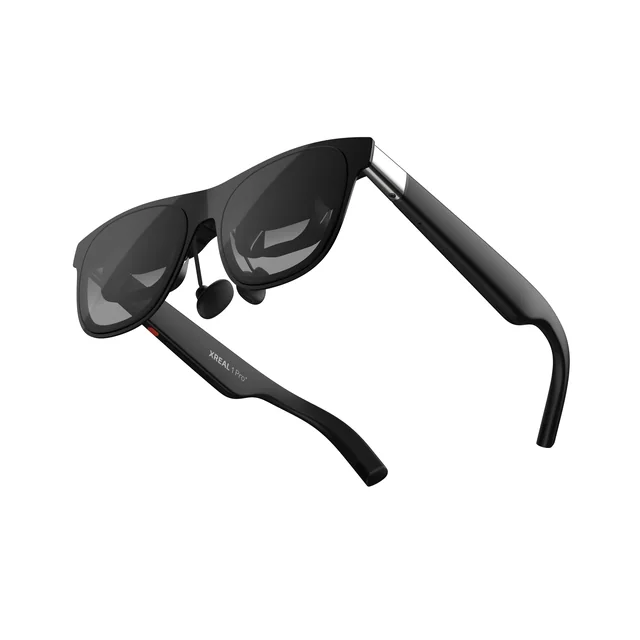
XREAL rates the Pro+ at 1,200 nits peak, up from 700 on the One Pro. That’s about 70 percent higher on paper.
With the One Pro I found 700 nits helped in a bright room but didn’t beat daylight glare. I’d expect the extra headroom to matter most near a window or on a plane, where the image has to compete with ambient light. The electrochromic dimming is still the better fix for glare, and it works alongside the brighter panel.
Peak brightness is also where the Pro+ catches up, not where it leads. RayNeo lists up to 1,200 nits on the Air 4 Pro, and Viture lists up to 1,250 on the Beast. The One Pro was behind its rivals here, and the Pro+ closes the gap.
XREAL One Pro+ 2D-to-3D: Real 3D at 60 FPS
XREAL says the Pro+ turns photos, videos, livestreams and games into spatial 3D at 60 fps, directly on the glasses, with no extra software or accessories. Launch hands-ons put the One Pro’s rate at 30 fps, a number XREAL’s own One Pro page doesn’t state.
Doubling the frame rate is the upgrade I care about most for games. At 30 fps, converted depth in a fast scene is going to look choppier than the 120 Hz picture around it. At 60 fps it should feel closer to the game itself. It’s still a conversion, so I’d expect some scenes to look better than others, the same as on any 2D-to-3D feature.
XREAL One Pro+ AI HDR: Is It Real HDR?
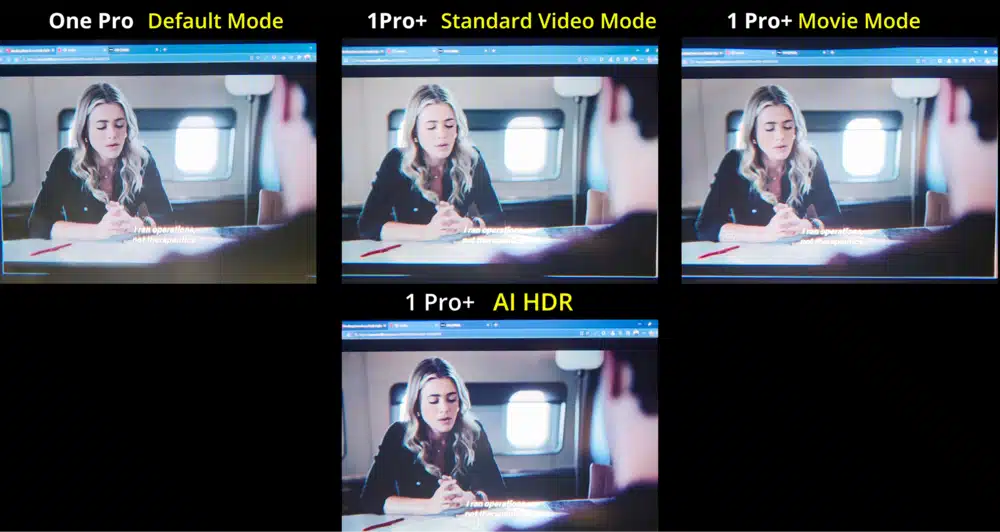
AI HDR is new on the Pro+. XREAL says it brings out more detail across highlights and shadows. It’s processing applied to a standard signal, not native HDR, and XREAL doesn’t claim otherwise.
That matters if HDR is the reason you’re buying. RayNeo lists HDR10 on the Air 4 Pro. If you mostly watch standard content, AI HDR is a nice extra and not a reason to upgrade by itself.
XREAL One Pro+ Standard, Movie and Reading Modes
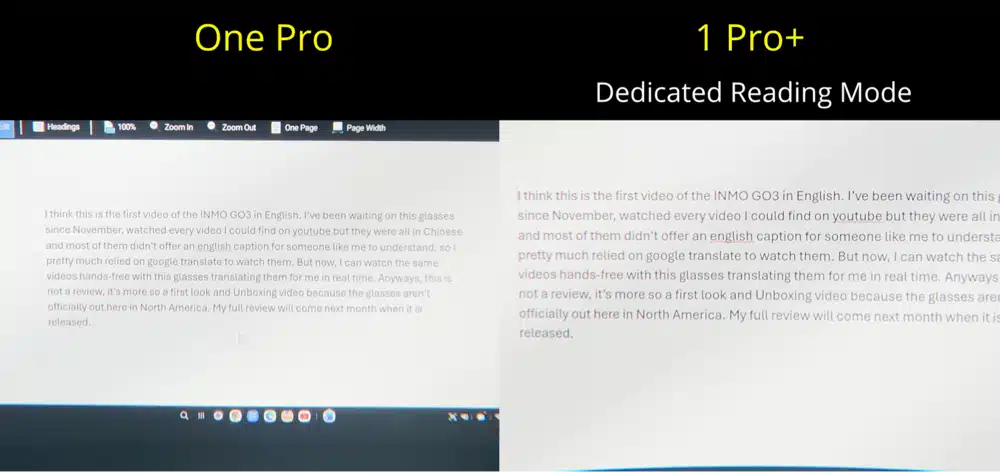
The Pro+ adds three display modes: Standard, Movie and Reading. XREAL says they tune the display to the content in front of you, and the page quotes a color accuracy of delta E under 3.
The practical gain is speed. Without presets you adjust size and distance for each use. One switch for text work and another for a film is a small change, but it’s the one I’d use every day.
XREAL One Pro+ Nose Pad and Weight: What XREAL Changed
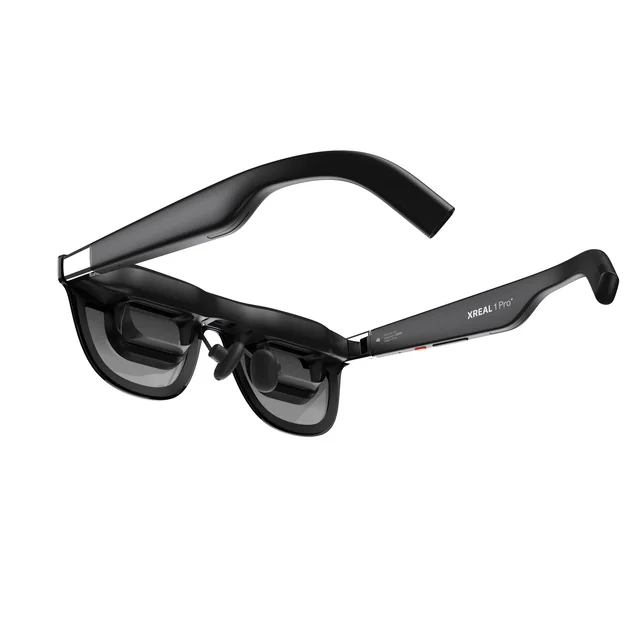
The physical change is the nose pad. XREAL says the redesigned pad has a broader contact area that improves stability, comfort and display alignment. The temples are still adjustable, and the glasses are TÜV Rheinland Eye Comfort certified.
Weight is the number XREAL doesn’t publish for the Pro+. The One Pro is 87 g. The nose pad is the only physical change XREAL lists, so I’d guess the weight is close, but that’s a guess and not a spec.
What Didn’t Change on the XREAL One Pro+
The Pro+ is a refresh, not a new generation. The parts that make the One Pro good are all still here.
XREAL One Pro+ FOV and Resolution: 57 Degrees, 1080p Per Eye
The field of view is 57 degrees, from XREAL’s X Prism optics, the same as the One Pro. The panel is a Sony micro-OLED at 1080p per eye, with a refresh rate up to 120 Hz. That field of view is wide for glasses, though RayNeo’s GT Max lists 59 degrees.
In practice a wider view means text and menus stay in sight without as much head turning as on a narrower pair like the 46 degree Air 4 Pro. XREAL One Pro+ OLED Display and X1 Chip
The X1 chip is still the heart of it. It gives the glasses native 3DoF tracking with 3 ms motion-to-photon latency, so the screen stays pinned where you put it. That low latency is what keeps a pinned screen from lagging or smearing when you turn your head. Follow mode, 3DoF anchor mode and electrochromic dimming are all carried over.
The Pro+ still has no built-in camera. That’s a plus for privacy and a minus if you wanted 6DoF without an add-on.
XREAL One Pro+ Audio: Sound by Bose
Audio is Sound by Bose, the same as the One Pro. In my One Pro review I found the open-ear speakers fine at home but leaky, and short on bass next to earbuds. XREAL lists no change, so the same trade-offs should apply. Plan on earbuds on a bus or a plane.
XREAL One Pro+ Price and Release Date: Same $599 as the One Pro?
The XREAL One Pro+ costs $599 in both sizes at XREAL’s US store, which listed it on October 15, 2026. XREAL’s store shows size M in stock and size L shipping within two weeks of purchase.
The One Pro is also $599 right now, but that’s a sale price off a $649 list price. The Pro+ has no markdown, so you’re paying the One Pro’s sale price for the newer glasses.
Where to Buy the XREAL One Pro+: XREAL Store, Amazon and Best Buy
Right now the place to buy is XREAL’s US store. There’s also a bundle with the XREAL Eye for $648, which is $50 less than buying the two separately.
XREAL’s store locator lists Best Buy, Micro Center, B&H, Abt Electronics and Jorgensens as retail partners, but it doesn’t tie the Pro+ to any of them yet, and Amazon isn’t on that list. I’d buy from XREAL until a retailer lists it.
XREAL One Pro+ Sale, Discount Code and Refurbished: What Exists
I haven’t found an official XREAL discount code for the Pro+, and its price isn’t marked down. XREAL’s store lists a certified refurbished Air 2 Pro, but nothing refurbished for the Pro+ or One Pro. If you want a lower price, the One Pro’s sale is the only discount in the lineup right now.
XREAL One Pro+ Price in the UK, Canada, Australia and India
I verified the $599 price on XREAL’s US store only. XREAL runs separate shops for Europe, Asia and North America, and prices, shipping and import fees differ by country. Check your own region’s store before you compare numbers.
XREAL One Pro+ M or L: Which Size Should You Buy?
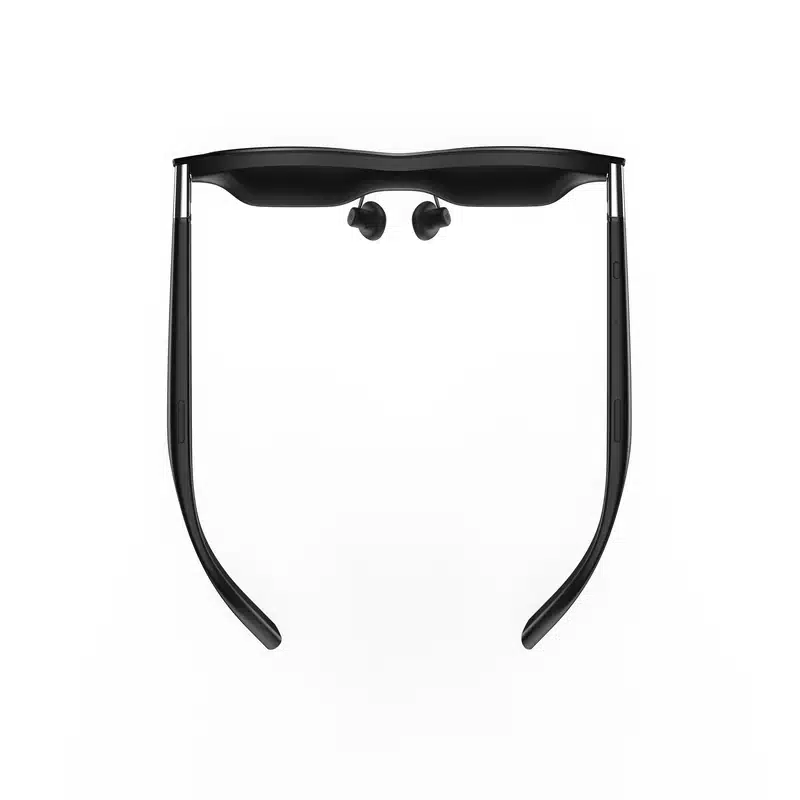
The XREAL One Pro+ comes in two sizes, picked by your interpupillary distance (IPD), the gap between your pupils. Size M covers 57 to 66 mm and size L covers 66 to 75 mm. XREAL says the two sizes together cover up to 95 percent of global IPD ranges.
Pick by IPD, not head size. If you don’t know your number, measure it with a ruler and a mirror, or ask an optician. At exactly 66 mm you fall in both ranges, so the nose pad and temple adjustments decide the fit. XREAL’s store links a guide on how to measure your IPD under the size selector, and I’d use it.
XREAL One Pro+ IPD Adjustment and Range
The physical size is the main adjustment. XREAL’s spec table says the One Pro pairs two physical sizes with software adjustment, and launch coverage describes the Pro+ as a hardware and software mix. Software can only shift the image so far, so a wrong size can still mean a softer picture at the edges.
XREAL One Pro+ Prescription Lenses and Inserts
XREAL sells prescription lenses made for the Pro+ in four versions: 1.6 standard at $49.90, 1.6 blue light blocking at $59.90, 1.67 standard at $59.90, and 1.67 blue light blocking at $69.90. XREAL shows them as discounted from $149.90 to $169.90. The 1.67 lenses are the higher-index, thinner option, which helps with stronger prescriptions.
XREAL lists the Pro+ lenses and the One Pro lenses as separate products, so confirm fit before reusing lenses from a One Pro. XREAL’s pages don’t say whether you can wear regular glasses under the Pro+, which is why I’d order inserts if you need correction for more than a short session.
XREAL One Pro+ Accessories: XREAL Eye, Case, Cable and Hub
The glasses are only part of the setup.
XREAL One Pro Plus Eye: 6DoF and Camera
The Pro+ has no built-in camera. XREAL’s page says 6DoF spatial anchoring requires the XREAL Eye, which is sold separately for $99. The Eye also takes photos and video.
The built-in X1 chip already pins the screen with 3DoF, so the screen stays put when you turn your head. 6DoF adds the ability to move around and have the screen stay where you put it in the room. If you’ll mostly sit and watch, I’d skip the Eye. If you want it, the $648 bundle is the better deal.
Click here to buy the XREAL Eye from XREAL’s store or Amazon.
XREAL One Pro+ Case, Cable and XREAL Hub
XREAL hasn’t published the Pro+ box contents. The One Pro box included a case, a USB-C cable, nose pads and a cleaning cloth, and my One Pro review found the case has no compartment to keep the cable apart from the glasses. I’d expect similar here.
Click here to buy a third-party case on Amazon: the RLSOCO case, the khanka case or the casmilee case. All three list the One Pro, not the Pro+, so check fit before you order.
The XREAL Hub is $39.99 and adds 45W charging pass-through and 120 Hz pass-through. XREAL says the Nintendo Switch needs it. XREAL pitches it for charging a Steam Deck or iPhone while you use the glasses, which helps on long sessions.
Click here to buy the XREAL Hub from XREAL’s store or Amazon.
XREAL One Pro+ Compatibility: What It Works With
XREAL’s Pro+ page says it connects to handhelds, consoles and PCs. The One Pro page spells it out: the device needs a USB-C port with DisplayPort output. XREAL’s list for the One Pro names iPhone, iPad, Android, PC, Mac, Xbox, PlayStation 5, Steam Deck, Switch and ROG Ally. I’d treat the Pro+ list as the same, but XREAL hasn’t published one.
XREAL One Pro+ iPhone and iPad
iPhones with USB-C, starting with the iPhone 15, can drive the glasses, and XREAL lists both iPhone and iPad. I haven’t verified every model, including the iPhone Air, so check that your device outputs DisplayPort over USB-C before you buy.
XREAL One Pro+ Android and Mac
Android phones that output DisplayPort over USB-C work, and XREAL lists Android, PC and Mac. For work on a Mac or Windows PC, the 3DoF anchoring is the feature that matters, because the screen stays put as you move your head.
XREAL One Pro+ PS5 and Xbox
XREAL lists PlayStation 5 and Xbox. Neither console has a USB-C video output, so you’ll need an adapter or dock. I’d check XREAL’s setup page for the exact adapter before buying one.
XREAL One Pro+ Switch and Switch 2
XREAL says the original Nintendo Switch needs the XREAL Hub. Switch 2 isn’t on XREAL’s One Pro list, and the Pro+ page doesn’t name it, so I wouldn’t assume it works. Viture does list Switch 2 for the Beast.
Click here to buy the XREAL Hub for the original Switch from XREAL’s store or Amazon.
XREAL One Pro+ Steam Deck and ROG Ally
Both are on XREAL’s list and both have a USB-C port with DisplayPort output. On a Steam Deck, the Hub’s 45W pass-through helps on longer sessions. XREAL also makes the ROG XREAL R1 for ROG Ally players, covered below.
XREAL One Pro+ for Gaming, Movies and Work: Where the Upgrade Helps
XREAL One Pro+ for Gaming
The 60 fps 3D conversion and 1,200 nits are the real gains, with the same 120 Hz and 3 ms latency as before. On a handheld, those two are the reasons I’d upgrade.
XREAL One Pro+ for Movies
Brightness, AI HDR, Movie mode and the electrochromic dimming all help here. The panel and the 57 degree view are the same, so a film looks like the One Pro, brighter and with more highlight detail.
XREAL One Pro+ for Work and Productivity
Reading mode and the anchored screen are what I’d use. The new nose pad should help in long sessions, and that’s the change I’d judge after a few hours of wear and not a few minutes.
Should You Upgrade? XREAL One Pro vs Pro+
Upgrade to the XREAL One Pro+ If
- You use your glasses in bright rooms or near windows.
- You play or watch a lot of converted 3D content.
- Your nose or the image alignment gets uncomfortable after an hour or two.
- You can sell your One Pro for close to what you paid.
Keep Your XREAL One Pro If
- You mostly use them in dim rooms and rarely turn 3D on.
- Your One Pro already sits comfortably for the sessions you do.
- You don’t care about AI HDR or display presets.
- You can find a One Pro for under $599.
Buy the XREAL One Pro+ Instead of the One Pro If
You’re buying your first pair and the price is the same. At $599 each, I’d buy the Pro+ without hesitating. The only reason to pick the One Pro is a deal that puts it clearly below $599.
XREAL One Pro+ vs Other AR Glasses
The Pro+ sits in a crowded field. Below are prices and the one spec that decides each match-up.
XREAL One Pro+ vs Viture Beast
The Beast is $549 on Viture’s site. Viture lists up to 1200p, up to 1,250 nits, a 174-inch screen at 4 m, built-in 3DoF, electrochromic dimming and 2D-to-3D conversion in real time, with Switch 2 on its compatibility list. That’s $50 less for similar brightness, so the Pro+ has to win on fit, Bose audio and how much you trust XREAL’s 3DoF anchoring. If Switch 2 matters to you, the Beast has the clearer answer.
XREAL One Pro+ vs Viture Luma Ultra, Luma Pro and Viture Pro XR
Viture’s current lineup is the Luma Pro at $499, the Luma Ultra at $599 and the Pro 2 at $299, which is the closest current model to the older Pro XR. Viture says the Luma Ultra is its model for 6DoF, full AR and hand gestures. That’s the one to look at if you’d otherwise pair the Pro+ with the $99 Eye. I’ve reviewed the older Viture Pro XR if you’re weighing one used.
Click here to see them on Amazon: the Luma Ultra or the Luma Pro.
XREAL One Pro+ vs RayNeo Air 4 Pro and GT Max
RayNeo’s Air 4 Pro is $299, with a 46 degree field of view, up to 1,200 nits, 120 Hz and 76 g. It’s $300 cheaper and has the same peak brightness, but an 11 degree narrower view. The GT Max is $429, with a 59 degree field of view, up to 1,200 nits and 78 g, which is slightly wider than the Pro+. The Pro+ has the X1 chip and anchoring behind it.
Click here to see them on Amazon: the Air 4 Pro or the GT Max.
XREAL One Pro+ vs XREAL 1S
The XREAL 1S is $449. It has a 52 degree field of view, 700 nits, 3840 x 1200 across both eyes and a fixed 90 Hz (up to 120 Hz in 3DoF mode). It’s $150 cheaper, but the Pro+ is brighter and has a wider view. The 1S is the pick if budget matters more than either.
XREAL One Pro+ vs ROG XREAL R1
The ROG XREAL R1 is $849 and weighs 91 g. XREAL markets it as the first 240 Hz gaming AR glasses. It only makes sense if you have a PC or ROG Ally that can push 240 Hz. For everyone else the Pro+ is the better value.
XREAL One Pro+ vs XREAL Aura
The XREAL Aura starts at $1,279 and is the Android XR glasses, with its own 12GB of RAM and 256GB of storage. It’s a different kind of product, since it runs apps itself, where the Pro+ shows you what another device sends. My Apple Vision Pro alternatives guide covers where it fits.
XREAL One Pro+ vs XREAL Air 2 Pro
XREAL’s store lists the Air 2 Pro at $249 with a 46 degree field of view. It’s the older, cheaper generation without the One series’ X1 chip, and I’d only look at it on a tight budget.
XREAL One Pro+ vs Meta Quest 3: Which Is Better for Movies?
A Quest 3 is a standalone VR headset at around $600, so it’s a different tool. For movies I’d pick the Pro+: it’s a fraction of the weight, there’s nothing to charge, and the 1,200 nit screen fits a seat or a bed. The Quest wins when you want full virtual reality and its own apps. My XREAL vs Quest comparison goes deeper.
XREAL One Pro+ vs Apple Vision Pro
The Vision Pro starts around $3,700 and is a full headset. The Pro+ is $599 and works as a screen for another device. They only overlap on watching movies, and the price difference is the whole story.
XREAL One Pro+ Drawbacks: What Didn’t Get Fixed
- There’s no built-in camera, so 6DoF and photos need the $99 XREAL Eye.
- AI HDR isn’t native HDR. If HDR is your priority, look at RayNeo’s HDR10.
- The weight isn’t published. The One Pro is 87 g, and XREAL gives no figure for the Pro+.
- Size L ships within two weeks, per XREAL’s store, so expect a wait if you need it.
- XREAL hasn’t shown a new case, and my One Pro review found the original has no compartment for the cable.
- The open-ear audio is fine at home and weak in noise.
- The naming is a mess. XREAL One Pro+, XREAL 1 Pro+ and One Pro Plus are all the same glasses, which makes searching for reviews harder than it should be.
It’s also brand new, so there’s no data yet on how the firmware and build hold up over months.
XREAL One Pro+ FAQ: Common Questions Answered
What is the difference between XREAL One Pro and One Pro+?
The One Pro+ is brighter (1,200 nits vs 700), converts 2D to 3D at 60 fps, adds AI HDR and Standard, Movie and Reading display modes, and has a redesigned nose pad. The 57 degree field of view, the Sony micro-OLED panel and the X1 chip are unchanged.
Is the XREAL One Pro+ worth it over the One Pro?
For a first pair, yes, because it costs the same $599 the One Pro costs today. If you already own a One Pro, upgrade only if brightness, 3D smoothness or nose comfort bothers you.
How much is the XREAL One Pro+?
$599 for both size M and size L at XREAL’s US store. The bundle with the XREAL Eye is $648.
When did the XREAL One Pro+ come out?
XREAL’s US store listed it on October 15, 2026.
Is the XREAL One Pro+ the same as the XREAL 1 Pro+ or One Pro Plus?
Yes. XREAL’s own name is XREAL 1 Pro+. XREAL One Pro+ and XREAL One Pro Plus are how most people write it, and they all mean the same glasses.
Is the XREAL One Pro+ brighter than the One Pro?
Yes. XREAL rates the Pro+ at 1,200 nits peak, and its spec table lists the One Pro at 700 nits.
Does the XREAL One Pro+ have a camera?
No. The glasses have no built-in camera. The XREAL Eye is a $99 add-on that adds one.
Does the XREAL One Pro+ have 6DoF?
Only with the XREAL Eye. Out of the box it has native 3DoF from the X1 chip.
Should I get the XREAL One Pro+ in M or L?
Choose by your IPD. Size M covers 57 to 66 mm and size L covers 66 to 75 mm.
Does the XREAL One Pro+ work with PS5 and Switch 2?
XREAL lists PlayStation 5 for the One Pro, and the Pro+ page says it works with consoles. Switch 2 isn’t named on XREAL’s pages, so don’t assume it works. The original Switch needs the XREAL Hub.
Does the XREAL One Pro+ work with iPhone?
XREAL lists iPhone and iPad. The device needs a USB-C port with DisplayPort output, so check your model.
Does the XREAL One Pro+ work with Steam Deck and ROG Ally?
XREAL lists both for the One Pro, and both have a USB-C port with DisplayPort output. The Pro+ page says it works with handhelds.
Does the XREAL One Pro+ work with Mac?
XREAL lists Mac and PC for the One Pro, and the Pro+ page says it works with PCs.
Can I use prescription lenses with the XREAL One Pro+?
Yes. XREAL sells Pro+ lenses in four versions, from $49.90 to $69.90.
Can I wear the XREAL One Pro+ with glasses?
XREAL’s pages don’t say. Prescription lenses are the safer option for anything longer than a short session.
Is the XREAL One Pro+ wireless?
XREAL doesn’t list a wireless connection. The One Pro page says the device needs a USB-C port with DisplayPort output.
Does the XREAL One Pro+ have a battery?
XREAL doesn’t list a battery on the Pro+ or One Pro pages. It sells the XREAL Hub to charge a Steam Deck or iPhone while you use the glasses.
Is there an XREAL One Pro+ discount code or sale?
I haven’t found an official code. The Pro+ is $599 with no markdown, and the One Pro is on sale from $649.
Can I buy a refurbished XREAL One Pro+?
XREAL’s store lists a certified refurbished Air 2 Pro, but I didn’t find a refurbished Pro+ or One Pro.
How do I connect the XREAL One Pro+ to my phone, PC or console?
Plug the glasses into a USB-C port with DisplayPort output. A console or an original Switch needs an adapter or the XREAL Hub, so check XREAL’s setup page for the right one.
Is the XREAL One Pro+ Worth It? Review Verdict
The XREAL One Pro+ is worth it if you’re buying your first pair, and a close call if you already own the One Pro. At $599 it costs the same as the One Pro’s sale price and adds brighter visuals, 60 fps 3D conversion, AI HDR, display modes and a new nose pad, with nothing taken away.
For One Pro owners, I’d upgrade only if brightness or 3D smoothness is a real complaint. The panel, the 57 degree field of view and the X1 chip haven’t changed, so you’re not missing a new generation. If you want more of the glasses I’ve covered, see my XREAL One Pro review and the 13 best augmented reality glasses.