
Valve’s headset launched with a short list of first-party extras, a comfort kit that keeps selling out, and no charger in the box. This guide covers the best Steam Frame accessories you can actually buy right now, from a color passthrough camera to a 45W charger, with the price of each and how they hold up in use.
The Steam Frame ships with the headset, two controllers and a wireless adapter, and that’s it. Everything that makes it more comfortable, more protected or easier to power is an extra. Some of these are official Valve products and some are third-party listings that appeared within days of launch. Where I’ve used a product, I say what I found. Where I haven’t, I say so.
Best Steam Frame Accessories: Quick Summary
- Best upgrade: Arcturus Vision Camera ($149). Full-color passthrough that snaps into the headset’s front port.
- Best comfort: Valve Ergonomic Accessories Kit ($59). If it’s sold out, the AMVR head strap plus Spigen grips cover most of it.
- Best must-have: a 45W USB-C charger, because Valve doesn’t include one. The Anker Nano 45W costs $25.99.
- Best to skip for now: AMVR’s own prescription lenses. The plastic surround feels cheap and the lens can shift out of alignment. Zenni’s are the safer buy.
| Pick | Best for | Price | How I checked it |
|---|---|---|---|
| Arcturus Vision Camera | Color passthrough | $149 | Hands-on |
| Valve Ergonomic Accessories Kit | Official comfort upgrade | $59 | Hands-on |
| Spigen Cushioned Controller Grips | Third-party controller grips | $24.99 | Hands-on |
| AMVR HS2 Head Strap | Third-party head strap | $32.99 | Hands-on |
| Zenni Steam Frame Prescription Lenses | Prescription inserts | $67.95 | Specs and listing |
| Anker Nano 45W Charger | Charging | $25.99 | Spec match to Valve’s 45W |
| Anker 737 Power Bank | Charging on the go | $109.99 | Spec match to Valve’s 45W |
| ANNAPRO CD1 | Charging dock | $45.99 to $65.99 | Listing only |
| JDDWIN Hard Shell | Hard case | $32.99 | Listing only |
| AMVR Lens Protector Cover | Lens protection | $13.99 | Listing only |
How I Picked the Best Steam Frame Accessories
I only included accessories that meet one of three tests: the product names Steam Frame compatibility, I’ve used it with the headset, or the specs clearly match what Valve requires. Each entry says which applies, and says plainly when I haven’t used it.
Prices are what the stores listed at the time of writing, and several of these sell out or change quickly.
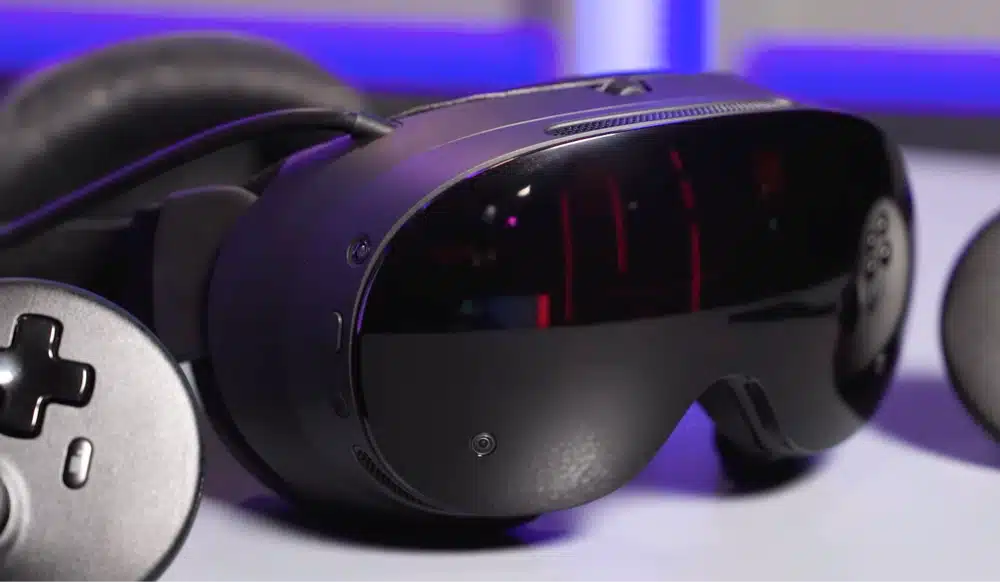
Arcturus Vision Camera (Best Upgrade)
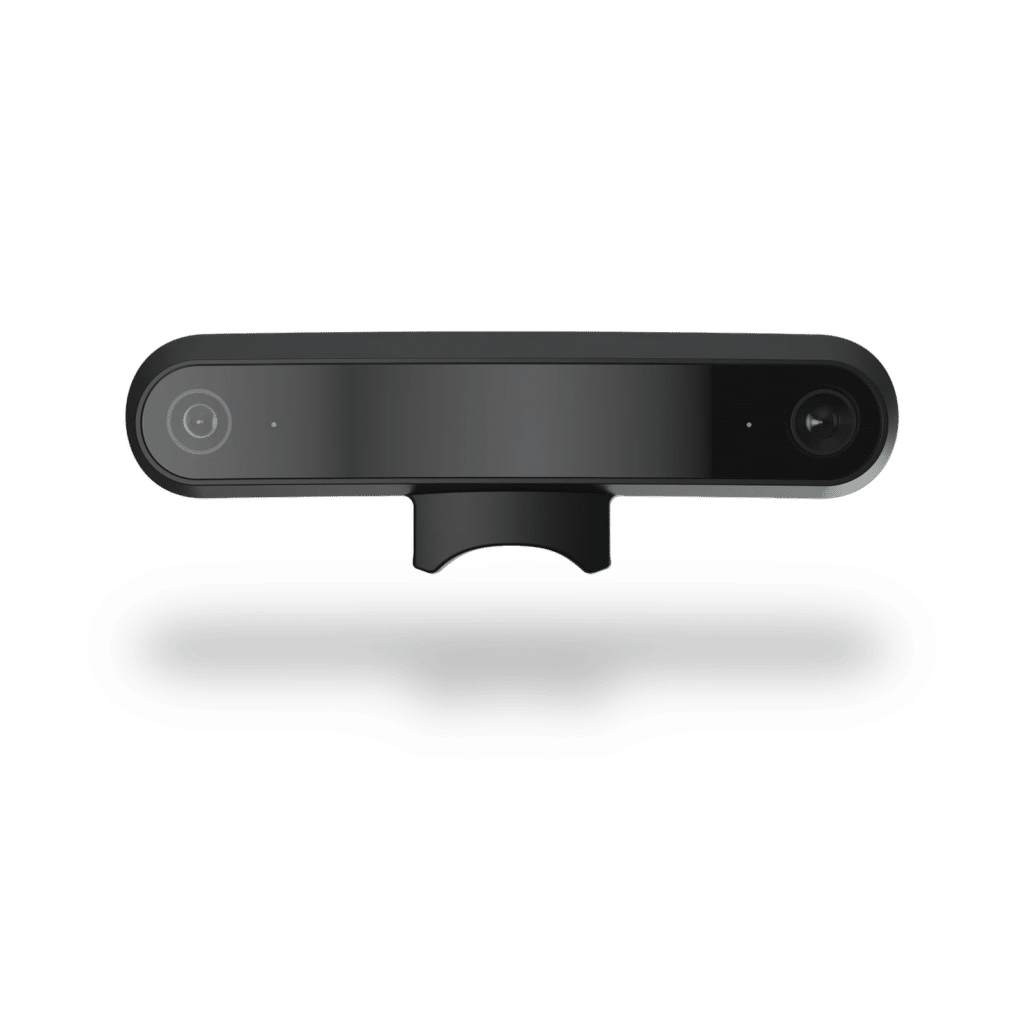
The Steam Frame’s built-in passthrough is monochrome, which is fine for finding your desk and not much else. The Arcturus Vision Camera swaps that for full-color HDR passthrough using two Sony RGB sensors on a module that weighs under 10 grams. It carries Valve’s “Steam Frame Compatible” mark, which Valve says means the product has been tested to work with the headset.
This is a standout Steam Frame accessory so far, and easy to recommend. It’s the one add-on that fixes a real complaint about the stock headset. It also records spatial video, which is a bonus for most gamers.
Arcturus Vision Camera Price and Where to Buy
The camera costs $149, and you order it directly from arcturus.vision. Free standard shipping, a one-year warranty and 14-day returns are listed for orders.
Arcturus Vision Camera Review: What Testers Found
The camera installs in seconds, with no software and no setup. The difference from the stock view was “night and day.” I can read my phone and press buttons on a camera without taking the headset off. Compared with the Meta Quest 3, I found the Arcturus image slightly sharper and more colorful but with a fine grain, while the Quest looked a little cleaner.
The passthrough lands about level with Quest 3 and well behind Apple Vision Pro. The Gaussian splat capture is advanced, and the sync app has no Linux version yet.
Steam Frame Accessory Port: How the Camera Connects
The camera snaps into the headset’s expansion port under the nose bridge, no restart needed. The port is a single-lane PCIe Gen 4 connection with a MIPI connector, which is why the camera can feed passthrough with so little delay. It’s also why this port is the first sign of other add-ons to come.
Arcturus Vision Camera Pros
- Real color passthrough, with sensors spaced 64 mm apart to match typical eye distance
- Tiny and light, and installs without tools or setup
- Records spatial video as a bonus
Arcturus Vision Camera Cons
- $149 on top of a $1,059 headset, and color passthrough arguably should have shipped built in
- Image quality about equals Quest 3, not better
- Gaussian splat features need a Linux PC and an NVIDIA GPU
Click here to buy the Arcturus Vision Camera.
Valve Ergonomic Accessories Kit (Best Official Comfort Upgrade)
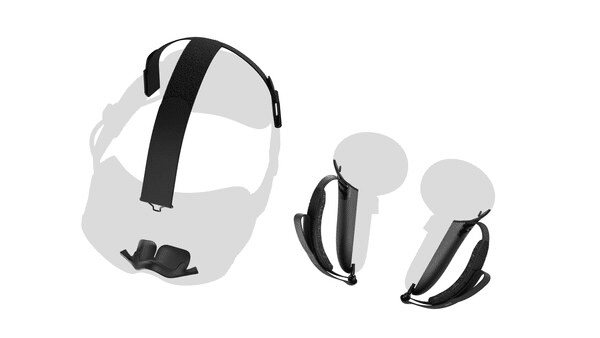
Valve’s kit bundles two controller hand straps with battery doors, a top strap and an extended light blocker. Of everything first-party, it’s the only comfort upgrade, and the headset doesn’t include any of it. The stock strap has no top support, and without hand straps you can’t open your hand while holding a controller.
The catch is availability. Valve only sells the kit as an add-to-cart option at checkout, for buyers who received a purchase email, and it sells out almost everywhere it appears.
Steam Frame Ergonomic Kit Price and Availability
The kit costs $59. A separate $49 Accessory Replacement Kit gets you a spare face gasket, head cushion and standard light blocker, and Valve’s 45W charger is $29. You can’t buy any of them on their own. Check the Steam Frame store page for current stock.
Steam Frame Top Strap
In normal seated play I found the top strap easy to forget, since the headset is already light. It matters most in fitness games where the headset might slide, and it keeps the headset seated and makes putting it on faster.
Steam Frame Controller Hand Straps
The straps let you open your hand without dropping the controller, which matters because the controllers sense finger position. I found them secure, and they suit Half-Life: Alyx. In Beat Saber they felt more restrictive than a wrist strap, and I missed being able to let go of the controller and let it hang when putting the headset on.
Steam Frame Light Blocker
The extended light blocker is mainly for people with small noses who see light leaking in. I left it off, since fitting it means releasing three stiff locks on the face gasket. It’s worth the effort only if light actually leaks in on your face.
Valve Kit Pros
- First-party fit and build, with controller straps that suit Alyx-style grip
- The only official top strap
- Includes a light blocker for small noses
Valve Kit Cons
- Hard to buy, with supply short and sold at checkout only
- Top strap helps less than expected for casual play
- The hand straps don’t hang from your wrist, which I missed
Click here to buy the Steam Frame ergonomics kit.
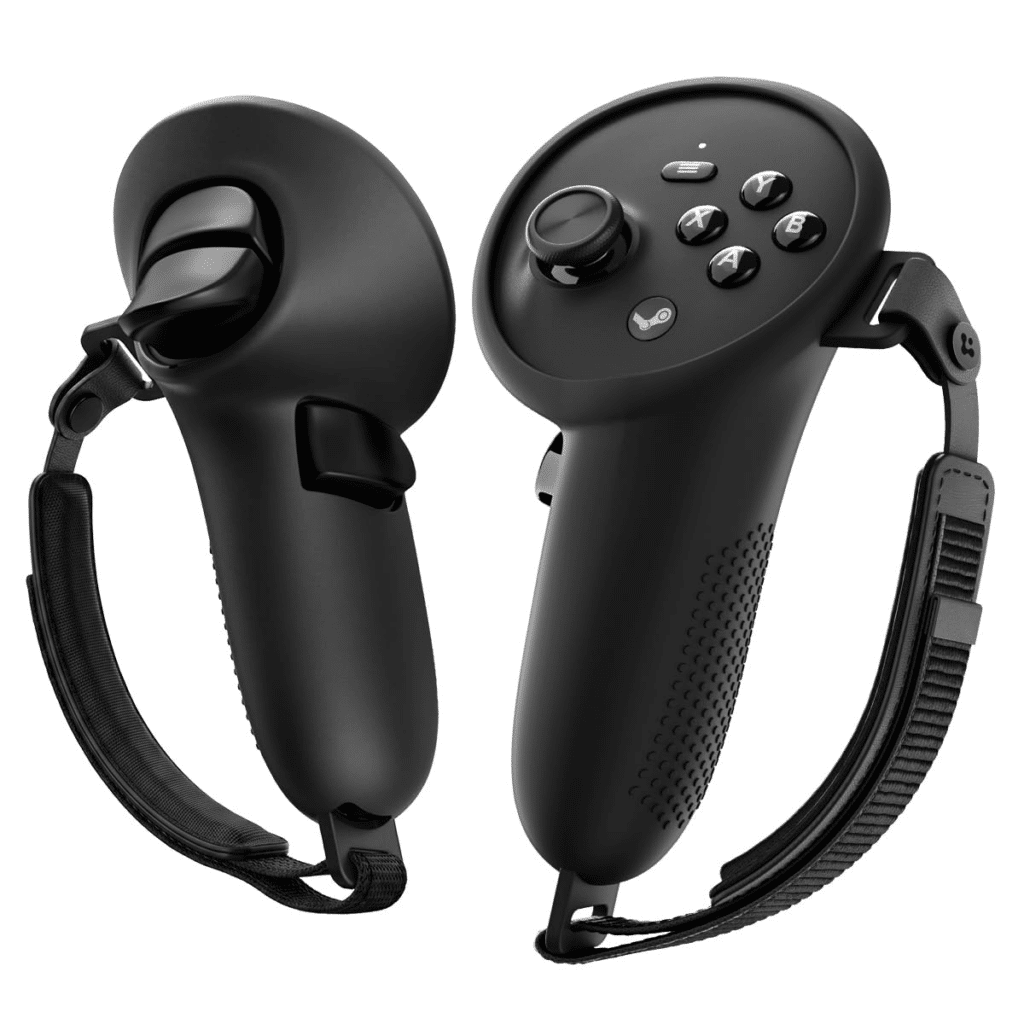
Spigen Cushioned Controller Grips (Best Third-Party Controller Grips)
If the Valve kit is sold out, these are the grips to consider. They’re silicone sleeves with a padded hand strap, a dotted non-slip texture and a hook-and-loop adjustment, listed on Amazon for the Steam Frame controllers. The strap and texture are aimed at active games, where a dropped controller is the real risk.
Spigen is a long-established phone-case brand, which gives them more credibility than the generic listings that appeared at launch. I’ve used them and would recommend them.
Spigen Steam Frame Controller Grips Review: Tracking and Finger Sensors
My worry was whether a silicone sleeve would block the controllers’ infrared tracking lights and capacitive finger sensors. In use, tracking only drifted when I held the controllers in unnatural positions with the top plate hidden from the cameras, and it snapped back as soon as I turned them. Finger tracking in VRChat worked as it did with Valve’s strap, and the silicone may even soften the semi-closed finger reading slightly.
After several hours of use I noticed no tracking difference, and I still prefer Valve’s strap ergonomics slightly. I wouldn’t use them for high-action games like Beat Saber, and if you worry, you can cut small holes in the silicone over the tracking lights.
Spigen Grips Pricing
They’re listed at $24.99 for the pair. Buy from Amazon or check Walmart.
Spigen Grips Pros
- Real hand strap with padding, at less than half the Valve kit’s price
- No practical tracking or finger-sensor problem in my use
- Silicone adds some protection
Spigen Grips Cons
- Can cause tracking drift in unusual hand positions
- Not ideal for Beat Saber-style play
- Strap ergonomics slightly behind Valve’s
Click here to buy the Spigen controller grips.
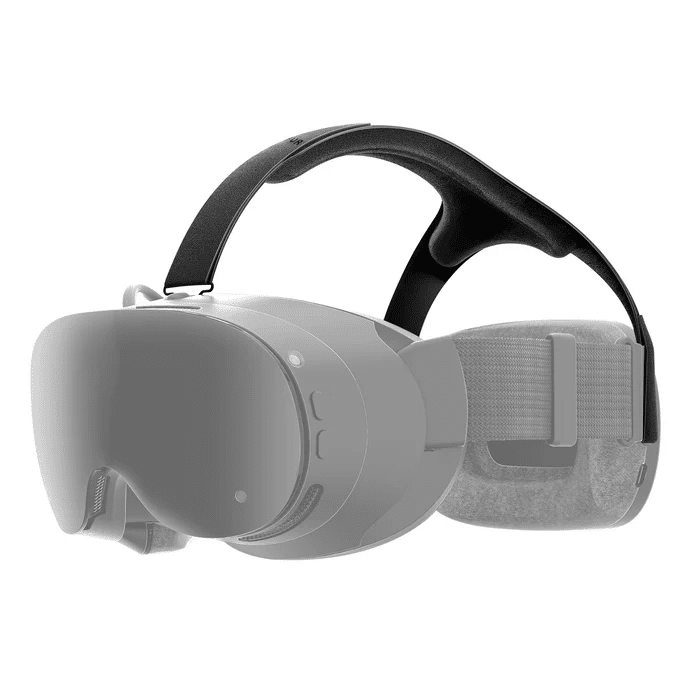
AMVR HS2 Head Strap (Best Third-Party Steam Frame Head Strap)
Valve’s top strap only comes in the kit, so a third-party option matters. AMVR’s HS2 is shaped like Valve’s, uses the same front metal clip and installs the same way.
I used it alongside Valve’s strap and found it the same in use, with nicer padding than Valve’s, which has none.
AMVR HS2 Pricing
The list price is $32.99, and AMVR’s shop often discounts it to about $29. It may show as pre-order, so check AMVR’s listing for ship dates.
AMVR HS2 Pros
- Matches Valve’s fit and clip, with extra foam padding
- Costs about half the Valve kit
- Good value even if you replace it every couple of years
AMVR HS2 Cons
- The coated material will likely dry out and crack after a couple of years
- No plastic reinforcement insert on the loop, which Valve’s has
- Padding makes it bulkier to pack, so I’d swap back to Valve’s for travel
Click here to buy the AMVR HS2 head strap.
Zenni Steam Frame Prescription Lenses (Best Prescription Lens Inserts)
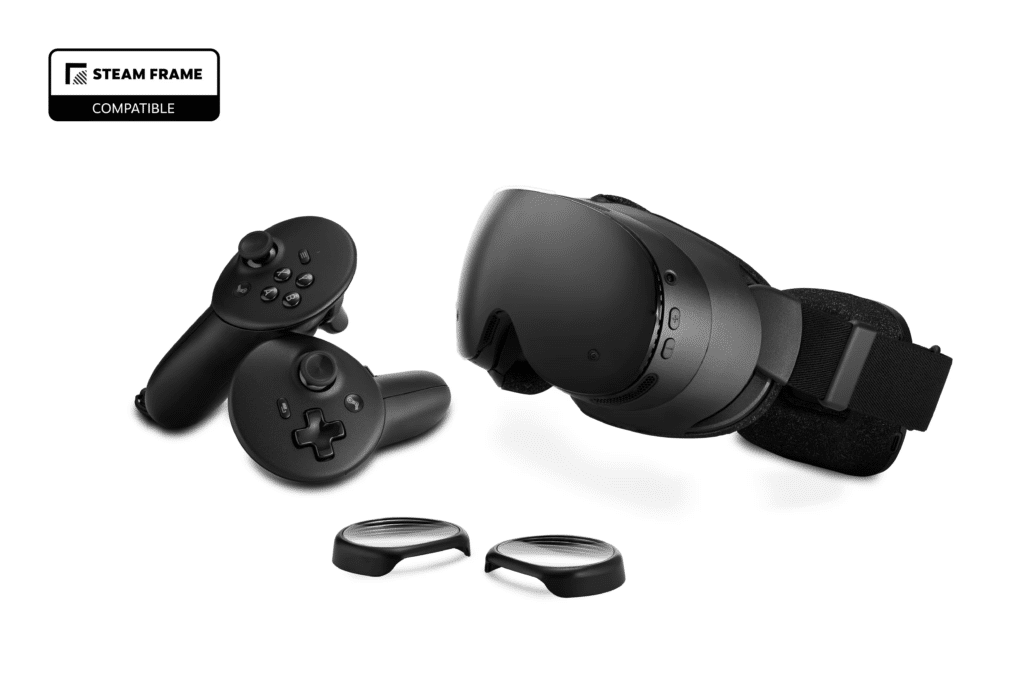
If you wear glasses, prescription inserts are the cleanest fix. Zenni is the provider Valve links from the Steam Frame store page, and its single-vision inserts snap straight into the headset, so you don’t wear glasses under the strap.
You may not need them. A good rule of thumb is that if you can see clearly at about 2.5 to 4 meters without glasses, you’ll likely be fine in VR, because the lenses focus your eyes at roughly that distance.
Steam Frame With Glasses: Do You Need Inserts?
The Steam Frame ships with a spacer that gives glasses a little more room, but I wouldn’t wear them inside the headset. They sit close to the lenses, and scratching a headset lens means a repair, not a trip to the optician.
Zenni Steam Frame Prescription Lenses
Zenni’s Steam Frame inserts cost $67.95 and are single vision only, with sphere from -6.00 to +2.00 and cylinder from -2.00 to +2.00. That covers mild to moderate prescriptions, but a stronger one falls outside the range, and VR-Rock’s wider range is the fallback. You don’t need a pupillary distance measurement, and shipping on Steam Frame lens orders is free. Stock has been patchy since launch, so check availability before you plan around them.
Steam Frame Prescription Lens Alternatives: VR-Rock Magnetic and AMVR
VR-Rock sells Steam Frame lenses from around $49, with a magnetic base option, a wider prescription range and free worldwide shipping, but the page shows them as sold out. I haven’t tried the Steam Frame version. AMVR sells its NL2 inserts for $69.99, and I don’t recommend them: the optics are fine, but the plastic surround creaks and the lens shifts out of alignment.
Zenni Lenses Pros
- Valve-linked provider with a “Steam Frame Compatible” badge
- Snap-in fit, no PD needed, free shipping
- Prescription range covers mild to moderate vision
Zenni Lenses Cons
- Single vision only
- Stock has been patchy
- Friction fit, which is a little fiddlier to pull out and clean than a magnetic mount
Click here to buy the Zenni Lenses for Steam Frame.
Anker Nano 45W Charger (Best Steam Frame Charger)
Valve doesn’t include a power supply. Its store page says “Power Supply not included” and recommends a Steam Deck charger or any USB-C charger rated 45W or higher, and Valve’s own 45W charger is $29 with a 2.5 meter cable.
The Anker Nano Charger (45W) is a cheaper alternative that includes a 6 ft USB-C cable. No Anker page mentions the Steam Frame, so this pick rests on the specs, not an Anker compatibility claim.
Steam Frame Charger Wattage: Why You Need 45W USB-C
The headset takes up to 45W over USB-C. Anker lists this charger at up to 20V/2.25A, which is exactly 45W, plus PPS profiles. SteamOS updates have raised the charging peak to around 42W, so a 45W charger covers it. A weaker phone charger will charge slowly.
Anker Nano 45W Pricing
The Anker Nano Charger (45W) is $25.99 on anker.com and includes the cable.
Anker Nano 45W Pros
- Meets Valve’s 45W requirement, and costs less than Valve’s $29 charger once you count the cable
- Small enough to pack for travel
- Works with other USB-C devices
Anker Nano 45W Cons
- Anker’s page doesn’t name the Steam Frame or use the term Power Delivery, so check the label
- Cable is 6 ft, shorter than Valve’s 2.5 m cable, which matters if your outlet is far from where you play
- One port only
Click here to buy the Anker Nano 45W.
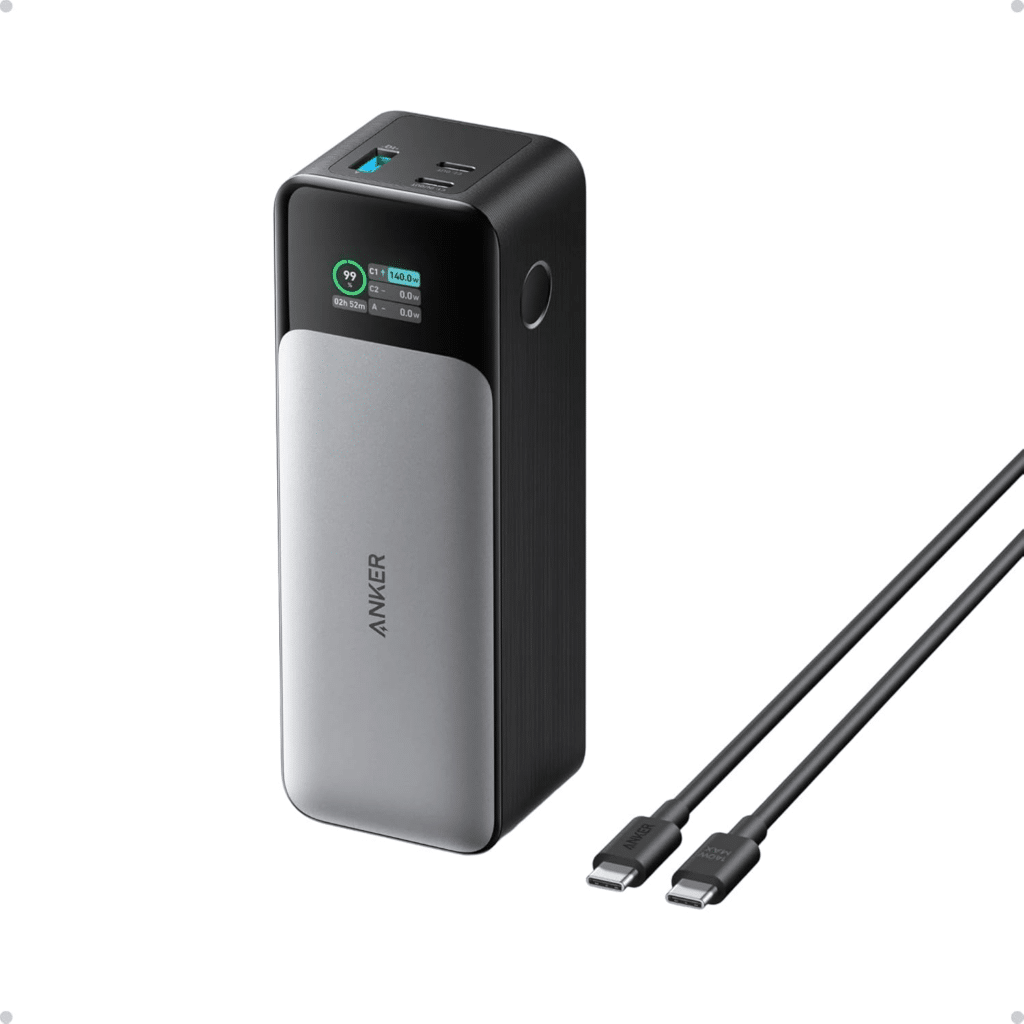
Anker 737 Power Bank (Best Power Bank for Steam Frame)
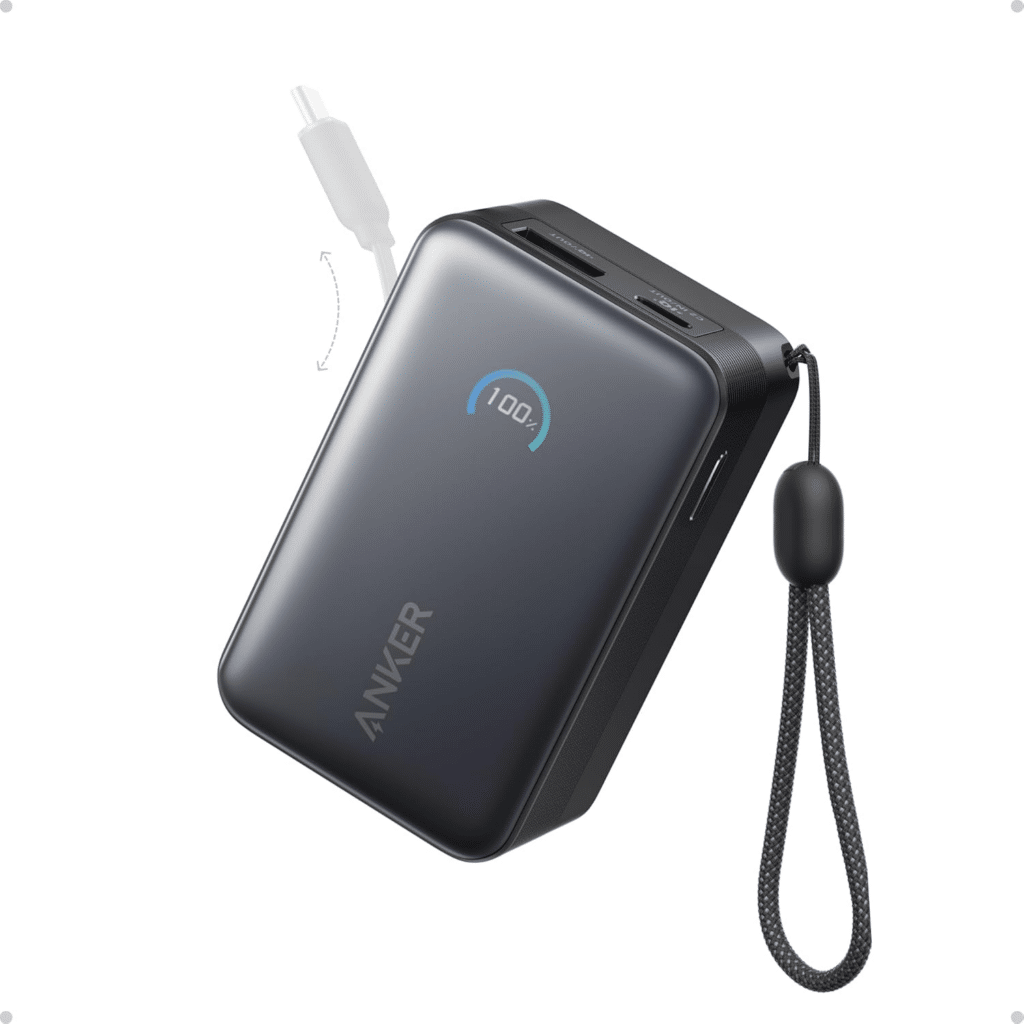
A power bank is the closest thing to a battery solution right now. The Anker 737 (PowerCore 24K) holds 24,000mAh and puts out up to 140W, with USB-C profiles that include 15V/3A and 20V/5A, so it can meet the Steam Frame’s 45W request.
I’m flagging this one clearly: I haven’t run the Steam Frame from it, and no Anker page names the headset. Anker’s own Steam Deck page says a 140W bank far exceeds what the Deck needs, and the Steam Frame asks for the same 45W. That’s the evidence.
Anker 737 Power Bank Pricing
The Anker 737 Power Bank is $109.99.
Anker 737 Pros
- Covers the 45W requirement with large headroom
- Enough capacity for several top-ups
- Charges laptops and phones too
Anker 737 Cons
- Heavy at about 630 g (22 oz), so it lives in a bag, not a pocket, and you’ll need a cable long enough to reach your head
- Expensive, and I haven’t tested it with the Frame
- Needs a USB-C cable that can carry 45W or more
Click here to buy the Anker 737 power bank.
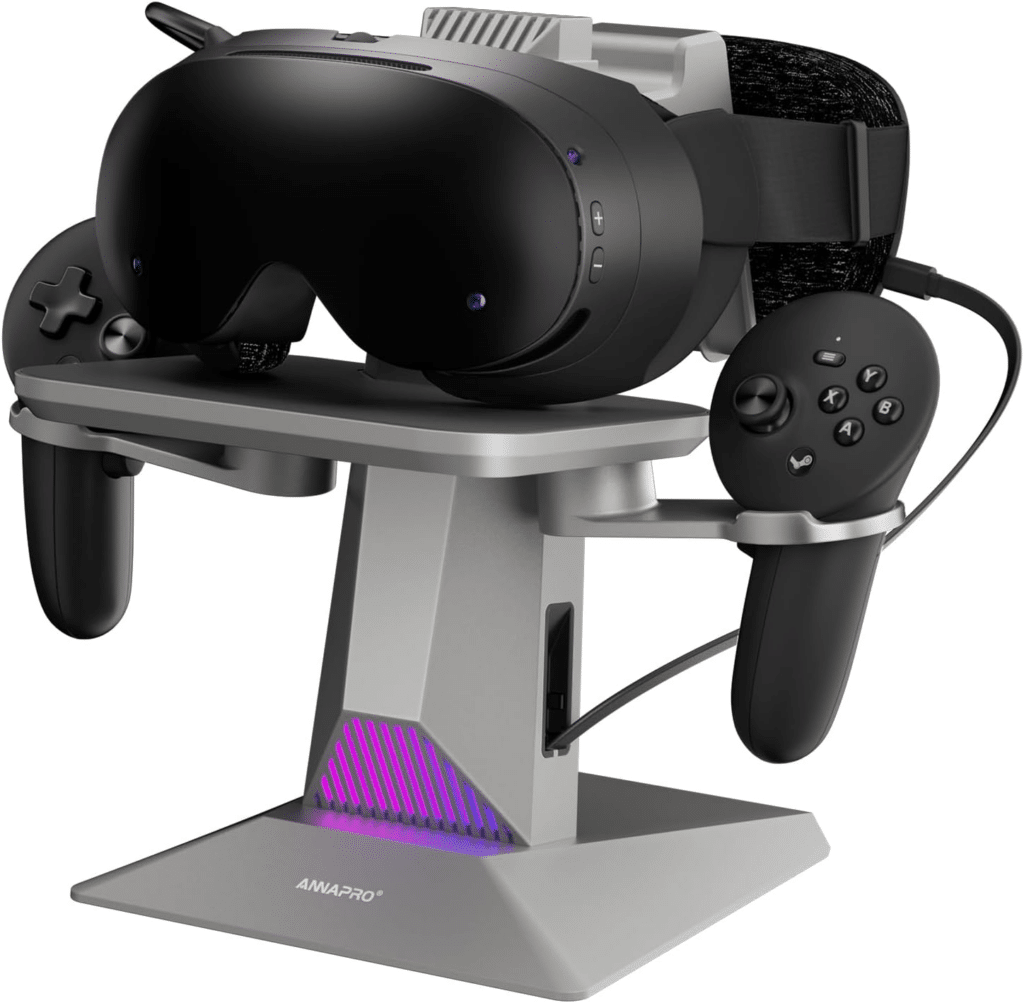
ANNAPRO CD1 (Best Steam Frame Charging Dock)
The ANNAPRO CD1 is one of the first docks to name the Steam Frame on its Amazon listing, alongside Meta Quest 3S, Quest 3 and Quest 2. It uses a retractable USB-C cable for the headset and comes with two 1200mAh rechargeable batteries for the controllers in dedicated slots, with RGB lighting.
I haven’t used it with a Steam Frame, so treat this as a listing-only pick.
Steam Frame Stand and Holder
The listing images show the dock built as a stand, so the headset sits on it between sessions. If you’d rather print your own, community Steam Frame storage cradles exist, though early ones are rough.
Steam Frame Controller Batteries: AA and Rechargeable
The dock’s battery slots accept only NiMH or NiZn cells, so standard alkaline AAs won’t charge. Valve’s controllers are reported to run on one AA each, but I haven’t confirmed that against Valve’s documentation, so check that the dock’s slots and batteries match your controllers before relying on it.
ANNAPRO CD1 Pricing
The CD1 lists at $45.99 for Prime members and $65.99 otherwise. Buy it on Amazon.
ANNAPRO CD1 Pros
- Names the Steam Frame, Quest 3S, Quest 3 and Quest 2
- Retractable cable keeps the desk tidy
- Two batteries included
ANNAPRO CD1 Cons
- I haven’t used it with the Steam Frame
- Battery slots only take NiMH or NiZn
- Costs up to $65.99
Click here to buy the ANNAPRO CD1.
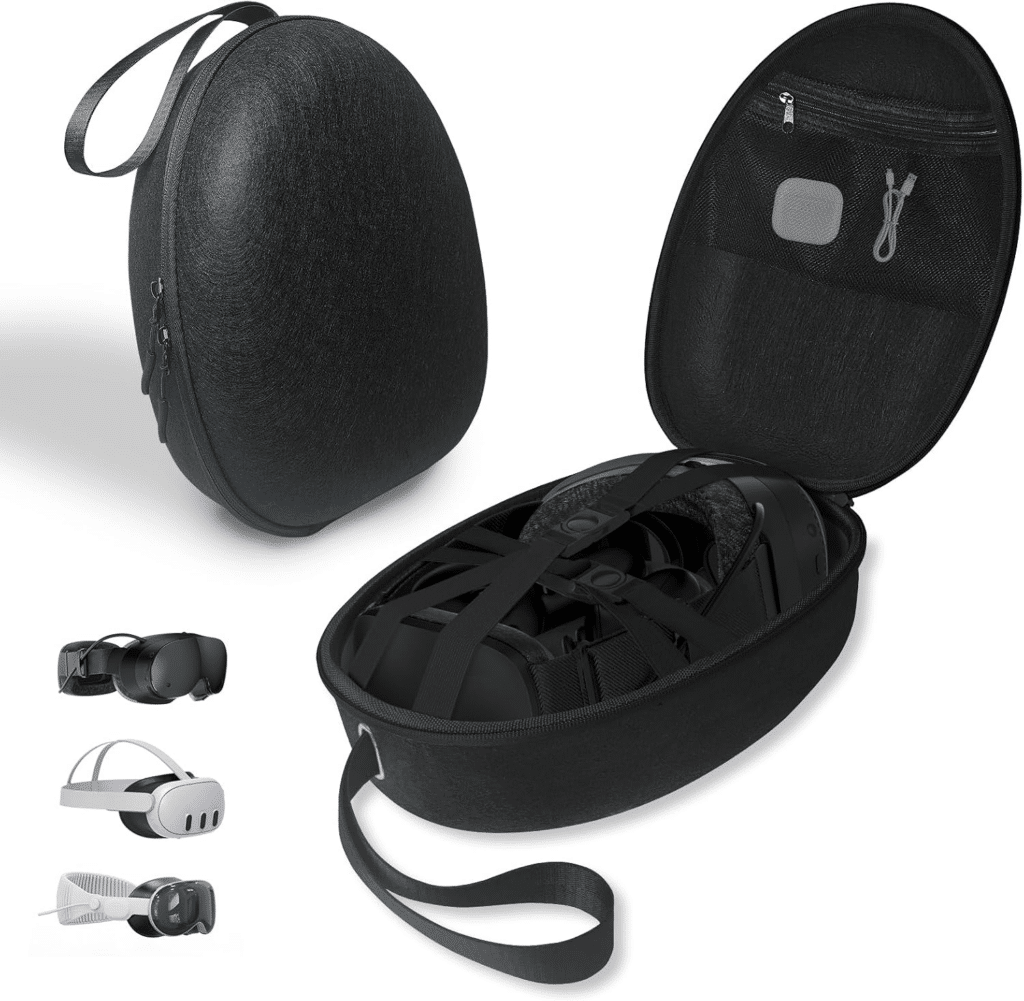
JDDWIN Hard Shell (Best Steam Frame Case)
The Steam Frame has no official case at the moment, and a hard case is a sensible buy if you travel or just want to keep the lenses safe. The JDDWIN hard shell has a rigid outer shell, a soft lining and separate compartments for the headset, controllers, charging gear and cables, with a carry handle. The separate compartments keep the controllers from knocking the lenses in a bag.
Its Amazon listing is titled as compatible with the Steam Frame, Meta Quest 3 and Apple Vision Pro. I haven’t used it with the Steam Frame, so this is also a listing-only pick.
Steam Frame Travel Case
The listing says the shell holds the headset, two controllers, adapters, cables and lens cloths. An EJGAME hard case is also listed at about the same price, and Fosmon sells some as well, but I found no product page or independent review for either. If you use a top strap, such as AMVR’s padded one, test the fit before you commit to a case, since padding makes it bulkier.
JDDWIN Hard Shell Pricing
The case lists at $32.99. Buy it on Amazon.
JDDWIN Case Pros
- Hard shell with separate compartments for headset, controllers and cables
- Carry handle for travel
- Costs about the same as the other hard cases listed
JDDWIN Case Cons
- Listing only, and I haven’t used it with the Steam Frame
- Fit with a thicker third-party strap isn’t confirmed
- Generic design shared with other headsets
Click here to buy the JDDWIN Case.
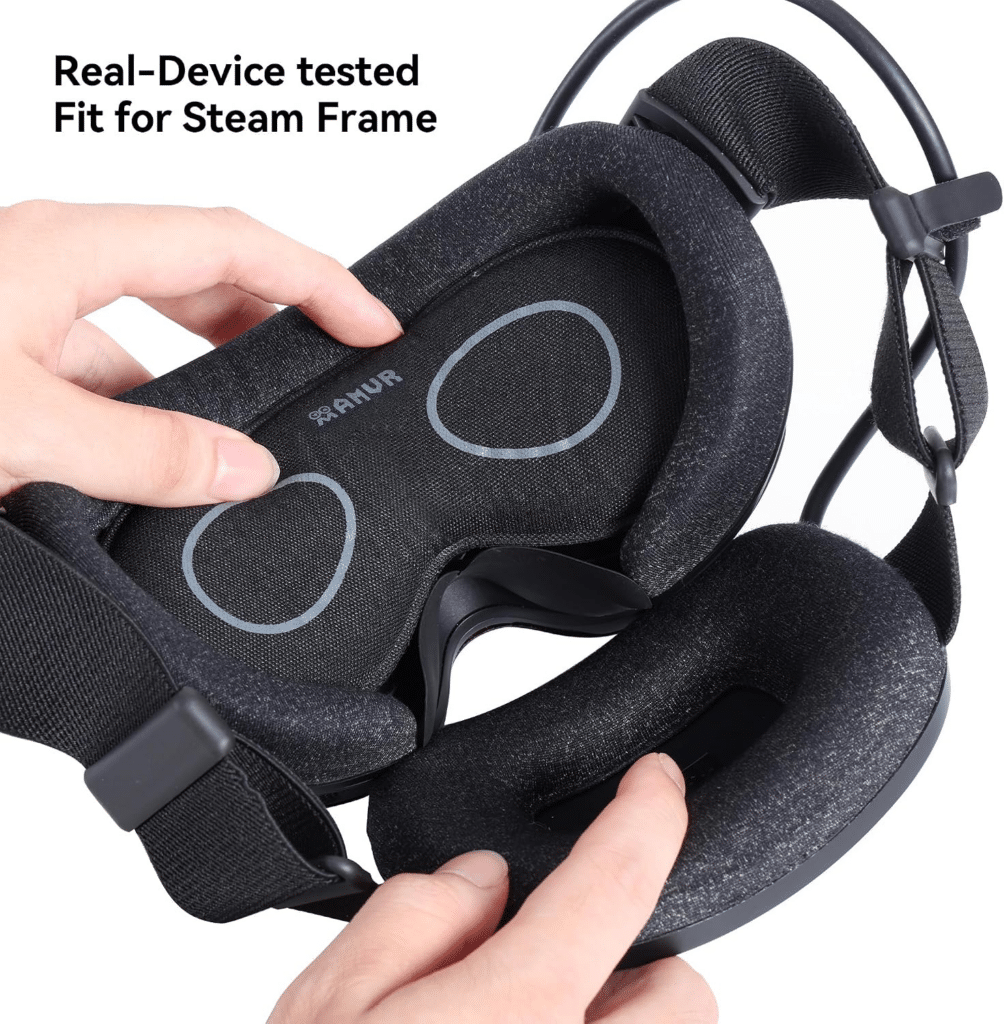
AMVR Lens Protector Cover (Best Budget Lens Protector)
This is a washable fabric cover that sits over the lenses when the headset is off. AMVR’s listing names the Steam Frame along with Quest 3, Quest 3S, Quest 2, Vision Pro, Index, Rift S and Pico 4. The listing describes soft sponge, flannelette and mesh construction with a microfiber side for wiping lenses.
It’s the cheapest accessory here and the least essential. The lenses sit recessed in the face interface, so scratching one takes effort, but a cover makes sense if you’re clumsy or have kids and cats. For cleaning the lenses themselves, see our guide to Meta Quest cleaning kits, which applies to any headset.
AMVR Lens Cover Pricing
AMVR’s shop lists it at $13.99, and it’s about $12.99 on Amazon. See AMVR’s page.
AMVR Lens Cover Pros
- Cheap, washable, and covers the lenses in storage
- Doubles as a lens wipe
- Fits many headsets
AMVR Lens Cover Cons
- I haven’t used it with the Steam Frame
- Lenses are already recessed, which lowers the need
- Not a substitute for a case
Click here to buy the AMVR Lens Cover.
Steam Frame Battery Pack: Does One Exist Yet?
No. Valve hasn’t released a battery pack, an Enthusiast Kit or a spare battery. Valve has said it is “looking into” alternative straps with a larger or hot-swappable battery, but nothing has been announced or priced.
What exists is the charging route. Valve’s store page recommends any 45W USB-C charger for keeping the headset going, and a power bank such as the Anker 737 above is the closest option for now. I’d like a proper battery solution, and the strap and battery assembly comes off easily, which is why third-party makers are expected to try.
Read the full Steam Frame review for how the built-in battery performs.
3D-Printed Steam Frame Accessories Worth Trying
If you own a 3D printer, community designs are already worth a look. Valve hasn’t released CAD files for the Steam Frame, so every design comes from scans or measurements.
- Dongle cap holder: a tiny print that keeps the wireless adapter’s cap attached, and the designs I’ve seen do the job. See our Steam Frame dongle guide for the adapter itself.
- Storage cradle: a decent first Steam Frame stand, but imperfect. I’d wait for a better one.
- DIY hand and head straps: based on scans of Valve’s parts, with your own nylon or hook-and-loop strap. They work, though the strap door doesn’t sit perfectly flush and the thin printed loops may not last.
- Controller bumpers: basically useless, because they fall off.
Steam Frame Accessories on Amazon: What to Skip for Now
A lot of Steam Frame accessories appeared on Amazon and Walmart within days of launch, and not all of them have been tested. Here’s what I’d skip for now.
- AMVR NL2 prescription lenses ($69.99): The optics are fine, but the plastic surround is flimsy and the lens shifts out of alignment, so I don’t recommend them. Buy Zenni instead.
- A Spigen head strap, case or pouch: Listings have appeared, but I couldn’t find a Spigen product page, price or independent review for any of them.
- EJGAME and Fosmon cases: listings only, with no tests.
- 3D-printed controller bumpers: they fall off.
Steam Frame Accessories FAQ
What are the best Steam Frame accessories?
The best Steam Frame accessories are a 45W USB-C charger, the Arcturus Vision Camera for color passthrough, and the Valve Ergonomic Accessories Kit for comfort. If the kit is sold out, Spigen controller grips and the AMVR HS2 head strap are the closest third-party substitutes I’ve used. Zenni’s inserts help if you wear glasses.
Does Steam Frame have color passthrough?
Not by default. The stock cameras give monochrome passthrough. Adding the $149 Arcturus Vision Camera, which snaps into the front expansion port, gives full-color HDR passthrough. I found it slightly sharper and more colorful than Quest 3 but a bit grainier, so overall it lands about level with Quest 3.
What charger does the Steam Frame need?
Valve recommends a Steam Deck charger or any USB-C charger rated 45W or higher. Valve sells its own 45W charger with a 2.5 meter cable for $29, and the Anker Nano 45W at $25.99 matches the wattage. A lower-wattage phone charger will charge the headset slowly.
Does the Steam Frame come with a charger?
No. Valve’s store page says the power supply is not included. The box has the headset, two controllers, a wireless adapter and a copy of Half-Life: Alyx, so budget $25 to $30 for a charger on top of the $1,059 starting price.
Is the Steam Frame battery removable?
The strap, facepad and battery assembly comes off easily, which is why third-party straps are possible. Valve doesn’t sell a spare battery, and I found no confirmation that you can swap one mid-session.
Can you hot swap the Steam Frame battery?
Not officially. A Valve developer said the team is looking into a strap with a larger or hot-swappable battery, but nothing has been announced. For now, a USB-C power bank such as the Anker 737 is the nearest option, though I haven’t tested it with the headset.
Do Steam Frame controllers have wrist straps?
Not with Valve’s kit. Its hand straps hold the controller in your palm and don’t hang from your wrist, which I missed when putting the headset on, though they suit finger tracking well. Spigen’s grips use a hand strap too.
Is there a Spigen Steam Frame head strap or case?
Spigen’s controller grips are the only Spigen Steam Frame product I could verify, at $24.99 on Amazon. Listings for a Spigen head strap and a pouch have appeared, but I found no product page, price or independent review for either. AMVR’s HS2 is the head strap I’ve used.
Where can I buy Steam Frame prescription lenses in the UK or Canada?
Zenni and VR-Rock both list Steam Frame lenses, and VR-Rock says it ships worldwide for free, with production in 1 to 3 days. Check that Zenni’s Steam Frame insert is offered in your country before you order, since stock has been patchy. I don’t recommend AMVR’s NL2 inserts.
Does the Steam Frame work with glasses?
Yes, with limits. The headset ships with a spacer for glasses, but I wouldn’t wear them inside, since they sit close to the lenses and scratching a headset lens means a repair. Prescription inserts like Zenni’s $67.95 snap-in lenses avoid the problem.
Where can I buy the Steam Frame ergonomic kit?
Valve sells it for $59 as an add-to-cart option at checkout, only to buyers who received a purchase email. You can’t buy it on its own, and it keeps selling out. Third-party grips and straps from Spigen and AMVR are the fallback.
Final Thoughts: Best Steam Frame Accessories to Buy First
If you buy only one of the best Steam Frame accessories, make it a 45W USB-C charger, since the headset doesn’t come with one. After that, the Arcturus Vision Camera is the upgrade I’d buy first, and the Valve Ergonomic Accessories Kit is the comfort pick if you can get one.
The runner-up is the combination of Spigen grips and the AMVR HS2 strap, which covers most of the kit for about $58 and is a fair stand-in when the kit is sold out. The budget pick is the AMVR lens cover at around $13. For other headsets, see our guides to the best PlayStation VR2 accessories and the best Meta Quest 3 accessories, or compare the headsets themselves in Steam Frame vs Meta Quest 3.