

In this Steam Frame review, I’ll break down whether Valve’s first standalone VR headset since the Index is worth the $1,059 starting price. The Frame launched in September 2026, runs SteamOS instead of Android, and is built around a genuinely different idea of what a VR headset should do: streaming your entire PC gaming library wirelessly, not just playing native VR titles.
That idea works well, and my review goes into full details below.
Quick Take: Is the Steam Frame Worth It?
Short answer: only if PC streaming is the actual reason you want a VR headset. Starting at $1,059 for the 256GB kit ($1,299 for 1TB), the Steam Frame loses to the Meta Quest 3 as a standalone device on price, battery life, and passthrough quality.
As a wireless extension of a gaming PC’s Steam library, though, it is the right pick for a PC gamer with a serious Steam library who wants to play it wirelessly around the house.
- Quick Take: Is the Steam Frame Worth It?
- What Is the Steam Frame?
- Steam Frame Specs: Full Hardware Breakdown
- Steam Frame Design and Comfort: Weight, Fit, and the Missing Top Strap
- Steam Frame Display and Visuals: Resolution, Refresh Rate, and Field of View
- Steam Frame Standalone Performance: What Games Actually Run Well
- Steam Frame PC Streaming: How Well Does It Replace a Cable?
- Steam Frame Tracking and Controllers
- Steam Frame Battery Life: How Long Does It Actually Last?
- Steam Frame Passthrough and Audio: Two Real Weak Points
- Steam Frame Price: What’s Included and How to Buy One
- Steam Frame vs. Meta Quest 3: Which Should You Buy?
- Who Should Buy the Steam Frame? (And Who Shouldn’t)
- Frequently Asked Questions
- Final Verdict
What Is the Steam Frame?
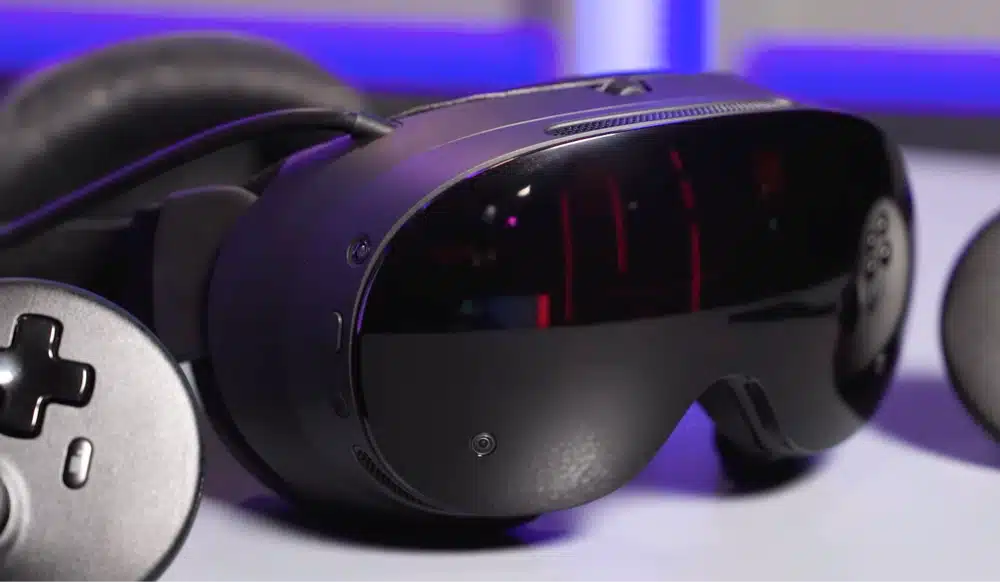
The Steam Frame is Valve’s second VR headset ever, and its first standalone one. Where the 2019 Valve Index needed a PC tethered by cable at all times, the Steam Frame runs SteamOS 3 on its own onboard chip, meaning it can boot up, load a game, and play entirely on its own, no computer required.
That standalone capability is really a bonus feature, though.
The headset’s real identity is as a wireless streaming device for an existing gaming PC. It ships with a dedicated Wi-Fi 6E dongle that plugs into your desktop or laptop, and Valve built a feature called Multi-Link Streaming that intelligently shifts between that dongle and your home Wi-Fi network to keep the connection stable.
In practice, that means you can install basically any flat-screen or VR game from your Steam library and play it in the headset without installing it directly on the device.
Click here to buy the Steam Frame.
Steam Frame Specs: Full Hardware Breakdown
Here’s the complete spec sheet, pulled directly from Valve’s own published hardware page:
- Processor: Qualcomm Snapdragon 8 Gen 3 (4nm)
- Memory: 16GB LPDDR5X unified RAM
- Storage: 256GB or 1TB UFS, plus a microSD expansion slot
- Display: Dual LCD panels, 2,160 x 2,160 pixels per eye
- Refresh rate: 72Hz, 90Hz, 120Hz, and an experimental 144Hz mode
- Optics: Custom pancake lenses, roughly 103 to 110 degrees diagonal field of view depending on measurement method
- Tracking: Inside-out tracking via four external cameras, plus two eye-tracking cameras enabling foveated rendering
- Connectivity: Dual-radio setup, a dedicated 6GHz adapter for PC streaming plus separate Wi-Fi 7 for general use; Bluetooth 5.3
- Battery: 21.6Wh rechargeable Li-ion, USB-C charging at 45W
- Weight: 185g for the core visor, 440g total with the head strap, rear battery, and facial interface attached
That last number matters more than it looks like on paper. At 440g total, the Steam Frame is meaningfully lighter than the Meta Quest 3’s 515g, and Valve moved the battery to the back of the head strap instead of the front of the visor, which changes how the weight actually feels on your neck, not just what it weighs on a scale.
Steam Frame Design and Comfort: Weight, Fit, and the Missing Top Strap
The design goal here was clearly to build something lighter and better balanced than the Index ever was, and on paper, Valve succeeded. In practice, the out-of-box comfort experience has a real gap: the base Steam Frame package does not include a top strap.
That’s a bigger deal than it sounds. Without one, all the headset’s weight rests on your forehead and the sides of your head, which is exactly the kind of pressure point that makes long sessions uncomfortable, no matter how light the total unit is.
Valve sells the fix separately: a $59 to $60 Ergonomic Accessories Kit that adds a proper top strap along with redesigned controller wrist loops and an improved light blocker.
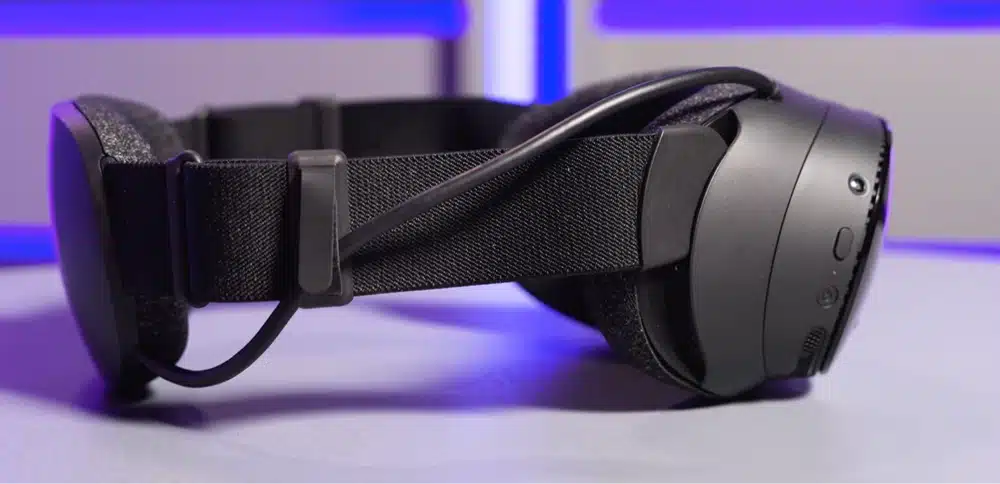
If you’re planning to wear the Steam Frame for anything longer than a quick session, budget for that kit as part of the real purchase price, not as an optional extra. Once it’s attached, the balance genuinely improves and several outlets that tested it described the comfort as noticeably better than the Quest 3 with the top strap on.
Glasses wearers should also know this isn’t a headset that fits comfortably over frames without some adjustment. The default face cushion creates real pressure around the nose bridge for glasses wearers, and while Valve bundles a roomier alternative cushion, some reviewers still needed careful insertion to avoid discomfort. If corrective lenses are a daily requirement, factor in roughly $50 for third-party prescription VR lens inserts.
The IPD (distance between your eyes) adjusts via a physical dial across a standard range, and the headset’s modular design lets you swap components like the face gasket and straps without tools, which is a nice touch for anyone who shares the headset with a partner or roommate.
Steam Frame Display and Visuals: Resolution, Refresh Rate, and Field of View
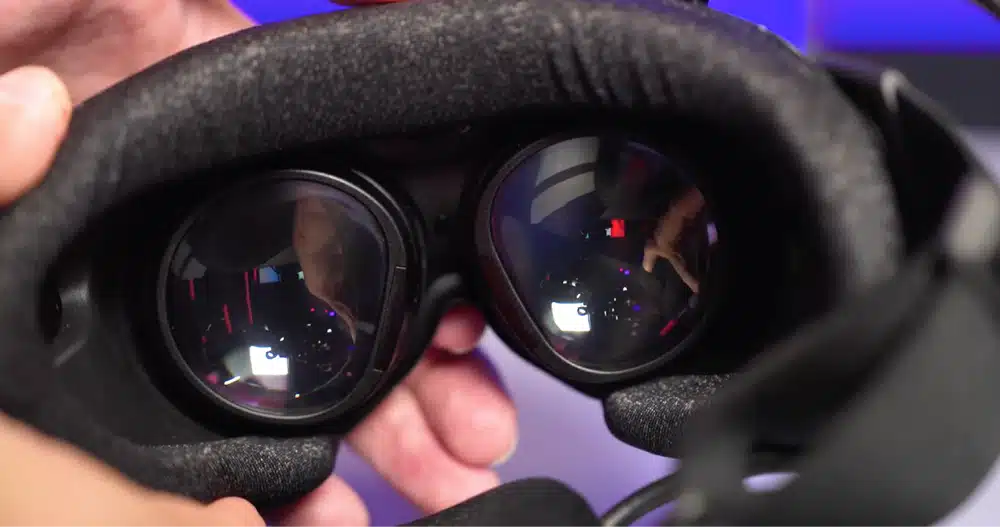
Valve went with dual 2,160 x 2,160 LCD panels paired with custom pancake lenses, landing at essentially the same total resolution as the Meta Quest 3’s displays; neither headset holds a meaningful resolution edge over the other. Where the Quest 3 pulls slightly ahead is field of view (around 107 degrees to the Steam Frame’s roughly 103) and optical sweet spot, meaning the sharp, clear part of the image you see without shifting your eyes.
The Steam Frame supports refresh rates up to 144Hz in an experimental mode, with 72, 90, and 120Hz as the standard options. Since battery life is already the Steam Frame’s weakest spec (more on that below), treating the 144Hz mode as a special-occasion setting rather than a default makes more practical sense than leaving it on for every session.
Screen-door effect (the visible gap between pixels) is essentially on par with the Quest 3, and both headsets use LCD rather than micro-OLED panels, so neither delivers the deep black levels or contrast you’d get from Valve’s pricier competitors in the headset space, like the Bigscreen Beyond or Samsung’s Galaxy XR.
If you’re coming from a headset with genuinely poor optics, the Steam Frame will look like a real upgrade. If you’re comparing it directly against a Quest 3 on a spec sheet, it’s a wash, not a win.
Steam Frame Standalone Performance: What Games Actually Run Well
Running on the Snapdragon 8 Gen 3 with 16GB of RAM, the Steam Frame has more raw horsepower than the Quest 3’s Snapdragon XR2 Gen 2 chip. Valve maintains a “Great on Frame” certification list of roughly 75 titles confirmed to run well standalone, without needing to stream from a PC at all.
Performance on that certified list is genuinely good for what it is. Older or lighter 3D titles like Portal 2 and Deep Rock Galactic run smoothly, and 2D-style games like Hades II are essentially flawless standalone. Even a cut-down standalone version of Half-Life: Alyx runs on the device, with visibly softer textures and more jagged edges than the PC version, but still an immersive, complete experience for someone who’s never played it.
Where standalone performance falls off is with modern, demanding VR titles that weren’t built with mobile hardware in mind. If a game leans hard on the “Great on Frame” certification, it runs well; if it doesn’t have that certification, don’t expect PC-VR-quality performance from the headset alone. Treat the standalone library as a genuine bonus rather than the headset’s main selling point, because Valve clearly built the hardware around PC streaming first.
Steam Frame PC Streaming: How Well Does It Replace a Cable?
This is where the Steam Frame earns its price tag. The bundled Wi-Fi 6E dongle plugs directly into your gaming PC and creates a dedicated 6GHz connection to the headset, separate from your regular home Wi-Fi, which Multi-Link Streaming can intelligently blend with when needed for stability.
The result, according to early hands-on impressions, is streaming quality that’s close to indistinguishable from a wired connection for most demanding PC VR titles, and stable enough for flat-screen games like Control that most people wouldn’t expect to stream well at all. Reviewers described the experience of streaming a flat-screen game to the headset as playing on a massive virtual display, closer to sitting in the front row of a movie theater than using a monitor.
It isn’t flawless at launch. Some testers ran into software bugs, games failing to launch cleanly or the interface becoming unresponsive, that Valve will likely patch out over the coming months, which is a normal growing pain for any headset this new but still worth knowing before you plan your setup around it working perfectly on day one.
Steam Frame Tracking and Controllers
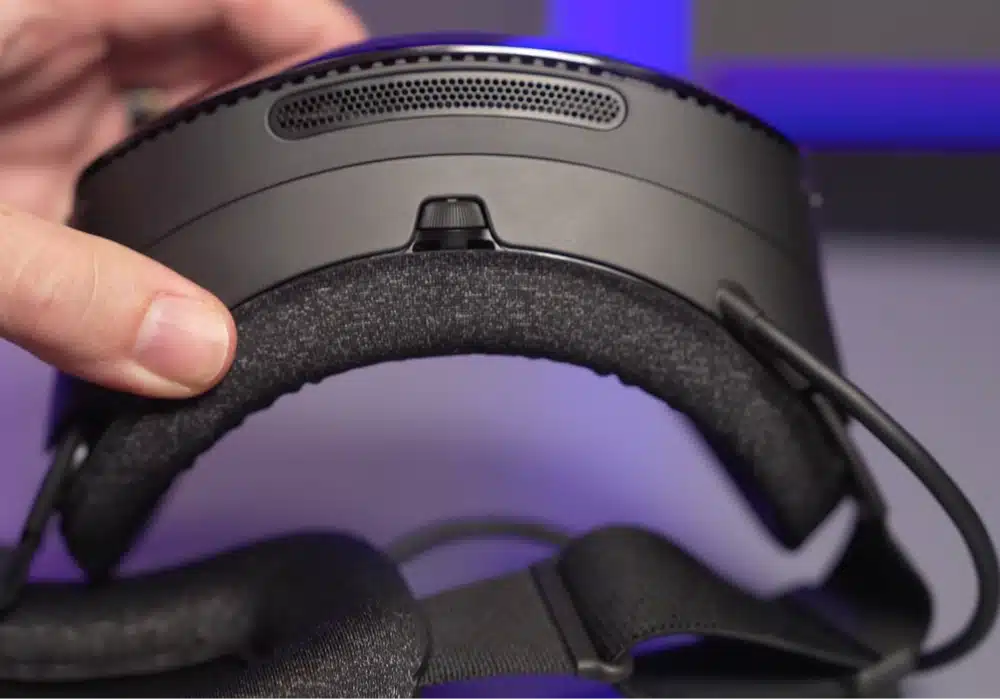
The Steam Frame is Valve’s first headset to use inside-out tracking instead of the Index’s external base stations, and the early verdict is that it works well, with reviewers reporting no meaningful complaints about head or controller tracking latency or accuracy. The extra upper-mounted cameras specifically help cover the dead zones behind and above your head that some inside-out systems struggle with.
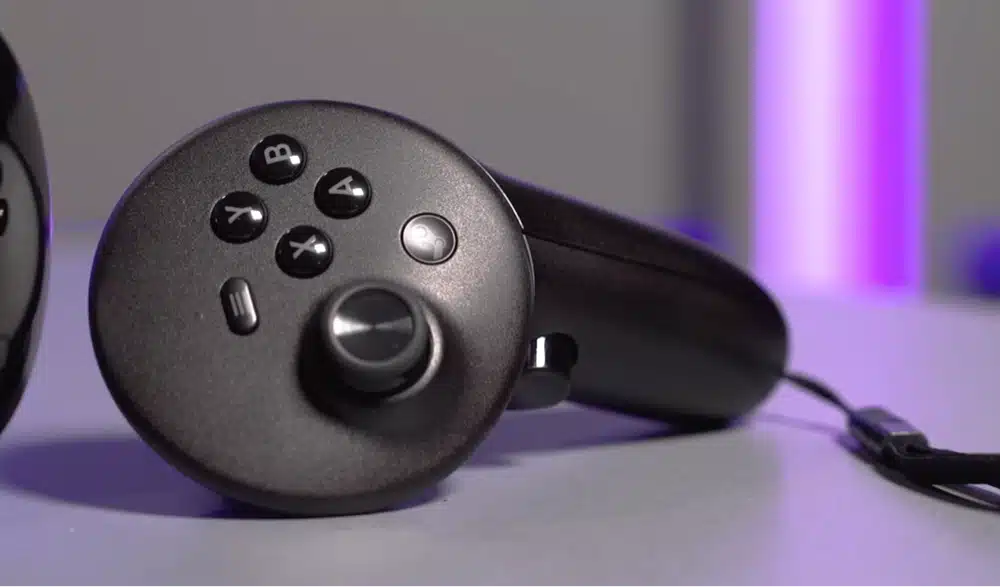
The controllers themselves are a real departure from the Index’s finger-tracking “knuckle” design. Valve moved to a more traditional gamepad-style layout, with a D-pad on the left controller and four face buttons on the right, plus analog sticks, triggers, and grip buttons on both. That’s a deliberate choice matching the headset’s Steam-library focus: it means the controllers work naturally with any game built for a standard gamepad, not just VR-native titles.
The tradeoff is that Valve dropped the Index controllers’ signature open-palm, no-grip design that enabled natural hand and finger tracking. If you want that back, it’s part of the same $60 Ergonomic Accessories Kit that adds the top strap. Out of the box, don’t expect hand-tracking-style interactions; this is a controller built for gamepad games first.
Steam Frame Battery Life: How Long Does It Actually Last?
This is one of the Steam Frame’s clearest weak points. Real-world battery life lands around 1 to 1.5 hours of mixed standalone and streaming use, dropping to closer to 90 minutes during demanding titles like the standalone version of Half-Life: Alyx. For comparison, the Meta Quest 3 typically gets closer to 2 hours of general use.
For a headset built around long PC-streaming sessions, sub-90-minute battery life during demanding games is a real practical limitation, not a minor asterisk. If you’re planning extended sessions, keep a USB-C power bank nearby, the headset supports pass-through charging while in use, but that adds a cable back into what’s otherwise designed to be a fully wireless experience.
Steam Frame Passthrough and Audio: Two Real Weak Points
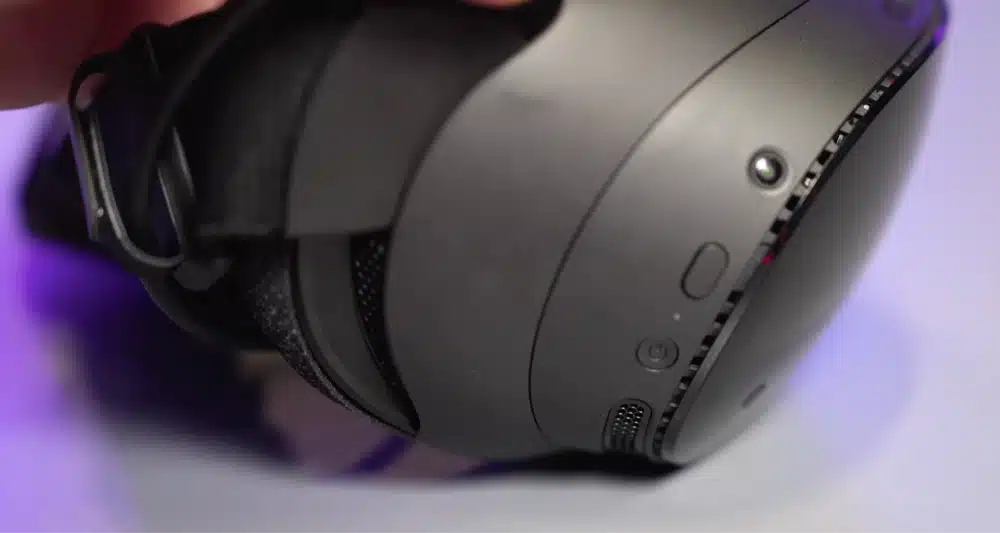
Passthrough, the ability to see your real surroundings through the headset’s cameras, is one of the more disappointing parts of the base Steam Frame experience. Unlike the Quest 3’s full-color passthrough, the Steam Frame’s default passthrough is low-resolution and greyscale, functional enough for setting up your play space and avoiding furniture, but nowhere close to the mixed-reality-ready quality Meta has built its headset around. Valve sells an optional $150 Arcturus Vision Camera accessory that improves passthrough quality, but that’s a meaningful added cost on top of an already expensive headset.
Audio tells a similar story. The built-in speakers are adequate for casual use but noticeably lack bass, and several reviewers called them a real step down from the well-regarded speakers on the original Valve Index. If sound quality matters to you, plan on using headphones rather than relying on the built-in drivers.
Steam Frame Price: What’s Included and How to Buy One
The Steam Frame comes in two configurations:
- 256GB Kit: $1,059
- 1TB Kit: $1,299
Both kits include the Steam Frame headset, the Steam Frame Controllers, the Wi-Fi 6E PC streaming dongle, and a copy of Half-Life: Alyx. The $59 to $60 Ergonomic Accessories Kit (top strap, controller wrist loops, improved light blocker) and the $150 Arcturus Vision Camera (color passthrough upgrade) are both sold separately, and realistically, most buyers will want at least the Ergonomic kit to get a comfortable out-of-box experience.
As for actually getting one: the Steam Frame launched through a reservation system rather than open retail availability. Signups closed September 17, 2026, with the first purchase invitation emails going out September 18. If you missed that window, keep an eye on Valve’s own Steam Frame hardware page for the next wave of availability rather than expecting to find it sitting on a store shelf.
Steam Frame vs. Meta Quest 3: Which Should You Buy?
The short version: choose the Steam Frame if you’re a PC gamer with a real Steam library who wants to play it wirelessly around the house, and choose the Meta Quest 3 if you want a more affordable, more complete standalone headset with genuinely good mixed reality.
Price is the biggest gap. The Quest 3 starts around $500, roughly $560 less than the cheapest Steam Frame kit, and that’s before factoring in the Ergonomic Accessories Kit most Steam Frame buyers will also want. In exchange, the Steam Frame offers more RAM, expandable storage, and by far the better PC streaming setup thanks to its dedicated dongle.
That expandable storage matters most if you lean on the headset’s PC-streaming strength rather than its standalone library: it means you’re not forced to uninstall a large native title just to make temporary room for something new, since a fixed internal capacity is exactly what the Quest 3 doesn’t let you work around.
We go much deeper on this exact matchup, spec by spec, in our full Steam Frame vs Meta Quest 3 comparison guide.
Who Should Buy the Steam Frame? (And Who Shouldn’t)
Buy the Steam Frame If
- You already own a capable gaming PC with a large Steam library
- Wireless PC VR streaming is the main reason you want a headset
- You don’t mind budgeting extra for the Ergonomic Accessories Kit
- You’re comfortable being an early adopter of Valve’s first standalone headset
Skip the Steam Frame If
- You’re buying your first VR headset and want the simplest, most complete out-of-box experience
- Mixed reality and full-color passthrough matter to you
- Long, all-day battery life without recharging is a priority
- You’re on a tighter budget; the Meta Quest 3 or 3S gets you into VR for meaningfully less
Frequently Asked Questions
How Much Does the Steam Frame Cost?
The Steam Frame starts at $1,059 for the 256GB Kit and $1,299 for the 1TB Kit. Both include the Steam Frame Controllers, a Wi-Fi 6E PC streaming dongle, and a copy of Half-Life: Alyx.
Do You Need a PC to Use the Steam Frame?
No. The Steam Frame runs SteamOS on its own hardware and can play a certified library of roughly 75 “Great on Frame” titles standalone. That said, its strongest feature is wireless PC streaming, so pairing it with a gaming PC gives you access to far more of its Steam library.
Is the Steam Frame Better Than the Meta Quest 3?
It depends on what you want. The Steam Frame wins on PC streaming, RAM, and expandable storage; the Meta Quest 3 wins on price, mixed reality passthrough, and battery life. Neither is a strict upgrade over the other.
Does the Steam Frame Work With Glasses?
Yes, but not always comfortably out of the box. The default face cushion can create pressure around the nose bridge for glasses wearers, though Valve includes a roomier alternative cushion in the box. Third-party prescription lens inserts are also available for around $50.
When Can You Buy the Steam Frame?
The Steam Frame launched through a reservation system rather than standard retail availability. Signups closed September 17, 2026, with purchase invitations going out starting September 18. Check Valve’s official Steam Frame page for the next availability window if you missed it.
Final Verdict
The Steam Frame is a genuinely capable piece of hardware wrapped around one real innovation, best-in-class wireless PC streaming, and a handful of rough edges that keep it from being an easy recommendation for most people. If you’re a dedicated PC gamer with a serious Steam library who’s been waiting for a real reason to play it wirelessly on a headset, the Steam Frame delivers on that promise better than anything else on the market right now.
That’s the honest takeaway from this Steam Frame review: for everyone else, the practical downsides are real: a base package that leaves out a top strap, battery life that struggles to clear 90 minutes during demanding games, and passthrough that’s a clear step behind the Quest 3. At $1,059 to start, and closer to $1,120 once you add the accessory kit most people will actually want, this is a headset built for a specific kind of buyer, not a mainstream Quest 3 replacement.