
This guide covers the best free VR experiences for beginners: eight things you can actually try today, for free, without a subscription, a hidden paywall, or a “free” label that turns out to mean a demo. Every pick below was checked against its current store listing before this went into the draft, since VR pricing changes more often than most gear categories.
If you just unboxed a headset (or you’re still deciding whether to buy one), the hard part is finding something worth doing that doesn’t cost anything before you’re sure you’ll stick with VR. A lot of “best free VR” lists solve that by padding the list with games that used to be free, games with a free trial, or games that are free on one platform and $20 on another. We checked all of that for you.
Quick Summary: The Best Free VR Experience for Beginners
Rec Room is the best overall pick for a first-time VR user. It’s completely free, works across nearly every headset, and its comfort settings and tutorial flow are built specifically for people who’ve never used VR before.
If you want something with zero social pressure, Open Brush is the best free VR experience for beginners who’d rather explore alone: there’s no way to “lose,” no other players, and nothing to learn beyond pointing and drawing.
What are the Best Free VR Games & Experiences
- VRChat (Best for Meeting People)
- Rec Room (Best Overall for Beginners)
- Population: One (Best Free Multiplayer Game)
- Gorilla Tag (Best for Physical Play)
- Open Brush (Best Low-Pressure, Solo Pick)
- Bigscreen (Best for Watching Something With Friends)
- YouTube VR (Best Zero-Learning-Curve Pick)
- First Steps & First Encounters (Best First 5 Minutes)
How We Picked These Free VR Experiences
Three rules, applied to every entry on this list.
First, it has to be free right now, not free-to-try, not free-with-a-subscription, and not “used to be free.” We checked each one’s current store listing while writing this.
Second, it has to be genuinely approachable for someone who has never used VR before, which is why you won’t find combat-heavy shooters or anything that assumes you already know how to move around in a headset.
Third, we’re using “experiences” loosely on purpose: this list includes a couple of things that aren’t games at all, because that’s a more honest answer to what a curious beginner can actually do in VR for free.
If you want the exhaustive version instead, arvrtips.com also has a running list of 700+ free Meta Quest games and apps. That guide is built for breadth: browse it if you already know what you’re looking for. This one is built for the opposite problem, not knowing where to start.
| Experience | Best For | Platform | Price |
|---|---|---|---|
| VRChat | Meeting people | Quest, PC VR | Free |
| Rec Room | Beginners overall | Quest, PC VR, mobile, desktop | Free |
| Population: One | Free multiplayer game | Quest (free); PC VR ($19.99) | Free on Quest |
| Gorilla Tag | Physical, active play | Quest, PC VR | Free |
| Open Brush | Solo, low-pressure | Quest, PC VR | Free |
| Bigscreen | Watching something together | Quest, PC VR | Free (paid movie rentals optional) |
| YouTube VR | Zero learning curve | Quest, PC VR | Free |
| First Steps / First Encounters | Your first 5 minutes | Quest (pre-installed) | Free |
VRChat (Best for Meeting People)
VRChat is the closest thing VR has to a front door. It’s a free, massively multiplayer world where people build and share their own spaces, everything from quiet hangout rooms to full mini-games, live events, and recreations of real places. If you’ve heard someone describe VR as “the metaverse,” this is usually what they mean.
The catch, and it’s worth saying plainly since most beginner-focused lists don’t, is that VRChat is genuinely unmoderated in a lot of its public spaces. As a first-timer, stick to the game’s own tutorial worlds and any world explicitly tagged for new users before wandering into random public lobbies. Once you’re comfortable, the range of what’s available is unmatched by anything else on this list.
Pricing
Free to download and play on Quest and PC VR. Optional paid avatars and world assets exist in the wider community, but none of that is required to use the app.
Pros
- Enormous variety of free player-made worlds
- Built-in tutorial world for first-timers
- Works on both standalone Quest and PC VR
Cons
- Public rooms can include mature content and toxic players
- No built-in guidance on which worlds are actually beginner-friendly
Rec Room (Best Overall for Beginners)
If we had to send a first-timer to exactly one free VR experience, it would be Rec Room. It’s free, it’s cross-platform (so friends without a headset can still join you from a phone or PC), and it was built from the ground up with comfort settings and an onboarding flow aimed at people who’ve never touched VR.
Rec Room is organized into player-made “rooms” rather than one continuous world, which makes it easier to dip in and out without getting overwhelmed. Some rooms are simple hangout spaces, others are full minigames like paintball or an Among Us-style social deduction game. With over 100,000 player-made spaces, there’s enough here to spend a first week in VR without touching anything else on this list.
Pricing
Free across every platform it’s on, including Quest, PC VR, mobile, and desktop. Cosmetic items are available for purchase but never required.
Pros
- Purpose-built comfort options for new VR users
- Cross-platform, so non-VR friends can join too
- Huge library of free player-made minigames
Cons
- Skews younger, which some adult users may not vibe with
- Player-made room quality varies a lot
Population: One (Best Free Multiplayer Game)
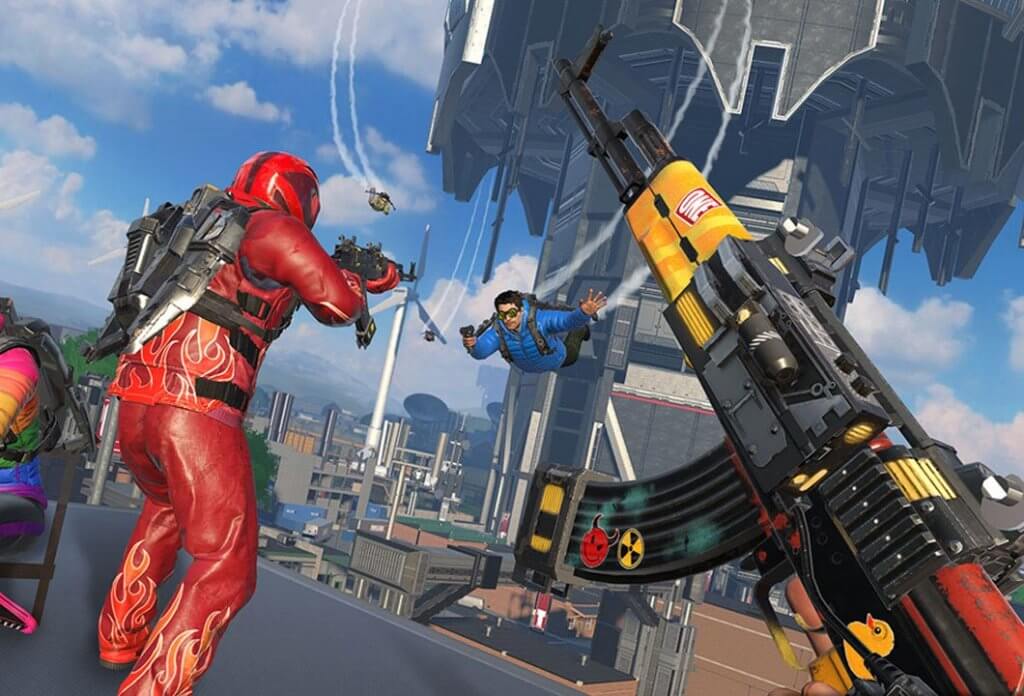
If Rec Room and VRChat feel more like hangout spaces than games, Population: One is the pick for someone who actually wants to play something with a beginning, middle, and end. It’s a battle royale, drop onto a map, gather gear, survive as long as you can, but built around VR-native movement: you can climb almost any surface and glide between buildings, which makes it feel less like a shooter you’re fighting and more like a playground you’re exploring.
It started as a paid game before Meta acquired the studio and made the Quest version free, funded instead by optional cosmetic upgrades. It gets real ongoing support, including a Quest 3 graphics upgrade and regular new content, so it doesn’t feel abandoned the way a lot of “free now” games do.
Pricing
Free on Meta Quest. Worth knowing before you go looking for it elsewhere: the PC VR version on Steam is a separate $19.99 purchase, not free, a distinction the game’s own developer says is there to cut down on cheating with disposable accounts.
Pros
- Genuinely free on Quest, no strings attached
- VR-native climbing and gliding movement, not a flat-game port
- Actively updated with new content
Cons
- Battle royale format means you’ll lose a lot early on
- Not free if you’re on PC VR instead of Quest
Gorilla Tag (Best for Physical Play)
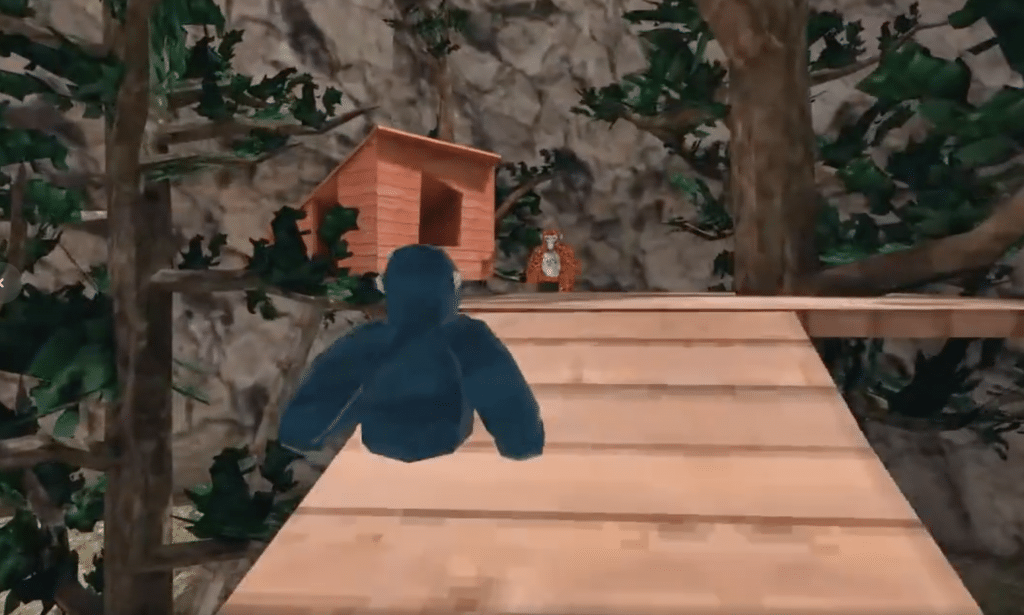
Gorilla Tag strips VR movement down to one mechanic: you swing your arms to move, climb, and jump as a gorilla, and that’s it. No menus to learn, no controller buttons to memorize beyond gripping. That simplicity is exactly why it became one of the most-played free games in VR, and why it’s genuinely one of the best free VR experiences for beginners who want something active rather than a slow walkthrough.
It’s built around chasing and being chased across maps that reward getting comfortable with the swing-to-move locomotion, which brings up the one real caveat below.
Pricing
Completely free on Quest and PC VR.
Pros
- One simple mechanic, nothing to study before playing
- Genuinely active, good if you want VR as light exercise
- Huge, active player base
Cons
- The arm-swinging locomotion can trigger motion sickness for some first-timers faster than a normal walking-based game would; see our guide to VR motion sickness if that happens
- Play spaces skew young, similar to Rec Room
Open Brush (Best Low-Pressure, Solo Pick)
Every other entry so far involves other people, a score, or something to figure out. Open Brush is none of that. You’re handed a 3D paintbrush and an empty space, and you draw. It’s the free, open-source continuation of Google’s original Tilt Brush (which Google stopped developing and made open source), rebuilt by the community with 48 different brush types and, more recently, a passthrough mode that lets you paint in your actual room instead of a virtual void.
There’s no way to lose, no multiplayer pressure, and no tutorial to sit through first. For a genuinely curious beginner who just wants to feel what “presence” in VR means, standing inside your own 3D drawing does that faster than almost anything else on this list.
Pricing
Completely free on Quest and PC VR. It’s open-source, so there’s no premium tier hiding behind it.
Pros
- Zero pressure, no scoring or losing
- Genuinely open-source and free, not a stripped-down demo
- Passthrough mode lets you paint in your real room
Cons
- No structure or goals if you want something more game-like
- Not multiplayer, so it’s a solo experience by design
Bigscreen (Best for Watching Something With Friends)
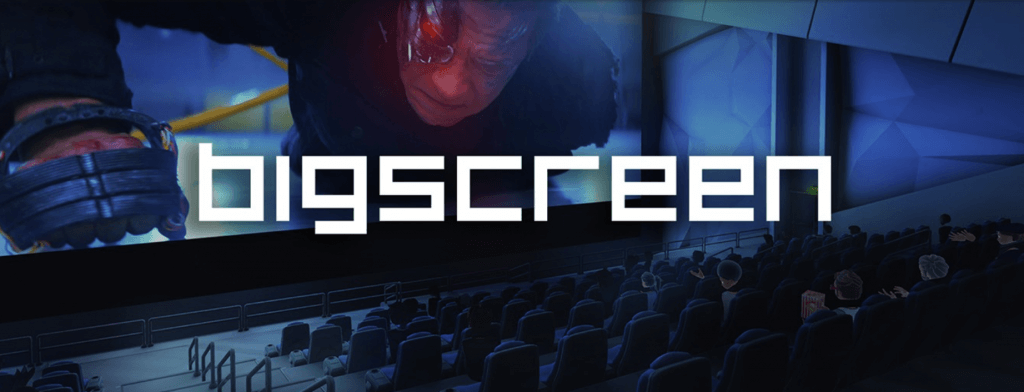
Bigscreen puts you in a virtual movie theater with a screen the size of an actual IMAX display, and it’s one of the few entries here that isn’t really a “game” at all. You can stream your own PC’s desktop to the big screen, watch your own video files, or drop into a public room and watch along with strangers, which is a surprisingly good way to make VR feel social without needing to learn a game first.
This is a good one to reach for if you want to prove to a skeptical friend or partner that VR is worth the headset sitting on your shelf, since “come watch a movie with me” is a much lower bar than “come learn this game with me.”
Pricing
The core app is free to use. Some public movie screenings are paid rentals, but nothing about the app itself is locked behind a purchase.
Pros
- Free desktop streaming and personal video playback
- Social without requiring any game skills
- Genuinely impressive screen size for showing VR off to someone new
Cons
- Desktop streaming needs a PC on the same network to be worth much
- Some content in public rooms requires a paid rental
YouTube VR (Best Zero-Learning-Curve Pick)

Sometimes the best free VR experience for a beginner is the one that requires learning nothing new at all. YouTube VR is exactly the app you already know, browsing, searching, watching, just rendered on a screen the size of a wall, plus support for actual 180 and 360-degree VR video when you want the full immersive version.
It’s a good five-minute pick for a genuinely reluctant first-timer, since there’s no risk of feeling lost or looking silly, and it doubles as an easy way to sample real VR video content without hunting down a dedicated VR video app first.
Pricing
Free. A YouTube Premium subscription removes ads and enables background play, same as on phone or desktop, but it’s entirely optional.
Pros
- Nothing new to learn, it’s YouTube
- Real support for 180/360 VR video, not just a flat screen
- No account or subscription required to use it
Cons
- Not really showing off what makes VR different from a big TV
- Genuinely good 360 VR content on YouTube can take some searching to find
First Steps & First Encounters (Best First 5 Minutes)
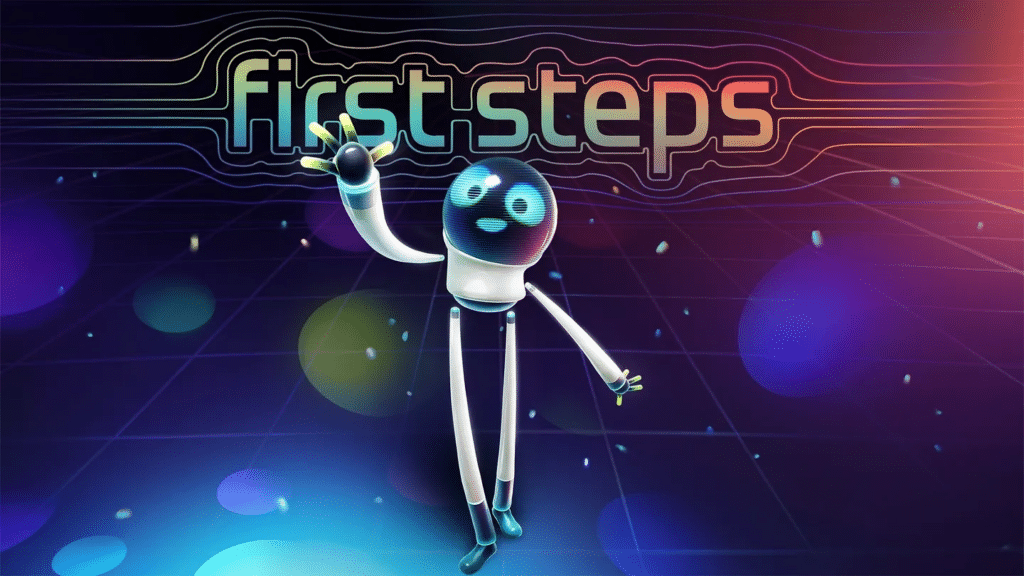
This one’s easy to miss because it’s already sitting on your headset rather than something you’d go looking for. First Steps is Meta’s roughly 10-minute built-in tutorial, a short sequence of simple, well-designed activities that teach the actual physical basics of VR: throwing, grabbing, looking around, using the controllers, without a single menu to read first.
First Encounters is the companion experience focused specifically on mixed reality and passthrough, useful once you’ve got the room-tracking basics down.
We’re including it on this list on purpose, even though it’s not something you’d normally think to search for by name, because it’s genuinely the best free VR experience for a total beginner’s actual first five minutes, and skipping straight to VRChat or Population: One without it is a common reason first-timers feel disoriented.
Pricing
Free, pre-installed on Meta Quest headsets.
Pros
- Already installed, no downloading or searching required
- Purpose-built to teach VR basics in under 10 minutes
- No account, sign-in, or setup needed beyond the headset itself
Cons
- Very short, it’s a tutorial, not something you’ll return to
- Meta Quest only, not available on other headsets
Frequently Asked Questions About Free VR Experiences for Beginners
Is VR actually free to try, or is that always a marketing trick?
It’s genuinely free in plenty of cases, but not as often as most “best free VR” lists suggest. Every experience on this page is free right now with no subscription or hidden paywall, which is exactly why several popular titles that looked free at first (a Pavlov Shack beta, a Population: One PC version, a Meta Horizon Plus library title) didn’t make the final list once we checked their current pricing.
What’s the easiest VR experience for a total beginner?
Start with the headset’s own First Steps tutorial before anything else, it’s pre-installed and built specifically to teach the physical basics in under 10 minutes. After that, Rec Room is the easiest full experience to jump into, thanks to its beginner-focused comfort settings and simple room-based structure.
Do I need a gaming PC for free VR experiences?
No, every pick on this list works on a standalone Meta Quest headset with no PC required. The one exception worth knowing is Population: One, which is free on Quest but costs $19.99 if you play the separate PC VR version on Steam instead.
Is VRChat safe and appropriate for beginners?
VRChat’s official tutorial worlds and any world tagged for new users are fine for beginners. Its public, unmoderated rooms are a different story and can include mature content or toxic players, so it’s worth sticking to curated spaces until you’re comfortable navigating the app.
Does free VR mean lower quality than paid games?
Not based on this list. Rec Room, VRChat, and Population: One are among the most-played experiences in VR regardless of price, and Open Brush is the direct successor to a tool Google originally built and sold before open-sourcing it. Price and quality aren’t the same thing in VR any more than they are anywhere else.
Final Thoughts
If you only try one thing from this list, start with the headset’s built-in First Steps tutorial, then move to Rec Room. That combination covers both the physical basics and the social, low-stakes side of VR without spending anything. From there, Gorilla Tag and Population: One are the better next steps if you want something more game-like, and Open Brush or Bigscreen are worth a look if you’d rather ease in solo or with a friend who’s still skeptical about the whole idea.
For the deeper cut once you’ve worked through these eight, arvrtips.com’s full list of 700+ free Meta Quest games and apps is the place to go next. And if you’re still deciding on a headset in the first place, our best VR headset guide covers what to look for.