This tutorial teaches you how to play Time Crisis VR on the Meta Quest and PCVR, a fan-made port for the original arcade Time Crisis on a Meta Quest 3 and on a Windows PC VR setup. I installed it on my Quest 3 the same way I sideload anything else, and this guide walks through the install, the controls, the PC VR route, and the problems people are already hitting.
This is an unofficial, experimental fan project. It is not made, endorsed, or supported by Namco, Bandai Namco, or Meta.
Quick Summary
- What it is: a free fan port of the 1995 arcade game Time Crisis that runs natively on Quest 3, plus a Windows build for PC VR.
- How you get it: download the APK from the project’s GitHub releases page and install it with SideQuest or ADB. It is not on the Horizon Store.
- What you need: a Meta Quest 3 (Quest 3S and Quest 2 are declared but less tested), a way to sideload, and a few minutes.
- Biggest caveats: it is experimental, Stage 2 crash reports are still open, and the download bundles Namco’s original game files without Namco’s permission (more on that below).
What Is the Time Crisis VR Mod?
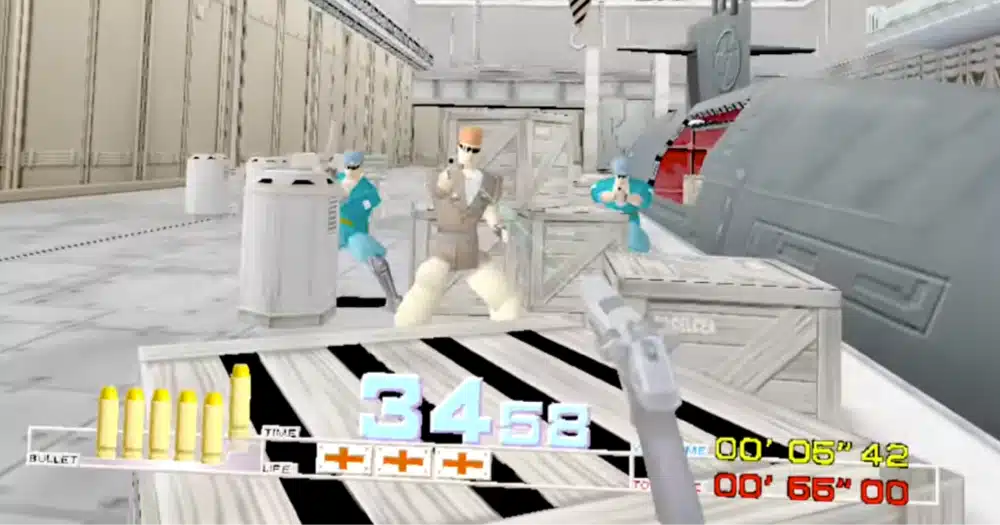
The Time Crisis VR mod is a standalone port by a developer called DR-89, built on top of an open-source decompile of Namco’s System 22 arcade hardware (the spacestate1/namco22-decompile project). It is not an emulator running a ROM inside a wrapper. The arcade game’s logic runs as a native OpenXR app on the headset, with a tracked 3D pistol in your hand, head tracking, and a 120 Hz target on Quest.
Because the game logic is the original arcade code, it plays like the arcade cabinet: you start with credits, you shoot from behind cover, and you duck to reload. The VR part is that you aim with your own controller and can physically duck instead of pressing a pedal.
Time Crisis 2 VR: Is the Mod Time Crisis II?
No. This VR mod guide is for Time Crisis from 1995, not Time Crisis II. Several of the YouTube videos about this mod are titled “Time Crisis II”, which is where the mix-up comes from.
The GitHub project does not list Time Crisis II for Quest. The upstream decompile lists a separate Time Crisis II (System 23) build for PC, but the Quest port covers the first game.
Is There an Official Time Crisis VR Game?
No. There is no official Time Crisis VR release from Bandai Namco for Quest, PC VR, or PlayStation. The fan port is free, unofficial, and not listed on the Meta Horizon Store, which means no automatic updates, no store support, and no help from Meta or Namco if something breaks.
If you want something official that plays the same way, skip to the games like Time Crisis section below.
Time Crisis VR on PS5 and PSVR2: Is There an Official Version?
No, Time Crisis VR is not on any PlayStation headset. The fan port only targets Meta Quest and Windows. On PSVR2 the closest official options are other lightgun-style shooters, and Crisis Brigade 2 Reloaded,
Time Crisis VR Quest Requirements (Quest 3, Quest 3S and Quest 2)
Here is what you need before you start:
- A Meta Quest 3 (the only headset the developer has tested the standalone build on)
- A computer that can run SideQuest, or one with ADB (the Android Debug Bridge tool) installed
- A USB cable that can carry data
- Developer mode turned on for your Quest
- The
TimeCrisisVR-v0.8.4-quest.apkfile from the project’s GitHub releases page, which is about 24 MB, so the download is quick on any connection - Enough free storage for the app and its game data
If you have never sideloaded onto a Quest, our SideQuest sideloading guide covers developer mode and the USB prompt in more detail than I will repeat here.
How to Play Time Crisis in VR on Meta Quest 3 (Step by Step)
The whole install takes a few minutes. You push the APK to your headset from a computer over USB.
Step 1: Turn On Developer Mode
Open the Meta Horizon app on your phone, find your Quest under Devices, and turn on developer mode in the headset settings. Then connect the headset to your computer with the USB cable and accept the USB debugging prompt that appears inside the headset. Our sideloading guide has screenshots of this part.
Step 2: Download the Time Crisis VR APK
Go to the project’s GitHub releases page and download TimeCrisisVR-v0.8.4-quest.apk. The release also has a SHA256SUMS file if you want to check the download against its published checksum before installing.
One thing to know before you click: this APK is a complete package that includes the original Time Crisis game files. Those files belong to Namco, and the project’s own license notice says the game content is not covered by the port’s MIT license. The developer distributes them anyway so you do not have to import anything. I cover that in the legal section below, and it is your decision whether to install it.
Step 3: Install With SideQuest or ADB
You have two options:
- SideQuest: connect your Quest, open SideQuest, and drag the APK into the window (or use its install-from-file option). Our SideQuest games guide shows what the app looks like if you have not used it before.
- ADB: open a terminal in the folder with the APK and run
adb install -r TimeCrisisVR-v0.8.4-quest.apk. The-rflag reinstalls over an older version and keeps your settings, so a future update will not wipe your gun angle or default hand.
I used SideQuest on my Quest 3 and the install finished in under a minute.
Step 4: Open Time Crisis VR (Experimental) From Unknown Sources
Put the headset on and open your library. Sideloaded apps do not show up in the main app grid. Use the filter at the top to switch to Unknown Sources, then launch Time Crisis VR (Experimental). If it is missing, our fix for Unknown Sources not showing on Quest covers the usual causes.
The first launch took a little longer for me than later ones, because the app verifies and prepares its bundled game files the first time.
Step 5: Insert Credits and Start Shooting
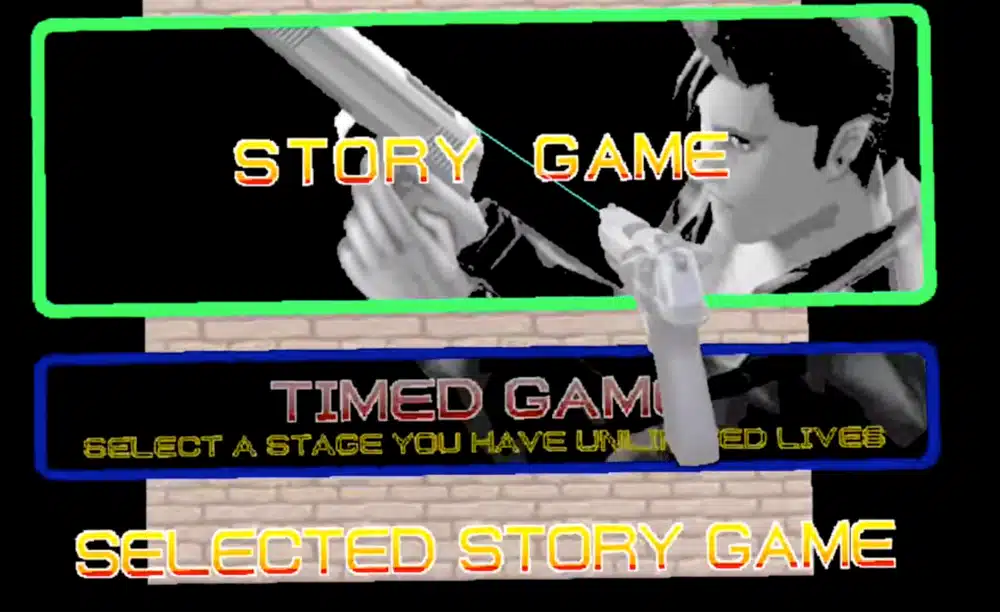
Wait for the arcade startup sequence, then press A on the right controller (or X on the left if you set the default hand to left). That inserts three credits. Press either trigger to pick that hand and start the game.
Time Crisis VR PC: How to Play on Windows PCVR
The project also ships a Windows build, which is the route to take if you would rather run the game on your PC and view it in a headset.
Time Crisis VR PC Requirements
- Windows 64-bit
- A VR headset connected through PC VR software, with an OpenXR runtime that supports OpenGL (SteamVR is one option)
- Quest Touch controllers. The developer says Index, Vive, and other controllers have not been implemented or validated
- The
TimeCrisisVR-v0.8.4-windows-x64.zipfrom the same releases page, about 24 MB
Play Time Crisis VR on PC With a Quest 3
Extract the whole ZIP into a writable folder and keep everything together. The executable will not run on its own. Connect your Quest to the PC through Virtual Desktop or Quest Link, make sure your OpenXR runtime is active, then open Play VR.cmd. If you use SteamVR, Play SteamVR.cmd selects it for that launch only without changing your Windows default.
Being plugged in over USB for ADB is not the same as having a PC VR session running, so the headset has to be connected through your PC VR software first. The developer’s own test was a Quest 3 over Virtual Desktop at 90 Hz on an RTX 3050 laptop, and that worked.
Play Time Crisis VR on a Monitor With a Mouse
If you do not want to use a headset, open Play Desktop.cmd. It plays on a regular monitor with the mouse to aim and the left button to fire.
Is Time Crisis VR on Steam?
No. There is no Steam page for it. SteamVR only shows up here as one of the OpenXR runtimes you can use to run the Windows build.
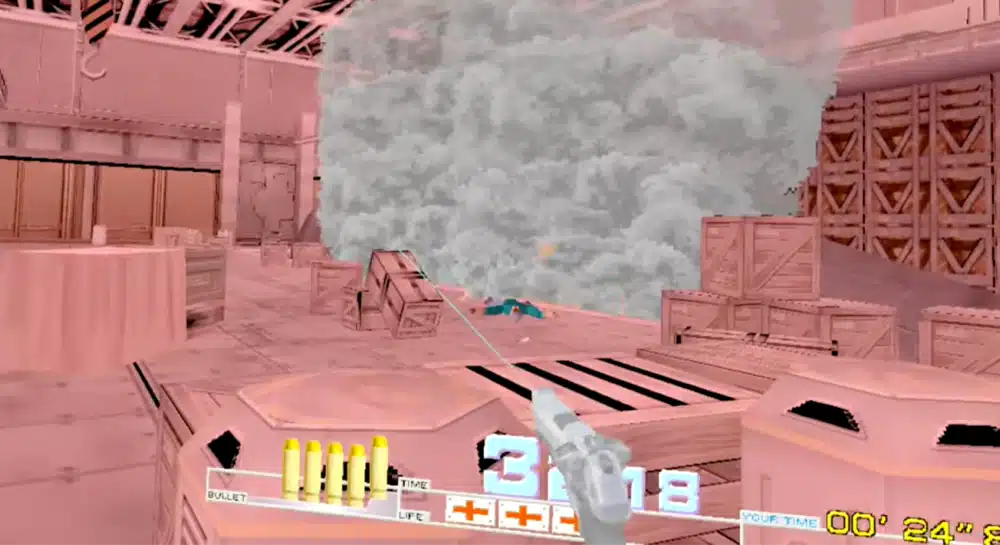
Time Crisis VR Controls: Triggers, Grips and Credits
These come straight from the project’s quickstart. Both triggers fire, so you can switch hands mid-game by pressing the other trigger.
| Action | Default hand: right | Default hand: left |
|---|---|---|
| Choose hand, shoot, start | Either trigger | Either trigger |
| Insert three credits | A (right) | X (left) |
| Toggle laser sight | B (right) | Y (left) |
| Open options or resume | Left menu button | Left menu button |
| Leave cover | Hold either grip | Hold either grip |
| Hide and reload | Release both grips | Release both grips |
| Recenter and calibrate height | X (left) | A (right) |
Cover moved in v0.8.2. If you used an older build, cover used to sit on the other controller’s trigger. It is now on the grip buttons.
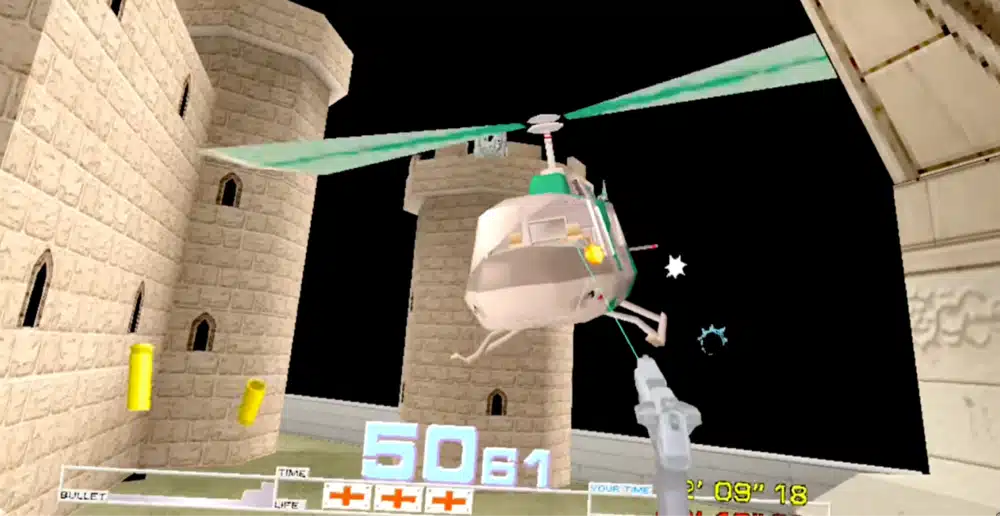
Time Crisis VR Settings: Gun Angle, Left-Handed Mode and Physical Ducking
Open the options with the left menu button. Four settings matter most.
Time Crisis VR Gun Angle
Version 0.8.4 added a GUN ANGLE option. With options open, move the right stick up or down to change it in 1 degree steps, from -60 to +60. A negative angle lowers the barrel. The project’s own example is that if the pistol points about 45 degrees too high, try -45. Click the left stick to reset to zero.
My pistol pointed higher than felt natural at the default, and a negative angle fixed it. Everyone holds a Quest controller differently, so expect to adjust this once.
Time Crisis VR Left-Handed Mode
Click the right thumbstick in options to change DEFAULT HAND. That sets which hand you start with and the face-button layout. Because either trigger also picks that hand on the fly, left-handed players do not have to dig through menus.
Time Crisis VR Physical Ducking vs Grip Cover
There are two ways to take cover. Grip cover is the default: hold a grip to step out and shoot, let go of both to hide and reload. Physical ducking uses your head height. Lowering your head about 20 cm puts you in cover and reloads, and coming back up to within 12 cm of your calibrated height leaves cover. You calibrate by sitting or standing upright and pressing X (right-handed) or A (left-handed).
Physical ducking suits you better if you play standing with some room. I stuck with grip cover while seated, because it was easier on my knees and I never had to recalibrate.
Time Crisis VR Laser Sight
The laser is on by default and helps with aiming. B (or Y) toggles it silently, and turning it off only hides the beam. Aiming and shooting still work the same.
Time Crisis VR Troubleshooting: Crashes, Frame Rate and Controls
These are the issues the developer documents or that are open on GitHub.
- Stage 2 crashes: an open GitHub issue reports two exits to Quest Home in Stage 2, one while shooting a chandelier and one while leaving cover near the stairs. If it happens to you, do not relaunch right away. The project has a diagnostic helper that exports logs and input recordings, and a new launch can overwrite them. Details are in the project’s Stage 2 report notes.
- The gun points the wrong way: use GUN ANGLE in options, as covered above.
- The app is not in my library: switch your library filter to Unknown Sources. If it is still missing, check that the install finished.
- Cover does not work the way an old guide says: cover was moved to the grips in v0.8.2, so older instructions are out of date.
- The frame rate is not 120: that is a target, not a guarantee. The developer’s two-minute test on Quest 3 averaged about 120 FPS with roughly 2% repeated or late frames, which in practice means the odd stutter, and a complete playthrough has not been verified.
In my own Stage 1 session I did not hit a crash.
Time Crisis VR ROM and Legal Questions
You do not need to find or import a ROM for the APK in this guide, because it comes with Namco’s game files bundled. That is also the problem. Time Crisis, its graphics, and its sound belong to Namco and Bandai Namco, and the project’s own notice says they are not covered by the port’s MIT license. The developer is not affiliated with or endorsed by Namco, Bandai Namco, or Meta. Whether to install a build that includes those files is your own call, and I am not going to link to any ROM sources.
There is a ROM-free build option for people who want to supply their own copy. It needs the project’s build tools rather than a simple sideload, and it expects your own timecris.zip, which the project identifies as Time Crisis World TS2 Ver.B. Most readers will find that harder than the one-click APK.
Games Like Time Crisis on Meta Quest (Official Alternatives)
If the fan port is too rough, or you would rather play something that is on the store, these are the closest official options.
Under Cover (Best Official Pick)
Under Cover is a lightgun-style shooter built around the same idea as Time Crisis: you physically crouch behind cover to reload. It launched in February 2024 and supports Quest 3, Quest 2, and Quest Pro.
The campaign runs roughly 5 to 6 hours, solo or in online co-op, and it was listed at $24.99 at launch. If the fan port is too rough for you, this is the one I would buy first.
Crisis Brigade 2 Reloaded (Best for Co-op)
Crisis Brigade 2 Reloaded, formerly Crisis VRigade 2, is an arcade-style shooter with three-player online co-op. It is listed at $14.99 on the Quest store.
Crisis VRigade on Quest: Is It Like Time Crisis?
Crisis VRigade is closer to an arcade wave shooter than a Time Crisis clone. You stand in one spot and shoot waves of enemies, without the cover-and-reload rhythm of Time Crisis. It also gets mentioned alongside this mod constantly because the names are close, but it is a separate, official game.
For more picks, our list of the best VR shooters for Meta Quest has plenty of other options.
Is the Time Crisis VR Mod Worth Playing?
Yes, if you already love the arcade game, have a Quest 3, and do not mind that it is rough around the edges. Aiming with your own hand and ducking behind cover for real feels far closer to the arcade cabinet than playing with a mouse, and it is free.
Skip it if you want a polished, supported game, or if bundled Namco files are a dealbreaker for you. In that case Under Cover is the safer pick.
Frequently Asked Questions
Is Time Crisis VR Free?
Yes. The fan port is free to download from its GitHub releases page. It is unofficial, and the release bundles Namco’s original game files without Namco’s permission, so installing it is your own call.
Can You Play Time Crisis VR on Meta Quest 2?
Possibly. The APK declares Quest 2 and Quest 3S, but the developer has only tested it on a Quest 3 and says Quest 2 refresh-rate measurements are still pending.
Is Time Crisis VR on Steam?
No. There is no Steam page. SteamVR is only one of the OpenXR runtimes you can use to run the Windows build.
Is Time Crisis VR on PS5 or PSVR2?
No. I found no Time Crisis VR on any PlayStation headset. The fan port only targets Meta Quest and Windows PC VR.
Is the Time Crisis VR Mod an Emulator?
No. It is a native port built on an open-source decompile of Namco’s System 22 arcade code, running as an OpenXR app on the headset rather than an emulator running a ROM.
Is Time Crisis VR Training the Same Thing?
No. A separate itch.io training project turns up in search results for the same phrase, but it is a different project from the DR-89 Quest and PC port covered in this guide.
Does Time Crisis VR Support Left-Handed Play?
Yes. Open the options with the left menu button and click the right thumbstick to change DEFAULT HAND. Pressing either trigger also moves the pistol to that hand.
Do You Need a Gun Stock for Time Crisis VR?
No. Nothing in the project’s documentation requires one, because the port is built around a one-handed tracked pistol. A stock is optional if you want a steadier hold, and our guide to the best VR gun stocks covers the options.
Final Thoughts
Time Crisis VR is an unofficial, fast-moving project, and the version I tested may already be out of date. Check the GitHub releases page for the newest build before you install, because controls and settings have already changed between releases.
If you want more ways to try unofficial games on your headset, our SideQuest games guide is a good next stop, and our sibling mod guide on Gran Turismo 2 in VR covers a similar fan port.