

If your VR porn is blurry, it’s rarely just one thing. It’s usually some mix of your headset’s own resolution ceiling, a streaming connection that can’t keep up with how much data VR video actually needs, and a mismatched player setting that’s quietly capping quality without you noticing. Each cause has its own fix, and most of them take less than five minutes.
This guide walks through why VR porn is blurry, roughly in order of how often each cause is actually the culprit, then gives you the specific setting or fix for each one.
Why Is VR Porn Blurry? The Real Reasons
Before you start changing settings, it helps to know which of these is actually happening to you. Most blurry VR porn comes down to one of six things.
VR Video Has to Cover a Much Wider Field of View Than Regular Video
A regular 1080p video only has to fill a flat rectangle in front of you. A VR video has to cover a sphere, or at least a very wide slice of one, so there’s still real video there when you turn your head instead of a black void. That means the same “4K” label on a VR video and a regular video isn’t describing the same amount of visual detail per degree of what you’re actually looking at.
The VR version is spreading far fewer pixels across a much bigger area, which is the single biggest reason VR porn looks softer than a flat video labeled with the same resolution.
This isn’t something a setting can fix. It’s baked into how 180-degree and 360-degree cameras work, and it’s the reason platforms increasingly shoot at 6K and 8K instead of 4K, just to get back to something that looks properly sharp once it’s stretched across your field of view.
Your Streaming Bitrate or Internet Connection Is Too Low
Resolution only tells part of the story. Bitrate, how much data the video is actually allowed to use per second, matters just as much, and it’s the one most people never check.
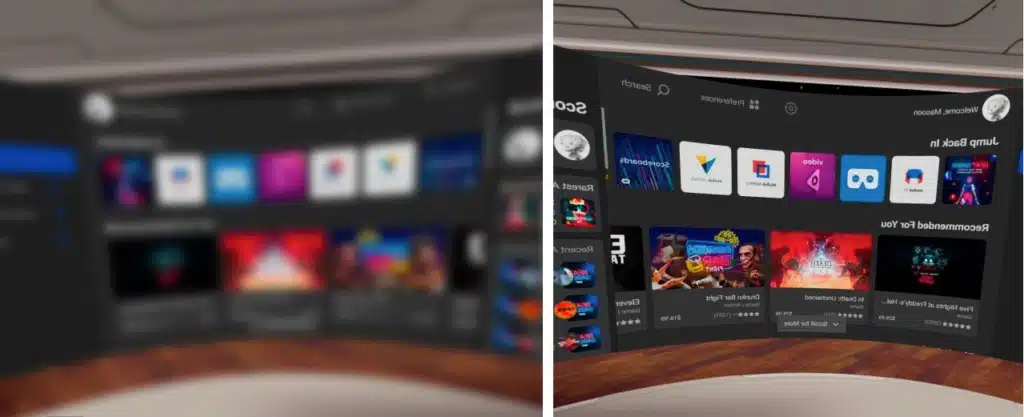
DeoVR, one of the most widely used VR video players, ran its own side-by-side test on this: streaming VR footage at 30Mbps looked close to identical to the same footage at 70Mbps and 100Mbps for most scenes. Drop below that 30Mbps range, which happens automatically when your connection can’t keep up, and the video starts to look soft and blocky, especially in busier or faster-moving scenes. If your VR porn is blurry specifically during movement or wide shots, and noticeably sharper when the camera is still, a bitrate bottleneck is the most likely explanation.
You’re Streaming Instead of Downloading
Most VR porn platforms cap the quality available for live streaming lower than what they let you download, since streaming has to adapt to your connection in real time and a downloaded file doesn’t. If a scene looks noticeably sharper as a download than it does streamed on the same headset, that’s adaptive streaming doing its job, not a problem with your setup.
Your Headset’s Own Display Resolution Is a Hard Ceiling
Every cause above assumes the video itself has room to look sharper. At some point, your headset’s own per-eye display resolution becomes a limit that no amount of bitrate or download quality can get past.
A Meta Quest 3S, PSVR2, and Apple Vision Pro all have meaningfully different per-eye resolutions, and even a well-encoded 8K video only looks as sharp as the panel it’s being shown on allows.
Your IPD or Headset Fit Is Off
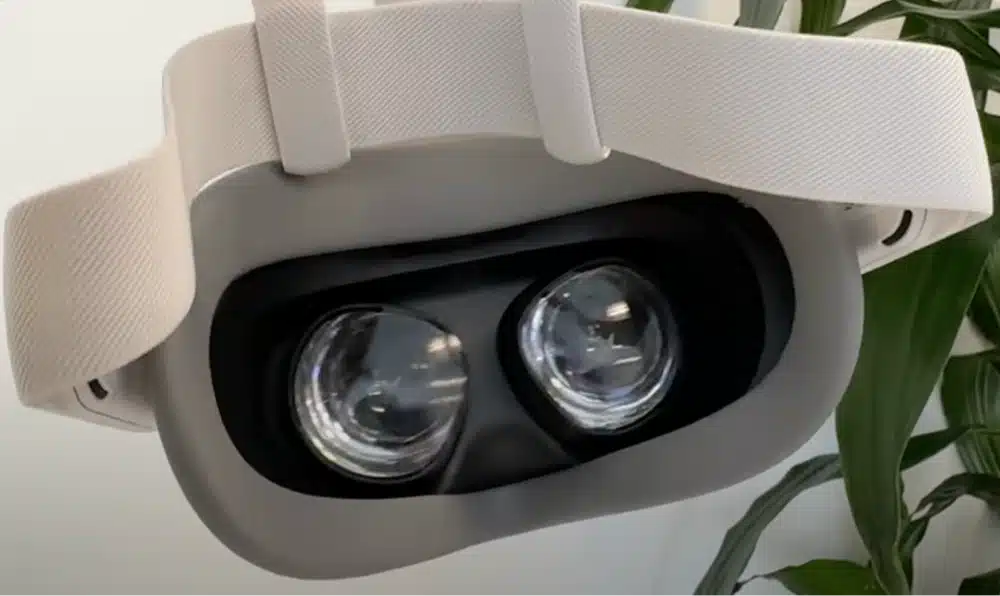
This one has nothing to do with the video at all. If your interpupillary distance (IPD) setting doesn’t match your eyes, or the headset isn’t sitting in exactly the right spot on your face, everything in VR looks soft, not just porn. It’s worth ruling out first since it’s the fastest fix on this list. Our guide on how to make the Meta Quest less blurry walks through IPD and fit in more detail if you want the full process.
You’re Using the Wrong Player or Playback Format Setting
VR video files are usually tagged as mono or stereo, and side-by-side or over-under, depending on how the scene was shot. If your player misreads that tag, or you’ve set it manually to the wrong format, the video can look doubled, warped, or artificially soft even though the file itself is fine. This is more common than it sounds, since not every platform’s own in-headset browser player handles every format flag correctly, which is part of why dedicated players like DeoVR and HereSphere exist in the first place.
If your VR porn is blurry only through a platform’s built-in player but looks fine through a dedicated one, a player mismatch is very likely the cause.
How to Fix Blurry VR Porn
Once you know which cause fits what you’re seeing, here’s the specific fix for each one.
Download the Scene Instead of Streaming When You Can
If a platform offers a download option, use it for scenes you already know you want to keep, especially on a slower connection. It sidesteps the adaptive-bitrate downgrade entirely.
Check Your Internet Speed and Force a Higher Quality Setting
Run a quick speed test on the network your headset is actually using, not your phone. If your connection is below roughly 30Mbps sustained, that’s your bottleneck before anything else. Most platforms and players also let you manually select a quality tier instead of leaving it on auto, which is worth forcing to the highest option and testing from there.
Use a Wired Connection or Wi-Fi 6 Instead of Standard Wi-Fi
For PC VR setups specifically, Quest Link over a wired cable is more consistent than Air Link over Wi-Fi, especially on a crowded 2.4GHz network. If you’re staying wireless, a dedicated Wi-Fi 6 router with your headset on 5GHz makes a real difference over standard home Wi-Fi.
Match Your Player’s Format Setting to the Video
Check the format tag on the file or scene page (mono/stereo, SBS/OU, 180°/360°) against what your player is set to expect, and switch it manually if the two don’t match. When in doubt, a dedicated player like DeoVR or HereSphere tends to handle format detection more reliably than a platform’s built-in browser player.
Set Your IPD and Clean Your Lenses
Measure your IPD and set it on the headset itself, then wipe the lenses with a microfiber cloth. Both take under a minute and rule out the most common non-video cause of blur.
Pick a Platform Built for High-Bitrate VR Video
Not every VR porn site encodes at the same quality even at the same stated resolution. If you’ve ruled out your connection, headset, and player settings and things still look soft, the platform itself may be compressing more aggressively than it needs to. Our best VR headsets and sites for porn guide covers which platforms consistently deliver the sharpest streams.
Best VR Porn Sites and Players for Sharp Video Quality
If VR porn is blurry no matter what you do, it’s worth checking whether the platform itself is the bottleneck before blaming your setup. VRPorn.com, POVR, and SexLikeReal all offer scenes in up to 8K with adjustable streaming quality, and each is covered in more depth in our full POVR review and SexLikeReal review.
For the player itself, DeoVR and HereSphere both tend to handle high-bitrate VR files and format detection more reliably than a platform’s built-in browser player, particularly on Meta Quest and other standalone headsets.

Frequently Asked Questions About Blurry VR Porn
Why is my VR porn pixelated on Meta Quest?
Pixelation on Meta Quest headsets is usually a bitrate or connection issue rather than the headset itself, since the Quest 3’s display is sharp enough to show high-bitrate VR video cleanly. Check your Wi-Fi speed, try a wired Quest Link connection if you’re on PC VR, and confirm the app or browser isn’t defaulting to a lower quality tier.
Does downloading VR porn look better than streaming it?
Often, yes. Streaming has to adapt to your connection in real time, so platforms usually cap streamed quality below what the same file looks like downloaded, especially on a slower connection.
What internet speed do I need for VR porn?
Aim for at least 30Mbps sustained on the network your headset is using, which DeoVR’s own bitrate testing found is typically enough for sharp VR video. Faster-moving scenes benefit from headroom up to 100Mbps.
Is 4K enough for VR porn?
It can look noticeably softer than a flat 4K video, since the same resolution is stretched across a much wider field of view. Many platforms now shoot in 6K or 8K specifically to compensate, so 4K content isn’t necessarily under-encoded, it’s just working with less detail per degree from the start.
Why is my VR porn still blurry after checking my internet and settings?
If you’ve ruled out connection, downloads, and player format settings, the remaining causes are usually IPD/headset fit or a hard ceiling from the headset’s own display resolution, neither of which the video file itself can fix.
Conclusion
In short, if your VR porn is blurry, it almost always traces back to one of six things: the wide field of view VR video has to cover, a bitrate or connection bottleneck, streaming instead of downloading, your headset’s own resolution ceiling, an IPD or fit issue, or a mismatched player setting. Work through the fixes above in order, and in most cases you’ll land on the actual cause well before you run out of things to try.