This GTA 6 on Meta Quest guide covers every way to play the game on a headset today. Grand Theft Auto VI is out on PS5 and Xbox Series X|S and it has no native VR mode, so what you get is the regular flat game on a huge virtual screen. You can set that up on a Meta Quest or a Steam Frame right now.
The easiest route is Xbox Remote Play through the Xbox app on a Quest. PS5 owners can use Meta’s HDMI Link app with a USB capture card, and Steam Frame owners can relay a console through a PC. Not every route is confirmed, and I mark the ones that aren’t.
VR status: GTA 6 has no VR mode. Rockstar hasn’t announced one, and every method in this guide shows the normal game on a virtual screen. If that changes, this note and the VR mod section are the two places that get updated.
- GTA 6 Quest 3 Quick Answer: Which Method Works Best?
- Will GTA 6 Be on Meta Quest 3? Release Status, Platforms and VR Mode
- What You Need to Play GTA 6 on Quest 3
- GTA 6 Quest 3 Xbox Remote Play: How to Set It Up
- GTA 6 Quest 3 PS5 Setup: HDMI Link and Capture Card
- GTA 6 Steam Frame: How to Play It on Valve’s Headset
- GTA 6 Quest 3 Latency: Wi-Fi, Bitrate and Controller Settings
- GTA 6 Xbox Cloud Gaming on Quest 3: Does It Work?
- GTA 6 on PC, Steam and Steam Deck: Is There a PC Version?
- GTA 6 VR Mod: Will There Be One for Quest 3 or Steam Frame?
- GTA 6 on PS VR2: Cinematic Mode vs Quest 3
- GTA 6 Quest 3 Not Working: Black Screen, Controller and Lag Fixes
- Is It Worth Playing GTA 6 on Quest 3 or Steam Frame?
- Frequently Asked Questions About GTA 6 on Quest 3 and Steam Frame
- Final Thoughts on GTA 6 Quest 3 and Steam Frame
GTA 6 on Meta Quest Quick Answer: Which Method Works Best?
Pick the method by the console you own.
| Method | Works with | Extra gear | Verdict |
|---|---|---|---|
| Xbox app Remote Play | Xbox Series X|S and a Quest 2, Pro, 3 or 3S | A controller paired to the headset | Best for Xbox owners, free |
| HDMI Link and a capture card | PS5 or Xbox and a Quest 2, 3 or Pro | USB capture card, HDMI and USB cables | Best for PS5 owners on Quest |
| PS VR2 Cinematic Mode | PS5 and a PS VR2 | Nothing extra | Easiest if you already own a PS VR2 |
| Remote Play app on a PC, then Steam Link | PS5 or Xbox and a Steam Frame | A Windows PC on your network | The Steam Frame route I’d test first |
| Capture card in a PC, then Steam Link | Any console and a Steam Frame | A PC and a capture card | Possible, more setup |
| Xbox Cloud Gaming on Quest | Xbox cloud library | Game Pass or cloud playtime | Not confirmed for GTA 6 on Quest |
My pick: Xbox owners should start with the Xbox app because it costs nothing extra. PS5 owners on a Quest should buy a capture card and use HDMI Link, since Sony doesn’t offer Remote Play on Quest. If you own a Steam Frame, the PC relay is the setup I’d try first.
Will GTA 6 Be on Meta Quest 3? Release Status, Platforms and VR Mode
No. GTA 6 isn’t coming to Meta Quest as a game, and there’s no Quest version in the Horizon Store. Rockstar lists PS5 and Xbox Series X|S as the platforms. The Xbox One only gets it through Xbox Cloud Gaming, and Microsoft says the cloud version uses Xbox Series S graphics settings.
Does GTA 6 Have a VR Mode?
No. Rockstar hasn’t announced a VR mode, and the game’s official pages don’t mention VR at all. A VR headset does appear in one scene of the gameplay video, but only as an in-game joke.
What Rockstar does say is that GTA 6 supports Remote Play on PlayStation and Xbox. That feature is what makes a headset screen possible. Neither company names a headset, so every Quest setup below is a workaround that depends on your own hardware and network.
GTA 6 Release Status, Price and Platforms
- GTA 6 is out on PS5 and Xbox Series X|S, and the PS5 Pro has an enhanced version.
- The Xbox One only gets the cloud version, not a native one.
- There is no PC version and Rockstar hasn’t announced one.
- The standard edition costs $79.99 and the Ultimate Edition costs $99.99.
- PlayStation lists about 212GB of free space as the amount needed to install it on PS5.
- It is a single-player game at launch.
What You Need to Play GTA 6 on Meta Quest
The headset is only a screen. The console runs the game.
- GTA 6 installed on your PS5 or Xbox Series X|S.
- A Quest 2, Quest Pro, Quest 3 or Quest 3S. Meta lists all four for the Xbox app. HDMI Link is listed for the Quest 2, Quest 3 and Quest Pro, and the Quest 3S is reported to work too.
- A controller. For the Xbox app it has to be paired to the headset, because the Quest touch controllers can’t act as a gamepad. With HDMI Link your controller stays paired to the console.
- A fast connection for the wireless methods: 5GHz Wi-Fi, and ideally a wired console.
- For PS5: a UVC and UAC capture card, an HDMI cable and a USB cable.
GTA 6 on Meta Quest Xbox Remote Play: How to Set It Up
This is the official route. The game runs on your Xbox at home and the Xbox app on your Quest shows the picture on a virtual screen. The app is free, and Xbox lists the Meta Quest headsets as supported devices on its Remote Play page.
Turn On Remote Features on Your Xbox
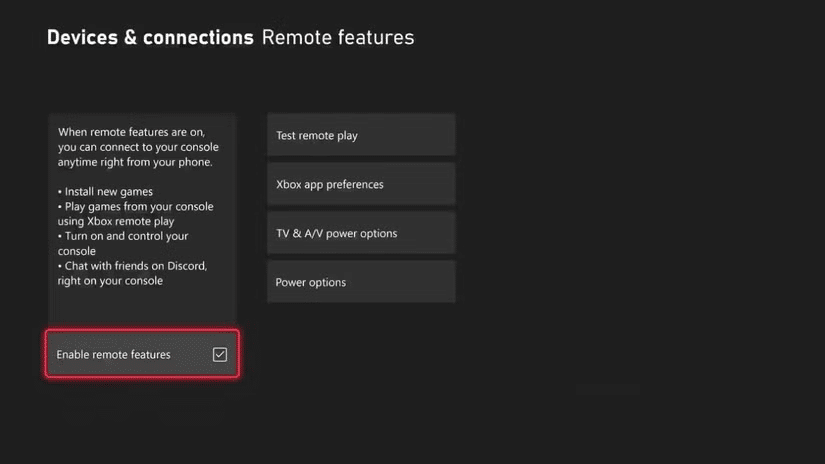
On the console, open Settings, then Devices & connections, then Remote features, and turn them on. Xbox says the console has to be on or in Instant-On power mode to accept a connection, so switch the power mode to Sleep (Instant-On) if it’s set to Energy-saving. Menu names shift between updates, so search Settings for “remote” if you can’t find it.
Install the Xbox App on Meta Quest
Open the Meta Horizon Store on the headset, or use the Meta Horizon phone app, and install the free Xbox app. If it doesn’t show up, update your Quest software first, because the app needs a fairly recent version. The Meta Quest 3S Xbox Edition comes with the app already installed, so you can skip this step if you bought that bundle.
Pair a Controller and Connect to Your Xbox
- Open the Xbox app from your App Library and choose Get Started.
- Pair a controller when the app asks. An Xbox Wireless Controller works over Bluetooth or USB, and Meta also lists the DualShock 4 and the Switch Pro Controller.
- Sign in with the same Microsoft account you use on the console.
- Select your profile picture in the top right, choose My consoles, then choose CONNECT. You can also open Cloud Gaming in the top left and pick Remote play.
Start GTA 6 and Resize the Screen
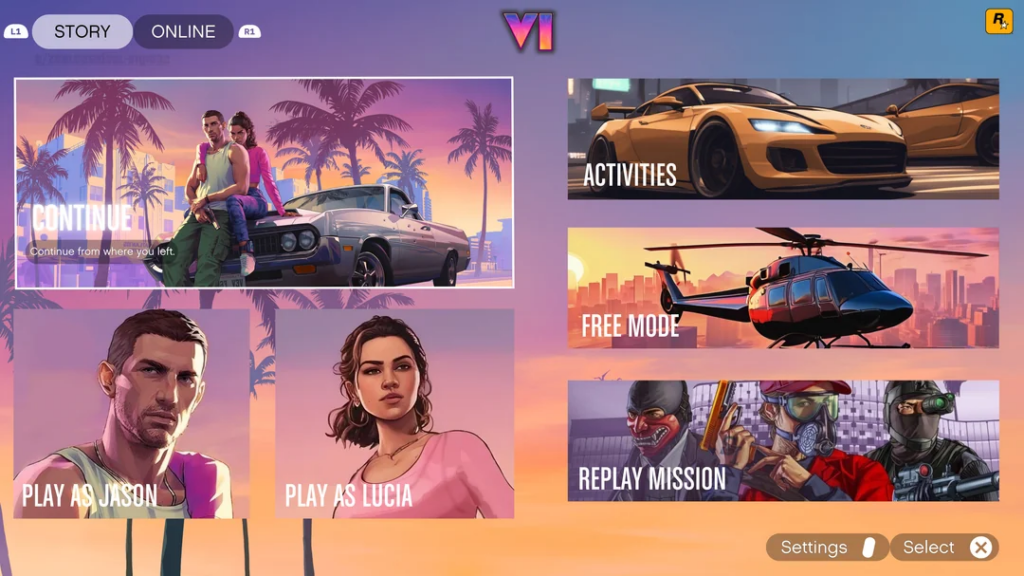
Once you’re connected you’ll see your Xbox dashboard. Start GTA 6 from there like you would on the TV. Meta’s help page says you can change the display size and reposition the screen inside the app, and there are different environments to play in.
GTA 6 Xbox Remote Play in the Quest Browser
If the app gives you trouble, the web version of Remote Play is worth a try. Sign in at xbox.com/remoteplay in the Quest Browser with the same account and pair a controller. I’d treat this as a backup, since Meta’s own instructions only cover the app.
GTA 6 on Meta Quest PS5 Setup: HDMI Link and Capture Card
Sony doesn’t offer PS5 Remote Play on Quest, and Sony’s Remote Play page lists no VR headsets as supported devices. The PS5 route that works on a Quest is Meta’s HDMI Link app.
The PS5 plugs into a capture card, the card plugs into the headset, and the app shows the picture on a virtual screen. It is wired, so your Wi-Fi doesn’t matter, and it works the same way for an Xbox.
Best Capture Card for GTA 6 on Quest 3 (1080p 60 FPS)
Meta asks for a capture card that is UVC and UAC compatible, captures 1080p and connects over USB 3.0. Meta doesn’t recommend a specific model, so I’d pick by those three specs rather than a brand. A weak card or a USB 2.0 cable is the usual cause of black screens and stutter.
Some cards only reach 60 FPS in one video format. A creator who tested this setup found the YUV format capped at 30 FPS at 1080p and the MJPG option gave 60 FPS, so check which format your card needs in the capture settings.
Click here to see a sample capture card on Amazon.
Turn Off HDCP on PS5
A blank screen is usually HDCP copy protection. On the PS5, open Settings, then System, then HDMI, and switch off Enable HDCP. Do it while the console is still plugged into your TV, because the PS5 menu won’t show through a capture card while HDCP is on.
Turn it back on when you’re done so streaming apps keep working on the TV.
Connect HDMI Link on Meta Quest
- Install the free Meta Quest HDMI Link app from the Meta Store.
- Plug an HDMI cable from the PS5 into the capture card’s input. If the card has several ports, use the right one.
- Plug the card into the headset’s USB-C port with a USB 3.0 cable.
- Put the headset on and allow the permissions it asks for.
- Open HDMI Link and start the stream, then launch GTA 6 on the console.
Your controller stays paired to the PS5, so your button presses never travel through the stream. The app also lets you pick a flat or curved screen and dim the room.
GTA 6 PS5 Remote Play on Quest 3: Why It Needs a PC
You may have seen people sideload Sony’s Remote Play app onto a Quest. I couldn’t find an official source that supports it, so I wouldn’t count on it. The dependable alternative is a PC relay: run Sony’s PS Remote Play app on a Windows PC and stream that PC to the headset with Steam Link or Virtual Desktop. My Steam Link on Meta Quest guide and Virtual Desktop guide cover those apps. It adds one more hop, so HDMI Link is the better pick if you care about delay.
GTA 6 Steam Frame: How to Play It on Valve’s Headset
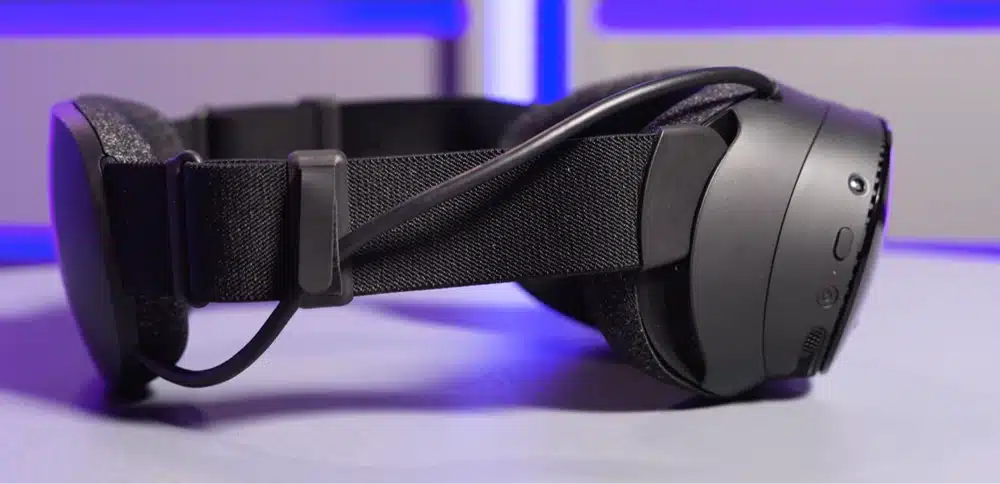
The Steam Frame runs SteamOS on an ARM chip. Valve ships it with a Wi-Fi 6E dongle for streaming from a PC, and it also runs games on its own, as my Steam Frame review covers. There is no official console route for it. I couldn’t find any source documenting GTA 6, or a PS5 or Xbox streaming app, running on the Frame itself, so I’ve split the options into the one I’d trust most and the ones that are unproven.
Steam Frame GTA 6 With PS5 or Xbox Remote Play on a PC
This chain uses only documented pieces. Install Sony’s PS Remote Play app, or the Xbox app, on a Windows PC on your home network and connect it to your console. Add that app to Steam as a non-Steam game, then stream it to the Frame like any other Steam game. GTA 6 shows up as a window on the PC, and the Frame shows it on a big virtual screen.
Sony asks for at least 5Mbps for Remote Play and recommends 15Mbps. The PC to Frame leg runs over the Frame’s dedicated link, so wire both the console and the PC to your router if you can. I haven’t run this with GTA 6 myself and nobody has published a test that I can find, so it’s the first thing to try rather than a proven setup. Two hops also means two rounds of video compression, so expect more delay than HDMI Link on a Quest.
Steam Frame GTA 6 With a Capture Card
The other idea is a capture card in the PC. The console plugs into the card, the card plugs into the PC, and you show the capture feed in a viewer like OBS, then stream that window to the Frame.
This option needs a PC and a card, so most people will find the Remote Play relay easier.
Chiaki-ng and Greenlight on Steam Frame: Do They Work?
You can install Chiaki-ng (PS5) or Greenlight (Xbox) straight on the Frame and skip the PC. Both are real, open source remote play clients for Linux, and people use them on the Steam Deck.
If you want to experiment, install them only from their official GitHub or Flathub pages, and don’t count on it for a long session.
Steam Frame vs Quest 3 for Playing GTA 6
For GTA 6 on a big screen, the Quest 3 is the easier headset today. It has the Xbox app and HDMI Link as official routes, with no PC in the middle. The Frame makes more sense if you already own one and have a PC, and it’s the better headset for PC VR. My Steam Frame vs Meta Quest 3 comparison goes through the differences.
GTA 6 on Meta Quest Latency: Wi-Fi, Bitrate and Controller Settings
Streaming adds delay, and how much you notice depends on the route. HDMI Link is a cable, so Wi-Fi plays no part. Xbox Remote Play and any PC relay depend on your network.
PS5 Remote Play Internet Speed Requirements
- Xbox app on Quest: Xbox recommends a 5GHz Wi-Fi connection with a speed of 20Mbps or higher.
- PS Remote Play: Sony requires at least 5Mbps and recommends 15Mbps.
- Steam Link or Virtual Desktop on Quest: use 5GHz at least, and see my guides above for the bitrate settings.
Those speeds are the floor for one stream. In practice a stable signal matters more than a fast plan, so a busy router or a weak 5GHz signal from the other end of the house will cause more trouble than a slow connection.
Quest 3 Wi-Fi Settings for Remote Play
- Wire the console to your router. It’s one of the most effective fixes for Remote Play lag.
- Put the headset on a 5GHz or 6GHz network and play in the same room as the router, or as close as you can.
- Use a controller connected by USB when you can, because it takes Bluetooth out of the chain. Meta lists USB for the Xbox controllers.
- Close other heavy downloads and video calls on the network while you play.
GTA 6 30 FPS on Quest: What to Expect
GTA 6 is widely reported to run at 30 FPS on PS5 and Xbox Series X|S, so a 60Hz stream or capture won’t make the game itself smoother. It only delivers each frame at a steadier pace. In a driving and exploring game, a little input delay matters less than it does in a fast shooter, but it will be there on any wireless route. Y
ou should expect 1080p at most, since HDMI Link captures 1080p and the Xbox app sends compressed video, so it won’t look as sharp as a good TV. If lag bothers you, move to HDMI Link.
GTA 6 Xbox Cloud Gaming on Quest 3: Does It Work?
The Xbox app on Quest has a Cloud Gaming tab, and Microsoft says GTA 6 streams through Xbox Cloud Gaming on Xbox One and Xbox Series consoles.
Cloud play also needs you to buy the game separately because it isn’t in Game Pass, plus Game Pass or purchased cloud playtime in supported markets. Remote Play from your own console avoids all of that, so I’d use it as the main route and count cloud as a bonus if GTA 6 appears in the app’s library.
It also matters for picture quality: since cloud play uses Xbox Series S graphics settings, a Series X owner gets the Series X version through Remote Play and a lower-settings version through the cloud. Xbox’s VR headset page lists the supported Quest models.
GTA 6 on PC, Steam and Steam Deck: Is There a PC Version?
No. Rockstar hasn’t announced a PC version or a date. That means no GTA 6 on Steam, none running natively on the Steam Deck or Steam Frame, and nothing for WinlatorXR to run, since it needs a Windows version of the game.
If you read that you can play GTA 6 on a PC through the Xbox app, that means streaming from your own console with Remote Play. It isn’t a PC version.
GTA 6 VR Mod: Will There Be One for Quest 3 or Steam Frame?
There’s no GTA 6 VR mod today because VR mods for flat games run on the PC version, and GTA 6 doesn’t have one. GTA 5 did get a full VR mod years after launch, and my GTA V VR mod guide walks through it, so I’d expect modders to try the same once a PC version exists. A mod would run on a PC and stream to your headset. Console owners on PS5 or Xbox won’t get one.
Rockstar’s only Quest project was GTA: San Andreas VR, announced in 2021 and later reported as on hold indefinitely. My GTA San Andreas on Meta Quest post tracks that history, and it’s a separate game from GTA 6.
GTA 6 on PS VR2: Cinematic Mode vs Quest 3
If you own a PS VR2 you don’t need any of the setups above. Cinematic Mode shows non-VR PS5 games on a virtual cinema screen. Start GTA 6 and it opens on that screen, and you play with a DualSense because the PS VR2 Sense controllers can’t control non-VR games. The TV’s social screen turns off while you do it, so nobody else in the room can watch.
It is the simplest way to put GTA 6 in a headset, and the only one with no network or extra gear. The catch is that you need a PS VR2.
GTA 6 on Meta Quest Not Working: Black Screen, Controller and Lag Fixes
Meta Quest HDMI Link Black Screen
- Swap in a USB 3.0 cable and plug the card into the headset’s USB 3.0 port.
- Check you’re using the right HDMI input on the card.
- Turn off HDCP on the PS5 (steps above), because copy protection blanks the picture.
- Make sure the card is UVC compatible, then unplug it and reconnect.
- If the frame rate is low, check that the card supports the console’s output resolution and frame rate.
Xbox App on Meta Quest Not Working
- Confirm remote features are on and the console is on or in Instant-On mode, not fully shut down.
- Sign in with the same Microsoft account on the headset and the console.
- Update your Quest software and the Xbox app.
- Wire the console to your router, and try the web version at xbox.com/remoteplay.
GTA 6 Remote Play Not Working
- On the PS5, open Settings, then System, then Remote Play, and make sure it’s enabled.
- Leave the PS5 on or in rest mode, and sign in to the same PlayStation account on the app.
- Check your connection against Sony’s 5Mbps minimum.
- On the Steam Frame relay, test the Remote Play app on the PC by itself before you add Steam streaming.
Quest 3 Controller Not Detected
- Pair a gamepad such as an Xbox Wireless Controller in the Xbox app. The Quest touch controllers can’t be used as a gamepad.
- If the app ignores your inputs, open Settings, then Devices, then Gamepad, and turn off Use the gaze cursor.
- Re-pair the controller if it still doesn’t register.
Is It Worth Playing GTA 6 on Meta Quest or Steam Frame?
If you already own the headset and a console, yes. The Xbox app route is free and takes minutes, and HDMI Link only costs a capture card. You get a screen that looks bigger than most TVs, and you can play in bed or another room without taking over the living room.
The downsides are real.
It’s compressed video at roughly 1080p, there’s some delay on the wireless routes, and a Quest 3 battery lasts a couple of hours, so a battery strap or a charging cable helps. I wouldn’t buy a Quest or a Steam Frame just for GTA 6, since a TV or monitor will look sharper with no lag.
- Xbox owners: use the Xbox app on a Quest.
- PS5 owners on a Quest: use HDMI Link and a capture card.
- PS VR2 owners: use Cinematic Mode.
- Steam Frame owners: try the PC Remote Play relay first.
Frequently Asked Questions About GTA 6 on Meta Quest and Steam Frame
Can you play GTA 6 on Meta Quest?
Yes, as a flat game on a big virtual screen, not as a VR game. Stream it from your own Xbox with the Xbox app, or connect a PS5 with Meta’s HDMI Link app and a USB capture card.
Will GTA 6 be on Meta Quest?
There is no Quest version. Rockstar lists PS5 and Xbox Series X|S as the platforms, and GTA 6 has no VR mode, so a headset can only show the console game on a virtual screen.
Does GTA 6 have a VR mode?
No. Rockstar hasn’t announced one, and the game’s official pages don’t mention VR. Every method in this guide shows the regular flat game.
Can you play GTA 6 on Steam Frame?
Not natively, because there is no PC version. You can stream a console to the Frame through a PC running PS Remote Play or the Xbox app.
Can you play GTA 6 on Meta Quest without a PC?
Yes. The Xbox app (for Xbox owners) and HDMI Link with a capture card (for PS5 or Xbox) both work with no PC. You still need a console that has GTA 6 installed.
Can you play GTA 6 on Meta Quest with a PS5?
Yes, with Meta’s HDMI Link app and a USB capture card. Sony doesn’t offer PS5 Remote Play on Quest, and Sony’s Remote Play page lists no VR headsets.
Does GTA 6 support Xbox Remote Play?
Yes. Xbox Remote Play streams games installed on your console, and Rockstar says GTA 6 supports Remote Play on Xbox and PlayStation. Xbox lists Meta Quest headsets as supported devices.
Does GTA 6 support PS5 Remote Play?
Yes, PlayStation’s GTA VI page lists Remote Play as supported. Remote Play runs on Windows PC, Mac, phones, tablets and PS Portal, but Sony doesn’t list Quest.
Is Xbox Remote Play free?
Yes. The feature is free and doesn’t need Game Pass for games you own, as long as the game is installed on your console. Xbox Cloud Gaming is a separate service that does need Game Pass or purchased cloud time.
Does PS5 Remote Play cost money?
No, the PS Remote Play app is free. You need a PS5 with the game installed and a connection of at least 5Mbps, though Sony recommends 15Mbps.
Is GTA 6 on Xbox Cloud Gaming on Quest?
Not confirmed. Microsoft says GTA 6 streams through Xbox Cloud Gaming on Xbox One and Xbox Series consoles but doesn’t name Quest. The Xbox app on Quest has a Cloud Gaming tab, so check its library.
Can you play GTA 6 on PS VR2?
Yes, in Cinematic Mode, which shows non-VR PS5 games on a virtual cinema screen. You play with a DualSense controller, and it isn’t a VR version of the game.
Can you play GTA 6 on PC through the Xbox app?
You can stream it from your Xbox to a PC with Remote Play, but there is no PC version of the game. The PC only shows the picture from your console.
Is there a GTA 6 PC release date?
No. Rockstar hasn’t announced a PC version or a date. A report of an early-2027 PC release is unconfirmed.
Will GTA 6 get a VR mod?
Not yet, because VR mods for flat games run on the PC version. GTA 5 got a VR mod on PC, so it’s possible once GTA 6 comes to PC, but nothing is announced.
Final Thoughts on GTA 6 Quest 3 and Steam Frame
GTA 6 has no VR mode, but a headset still gives you a very big screen. For Xbox owners the Xbox app is the best GTA 6 Quest 3 setup because it’s free and quick. PS5 owners get the best result from HDMI Link with a capture card, and Steam Frame owners should start with a PC relay and treat the on-headset apps as an experiment.
If you want to see what else a Quest can run, my WinlatorXR guide shows how to play Windows games on the headset itself.