The Halo VR mod you want depends on which Halo you own and which headset you use. There are four of them now: one for Halo: The Master Chief Collection (MCC), one for the original 2003 PC release of Halo: Combat Evolved, a standalone port that runs on a Meta Quest with no PC, and one for the new Halo: Campaign Evolved remake. This guide shows you how to install and play each one, and which to pick.
All of them are free, unofficial and still being worked on, so expect rough edges. You also need to own the game you’re modding. Nothing here replaces a purchase, and nothing here works on a console.
Is There a Halo VR Mod? Which Halo VR Mod Should You Use?
Yes, and the right one comes down to the game on your hard drive. This table is the short version.
| Mod | Works with | Headsets | Needs a PC | Status |
|---|---|---|---|---|
| Halo MCC VR mod | Halo: The Master Chief Collection on Steam or the Microsoft Store: Halo 3, ODST, Reach, Halo 2, Halo 4 and Combat Evolved | Any headset on an OpenXR runtime, including a Quest 3 linked to a PC | Yes | Free, alpha |
| HaloCEVR | The original 2003 PC release of Halo: Combat Evolved (not MCC) | SteamVR headsets, including a Quest linked to a PC | Yes | Free, single-player focus |
| Halo CE Quest port | Halo: Combat Evolved, from a game image you own | Meta Quest, Pico and Steam Frame, standalone | No | Free, experimental |
| Halo: Campaign Evolved UEVR mod | The new remake on Steam or Game Pass | OpenXR headsets, tested with Quest controllers over Steam Link | Yes | Free, early access |
If you aren’t sure where to start, use this:
- If you own Halo: The Master Chief Collection and want Halo 3, Reach, ODST, Halo 2 or Halo 4, use the Halo MCC VR mod.
- If you want the original Combat Evolved on a PC, use HaloCEVR if you have the 2003 PC version, or the Halo MCC VR mod if you only own MCC.
- If you have a Quest and no gaming PC, the Halo CE Quest port is the only option that runs without one.
- If you bought the new remake, use the Halo: Campaign Evolved UEVR mod.
- Is There a Halo VR Mod? Which Halo VR Mod Should You Use?
- Is There a Halo VR Game? Can You Play Halo in VR?
- Halo MCC VR Mod: Play Halo 3, Reach, ODST, Halo 2 and Halo 4 in VR
- How to Install the Halo MCC VR Mod (Step by Step)
- Halo MCC VR Mod on Quest 3: How to Play Through a PC
- Halo MCC VR Mod Controls: Bindings, Gestures and the F1 Menu
- Halo MCC VR Mod Multiplayer, Co-op and Project Reclaimer
- Halo VR Mod Settings: Best Settings for Performance and Comfort
- Halo VR Mod Not Working? Fixes for Common Problems
- Halo CE VR Mod: How to Play the Original 2003 Halo PC in VR (HaloCEVR)
- Halo CE VR on Quest 3 Without a PC: The Standalone Quest Port
- Halo Campaign Evolved VR Mod: Play the New Remake in VR With UEVR
- Halo Reach VR Mod, Halo 3 VR Mod, ODST, Halo 2 and Halo 4: Game-by-Game Notes
- Other VR Mods Like the Halo VR Mod
- Is the Halo VR Mod Worth It?
- Halo VR Mod FAQ
- Final Thoughts
Is There a Halo VR Game? Can You Play Halo in VR?
There is no official Halo VR game for the Master Chief Collection or for Halo Infinite. If you want to play Halo in VR, a fan mod is the way to do it, and that is what makes this topic confusing: several unrelated projects share the same name, and each one only works with one version of the game.
What you get from a mod is very different from a native VR game. These mods turn a flat-screen shooter into a headset experience with head tracking, real stereo depth and, in most cases, tracked controllers. They still carry the original game’s menus, cutscenes and quirks, so think of them as a fan conversion rather than a finished product.
Halo Recruit and Halo Containment VR: Are They Official Halo VR Games?
Halo Recruit was a short, free mixed reality experience from 2017 that ran on Windows Mixed Reality headsets. It was a small arcade-style demo, not a campaign, and it isn’t tied to the mods in this guide. There is no official release called Halo Containment, so don’t run a download under that name.
Halo Strap for Quest 3? That Is a Different Halo
If you searched for a “halo strap,” you’re looking for a head strap, not the game. The Quest 3 has a lot of third-party straps that people call halo-style. I cover them in my guide to the best Meta Quest 3 elite strap alternatives.
Halo MCC VR Mod: Play Halo 3, Reach, ODST, Halo 2 and Halo 4 in VR
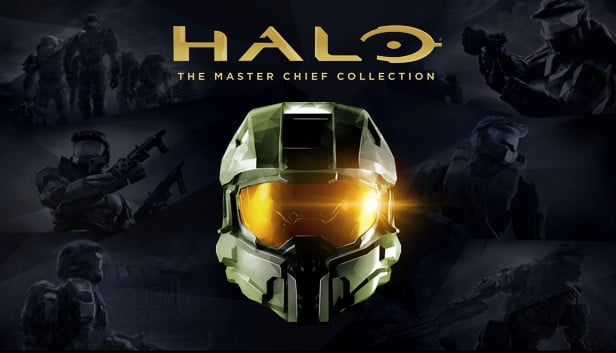
The Halo MCC VR mod is a native OpenXR mod that puts Halo: The Master Chief Collection into a headset. It gives you head tracking, tracked controllers for aiming, two-handed weapon handling, vehicle support, a VR menu you open with F1, and optional DLSS upscaling. It works with both the Steam and Microsoft Store versions of MCC.
The project has changed hands since it started. A modder called Pancreations released the first version for Halo 3, moistman42069 took it over and added the other games, and the current builds come from MOTYSHIZ with help from Godoy301. All of them are community test builds, not official releases, and the project is in alpha.
Halo MCC VR Mod Supported Games: Which Halo Games Work in VR?
Older guides list only Halo 3, or four or five games. Those lists were right when they were written. The current builds cover all six campaigns in MCC, but quality is uneven, and support and stability differ from game to game.
| Game | VR support | What to expect |
|---|---|---|
| Halo 3 | Supported | The most developed game. Features such as the aim-frame zoom and the vehicle cameras started here, and Project Reclaimer runs a Halo 3 build |
| Halo 3: ODST | Supported | Aim-frame zoom works. Crashes are a known issue |
| Halo: Reach | Supported | Foliage and smoke problems and slowdowns when you switch titles are known issues |
| Halo 2 (Classic and Anniversary) | Supported | Stutter and blackouts are known issues |
| Halo 4 | Supported | Screen blackouts and letterboxing are known issues |
| Halo: Combat Evolved (Classic and Anniversary graphics) | Supported | A gun that shifts after a load, and lighting and arm problems in Anniversary mode, are known issues |
Treat Halo 3 as the safest place to start. If a game has a known issue, assume there is no fix yet, and check the table before you spend an evening on it.
Halo MCC VR Mod Download: Which Build Works Today
This is the part that trips people up. The original repository, pancreations/Halo-MCC-VR, no longer exists on GitHub, and a lot of guides still link to it. The author’s Nexus Mods page now says updates live in two places: the moistman42069 repository and the MOTYSHIZ releases page.
In practice, use the MOTYSHIZ releases page. The main moistman42069 page describes a newer test build, but the download links in its readme are dead, while the MOTYSHIZ builds work. Each release has three files:
- The Launcher ZIP has the launcher plus the complete mod. Most people want this one.
- The Manual ZIP is a ready-to-copy
Halo_MCC_VRfolder with the launcher inside. - SHA256.txt lists the checksums, so you can confirm your download matches.
The builds are marked as pre-releases, so don’t be surprised by that label. If you’re searching for the Halo MCC VR GitHub page, that releases link is the one to use.
Halo MCC VR Mod Requirements: PC, MCC and an OpenXR Headset
You need three things: a Windows PC that can run MCC with room to spare, your own copy of MCC, and a headset set up on an OpenXR runtime that is connected before you launch. SteamVR is the safe runtime to pick. The Meta/Oculus runtime and others also work.
MCC lists at $39.99 on Steam, and sales bring it down often. Steam’s listed minimums are flat-screen numbers: a graphics card from the GTS 450 era and 43 GB of free storage. VR asks far more of a PC than that, because the game renders two views at a high refresh rate, so plan for a modern graphics card. If you want to understand how upscaling and smoothing fit in, my guide to VR frame generation explains the options.
Halo MCC Steam vs Microsoft Store (Game Pass): Which Version for the VR Mod?
Both work. The mod supports the Steam edition and the Microsoft Store or Xbox app edition, including Game Pass installs. The one rule that matters for the Store edition is that you must start the game from the mod’s launcher, not from the Xbox app. If you start MCC from Steam or the Xbox app, the mod doesn’t load. I’d pick Steam if you’re buying fresh, because its install folder is easier to find.
How to Install the Halo MCC VR Mod (Step by Step)
These steps follow the launcher route, which is the simplest. Close MCC before you begin.
Step 1: Install Halo MCC and Close It Before You Begin
Install MCC from Steam or the Microsoft Store and launch it once flat so it finishes any first-run setup. Then close it completely. The installer needs the game closed.
Step 2: Download the Halo MCC VR Launcher ZIP
Open the MOTYSHIZ releases page and download the Launcher ZIP from the newest release. Extract the whole ZIP into a folder. Don’t run the launcher from inside the ZIP, because it needs the ModFiles folder that sits beside it.
Step 3: Run HaloMCCVRLauncher and Press Install VR Mod
Run HaloMCCVRLauncher.exe. Pick your MCC install from the list, or browse to the base MCC folder. For a Steam install that is usually C:\Program Files (x86)\Steam\steamapps\common\Halo The Master Chief Collection. Don’t choose the Binaries\Win64 folder. Press Install VR Mod, or Install / Update From This Package if a build is already installed.
The launcher puts the mod in a Halo_MCC_VR folder inside the MCC folder and keeps any settings you already have. If it says access was refused, right-click the launcher, choose Run as administrator, install, then close it and open it normally to launch. Don’t launch the game from an administrator launcher, because the game then runs as administrator too and ignores the OpenXR runtime you chose.
Step 4: Set MCC Video Settings for VR (Frame Cap, V-Sync, Field of View)
Before your first VR session, set the game’s video options so the headset gets a clean picture. Set these three:
- Max Frame Rate: 120
- V-Sync: Off
- Halo 3 Field of View: 120
The field of view setting is the one that visibly breaks things. At the default value, the engine hides scenery outside the flat-screen frame, so objects pop in and out at the edges of your headset view. Don’t turn on FSR in MCC’s video menu, because it breaks the VR image scale. Use the mod’s own picture presets instead. You can change these with the headset on from inside the VR session.
Step 5: Connect Your Headset, Then Press Launch MCC (Anti-Cheat Off)
Connect your headset and make sure its OpenXR runtime is active first. If you use SteamVR, you can set it as the active OpenXR runtime in its settings under Developer. Then press Launch MCC in the launcher. The launcher starts MCC with anti-cheat turned off, which the mod needs, and loads the VR mod into the game.
Never use the mod in matchmaking with anti-cheat enabled, and don’t expect it to work if you launch MCC any other way.
Halo_MCC_VR vs halo3xr: Folder and File Names Explained
Some guides say the install folder is Halo_MCC_VR and others say halo3xr, and they aren’t contradicting each other. Halo_MCC_VR is the folder name in every version. halo3xr.dll and halo3xr_launcher.exe were the file names in the first, Halo 3-only builds, where you made the folder yourself and copied just those two files into it. Current builds ship HaloMCCVR.dll and HaloMCCVRLauncher.exe, and the launcher creates the Halo_MCC_VR folder for you.
If you’re following an older guide, the layout to aim for is the same: a Halo_MCC_VR folder directly inside the main MCC folder, with the launcher inside it.
Halo MCC VR Mod on Quest 3: How to Play Through a PC
The Halo MCC VR mod doesn’t run on a Quest by itself. It’s a Windows mod for a PC game, so a Quest 3 has to stream from your PC. There is no standalone Quest build of the Master Chief Collection. It needs a PC with an OpenXR headset. If you want Halo on a Quest with no PC at all, jump to the standalone Combat Evolved port further down.
Pick the PC link you already use. Steam Link, Air Link or Meta Link, and Virtual Desktop all work as ways to get a Quest into a PC VR session. What matters is that the headset is connected and its OpenXR runtime is active before you press Launch MCC. My advice is to use whichever link already runs your other PC VR games well, because Halo won’t fix a weak connection for you.
If you like modding other flat games for your Quest, my Witcher 3 VR mod guide walks through the same Quest-to-PC setup, and the Meta Quest 3 page covers the headset itself.
Halo VR on Meta Quest 2 and Quest Pro
The same approach applies. The mod works on Quest headsets through SteamVR’s OpenXR support, so a Quest 2 or Quest Pro linked to a PC uses the same steps as a Quest 3. The difference you’ll feel is performance: an older headset and a weaker PC will make you lean on lower resolution and the mod’s picture presets.
Halo VR on PSVR2, Valve Index, Vive and Steam Frame
Any headset that can run on an OpenXR runtime on your PC works, because the headset is only a display. Halo 3 runs on PSVR2, HTC and Quest headsets through SteamVR, and Steam Frame works the same way as any other SteamVR headset. PSVR2 only works on a PC with its adapter, not on a PS5.
Halo MCC VR Mod Controls: Bindings, Gestures and the F1 Menu
The mod makes your VR controllers behave like an Xbox controller. A, B, X and Y map to the same buttons, the triggers map to triggers, the grips map to the bumpers and the thumbsticks map to the sticks. A keyboard and a regular gamepad keep working too.
These are the shortcuts worth learning first:
- F1 opens and closes the VR settings panel. Point your main-hand controller at it and use the trigger.
- F3 recenters your view. Pressing both thumbsticks together (L3 and R3) also recenters and toggles the settings panel.
- B and Y together brings up the game’s pause or start menu where the current title allows it.
The settings panel has a mapping page with per-game choices, so you can change a button for one game without touching the others. Beyond buttons, the mod adds physical melee, where you swing a controller, physical crouching, two-handed aiming that steadies long weapons, and dual-wielding in the titles that support it. Check the in-game pages for what your headset’s controller profile offers, because the touch and near-head gestures vary by runtime.
My suggestion: leave everything on automatic for your first mission, then change one thing at a time. Weapon alignment and grip settings are very personal, and changing five at once makes it hard to tell what helped.
Halo MCC VR Mod Multiplayer, Co-op and Project Reclaimer
Keep expectations low for MCC’s own multiplayer. The mod isn’t for matchmaking, because MCC has to run with anti-cheat off, and campaign co-op is unreliable, with crashes when firing, meleeing and using vehicles. If you want Halo with other people in VR, the better path right now is Project Reclaimer.
Project Reclaimer is a separate community project that runs its own rebuilt copy of Halo 3 instead of MCC’s. The MOTYSHIZ builds can launch it with the VR mod, and it supports public matchmaking with non-VR players. It’s experimental: some of the mod’s Halo 3 features don’t work there yet, and Project Reclaimer closes the game on any memory fault. You still need MCC installed.
To try it, install the mod as above and run Project Reclaimer once on its own. Then, in the launcher’s Project Reclaimer section, press Detect or browse to the Project Reclaimer client, and press Launch Project Reclaimer. On crowded servers, use mono mode, which renders one view for both eyes and gives back a lot of frame rate.
The mod isn’t made by or affiliated with the Project Reclaimer team, so report problems on the mod’s page or its Discord, not to them.
Halo VR Mod Settings: Best Settings for Performance and Comfort
Start with the three MCC video settings from the install steps, then use the F1 menu for everything else. These are the settings I’d look at first:
- Picture presets: the mod has its own quality presets. Use them rather than MCC’s FSR option.
- DLSS: optional on supported graphics cards. It’s an upscaler, not frame generation, so it can lift your frame rate but it won’t create new frames. Use it when your graphics card is the limit, and don’t expect it to smooth out stutter that comes from somewhere else. My VR frame generation guide explains the difference.
- Bloom: turn it off in ODST and Reach if the glow bothers your eyes, because some builds disable it by default there.
- World scale and brightness: there are per-game controls, so a scene that feels too small or too bright in one game doesn’t have to be fixed for all of them.
- Mono mode: helps on busy Project Reclaimer servers at the cost of depth. That trade is worth it on a crowded server and not worth it in a campaign, where depth is half the point of being in VR.
Comfort is mostly about movement. Snap turning is easier on most stomachs than smooth turning, and vehicles are where motion sickness tends to bite. If you’re new to this, my guide on how to overcome VR motion sickness covers the habits that help.
Halo VR Mod Not Working? Fixes for Common Problems
Most problems come from the launch route, the runtime or the antivirus, in that order.
Is the Halo MCC VR Mod Safe? Windows Security Flags It as a Virus
Windows Security flags the launcher often, under names like Wacatac. These are machine-learning detections, and the likely reason is that the launcher isn’t code-signed and loads the mod into the game, which is behaviour malware also shows. VR injectors for other games get flagged the same way. That doesn’t prove the file is safe.
I’d handle it like this. Download only from the releases page, and check your ZIP against the SHA256.txt in that release before you run anything. If Windows quarantines a file, open Protection history and allow that specific item, then extract the ZIP again so every file is present. Don’t turn off your antivirus.
There’s one more thing to know. The authors say the code was written with AI coding tools and hasn’t been audited line by line. It’s open source under an MIT licence, so you can read it, but if that makes you uneasy, it’s reasonable to skip the mod.
Halo MCC VR Mod Does Nothing When I Start MCC From Steam
That’s expected. Starting MCC from Steam or the Xbox app doesn’t load the mod. Start it from HaloMCCVRLauncher.exe instead, either the one you extracted or the one in your Halo_MCC_VR folder.
Halo VR Not Working: Black Screen, Wrong OpenXR Runtime or Controllers Not Tracking
Check these in order:
- Connect your headset and confirm its OpenXR runtime is active before you launch.
- Make sure you didn’t launch from a launcher running as administrator, which makes the game ignore your runtime choice.
- Confirm the game’s field of view and V-Sync settings match the install step.
- Press F3 to recenter if the view is offset.
If you still see a black screen, the mod writes logs into your Halo_MCC_VR folder. Include them when you ask for help.
Halo VR Crashes and Blackouts in ODST, Halo 2 and Halo 4
ODST crashes, Halo 2 stutter and blackouts, and Halo 4 blackouts are known issues with no confirmed fix. Keeping a previous build, and restarting the game between titles, are the practical workarounds.
Halo MCC VR Mod Reddit and Discord: Where to Ask for Help
Report problems on the MOTYSHIZ releases page or in the mod’s Discord channel, not to the upstream project. The Flat2VR Discord is the wider community for VR mods like this one. When you post, say which release you’re running, the game and mission, Steam or Store, your headset and runtime, and what you did, and look over any logs before you share them, because they can include your Windows user name.
Halo CE VR Mod: How to Play the Original 2003 Halo PC in VR (HaloCEVR)
HaloCEVR is a full VR conversion of the original 2003 PC release of Halo: Combat Evolved, made by LivingFray. It gives you head tracking with a synced stereo view, tracked controllers, aiming for your weapon and grenades with your hands, picture-in-picture scopes, two-handed aiming, motion melee, a flashlight you toggle by tapping your head, shoulder holsters for switching weapons, and joystick-steered vehicles. The latest release also adds roomscale movement, controller haptics and a simple 3DOF aiming mode.
The one thing to get right first: this mod does not work with the Master Chief Collection. It’s built for the 2003 PC game only. It also needs the SteamVR runtime, not OpenXR, because the old game is a 32-bit program.
Halo CE VR Mod vs Halo MCC VR Mod: Which One for Combat Evolved?
You can play Combat Evolved in VR two ways, and your choice depends on which copy you own.
| HaloCEVR | Halo MCC VR mod (Combat Evolved) | |
|---|---|---|
| Game you need | The original 2003 PC release | Halo: The Master Chief Collection |
| VR runtime | SteamVR only | Any OpenXR runtime |
| Graphics | The original 2003 look | Classic and Anniversary graphics modes |
| Controls | Tracked controllers with holsters, melee and roomscale | Controllers act as an Xbox pad, with aiming and gestures |
| Focus | Single-player | Part of a six-game mod, with known Combat Evolved issues |
| Where it stands | A dedicated mod with its own FAQ | Alpha test builds |
If you own MCC and nothing else, the MCC mod is your answer. If you have the 2003 PC game, I’d start with HaloCEVR, because it was built for that one game and has a longer track record.
Halo CE VR Mod Requirements: Original PC Copy, Patch and SteamVR
You need a genuine copy of the original PC edition of Halo: Combat Evolved, not Custom Edition and not MCC. You need the original installation disc and product key. The game isn’t sold on Steam, and the mod is only meant for legitimate copies, so I won’t point you to downloads of the game itself. You also need the official 1.0.10 patch for the PC game, and a SteamVR headset setup.
Install the game in a folder that isn’t Program Files, such as C:\HaloVRMod\Halo. Installing in Program Files causes permission problems, and the mod’s config and log files won’t generate unless the game runs as administrator.
How to Install the Halo CE VR Mod (Installer or Manual)
The easy route is the community installer by EllieWasteland, which installs the mod and some optional quality-of-life tweaks. Open the HaloCEVR installer, download it and run it.
To install by hand:
- Install Halo: Combat Evolved for PC (not Custom Edition) outside Program Files, then apply the 1.0.10 patch.
- Optional: install chimera for bug fixes, including entities that otherwise move at 30 fps. If you do, open
chimera.iniand set the font override toenabled=0, or many interface elements break in VR. - Download the latest
HaloCEVR.zipfrom the releases page. - Extract it into the same folder as the Halo executable. You should see a
VRfolder,openvr_api.dllandd3d9.dllthere. If you don’t, your antivirus may have removed them. - Launch the game once to generate a
config.txtin theVRfolder. - If you want left-handed play, set
LeftHanded=truein that file and pick the left-handed bindings in SteamVR.
Halo CE VR on Quest 3, Quest 2 and Other Headsets Through SteamVR
Any headset that can run SteamVR will work. For a Quest, link it to your PC and make sure SteamVR is running before you launch the game. With Oculus Link you need SteamVR running, and Windows Mixed Reality headsets need the SteamVR runtime. In practice that means one more program running on your PC while you play.
If the game opens in VR but you can’t use the main menu, switch to your desktop view and click the game window so it has focus.
Halo CE VR Controls: Holsters, Melee, Flashlight and Bindings
The defaults are easy to learn:
- Flashlight: tap your head with an empty hand.
- Melee: swing either controller vertically with enough speed.
- Switch weapons: hover your dominant hand over a shoulder and press the Switch Weapon binding.
- Swap a weapon between hands: bring your hands close together and use the swap binding, which defaults to the grip on your non-dominant hand.
- Crouch: crouch in real life, or set
CrouchHeight = -1.0and bind a button. - Recenter: stand or sit straight and hold the menu button for three seconds.
You can change anything through SteamVR’s input settings. In config.txt, set SnapTurn = false for smooth turning, change HandRelativeMovement to move in the direction of a hand instead of your head, and set ShowCrosshair = false to remove the crosshair.
Halo CE VR Multiplayer and Co-op: What Works
HaloCEVR was designed for single-player, so multiplayer is unsupported. Some features such as weapon aiming may only work for the host. There’s no co-op, because this version of the game doesn’t have it. If your goal is playing with friends, the Project Reclaimer route or the Quest port’s co-op is a better fit.
Halo Custom Edition VR Mod and SPV3
Halo Custom Edition works with the mod, but custom content built for Custom Edition may not be VR-compatible. SPV3, a large single-player overhaul, works more or less. Other mods work if they don’t change the game’s structure in a way that interferes with VR.
Halo CE VR Mod Not Working: Fixes
- Stuck on the first “look around” step of the tutorial: that step doesn’t detect headset movement. Wiggle the mouse, or use SteamVR’s desktop view, to get past it.
- Settings changes do nothing: you probably installed to Program Files. Reinstall somewhere else.
- The
VRfolder ord3d9.dllis missing: check your antivirus. - Vehicles feel jittery: install chimera. If stutter continues, motion smoothing may be kicking in, and turning it off can help.
- Still stuck: ask in the Flat2VR Discord.
Halo CE VR on Quest 3 Without a PC: The Standalone Quest Port
This is the one Halo VR option that doesn’t need a PC. “Halo CE Decomp Remix” is an unofficial community port, built on a decompilation of the game, that runs natively on a Meta Quest. The same project also covers Pico, Steam Frame, Windows flat and PC VR, and Android. The trade-off is that the headset’s own chip does all the work, so expect a mobile-hardware port rather than a PC conversion.
It’s experimental. Fist combat, sliding, parkour, physical reloading, immersive vehicle controls and broad mod support are still being refined, so treat it as a preview.
The port needs a game image that you provide. The app contains no Halo game data, and the best source is an image of the original Xbox game. You must use a copy you legitimately own, and I won’t point you to downloads of one.
To set it up on a Quest:
- Turn on Developer Mode for your Quest.
- Download the Quest APK from the project’s releases page.
- Install it through SideQuest or with ADB.
- Open the app and import your own game image.
When you update later, install over the old version. Don’t uninstall the app or clear its data, or you’ll lose your saves and imported files. Steam Frame can run the same Quest APK, and the Pico build is untested on Pico hardware. Beyond the basics, the port has a third-person VR camera, an adjustable world scale from 70 percent to 150 percent, a sprint toggle, campaign co-op and an in-game server browser.
Halo CE Quest VR vs HaloCEVR: Which One Should You Use?
Use HaloCEVR if you have a PC and the 2003 PC game. It’s more established and gives you tracked controllers on the original game. Use the Quest port if you want to play on the headset alone, or if you only have a game image rather than the PC disc. Expect more rough edges and more settings to tune with the port.
Halo Campaign Evolved VR Mod: Play the New Remake in VR With UEVR
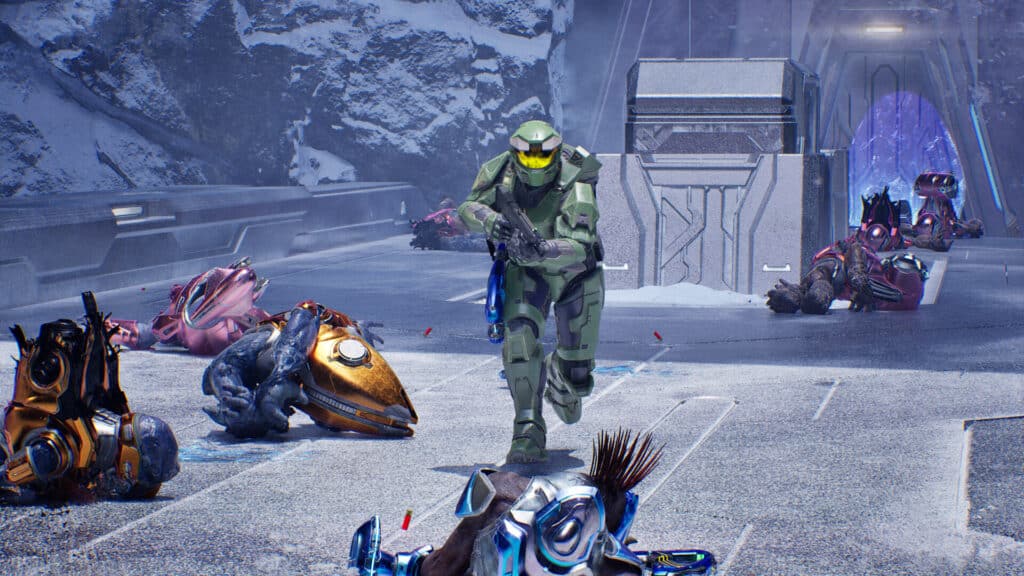
Halo: Campaign Evolved is the remake of the first game, and it’s on Steam for $49.99. A free UEVR mod, made by MOTYSHIZ, puts it into VR. UEVR is a general tool that adds VR to Unreal Engine games, and this mod is a profile and set of scripts built on top of it. It’s in early access, and it works with the Steam and Game Pass versions.
It adds aiming with your hands that follows your controller one-to-one, two-handed aiming, a scope you raise to your eye, arms that follow your hands, physical melee, shoulder weapon switching, roomscale walking and your own cameras in vehicles. It was developed with Quest controllers over Steam Link and has been used on other setups since.
To install it:
- Download both
HaloCampaignEvolved.zipand the bundled UEVR build from the mod’s releases page. - Extract the UEVR build into its own folder and run
UEVRInjector.exeonce so it creates its folders. - In UEVR, click Import Config and choose
HaloCampaignEvolved.zip. - Start Halo: Campaign Evolved flat and wait at the main menu.
- In UEVR, select
HaloCampaignEvolvedand click Inject.
Inject at the main menu only. Injecting mid-mission is more likely to cause rendering problems or hangs. The mod works with the bundled UEVR build or a recent stock nightly build, and older UEVR builds render the game black. It uses the OpenXR runtime, and the shipped config selects it for you. In the game, turn off frame generation, motion blur and HDR.
Two things that surprise people: your hands stay invisible until you pick up your first weapon, and if the motion controls do nothing, press a trigger or face button once in the game, because UEVR waits for controller input before it reads your controllers. When a new release arrives, install it fresh instead of copying files over.
Halo Campaign Evolved VR: Steam vs Game Pass vs Xbox App
Both the Steam version and the Game Pass or Microsoft Store version work with the same profile and the same install steps. The vehicle cameras were built on the Steam version, so on the Store version the mod has a setting that falls back to the game’s own camera if vehicles misbehave.

Halo Reach VR Mod, Halo 3 VR Mod, ODST, Halo 2 and Halo 4: Game-by-Game Notes
These notes cover the games inside the Master Chief Collection. Each one runs through the Halo MCC VR mod, so the install and controls above apply to all of them.
Halo 3 VR Mod
Yes, you can play Halo 3 in VR, and it’s the game the project started with. It gets the most attention: the aim-frame zoom, the vehicle cameras and the Project Reclaimer support are all aimed at it first.

Halo Reach VR Mod
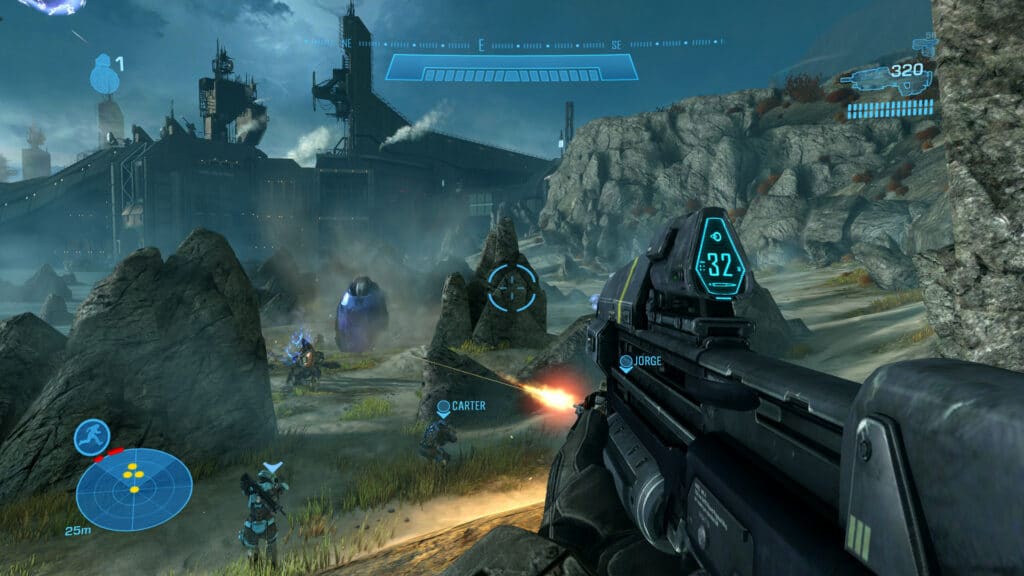
Reach works with the mod. Foliage and smoke problems and slowdowns when you switch between titles are known issues, and I’d turn bloom off here if the glow bothers your eyes.
Halo ODST VR Mod
ODST supports the aim-frame zoom and has an optional auto-exposure control. Crashes are a known issue, and the latest builds improve switching between Halo 3 and ODST in one session.

Halo 2 Anniversary VR Mod
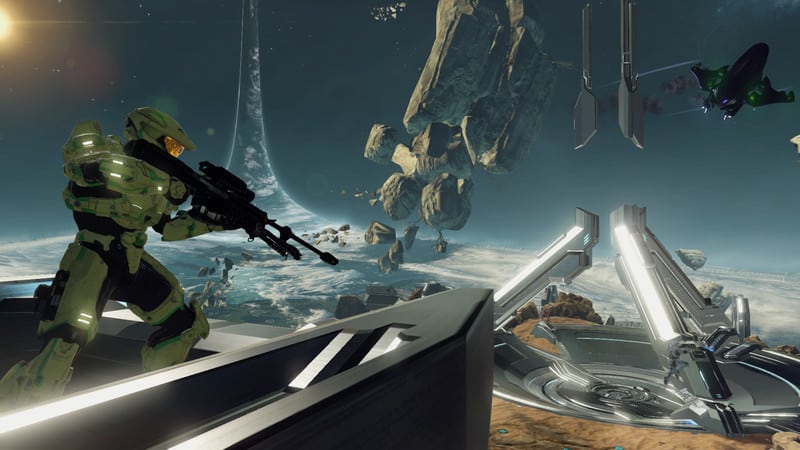
Halo 2 works in both its Classic and Anniversary looks. Stutter and blackouts are known issues, and a loading-transition crash in Anniversary has been fixed in recent builds.
Halo 4 VR Mod
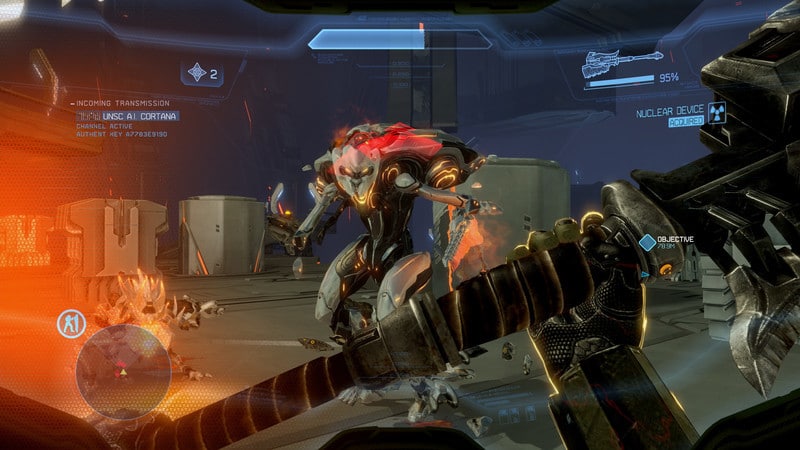
Halo 4 is supported. Blackouts and letterboxing are known issues, and there is experimental tracked-avatar work for its Chief model.
Halo Combat Evolved Anniversary VR Mod
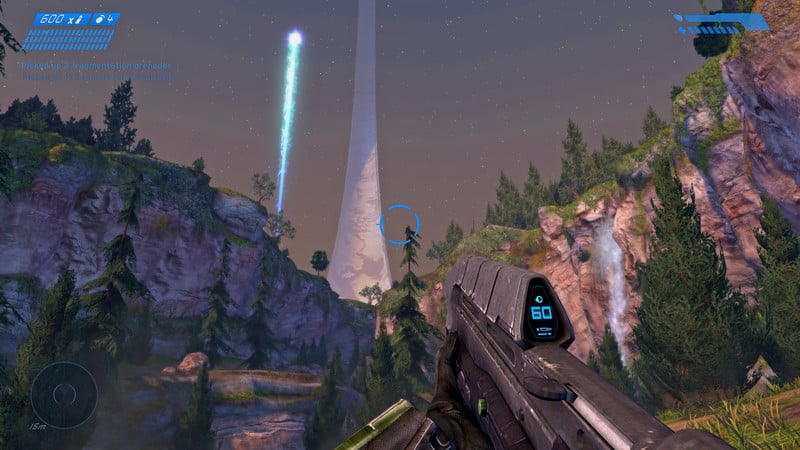
The Master Chief Collection’s Combat Evolved is part of the mod, in both Classic and Anniversary graphics modes. HaloCEVR doesn’t cover this version, so this is the way to play it in VR inside MCC.
Halo Infinite VR Mod and Halo 5: Is There One?
There is no working VR mod for Halo Infinite or Halo 5. The projects in this guide all target the games listed above.
Other VR Mods Like the Halo VR Mod
If you like turning flat shooters into headset games, I have install guides for the Modern Warfare 2 VR mod, the DOOM Eternal VR mod, the Titanfall 2 VR mod and the Witcher 3 VR mod. For a wider list, start with my roundup of the best games with VR mods.
Is the Halo VR Mod Worth It?
Yes, if you already own the game and have a PC that can handle VR. The Halo VR mod is free, the best of these projects get you real head tracking and hand aiming in games you already know, and nothing here costs more than the game itself. Halo 3 with the MCC mod is the most polished way in, and HaloCEVR is the most mature option for the original game.
It’s less of a bargain if you were hoping for a finished product. These are alpha and early-access builds with known bugs, the setup takes real effort, and the safety question around the launcher is something you have to decide for yourself. If you want a smooth, supported experience, wait. If you like tinkering, it’s a cheap way to replay a game you already know in a completely different way.
Halo VR Mod FAQ
Is there a Halo VR mod?
Yes. There are four: the Halo MCC VR mod for the Master Chief Collection, HaloCEVR for the original 2003 PC game, a standalone Halo CE port for Meta Quest, and a UEVR mod for the Halo: Campaign Evolved remake. Each one only works with its own version of the game.
Is the Halo VR mod free?
Yes, all four are free. You still have to own the game: MCC lists at $39.99 on Steam, the remake is $49.99, HaloCEVR needs a genuine copy of the 2003 PC game, and the Quest port needs a game image of a copy you own.
Is the Halo MCC VR mod safe?
It’s open source and the releases include SHA-256 checksums, but Windows Security often flags the launcher, and the authors say the code was written with AI tools and hasn’t been audited. Download only from the releases page, check the checksum, and allow only that file. If that makes you uneasy, skip it.
Do I need SteamVR for the Halo VR mod?
Not for the MCC mod, which works on any OpenXR runtime, though SteamVR is the safe default. HaloCEVR does need the SteamVR runtime. The Campaign Evolved mod uses OpenXR.
Can you play Halo in VR on Quest 3 without a PC?
Only Halo: Combat Evolved, through the standalone community port. The MCC mod, HaloCEVR and the Campaign Evolved mod all need a PC, with the Quest streaming from it.
Does the Halo MCC VR mod work with the Microsoft Store or Game Pass version of MCC?
Yes. It supports the Steam edition and the Microsoft Store or Xbox app edition. On the Store edition, start the game from the mod’s launcher, not the Xbox app.
Can you play Halo MCC VR mod multiplayer or co-op?
Not through matchmaking, because the mod needs anti-cheat off. Campaign co-op is unreliable. For multiplayer with non-VR players, the Project Reclaimer route is the one the mod supports.
Is the Halo MCC VR mod the same as Project Reclaimer?
No. Project Reclaimer is a separate community project that runs its own rebuilt Halo 3. The mod’s launcher can start it with VR, but the two are made by different people.
Does the Halo CE VR mod work with Halo MCC?
No. HaloCEVR only works with the original 2003 PC release. To play Combat Evolved inside MCC in VR, use the Halo MCC VR mod.
Is Halo CE VR multiplayer?
HaloCEVR was built for single-player. Multiplayer isn’t supported and there’s no co-op. The standalone Quest port has campaign co-op and an in-game server browser, but it’s experimental.
Can you play the Halo VR mod on Steam Deck or Linux?
No. The MCC mod ships a Linux package, but its behaviour is untested, so there is no supported Steam Deck or Linux setup.
Can you play Halo Infinite in VR?
No. There is no VR mod for Halo Infinite.
Can you play Halo in VR on PS5 or PSVR2?
Not on a PS5. A PSVR2 can work with the MCC mod when it’s connected to a PC with its adapter.
Is the Halo VR mod still being updated?
Yes. New builds have been arriving regularly on the MOTYSHIZ releases page. Check that page for the newest build before you install.
Which Halo games work with the Halo MCC VR mod?
All six campaigns in the Master Chief Collection: Combat Evolved, Halo 2, Halo 3, ODST, Reach and Halo 4. Support and stability differ by game.
Final Thoughts
The Halo VR mod you pick comes down to the game you own. Use the MCC mod for Halo 3, Reach, ODST, Halo 2 and Halo 4, HaloCEVR for the 2003 PC game, the Quest port if you have no PC, and the UEVR mod for the new remake. Install from the releases page, set your video options first, and change one setting at a time.
My advice is to start with Halo 3 through the MCC launcher on SteamVR, keep a previous build handy, and check the releases page now and then, because the builds change quickly. If you want to try more mods like this, my Titanfall 2 VR mod and Modern Warfare 2 VR mod guides are good next stops.