The Titanfall 2 VR mod turns Respawn’s full single-player campaign into a VR game, and in this guide I’ll show you exactly how to install it and play it on a Meta Quest, Steam Frame, Index or PSVR2. It’s free, it installs with one click, and it leaves your normal copy of the game untouched.
Titanfall 2 was always a first-person game about wall-running and climbing into a giant robot, so it was only a matter of time before someone put it in a headset. Standing next to BT-7274 at real scale and wall-running across a canyon is a very different thing in VR than on a monitor. This guide covers installer v1.2.6 and mod v1.0.10, which is where things stand right now.
Titanfall 2 VR Mod at a Glance
| Detail | Answer |
|---|---|
| Creator | CircuitLord |
| Price | Free (you need your own PC copy of Titanfall 2) |
| What it covers | The single-player campaign only |
| Download | CircuitLord’s VR Mod Installer on GitHub |
| Game versions | Steam, EA app and Xbox app copies |
| VR runtime | OpenXR (SteamVR, Meta Horizon Link or VDXR) |
| Mod loader | Northstar 1.31.13, installed for you |
| Operating system | Windows |
| Multiplayer | No |
Does Titanfall 2 Support VR?
No. Titanfall 2 has never had official VR support, and Respawn and EA haven’t announced any.
If you want to play Titanfall 2 in VR, there is a really good community mod by CircuitLord and this is the only way to do it.
What Is the Titanfall 2 VR Mod?
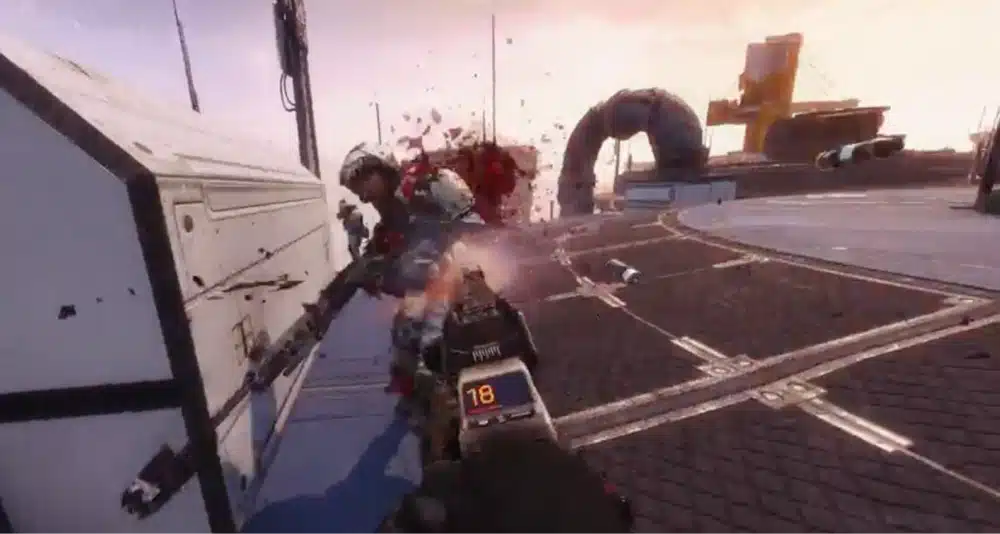
It’s a full-conversion VR mod, not a flat-screen game projected onto a virtual screen. The game renders in true stereo 3D, so you get real depth and scale, and you control your weapons with your hands.
The main features are:
- Stereo rendering, so the world has proper depth and scale
- Full-body IK, so you see your pilot’s body when you look down
- Manual reloading
- Motion-controlled aiming, including working scopes
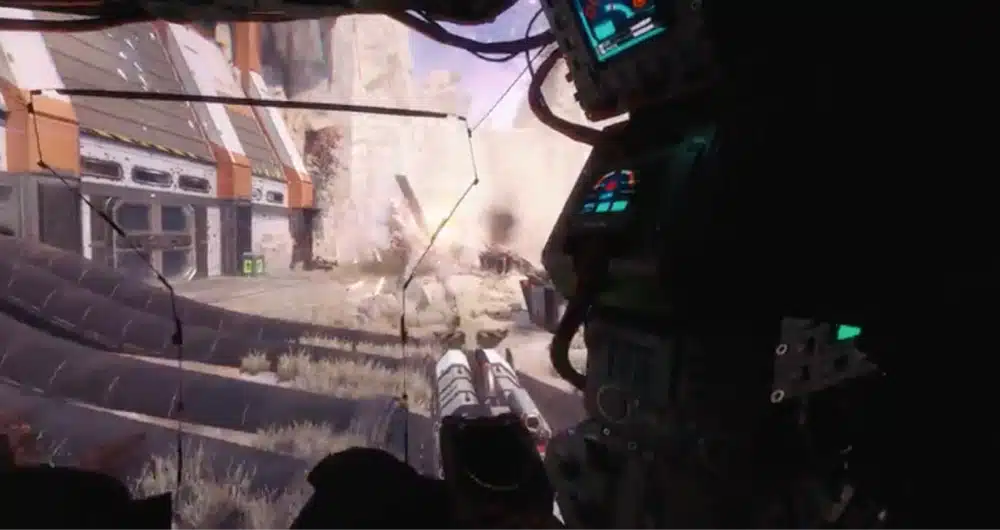
- Titan controls built for VR, including the cockpit
- Physical melee, so you can throw real punches
What struck me most the first time I loaded in was how little it feels like a mod. The guns sit in your hands naturally, the scopes actually work, and the first time I climbed into BT’s cockpit, I just sat there and looked around for a minute.
CircuitLord’s Titanfall 2 VR Mod vs TinyBlkDog’s Alpha
There are two Titanfall 2 VR projects, and a lot of pages online mix up their install steps.
TinyBlkDog released an early alpha (v0.1.1) in September. You installed Northstar yourself, dropped a DLL and an INI file into the plugins folder, and launched through Northstar. At launch, aiming was rotation-only, and the alpha had freezes and frame spikes. Its GitHub repository now returns a 404 error.
CircuitLord’s mod came out at the end of September with a one-click installer that handles everything, plus full motion controls, full-body IK and manual reloads. Unless you have a specific reason to chase the older alpha, use CircuitLord’s version. The rest of this guide is about that version.
Northstar Titanfall 2: Why the VR Mod Needs It
Northstar is a long-running community client for Titanfall 2. It’s best known for running custom multiplayer servers, but it also gives modders a way to load their own code into the game, which is what the VR mod needs.
You don’t have to install Northstar yourself. The installer downloads a fixed version (1.31.13) and puts it in a separate profile folder called TF2VR inside your game directory, together with its own launcher. Because the version is fixed, a Northstar update can’t break the VR mod without warning.
When you launch Titanfall 2 normally from Steam or the EA app, you get the regular, unmodded game.
Titanfall 2 VR Requirements
Here’s what you need before you start:
- A PC copy of Titanfall 2 from Steam, the EA app or the Xbox app
- The EA app, installed and signed in. Titanfall 2 needs it even if you bought the game on Steam
- A Windows PC that can handle PC VR
- A PC VR headset, or a standalone headset that can stream from your PC, such as a Quest 3 or Steam Frame
- An OpenXR runtime for your headset, such as SteamVR, Meta Horizon Link or Virtual Desktop’s VDXR
How Much Is Titanfall 2 on PC?
Titanfall 2 is $29.99 on Steam, and it goes on sale often for less than $5. The VR mod itself is free.
Titanfall 2 VRAM Requirements and PC Specs for VR
Steam lists these specs for the flat game:
- Minimum: Intel Core i3-6300T, 8GB RAM, GeForce GTX 660 2GB or Radeon HD 7850 2GB
- Recommended: Intel Core i5-6600, 16GB RAM, GeForce GTX 1060 6GB or Radeon RX 480 8GB
- Storage: 45GB
VR is much harder on your PC than those numbers suggest, because the game renders a separate image for each eye at a high resolution and frame rate. CircuitLord doesn’t publish VR-specific specs.
Based on my own play, I’d treat a card with 8GB of VRAM in the RTX 3060 to RTX 3070 class as a sensible starting point, and give the game more headroom if you’re streaming wirelessly. If you’re not sure whether your PC is up to it, see our guide on whether your PC is VR ready.
How to Install the Titanfall 2 VR Mod (Step by Step)
The installer does almost all of the work. Before you begin, make sure Titanfall 2 is installed and not running.
Step 1: Download the Titanfall 2 VR Mod From GitHub
Go to CircuitLord’s VR Mod Installer page on GitHub and download CircuitLordVRModInstaller.exe from the latest release. GitHub is the only official source, so skip any re-uploads you find on other sites. The same installer handles CircuitLord’s Big Walk VR mod too.
Run the exe. The installer updates itself when a new version comes out, so you only need to download it once.
Step 2: Set Up the EA App and Sign In
Titanfall 2 won’t run unless you’re signed in to the EA app, and the installer checks for it. If it says the EA app isn’t found, launch Titanfall 2 once from Steam. That installs the EA app and links your account. Sign in, close the game, then press Refresh in the installer.
Stay signed in to the EA app. If it asks you to sign in while you’re wearing the headset, getting into the game turns into a fiddly mess.
Step 3: Install Northstar and the Mod With One Click
The installer should find your Titanfall 2 folder on its own. If it doesn’t, press Change and select the folder that contains Titanfall2.exe.
Click Install. If the game is in Program Files, which is the EA app’s default location, Windows will ask for permission once so the installer can write to that folder. Approve it.
The installer then downloads Northstar and the mod, and builds some game files from your own copy of the game. That build step takes most of the install time, so give the progress bar a few minutes. There’s also a Beta updates toggle, but stay on the stable release unless you want to test new features.
Step 4: Copy Your Campaign Saves (Optional)
The VR version keeps its own campaign saves and settings, separate from your regular game. During install, you can copy your existing campaign progress across or start fresh.
To check your VR saves or copy your progress later, use the Campaign saves button in the installer. The VR saves are stored in %LocalAppData%\Respawn\Titanfall2_VR. Older guides and the project’s README say the Documents folder, but the installer moved them because Windows’ Controlled Folder Access was blocking it.
How to Play Titanfall 2 in VR
This is the part people get wrong: don’t press Play in Steam or the EA app. That launches the normal flat game.
To play in VR, connect your headset, start your VR runtime, and then click Launch in VR in the installer. The installer checks whether a new version of the mod is out before every launch.
Titanfall 2 VR on Quest 3 (Link, Air Link or Virtual Desktop)
Any of the three main ways of streaming from a PC to a Quest work, as long as the matching OpenXR runtime is active:
- Quest Link (cable) or Air Link: Open the Meta Horizon Link app on your PC, go to Settings > General, and set it as the active OpenXR runtime. Connect your headset, then click Launch in VR. Our guides to setting up Meta Quest Link and Air Link cover the connection itself.
- Virtual Desktop: Connect to your PC in Virtual Desktop and let it use its own VDXR runtime, which is usually the smoothest choice. See our guide to Virtual Desktop on Meta Quest.
- Steam Link or SteamVR: Set SteamVR as the OpenXR runtime in SteamVR’s settings, start SteamVR, and launch from the installer.
On my Quest 3, Virtual Desktop gave me the cleanest image, but Link with a good USB cable was just as stable.
Titanfall 2 VR on Steam Frame
The Steam Frame can’t run Titanfall 2 VR standalone. The game needs a Windows PC with the EA app, so you stream it from your PC like any other PC VR game.
Plug the Steam Frame’s Wi-Fi 6E dongle into your PC, connect the headset, and make sure SteamVR is your active OpenXR runtime. Then start SteamVR and click Launch in VR in the installer. The Frame’s dedicated streaming link handles fast movement well, which matters in a game this quick. Our Steam Frame review covers how its PC streaming works.
Titanfall 2 VR on Valve Index, Pimax and PSVR2
On a Valve Index, Pimax, Bigscreen Beyond or any other SteamVR headset, start SteamVR, check that it’s set as the OpenXR runtime, and click Launch in VR.
PSVR2 works through Sony’s PC adapter and SteamVR, the same way it does for other PC VR games. Our guide to playing PC VR games on PlayStation VR2 walks through that setup.
Titanfall 2 VR Controls: Reloading, Weapons and Titans
The controls take a mission or so to learn, but they quickly start to feel natural.
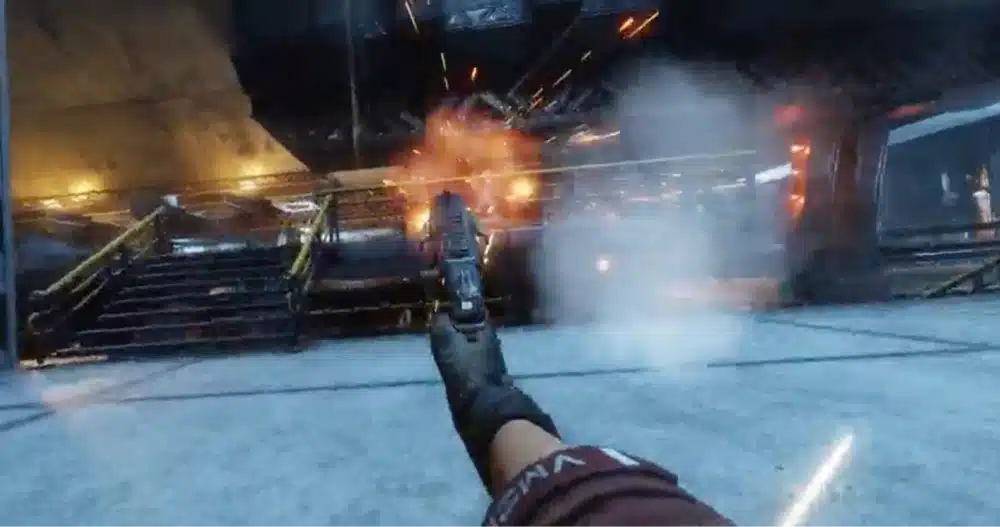
- Shooting: Aim with your hand and fire with the trigger. Scopes work, so raise the gun to your eye to aim down sights.
- Reloading: Press B on the right controller to start a manual reload. When your gun needs reloading, it’s highlighted, which is a nice touch in the middle of a firefight.
- Two-handed weapons: Grab the front of a rifle with your other hand to steady it. Let go of the grip to holster the weapon.
- Melee: Close your fist and punch. Enemies go flying.
- Moving: Use the thumbsticks for movement and turning, then wall-run and double jump just like in the flat game.
- Titans: Hold the right trigger to embark. In the cockpit, your Titan’s abilities are mapped to grip directions (up, down, left and right), and you change your Titan loadout from the pause menu.
I found the Titan controls the hardest part to learn, mostly because I kept forgetting which direction triggered which ability. After a couple of fights, it clicked.
Best Titanfall 2 VR Settings for Performance
There’s a VR settings menu inside the game’s options where you can adjust the HUD, the Titan HUD and the gun angle. These are the changes that made the biggest difference for me:
- Raise the texture streaming budget. After install, mine was on the lowest setting. Raising it in the video settings took me from the low 50s to my headset’s full refresh rate, and the blurry textures went away.
- Lower the render resolution before the in-game graphics. If you’re dropping frames, lower the resolution in your runtime (SteamVR, the Link app or Virtual Desktop) first. The game’s own settings matter less than the per-eye resolution.
- Leave “force 3D cutscenes” off at first. It’s a fun option, but it can create a few odd camera moments in scripted scenes.
For PC-side tips that help every VR game, see our guide on how to improve PC VR performance.
Titanfall 2 VR Motion Sickness: Comfort Tips
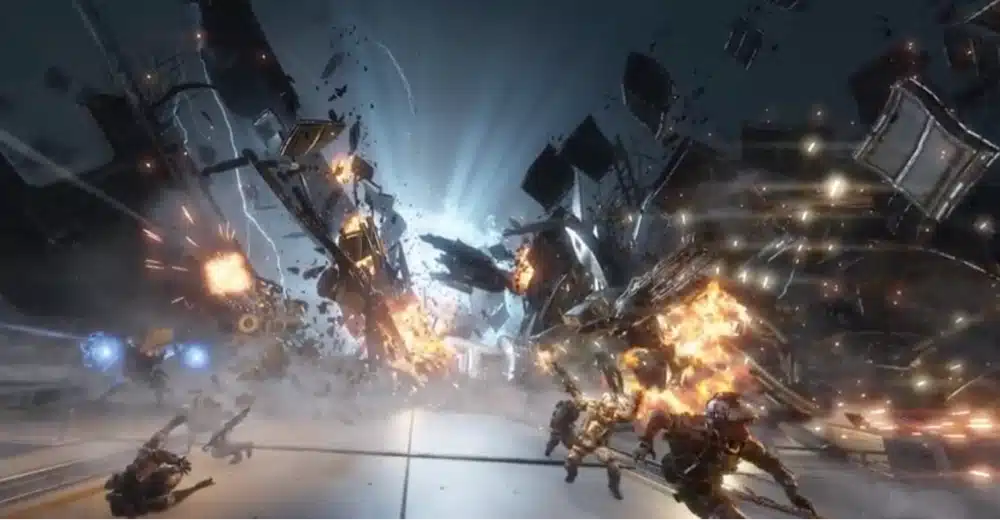
This isn’t a gentle VR game. Titanfall 2 is built around wall-running, double jumps, sliding and scripted scenes that move your view without your input, and all of that is tough on your stomach in a headset.
What helped me:
- Keep your first sessions to 15 to 20 minutes, and stop as soon as you feel off
- Play standing up, so your body is ready for the sense of movement
- Keep a fan pointed at you, which gives you a fixed reference point
- Keep your frame rate high, since dropped frames make sickness much worse
If you’re new to fast VR games, our guide to VR motion sickness has more tips.
Titanfall 2 VR Multiplayer: Does It Work?
No. The Titanfall 2 VR mod is campaign only, and the creator doesn’t document any multiplayer support. Don’t take a modded game onto official multiplayer servers.
Northstar does run its own community multiplayer servers, but that’s for flat-screen players. The VR mod uses Northstar only as its loader for the campaign.
Titanfall 2 VR Mod Not Working? Fixes for Common Problems
These are the problems the installer itself warns about, and how to fix them:
“EA App Not Found”
Launch Titanfall 2 once from Steam so it can install the EA app and link your account. Sign in, close the game, and press Refresh.
The Installer Can’t Write to the Game Folder
If the game is in Program Files, approve the Windows permission prompt the first time you install. If you declined it, click Install again and accept the prompt.
“Another Mod Replaced DirectX Files”
Tools like ReShade put a dxgi.dll or d3d11.dll file in the game folder, and that breaks VR rendering. Remove those files from the main Titanfall 2 folder and from bin\x64_retail, then launch again.
The Headset Isn’t Detected or the Game Launches in Flat Mode
Make sure your headset is connected and your VR runtime is running before you click Launch in VR. Then check that the right OpenXR runtime is active, as covered in the headset sections above. If the game opens on your monitor, you probably launched it from Steam instead of the installer.
The Game Can’t Be Found
Press Change and select the folder that contains Titanfall2.exe. Close the game first, because the installer won’t change the setup while Titanfall 2 is running.
The Game Crashes
Use the installer’s crash report button. It creates a ZIP file of the logs, which you can post in the #support channel on CircuitLord’s Discord. Check the ZIP before you share it, since logs can contain personal or device details.
Is There a Titanfall VR Game? (VR Games Like Titanfall)
There’s no official Titanfall VR game. This mod is the only way to play Titanfall in a headset.
If you want mech combat built for VR, Iron Rebellion ($25 on Quest and Steam) is the closest thing. It has detailed cockpits and multiplayer mech battles, but there’s no wall-running pilot side at all. For other ways to play flat games in VR, see our guides to the best PC VR games, the best VR mods, and UEVR tips and tricks for Unreal Engine games.
Titanfall 2 VR Mod FAQ
Is Titanfall 2 VR free?
Yes. The mod and its installer are free on GitHub. You only need your own PC copy of Titanfall 2, which is $29.99 on Steam and often on sale for less than $5.
Is the Titanfall 2 VR mod safe?
Download it only from CircuitLord’s GitHub page. The installer is open source under the MIT license, it checks its downloads against SHA-256 hashes so a corrupted or tampered file won’t install, and it installs into a separate TF2VR profile, so your normal game files stay untouched. Like any community mod, it isn’t endorsed by Respawn or EA.
Does Titanfall 2 VR work with the Xbox app or Game Pass?
The creator lists Xbox installs as supported alongside Steam and EA. If the installer doesn’t find your copy, press Change and select the folder that contains Titanfall2.exe. You still need to be signed in to the EA app.
Does Titanfall 2 VR work on Linux?
Not officially. The installer is a Windows app built on .NET Framework 4.8, and the creator doesn’t document Linux or Proton support, so treat it as Windows only.
Can you play Titanfall 2 VR on PS5?
No. The mod only works with the PC version of Titanfall 2. You can use a PSVR2 headset, though, by connecting it to a PC with Sony’s PC adapter and running the game through SteamVR.
Does Titanfall 2 work with UEVR?
No. UEVR only works with Unreal Engine games, and Titanfall 2 runs on Respawn’s own Source-based engine. CircuitLord’s dedicated mod is the way to play it in VR.
Will the Titanfall 2 VR mod mess up my normal game?
No. Everything goes into a separate TF2VR profile, and VR saves are stored separately in your LocalAppData folder. Launching Titanfall 2 from Steam or the EA app still gives you the normal flat game, and uninstalling removes only the files the installer added.
Final Thoughts
The Titanfall 2 VR mod is one of the best flat-to-VR conversions I’ve played. Setup takes a few minutes and leaves your normal game alone. The campaign is short enough that I got through it over a few evenings.
My advice is to get the EA app sorted first, launch only from the installer, and take it slowly if you’re prone to motion sickness. If you enjoy it, CircuitLord’s work sits nicely alongside other classic conversions like the Portal 2 VR mod.