The Fallout New Vegas VR mod everyone is talking about is called A Tale of Two Realities, and it lets you play both Fallout 3 and Fallout: New Vegas in a headset with motion controls. You aim with your hands, reload by hand, check a Pip-Boy on your wrist and play through the whole game as one character. It’s a PC VR mod, so you need a gaming PC and a headset that connects to it, such as a Meta Quest 3. In this guide I’ll show you what you need, how to install it and how to get it running on Quest 3.
The mod was built by a modder who goes by KUPOkinz, and it sits on top of Tale of Two Wastelands, the project that merges Fallout 3 into the New Vegas engine. That is why one VR mod covers both games.
Fallout New Vegas VR Mod at a Glance
| Detail | Answer |
|---|---|
| Mod name | A Tale of Two Realities (the files and community add-ons call it TTWVR) |
| Creator | KUPOkinz, who also publishes a Fallout 4 VR mod on Nexus Mods |
| Games covered | Fallout 3 and Fallout: New Vegas, played as one game through Tale of Two Wastelands |
| Platform | PC VR only. There is no Quest standalone version yet |
| Price | No price listed. The creator takes optional donations on Buy Me a Coffee |
| Where to get it | The creator’s channel in the Flat2VR Discord. |
| Needs | A clean, English copy of both games with all DLC, Tale of Two Wastelands, Mod Organizer 2, xNVSE and JIP LN NVSE |
| Headsets | Any PC VR headset |
| Controls | Full motion controls, manual reloading, a wrist Pip-Boy and working VATS |
| Status | In testing, with community add-ons already appearing |
Is There a Fallout New Vegas VR Mod? Does Fallout New Vegas Have a VR Mod?
Yes. Fallout: New Vegas has no official VR version, but there is now a real Fallout New Vegas VR mod that does what people have been asking for. The old options were workarounds that stretched the flat game onto a headset. A Tale of Two Realities is built as a VR conversion, with hand-posed animations, real weapon handling and a full body, and the creator says both games can be played from the opening scene to the end.
The creator’s own pitch is that everything is in VR, including the menus, the Pip-Boy and the weapon reloads. You can play both games completely through from start to finish.
Fallout 3 VR Mod: Can You Play Fallout 3 in VR?
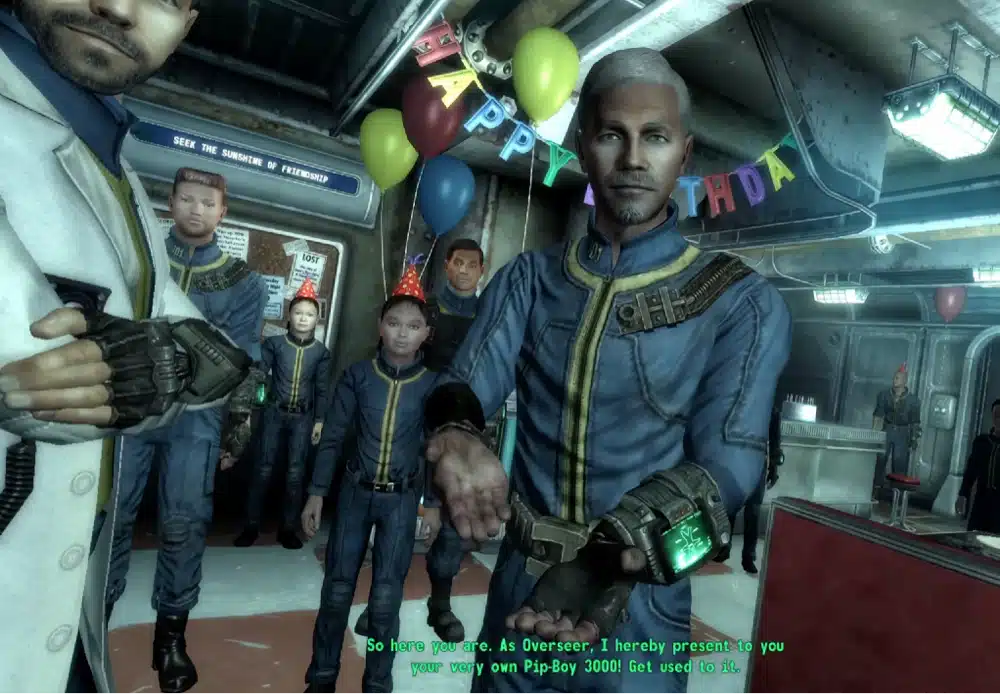
Yes, though people often miss how. There is no separate Fallout 3 VR mod. The VR mod runs on Tale of Two Wastelands, which rebuilds Fallout 3 inside the New Vegas engine so that you play both games in one go with one character. So when you can play Fallout 3 in VR, you’re really playing it through the New Vegas game, starting in Vault 101.
That also means you can’t use an old New Vegas save. Tale of Two Wastelands needs a new character, and the same goes for the VR mod on top of it. If you only want Fallout 3, you still install the whole stack, and you just spend your time in the Capital Wasteland first.
Fallout New Vegas VR Mod Release Status: Where to Download It
Check out the creator’s Discord channel, read the pinned instructions there and download from that source only. Check the KUPOkinz profile on Nexus Mods too, he mentioned an official release here.
Don’t trust a download link from a video comment or a re-upload site.
Fallout New Vegas VR Mod Requirements
The VR mod has two layers of requirements: the Tale of Two Wastelands base and the VR files on top. The base list comes from the ModdingLinked Best of Times guide, which is the install guide the Tale of Two Wastelands team points people to.
- English copies of Fallout 3 and Fallout: New Vegas with all DLC, on Steam, GOG or Epic. You can mix stores. The Microsoft Store versions aren’t supported
- Clean installs of both games with no mods in them
- Windows 10 or higher, 64-bit
- At least 40GB of free drive space for both games and the conversion. Tale of Two Wastelands itself is about 17GB
- A Nexus Mods account and a MOD:PUB account to download the files
- Mod Organizer 2, which the VR mod is installed through
- xNVSE and JIP LN NVSE, the script extender tools the VR mod depends on
- A PC VR setup: a headset that can connect to your PC
Fallout New Vegas VR Mod System Requirements: PC and GPU
There are no official system requirements for the VR mod yet. The guide for the flat game says it’s far more CPU-bound than GPU-bound, and it lists a quad-core CPU, 8GB of RAM and an old mid-range graphics card as the floor for 60 frames per second at 1080p. VR renders two views at a much higher frame rate, so you need a good deal more than that.
My practical advice is to install the game on an SSD and to treat a recent mid-range GPU and a fast CPU as the sensible target. If you’re shopping, my gaming computers for virtual reality guide covers what to buy.
Fallout New Vegas VR Quest 3 and Other Headsets
You play this Fallout New Vegas VR mod on Quest 3 over Virtual Desktop, and a community add-on exists for Meta Link and Air Link, so a Quest 3 on a PC is the safe choice. Anything that runs OpenXR should work.
How to Install the Fallout New Vegas VR Mod (Step by Step)
The order below follows the standard Tale of Two Wastelands method plus how the community add-ons describe installing the VR mod. Read the Discord pins before you start.
Step 1: Install Fallout 3 and Fallout New Vegas With All DLC
Install both games from Steam, GOG or Epic with every DLC, and make sure they’re English and unmodded. Run each game once, then close it. If either game has mods in it from before, verify the game files or reinstall, because Tale of Two Wastelands needs clean copies.
Step 2: Install Tale of Two Wastelands Through Mod Organizer 2
Follow the Best of Times guide from the start: set up Mod Organizer 2, then download the Tale of Two Wastelands installer from MOD:PUB and point it at your two game folders. The installer takes a while, because it builds the merged game from your own files. Launch the result once through Mod Organizer 2 and check that it reaches the main menu on a flat screen before you add VR.
Step 3: Add xNVSE and JIP LN NVSE
The VR mod needs the xNVSE script extender and the JIP LN NVSE plugin. The Best of Times guide installs both as part of its essential mods, so if you followed it you may already have them. Make sure they show as enabled in the left pane of Mod Organizer 2.
Step 4: Download the Fallout New Vegas VR Mod From the Creator’s Discord
Join the Flat2VR Discord, open the A Tale of Two Realities channel and download the VR archive from the creator’s post. Use only that source. If a Nexus Mods page appears later, switch to it, because it will be easier to update.
Step 5: Install the VR Archive in Mod Organizer 2 and Launch
In Mod Organizer 2, choose Install a new mod from an archive, select the VR download, then tick its checkbox in the left pane. Put any add-on below the base VR mod so that it takes priority. Start your headset or VR streaming app first, then launch the game from Mod Organizer 2 using the entry the mod gives you, not the stock game launcher. Starting from the stock launcher skips the mod load order, which is a common reason the game never enters VR.
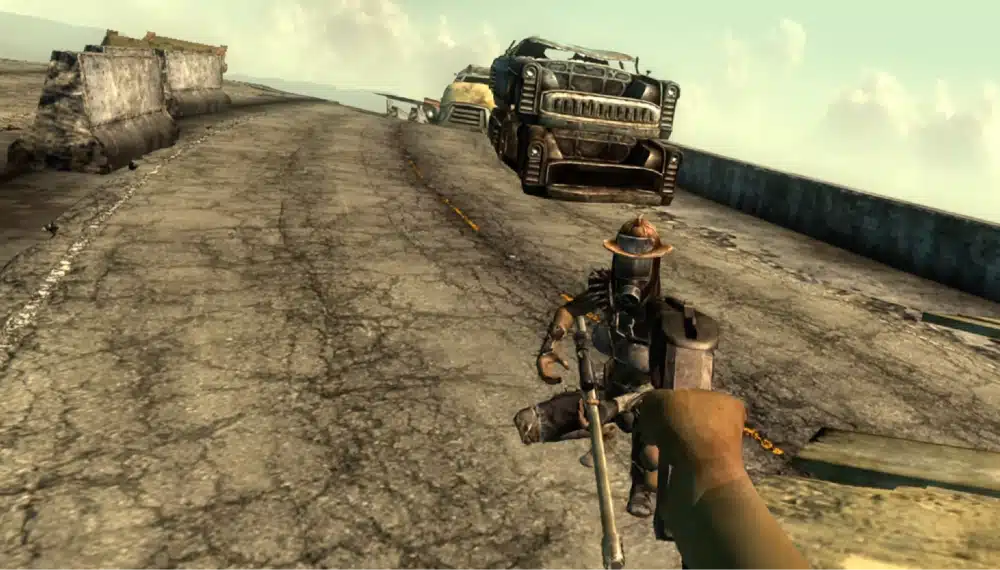
How to Play Fallout New Vegas in VR on Meta Quest 3
On Quest 3 the VR mod is a PC VR game, so the headset acts as a screen and controllers for your PC. My Virtual Desktop on Meta Quest guide covers the setup and settings. Steam Link also works for PC VR games, and my Steam Link Meta Quest tutorial shows how.
If you use Virtual Desktop, turn on forward tracking data in its streaming settings to give yourself a fully tracked upper body in the game, so your arms and elbows follow your real ones. Treat that as a setting to try if your avatar’s arms look stiff.
Fallout New Vegas VR Quest 3 Meta Link and Air Link Add-On
A community developer has published a Meta Link and Air Link add-on that lets a Quest 3 connect through Meta’s own runtime, without SteamVR or Virtual Desktop. It’s a beta, it isn’t made by KUPOkinz, and it only works with an exact version of the base mod and a specific Meta runtime, because it checks file hashes and refuses to run if they don’t match. That also means a Meta runtime update can stop it working until the add-on catches up.
Use it only if Virtual Desktop doesn’t work for you, and read its notes first.
Fallout New Vegas VR Quest 2 and Quest Standalone
You can play this Fallout VR mod on Meta Quest 2 or any other version through Virtual Desktop or Meta Quest Link as well. Since the mod is for PC VR, your computer performs all of the graphics processing and your VR headset is a display only.
Fallout New Vegas VR Motion Controls: Reloading, Pip-Boy, VATS and Dialogue
This Fallout VR mod has an impressive list of VR motion controls and gameplay features:
- More than 500 weapons, including DLC weapons, with manual reloading. You insert and remove magazines by hand and work bolts and slides yourself
- Physical punching and swinging, with a full-body avatar
- A Pip-Boy that sits on your wrist, which you use by aiming your other hand at it. One reviewer noted that you navigate it with the grips and stick rather than touching the screen
- Working VATS, which reviewers say doesn’t break the combat
- Spoken dialogue: one reviewer reported that you can hold the A button and speak your reply through the headset microphone
- Comfort options: smooth and snap turning, a resolution slider, upscaler choices, a switch for the full-body avatar and a switch for the HUD
Expect a learning curve. It will take 20 to 30 minutes to get used to everything. If you tend to feel sick in VR, read my VR motion sickness guide before a long session, and start with snap turning.
Seated Controls: The Filthy Casual Add-On
A second community add-on, Filthy Casual TTR, adds seated comfort: a floating weapon and aid selector you reach for, a seated eye height and an automatic reload mode, so you don’t need to stand and dig for ammo.
Like the Meta Link add-on, it’s an independent beta that only supports one exact version of the base mod. Check that the versions match before you install it.
Fallout New Vegas VR Without VorpX: How the Mod Compares to Other Options
The new mod does not need VorpX to play Fallout New Vegas VR. The older route did.
A mod called Fallout: New Virtual Reality adds motion controls on top of VorpX, which costs around $40, and it also needs a separate tracker program running alongside the game. That route works, but it’s a flat game stretched into VR, and A Tale of Two Realities is built for VR from the start.
| Option | What you need | Motion controls | Status |
|---|---|---|---|
| A Tale of Two Realities | Tale of Two Wastelands, Mod Organizer 2, the VR files | Yes, full body and manual reloads | In testing, from the creator’s Discord |
| Fallout: New Virtual Reality with VorpX | Paid VorpX plus a free tracker program | Yes, but on a stretched flat game | Available on Nexus Mods |
| VorpX alone | Paid VorpX | No, the gun follows your head | Available |
| OpenNV (a rebuild on the OpenMW engine) | Not playable yet | Planned | Early development |
Can You Play Fallout 4 in VR? Fallout 4 VR and Its Mods
Fallout 4 has an official VR version on Steam, and a mod scene around it. If you want something that works today without a script-extender stack, start with my guide to the best Fallout 4 VR mods. For more games you can play in a headset through mods, see my roundup of the best games with VR mods, and my Witcher 3 VR mod guide if you want another big open-world RPG.
Fallout New Vegas VR Mod Not Working? Fixes for Common Problems
Because the mod is in testing and sits on a large conversion, most problems come from the base install. These are the fixes I’d try first, taken from the Tale of Two Wastelands troubleshooting notes and the add-on documentation.
- If the installer fails with a BASS or XD3 error, make sure both games are installed with all DLC, in English, run each once, then restart the installer. If it persists, verify the game files
- If the installer crashes, overheating is the most likely cause, so close other heavy programs and check your cooling
- If the game doesn’t enter VR, launch it from Mod Organizer 2, not the stock launcher, and start your headset or streaming app first
- If the game crashes at start, install the latest Visual C++ redistributables and DirectX runtime, and check that nothing from an old modded install is left in the game folders
- If an add-on refuses to load, remember the community add-ons only accept one exact build of the base mod, so update or remove them when the base mod changes
- Old saves won’t work. Start a new character
If none of those help, ask in the Discord with your headset, GPU and the log file from the add-on, if you use one.
Is the Fallout New Vegas VR Mod Worth It?
If you love Fallout 3 or New Vegas and you already have a PC VR setup, yes, it’s worth the effort. Hand-reloading, a wrist Pip-Boy and a full body turn two games you may have played for hundreds of hours into something new, and the footage looks far better than the older workarounds.
It’s not for everyone right now. You need to build a large mod stack, the VR files come from a Discord during testing, and the controls take time to learn. If you want something simple, wait for a Nexus release, or play Fallout 4 VR in the meantime.
Fallout New Vegas VR Mod FAQ
Is the Fallout New Vegas VR mod free?
Yes, the mod is free. The creator accepts optional donations through Buy Me a Coffee. You do need your own copies of Fallout 3 and Fallout: New Vegas, and Tale of Two Wastelands is a separate free download.
Is there a Fallout 3 VR mod?
Yes, through the same mod. Tale of Two Wastelands merges Fallout 3 into the New Vegas engine, and A Tale of Two Realities adds VR on top, so Fallout 3 is playable in VR as part of the combined game.
Can you play Fallout 3 in VR?
Yes, with A Tale of Two Realities. You install Tale of Two Wastelands first, then the VR files, and start a new character in Vault 101.
Can you play Fallout New Vegas in VR on Quest 3 without a PC?
The mod is a PC VR mod, and there is no standalone Quest version. Quest 3 works as the headset when it connects to a PC through Virtual Desktop, Steam Link or Meta Link.
Do I need Tale of Two Wastelands for the Fallout New Vegas VR mod?
Yes. The VR mod is built on top of Tale of Two Wastelands, so you install that first, then add the VR files in Mod Organizer 2.
Does the Fallout New Vegas VR mod work without VorpX?
Yes. A Tale of Two Realities is a VR conversion and doesn’t use VorpX. The older Fallout: New Virtual Reality mod does need VorpX.
Can I use my old Fallout New Vegas save with the VR mod?
No. Tale of Two Wastelands doesn’t support existing New Vegas saves, so you start a new character.
Is the Fallout New Vegas VR mod safe?
Download only from the creator’s own Discord channel or an official Nexus Mods page, install through Mod Organizer 2 and keep your antivirus on. Avoid re-uploads and links in video comments.
Can you play Fallout 4 in VR?
Yes. Fallout 4 has an official VR version on Steam, and it has a large mod scene. See my guide to the best Fallout 4 VR mods for where to start.
Is Fallout VR worth it?
Fallout 4 VR is worth playing if you accept its age and want mods to improve it. The New Vegas and Fallout 3 mod is the more exciting option if you can handle the install.
Final Thoughts
The Fallout New Vegas VR mod finally makes these two games feel made for a headset. A Tale of Two Realities gives you motion controls, real reloading and a wrist Pip-Boy across both wastelands, and it only needs a PC and a headset like the Quest 3.
My advice is to build the Tale of Two Wastelands base first and confirm it runs on a flat screen, then add the VR files from the creator’s Discord once you’ve read the pinned notes. Check the Nexus Mods profile for an official release, and if you want more games like this, start with my guide to the best games with VR mods.