
This guide covers how VR porn with hand tracking works under the hood, where it shows up in the VR porn space today, and where people tend to overestimate what it does.
If you’ve turned on hand tracking on your Meta Quest or picked up an Apple Vision Pro, you’ve probably wondered how far that “no controllers” idea goes, and whether it does anything special for VR porn specifically. It’s a fair question.
Hand tracking gets mentioned a lot around adult VR apps and platforms, but what it does depends a lot on what you’re using it for.
- What Is Hand Tracking?
- How Hand Tracking Actually Works
- Where Hand Tracking Shows Up in VR Porn
- Hand Tracking vs. Haptic Toy Sync (Don’t Confuse These)
- How to Turn On Hand Tracking on Meta Quest
- Limitations to Know Before You Rely on It
- Frequently Asked Questions About VR Porn Hand Tracking (FAQs)
- Final Thoughts
What Is Hand Tracking?
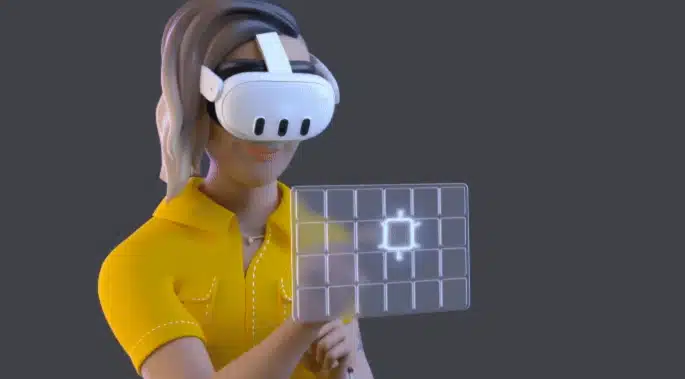
Hand tracking is a VR headset feature that uses the cameras already built into the device to recognize your bare hands and fingers, then lets you control menus and interact with apps using gestures like pinching and pointing, with no motion controllers required. It ships standard on every Meta Quest headset and is the default way you interact with Apple Vision Pro.
For the broader picture beyond adult content, our Meta Quest hand tracking guide covers the best games and apps built around it.
How Hand Tracking Actually Works
If you want the basics of watching VR videos first, see how to watch VR porn. The mechanism is the same no matter what app you’re using it in.
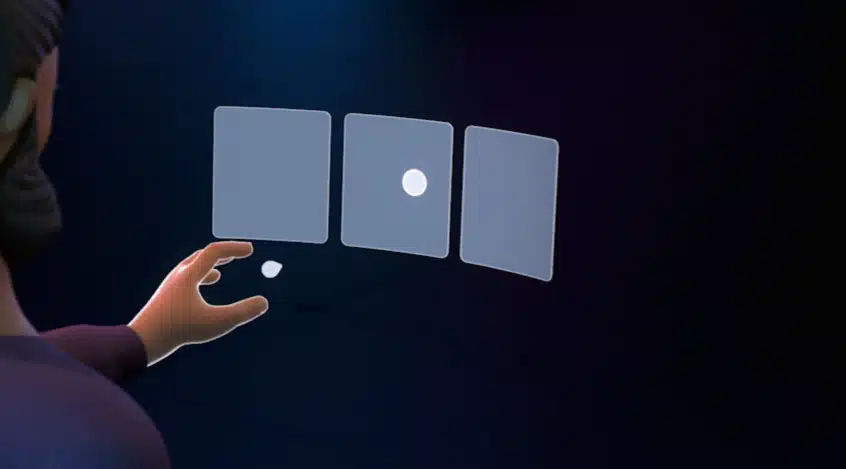
The headset’s outward-facing cameras capture a continuous stream of images of your hands, and onboard software analyzes those images in real time to estimate the position and orientation of each hand and finger.
That data becomes a skeletal model the headset maps onto whatever you’re looking at, which is why a virtual version of your hand shows up in the scene and moves when you do.
A small set of gestures does most of the work:
- Point and pinch to select something
- Pinch and drag to scroll
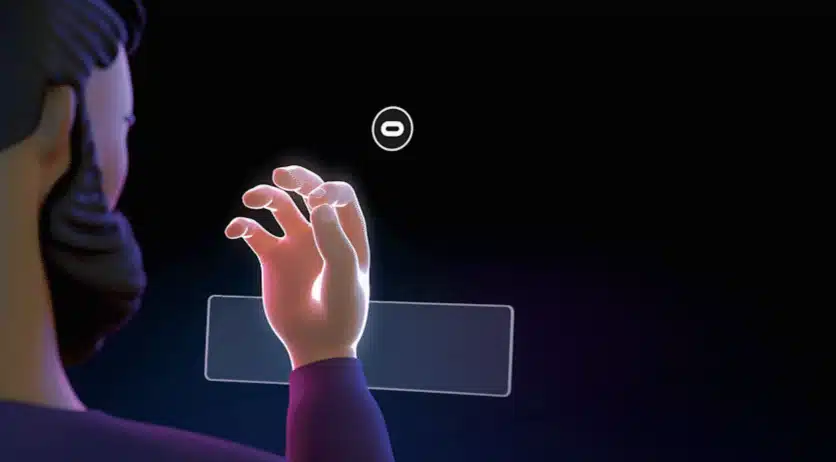
- Look at your open palm and pinch to bring up the system menu
- Touch a fingertip to a virtual button to “press” it (Meta calls this Direct Touch)
None of this requires holding anything. The headset is running computer vision, not reading input from a physical controller.
Where VR Hand Tracking Shows Up in VR Porn
It’s worth separating what hand tracking does from what people assume it does. VR porn with hand tracking shows up in two distinct ways, plus one adjacent feature that gets confused with it.
Browsing and Navigating Without a Controller
Because hand tracking runs at the headset’s operating system level, it works inside any standard app menu, including the browser and store apps most people use to reach VR porn sites and platforms. That means you can put your controllers down, browse a library, pick a video, and scrub through playback using only your hands.
It’s a navigation shortcut: it gets you to the content hands-free, but the video itself plays back exactly the same either way.
Our guide to watching free VR porn on Meta Quest covers the setup most people are navigating hands-free.
Interactive VR Sex Games and Simulators
The mainstream VR porn platforms, the big studio-produced sites most people think of first, are built around filmed 180-degree or 360-degree video. Hand tracking can’t let you reach into a pre-recorded scene, because there’s nothing there for it to track your hand against.
Standalone VR sex games and simulators work differently:
These are smaller, often independently developed Quest apps built as actual 3D environments, where your hand movements are the primary input the game responds to. It’s a more niche corner of VR porn than the video sites, but it’s the one place hand tracking does more than replace a controller.
Our 55 Best VR Porn Games roundup covers this side of things if that’s specifically what you’re after.

Apple Vision Pro’s Hands-First Approach
Apple Vision Pro flips the usual setup. Hand tracking isn’t an alternative to controllers there, it’s the primary input, paired with eye tracking. You look at what you want to select, pinch to confirm it, pinch-and-drag to scroll, and pinch with both hands and pull them apart to zoom.
Since Vision Pro has no standard controller at all, hands and eyes are simply the default way you navigate any VR porn platform on the headset. Our guide to watching VR porn on Apple Vision Pro walks through the setup specifics.
Hand Tracking vs. Haptic Toy Sync (Don’t Confuse These)
A lot of the confusion around “interactive” VR porn comes from mixing up two unrelated technologies.
Hand tracking reads your physical hand movements to control the headset.
Haptic toy sync is a completely different feature:
Aconnected toy plays back a pre-programmed pattern timed to a video’s script, independent of anything your hands are doing. A platform can support one, both, or neither, and having one doesn’t tell you anything about the other.
If a platform advertises hand tracking alongside toy integration, check each one separately rather than assuming they’re linked.
How to Turn On Hand Tracking on Meta Quest
If you haven’t used it yet, turning it on takes under a minute:
- Put your controllers down and pick up the headset.
- Go to Settings, then Movement Tracking, then Hand Tracking, and toggle it on.
- Hold your hands up in view of the headset’s front cameras. It switches to hand tracking automatically once it sees them.
Now you can watch VR porn with hand tracking enabled!
For it to work well, you need decent room lighting and both hands clearly visible in front of the headset. Dim rooms and hands held out of camera view are the two most common reasons it stops responding.
Limitations to Know Before You Try VR Porn With Hand Tracking
Hand tracking works well, but it has real constraints worth knowing before you plan a session around it:
- Occlusion. If one hand blocks the headset’s view of the other, tracking confidence drops and the system may lose one hand entirely.
- No simultaneous mode. Headsets track either your hands or your controllers, never both at once, so you can’t casually mix them mid-session.
- Lighting-dependent. Accuracy degrades noticeably in dim rooms, since the system relies entirely on camera images.
- Less precise than controllers. Fast or fine-grained input is still more reliable with a physical controller in hand.
Frequently Asked Questions About VR Porn Hand Tracking (FAQs)
Does hand tracking work with every VR porn app or site?
No. It works at the headset level for menus and standard apps, but only apps and games built to use it as an interaction mechanic, like standalone VR sex simulators, let you do more than navigate with your hands.
Do I need special hardware for hand tracking?
You don’t need any extra hardware. Hand tracking uses the cameras already built into headsets like Meta Quest and Apple Vision Pro instead of external sensors or controllers.
Is hand tracking the same as haptic toy sync?
No, they’re unrelated technologies. Hand tracking reads your physical hand movements, while haptic sync plays a scripted pattern to a connected toy timed to a video.
Why does hand tracking stop working sometimes?
Usually poor lighting or one hand blocking the other from the headset’s cameras. Moving to a better-lit room and keeping both hands visible generally fixes it.
Final Thoughts
Hand tracking in VR porn mostly comes down to what you’re using it for. If you just want to browse and watch without picking up a controller, that already works today on any headset that supports it. If you’re after hands-on interaction, look at VR sex games and simulators instead: the mainstream video platforms aren’t built for that.
And whatever platform you land on, remember that hand tracking and haptic toy sync are two separate things worth checking on their own.