
In this tutorial guide, I’ll show you exactly how to play VR porn games on Meta Quest by teaching you how to find, download, and sideload games onto your VR headset.
Most VR porn games don’t show up when you search the Meta Horizon Store, and that’s not a bug. Meta’s content policy doesn’t allow adult apps in its official stores, so the only way to get games like Captain Hardcore or Dream Playroom VR running on your headset is to sideload them yourself using a free tool called SideQuest.
It sounds more technical than it is: the whole setup takes about 15 minutes once you know the steps.
Related: The best VR porn games worth playing today.
Why VR Porn Games Aren’t in the Meta Horizon Store
Meta enforces a strict no-adult-content policy across the Horizon Store and App Lab, its lower-barrier submission tier for indie developers. That policy hasn’t changed with any recent Horizon OS update, and there’s no indication it’s going away.
Developers who make adult VR games either sell direct APK downloads from their own site or distribute through a platform like VRPorn.com’s game library, and Nutaku carries some titles too.
Sideloading is just the process of installing an app on your Quest from outside those official stores. It’s the same method people use to get free tools, emulators, and indie games from SideQuest’s general game library. There’s nothing adult-specific about the mechanism itself, only about why these particular games need it. For more on how the Horizon Store, App Lab, and SideQuest differ, see our breakdown of all three.
What You Need Before You Learn How to Play VR Porn Games on Meta Quest
- A Meta Quest 2, 3, or 3S headset
- A Windows or Mac computer
- A USB-C cable (the one that came with your headset works)
- A Meta account in good standing
- About 15 minutes for the one-time setup
- OPTIONAL: A VRPorn.com account – there are other sites with games, but VRPorn.com has a selection of over 200+ games that you get at once, so it is really convenient.
You only need to do the developer mode and SideQuest setup once. After that, installing additional games takes a couple of minutes each.
Step 1: Turn On Developer Mode
Before you learn how to play VR porn games on Meta Quest, developer Mode is what unlocks sideloading on your headset. Meta requires you to register as a developer first, which sounds bigger than it is. It’s a free, quick verification step, not an approval process.
- Go to developer.oculus.com and create an organization under your Meta account.
- Verify your account with a phone number or credit card (this is just identity verification; you won’t be charged).
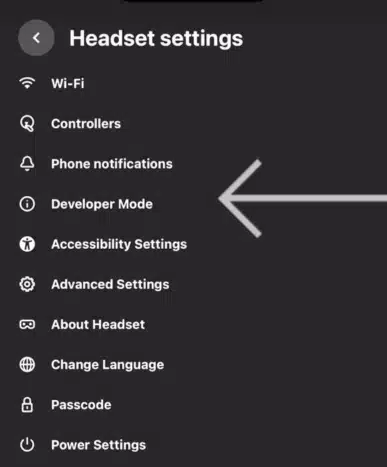
- Open the Meta Horizon app on your phone, tap your headset, go to Headset Settings > Developer Mode, and toggle it on.
- Put your headset on and reboot it when prompted.
If any of these steps look different on your phone, Meta occasionally shuffles its menu layout. Our full Meta Quest sideloading guide covers this part in more depth with screenshots if you get stuck.
Step 2: Install SideQuest on Your Computer
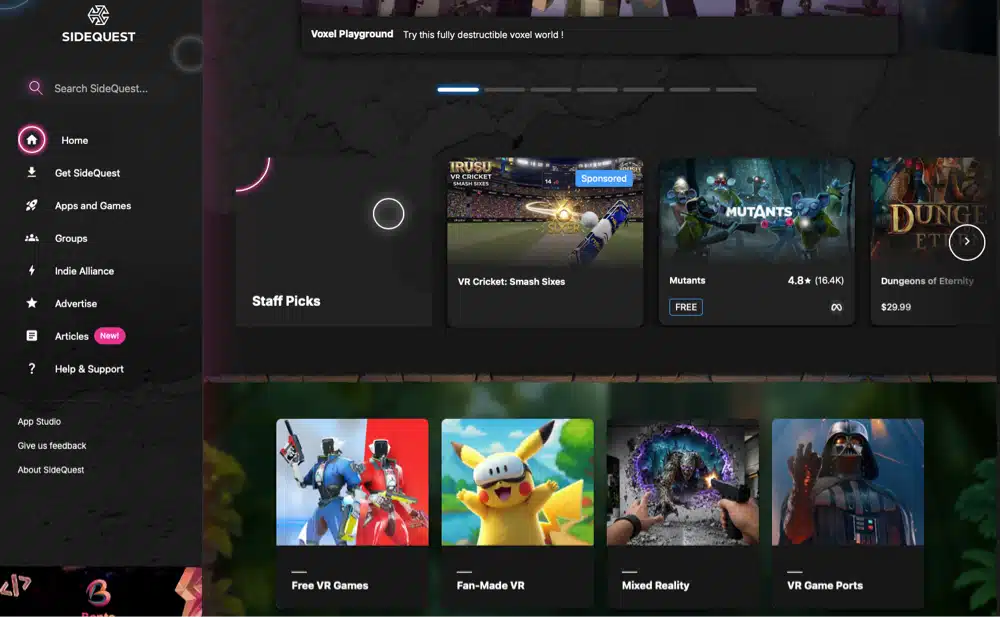
Download the SideQuest desktop app (called the “Advanced Installer”) from SideQuest’s official site and install it like any other program.
Create a free SideQuest account when it asks because you’ll need it to browse and install games later.
Step 3: Connect Your Meta Quest to SideQuest
Plug your headset into your computer with the USB-C cable. Put the headset on, and you’ll see a prompt asking to allow USB debugging. Accept it, and check “always allow from this computer” if it’s a machine you trust.
Open SideQuest on your computer, and you should see a green dot in the bottom-left corner confirming the headset is connected. If it’s grey or red, unplug and reconnect the cable, or try a different USB-C port.
Step 4: Get the Game File
This is the part that’s different from a typical SideQuest install. Most games in SideQuest’s public library are free and browsable directly in the app, but adult titles generally aren’t listed there because of the same content restrictions that keep them off the Horizon Store.
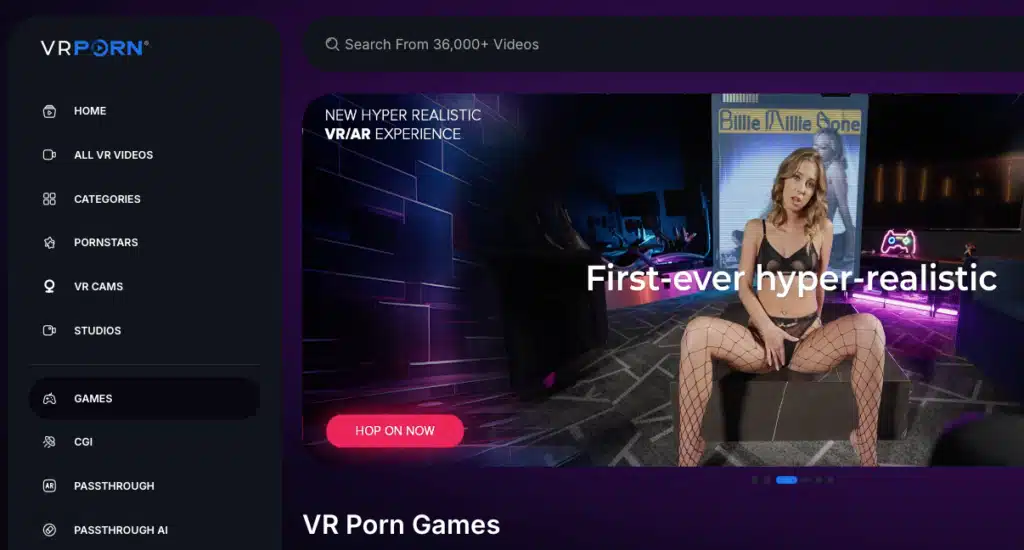
You’ll usually need to get the game’s APK file directly, either purchased from the developer’s own website or downloaded from a legitimate distributor like VRPorn.com’s game section.
A common pattern: you buy or claim the game on the developer’s site, which gives you a download link and sometimes an activation code you’ll enter after installing. Stick to the developer’s official page or a platform we’ve reviewed on this site. Random APK-sharing sites are also where pirated software and malware get passed around, and a headset with your Meta account logged in isn’t somewhere you want to take that risk.
Step 5: Sideload It Onto Your Meta Quest
- In SideQuest, look for the install icon (usually a box with a down arrow) near the top of the app.
- Browse to the APK file you downloaded and select it.
- SideQuest will push it to your headset. A progress bar shows the install; it usually takes anywhere from 30 seconds to a couple of minutes depending on file size. Adult VR titles with high-resolution scenes can run several gigabytes.
Once it’s done, take off the headset and find the app. Sideloaded apps don’t show up in your normal library. Open the app drawer, switch the filter from “All” to “Unknown Sources,” and the game will be there.
Step 6: Launch and Set Up the Game
Launch it from Unknown Sources. If the developer gave you an activation code or account login, you’ll typically enter it the first time you open the app. After that, it should launch straight into the game each time.
Updating a Sideloaded VR Porn Game
Sideloaded apps don’t auto-update the way Horizon Store apps do. When a developer releases a new version, you’ll need to download the updated APK and repeat the sideloading process in Step 5.
SideQuest will overwrite the old version without losing your headset’s other data. It’s worth following the developer’s site, Discord, or newsletter if they have one, since that’s usually how you’ll hear about updates.
Not Every VR Porn Game Needs Sideloading
This guide is specifically for games built to run natively on Quest hardware, like Captain Hardcore. Plenty of the games in our full VR porn games roundup work differently.
PC VR Games Use a Different Setup
Titles like Virt-a-Mate, SinVR, and HoneySelect2Libido DX are PC VR games, not standalone Quest apps. You play them by streaming from a gaming PC to your headset using something like Virtual Desktop or Air Link, not by sideloading an APK. If that’s the route you want, our Virt-a-Mate setup guide walks through that process specifically.
WebXR Games Don’t Need Installing at All
A few games, like Rising Up With Faye, are WebXR titles that run straight from your headset’s browser. No developer mode, no SideQuest, no APK. If you’d rather skip the setup in this guide entirely, a WebXR game is the path of least resistance.
Troubleshooting Common Sideloading Problems
SideQuest doesn’t detect the headset
Try a different USB-C cable or port. Some cables are charge-only and don’t support data transfer. Also confirm you accepted the USB debugging prompt inside the headset.
The install fails partway through
Usually a storage issue. Adult VR games can be large, and Quest storage fills up fast. Check your available space in Headset Settings before trying again.
The app installed but won’t launch
Double-check you’re looking in the “Unknown Sources” filter, not the main library. If it still won’t open, the APK may be corrupted; redownload it.
Developer Mode won’t toggle on
This is almost always an unverified developer account. Go back to the Meta developer dashboard and confirm your organization was actually created and verified.
Is Sideloading Safe and Allowed?
Sideloading itself is a built-in, Meta-supported feature. It’s not a jailbreak or an exploit, and it won’t damage your headset or void your warranty. The real risk is entirely about where you get your APK files from. Download from the developer’s official site or a platform we’ve reviewed, and you’re in the same position as installing any other app.
Download from a random file-sharing site, and you’re gambling with malware on a device tied to your Meta account and payment info.
Frequently Asked Questions
Do I need a PC to sideload VR porn games onto my Meta Quest?
Yes, for the SideQuest desktop method in this guide. There are wireless, PC-free sideloading options for some apps, but they’re less reliable and not worth the hassle for a one-time setup.
Does sideloading void my Meta Quest warranty?
No. Developer Mode and sideloading are official Meta features, not a workaround. They’re documented and supported.
Will sideloaded VR porn games get updates automatically?
No. You’ll need to manually download and reinstall new versions when the developer releases them, since sideloaded apps sit outside the Horizon Store’s update system.
Can I sideload VR porn games on the Meta Quest 2 or 3S, not just the Quest 3?
Yes. The process in this guide works the same way across the Quest 2, 3, and 3S. Just confirm the specific game you want lists your headset as supported; not every adult title runs on every generation.
Is sideloading VR porn games legal?
Sideloading as a method is legal and built into the headset. Whether a specific game is legally distributed depends on where you get it. Buying directly from a developer or a legitimate platform is no different from buying any other digital download. Pirated copies are a separate issue entirely, and not something we’d recommend for security reasons alone.
Verdict
Sideloading looks intimidating the first time and takes about 15 minutes once you’ve done it. The setup is one-time; every game after that is just a new APK and a couple of clicks in SideQuest. If you’d rather skip the process altogether, browsing WebXR titles or streaming PC VR games instead are both real alternatives.
Sideloading is only necessary for the standalone Quest-native titles.