
Getting Skyrim VR Meta Quest working comes down to one fact: Skyrim VR is a Steam PC VR game, so a Meta Quest headset plays it by streaming from a Windows gaming PC over a Link cable, Air Link or Virtual Desktop. There is no native Quest version to download.
This guide covers the parts the mod guides skip: which version to buy ($59.99 on Steam), what your PC needs, the four ways to connect your Meta Quest, the settings that matter, how the controls work and what to do when the picture is blurry or the game will not start. It also answers the question that comes up most, whether you can play it with no PC at all. For adding mods once the game runs, there is a short pointer near the end.
Skyrim VR Meta Quest Quick Summary
- Buy The Elder Scrolls V: Skyrim VR on Steam for $59.99. It includes Dawnguard, Hearthfire and Dragonborn.
- You need a Windows PC with at least a GTX 970 or RX 480 8GB class graphics card, plus SteamVR.
- The easiest connection is a USB-C Link cable using the Meta Horizon Link app.
- For wireless, use Air Link (free, built into the Meta software) or Virtual Desktop (paid Quest app).
- Playing with no PC is not officially possible. A community app called WinlatorXR lists Skyrim VR as playable, but only on the Pico 4 Ultra, with no Meta Quest result.
| Method | Connection | What You Need | Best For |
|---|---|---|---|
| Meta Horizon Link | USB-C cable | Meta Horizon Link app, a data-capable USB-C cable | The simplest first run and the steadiest picture |
| Air Link | Wi-Fi | Meta Horizon Link app, a 5 GHz router, ideally the PC on Ethernet | Free wireless play |
| Virtual Desktop | Wi-Fi | Paid Quest app, Windows streamer, 5 GHz AC or AX router | Wireless play with more tuning options |
| Steam Link | Wi-Fi | Steam Link app on the Meta Quest, Steam running on the PC | Streaming straight from Steam |
Does Skyrim VR Work on Meta Quest?
Yes, Skyrim VR works on Meta Quest headsets, but as a PC VR game rather than a Quest app. The Steam listing is Windows only, tagged VR Only, and names SteamVR as the VR support. Your Meta Quest acts as the screen and controllers while the PC renders the game and streams it to the headset.
That also means the headset never installs Skyrim VR. Steam downloads about 15 GB to your PC, and the headset connects to it. If you only own a Meta Quest and no gaming PC, jump to the no-PC section below before you buy anything.
Skyrim VR Meta Quest Price: Which Version to Buy
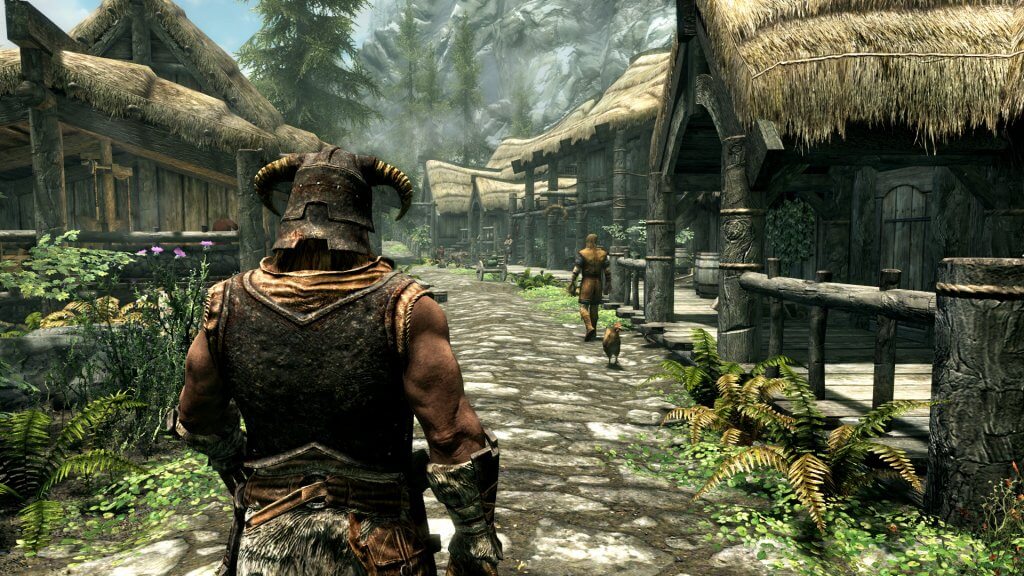
Buy Skyrim VR on Steam. The price is $59.99, and the game was released on April 2, 2018 by Bethesda Game Studios. The Steam listing says it includes the core game and the three official add-ons: Dawnguard, Hearthfire and Dragonborn, so there are no separate add-on purchases to make. Steam runs sales, so check the store page for the current price before you buy.
Do not buy Skyrim Special Edition or Skyrim Anniversary Edition for this. Those are the flat-screen versions of the game. The VR version is a separate Steam purchase, and it is the one that supports tracked controllers.
Skyrim VR Meta Quest Requirements: What Your PC Needs
These are the requirements Steam lists for the game itself.
| Minimum | Recommended | |
|---|---|---|
| OS | Windows 7/8.1/10 (64-bit) | Windows 10 (64-bit) |
| Processor | Intel Core i5-6600K or AMD Ryzen 5 1400 | Intel Core i7-4790 or AMD Ryzen 5 1500X |
| Memory | 8 GB RAM | 8 GB RAM |
| Graphics | Nvidia GeForce GTX 970 or AMD RX 480 8GB | Nvidia GeForce GTX 1070 8GB or AMD RX Vega 56 8GB |
| Storage | 15 GB available space | 15 GB available space |
| VR | SteamVR | SteamVR |
Streaming to a Meta Quest adds video encoding on top of the game, and newer headsets like the Quest 3 ask for a sharper image than the headsets this game was built around. In practice that means treating the recommended column as your floor, not the minimum. If you are not sure where your PC lands, run our PC VR ready checker, and see our best GPUs for VR gaming list if the graphics card is the weak point.
The headset side is simple. The Quest 3, Quest 3S, Quest 2 and Quest Pro all use the same PC VR connection methods below.
How to Play Skyrim VR on Meta Quest With a PC
There are four ways to connect. They all end in the same place: SteamVR running on your PC with the headset showing it. Pick one, get the game running, then switch methods later if you want to go wireless.
Option 1: Link Cable (Meta Horizon Link)
Meta now calls its PC app Meta Horizon Link, and it connects a Quest to a Windows PC over a USB-C cable. This is the method I would start with, because it takes your Wi-Fi out of the picture while you confirm the game itself works.
- Install the Meta Horizon Link app on your Windows PC and sign in.
- Plug the Meta Quest into the PC with a USB-C cable that supports data.
- Put the headset on and accept the Link prompt.
- Open Steam on the PC and launch Skyrim VR (steps below).
The full walkthrough, including cable choices and fixes, is in our Meta Quest Link setup guide.
Option 2: Air Link (Wireless and Free)
Air Link uses the same Meta software but sends the picture over Wi-Fi, so there is no cable to trip over. It works best with the PC on Ethernet and the headset on a 5 GHz network in the same room.
Our Air Link setup guide covers turning it on, and if it will not connect, try the fixes in Air Link not working on Windows 11. A better router also helps, so see the best routers for Air Link.
Option 3: Virtual Desktop (Wireless and Paid)
Virtual Desktop is a paid Quest app with a streamer you install on the PC. Its own requirements list Windows 10 or 11 (64-bit) and a wired PC connected to a 5 GHz AC or AX router, plus a VR Ready PC at GTX 970 level for PC VR games, which matches Skyrim VR’s minimum. Many players use it for the extra streaming controls.
Our Virtual Desktop setup guide walks through it, and Air Link vs Virtual Desktop helps you choose.
Option 4: Steam Link
Steam Link is the third wireless route, and it streams from the Steam client directly. If you already live in Steam, our Steam Link on Meta Quest tutorial shows how to set it up without Virtual Desktop or Air Link.
Which Connection Is Best for Skyrim VR on Meta Quest?
Start with the Link cable to prove the game launches and tracks properly. Then move to Air Link if you want wireless for free, or Virtual Desktop if you would rather pay for more tuning options. Skyrim is a slow, exploration-heavy game with lots of loading and menus, so a stable connection matters more than the last bit of image quality.
How to Install Skyrim VR on Meta Quest and Launch It
The Skyrim VR download for Meta Quest happens on your PC through Steam, not on the headset. Follow this order to avoid most problems.
- Buy and install Skyrim VR on Steam. Leave about 15 GB free.
- Install SteamVR from your Steam library. The Steam listing names it as the VR support the game needs.
- Connect your Meta Quest using Link, Air Link, Virtual Desktop or Steam Link, and confirm you can see your PC in the headset.
- Start SteamVR if it does not open on its own, then press Play on Skyrim VR in Steam.
- Put the headset on and follow the in-game prompts. Give the first load a little time.
Skyrim VR Meta Quest Settings: Refresh Rate, Resolution and Performance
Skyrim VR is a 2018 port of a 2011 game, so it is not demanding by modern standards, but streaming and a sharp headset can still push a mid-range PC. Change one thing at a time in this order:
- Set the refresh rate first. Meta Quest headsets can run at up to 120 Hz, but this game was built for 90 Hz headsets. I would start at 90 Hz, or 72 Hz on a weaker PC, rather than chase 120.
- Next, streaming quality. Raise the bitrate or resolution in your Link, Air Link or Virtual Desktop settings only if the PC and connection can hold it.
- Then SteamVR render resolution. If the image stutters, lower it. If it is soft and your PC has headroom, raise it a little.
- Last, in-game graphics. Drop shadows and view distance before anything else if the frame rate will not hold.
If your PC still cannot keep up, our VR frame generation guide explains the tools that fill in extra frames.
Skyrim VR Controls on Meta Quest: Touch Controllers and Hand Tracking
Steam lists Skyrim VR with tracked controller support, so your Meta Quest Touch controllers work as motion controllers through SteamVR. The listing does not mention hand tracking, so plan on using the controllers rather than your bare hands. Each hand handles a weapon, shield or spell, and you move with the thumbsticks.
If a button is not where you want it, SteamVR has a controller bindings screen where you can remap actions for the game. Look at that before assuming something is broken.
Skyrim VR Meta Quest No PC: Can You Play It Standalone?
Not officially. There is no Quest version of Skyrim VR, and Steam lists it as Windows only. Some videos claim you can play it on a Quest headset with no PC and no streaming, so I checked that against the primary source instead of repeating it.
The claim comes from WinlatorXR, a free, experimental app that runs Windows games on the headset itself. The project’s own PCVR compatibility list does include Skyrim VR (Steam app 611670) and marks it Playable, with a ColdClient Steam fix and a note about a long first load. But the entry was tested on the Pico 4 Ultra. The list covers only the Pico 4 Ultra and the Quest 3, I could not find a Meta Quest result for Skyrim VR, and several of the Quest 3 entries are marked not playable.
A no-PC route exists in the community, but it is unproven on Meta Quest, so I would not buy Skyrim VR for your headset expecting it to work that way. If you like tinkering, our WinlatorXR guide covers what it can and cannot do. If you want a dependable result, use the PC methods above.
Can You Mod Skyrim VR on Meta Quest?
Yes. Mods live in the PC install, so the headset does not change how they work. Get the vanilla game running cleanly first, then follow our step-by-step guide on how to install Skyrim VR mods and browse the best Skyrim VR mods list for what to add.
Skyrim VR Meta Quest Troubleshooting: Blurry Image, Stutter and Launch Problems
Skyrim VR Blurry on Meta Quest
Blur usually comes from the stream, not the game. Raise the streaming resolution or bitrate, check that the PC is on Ethernet and the headset is on 5 GHz, and nudge SteamVR render resolution up if the PC has headroom. Testing over the cable tells you quickly whether Wi-Fi is the cause.
Skyrim VR Stuttering on Meta Quest
Lower the refresh rate to 72 or 90 Hz, drop SteamVR render resolution and close other programs that use the GPU. If it is smooth on the cable but not wirelessly, the network is the problem, not Skyrim.
Skyrim VR Not Launching on Meta Quest
Confirm SteamVR is installed, connect the headset to the PC before pressing Play, and restart Steam if the game opens on the monitor but not in the headset.
Remember that Skyrim Special Edition will not launch in VR, so check you bought the VR version.
Skyrim VR Meta Quest Compatibility: Quest 3, Quest 3S, Quest 2 and Quest Pro
Yes, the same setup works across the Meta Quest range. Virtual Desktop lists the Quest 1, Quest 2, Quest 3, Quest 3S and Quest Pro as supported, and Link and Air Link use the same Meta software. The PC does the rendering either way, so the difference is mostly the headset itself. The Quest 3 has a sharper display than the Quest 2, so the same game can look cleaner on it.
Skyrim VR Meta Quest FAQ: Common Questions
Does Skyrim VR work on Meta Quest?
Yes. Skyrim VR works on Meta Quest as a PC VR game. You stream it from a Windows PC running SteamVR using a Link cable, Air Link, Virtual Desktop or Steam Link.
Is Skyrim VR on the Meta Quest store?
No. Skyrim VR is sold on Steam as a Windows PC VR game, and there is no official standalone Quest version to download.
Can you play Skyrim VR on Meta Quest without a PC?
Not officially. A community app called WinlatorXR lists Skyrim VR as playable, but that result is for the Pico 4 Ultra, and there is no confirmed Meta Quest result, so it is not a dependable method.
How much does Skyrim VR cost?
Skyrim VR costs $59.99 on Steam and includes Dawnguard, Hearthfire and Dragonborn. Check the Steam page for sales before you buy.
Does Skyrim VR support hand tracking on Meta Quest?
Steam lists tracked controller support for Skyrim VR and does not list hand tracking, so plan to play with your Meta Quest Touch controllers.
Can you use Skyrim Special Edition in VR on Meta Quest?
No. Skyrim Special Edition and Anniversary Edition are the flat-screen versions. You need the separate Skyrim VR game on Steam.
Do I need Virtual Desktop to play Skyrim VR on Meta Quest?
No. You can use the free Meta Horizon Link app with a cable or Air Link, or Steam Link. Virtual Desktop is an optional paid app with extra streaming options.
Final Thoughts on Playing Skyrim VR on Meta Quest
Skyrim VR Meta Quest play is solid if you own a capable gaming PC: buy the Steam version, connect with a cable first, then go wireless. If you do not own a PC, the no-PC route is a community experiment that has not been shown to work on a Meta Quest yet, so I would wait. Once the game runs cleanly, add mods using the two guides linked above.