
This guide shows you how to set up Minecraft VR (Java Edition) on every VR headset that can still run it, step by step. This guide covers Vivecraft on a PCVR headset and QuestCraft on a Meta Quest!
The official VR mode, it is gone. Mojang removed VR support from Minecraft Bedrock Edition in 2025, which ended the old Oculus Rift, Windows, Meta Quest Link and PlayStation VR methods. Mods are the only way to play Minecraft in VR today.
Quick Summary: Which Minecraft VR Method Should You Use?
Use Vivecraft if you have a gaming PC and want the best performance. Use QuestCraft if you have a Meta Quest and want to play without a PC. Both need a copy of Minecraft: Java Edition.
| Method | Works On | Needs a PC? | Best For |
|---|---|---|---|
| Vivecraft | SteamVR headsets (Valve Index, HTC Vive, Rift S, Windows Mixed Reality) and Quest headsets connected to a PC | Yes | Best performance, shader packs, higher render distances |
| QuestCraft | Meta Quest 2, Quest 3 and Quest 3S (plus Pico headsets) | No | Wireless play with no PC |
| Official Minecraft VR (Bedrock) | Removed in 2025 | Not available | Not an option anymore |
| PlayStation VR | Removed in 2025 | Not available | Not an option anymore |
Looking for more to play once you are set up? See our guide to the best PC VR games.
Does Minecraft Still Support VR?
Not officially.
Minecraft Bedrock Edition used to include a built-in VR mode for Windows, Oculus Rift, Windows Mixed Reality, Meta Quest (through Link) and PlayStation VR. Mojang announced the end of that support in 2024 and removed it from the game in 2025. You can still play Bedrock on a regular screen and your Marketplace purchases still work, but you can no longer play it in a headset.
Can You Play Minecraft Bedrock in VR?
No. There is no VR mode left in Bedrock Edition on any platform, including Windows, Meta Quest and PlayStation. To play Minecraft in VR you need Java Edition and one of the two mods below.
What Still Works for Minecraft VR?
Java Edition never had an official VR mode, which is why the community built its own. Vivecraft is a mod that adds VR to Java Edition on PC. QuestCraft is a standalone port of Java Edition that runs directly on a Meta Quest. Both are fan-made, and both need you to own Minecraft: Java Edition.
What is Minecraft?

Minecraft is an action-adventure sandbox title created by Mojang in 2009 and purchased by Microsoft in 2014.. It offers players a limitless virtual world where they can build anything with various modes. It is perfect for almost any type of gamer. Minecraft is available on almost any gaming platform: computers, Sony Playstation, Microsoft Xbox, Nintendo Switch, VR, mobile devices (pocket edition), tablets, and more.
Minecraft comes with lots of features, including crafting, gathering basic necessities, creating safety, and exploring. If you are a creative person, you will enjoy the endless playground the game has to offer. You can build virtually anything you can imagine. The team frequently releases new worlds, equipment, and modifications that keep the game fresh and exciting for players.
Along with Roblox and Fortnite, Minecraft is one of the most popular games ever. The game’s popularity has led to online showcases of elaborate lands that have been built. Real world locations like San Francisco, New York, Paris, and other cities have been modeled in Minecraft for users to explore.
The game’s two main games are Creative and Survival Mode.
Survival Mode
In Survival Mode, players must find their own building supplies and food. They also interact with blocklike mobs or moving creatures.
Creative Mode
In Creative Mode, players are given supplies and do not have to eat to survive. They also can break all kinds of blocks immediately.
Minecraft VR
When the first virtual reality headsets were released, fans quickly created a third-party hack that allowed Minecraft to be played in VR. This VR version hack is still available today and it is called Vivecraft.
Mojang later added an official VR mode to Bedrock Edition, starting with Samsung Gear VR and eventually covering Windows, Oculus Rift, Windows Mixed Reality and PlayStation VR. That official mode has since been removed, which leaves mods as the only way to play Minecraft in VR.
Vivecraft, the original VR hack, is still being updated for new Minecraft releases.
Vivecraft vs QuestCraft: Which Should You Use?
Both mods put Minecraft: Java Edition in VR. The main difference is where the game runs.
Performance and Graphics
Vivecraft runs on your PC, so your graphics card does the work and you can push render distance and add shader packs. QuestCraft runs on the headset’s own chip, so its developers recommend a render distance of 4 to 6 and say 9 or higher is not recommended. Expect to give up some visual quality in exchange for playing without a PC.
Setup Effort
Vivecraft needs SteamVR, a launcher that handles mods, and a PC connection if you are on a Quest. QuestCraft needs a one-time sideload with SideQuest, then about 10 minutes of downloading for each Minecraft version you want to play.
Mods and Multiplayer
Both support mods and both can join regular Minecraft servers. With Vivecraft, other players can see your hand movements if they have Vivecraft or its NonVR Companion mod installed.
Choose Vivecraft If
- You have a gaming PC with a dedicated graphics card
- You want shader packs or a high render distance
- You use a SteamVR headset such as a Valve Index, HTC Vive, Rift S or Windows Mixed Reality headset
Choose QuestCraft If
- You have a Quest 2, Quest 3 or Quest 3S and no VR-ready PC
- You want to play wireless with nothing else to set up
- You are fine with a lower render distance
What Is Vivecraft?

Vivecraft is a free VR mod for Minecraft: Java Edition on PC. It works with SteamVR headsets and with Quest headsets connected to a PC. It does not run natively on a Quest, which is what QuestCraft is for.
Other cool Vivecraft features are:
- Full roomscale support
- World scaling: Scale your size in the world up or down. Play as an ant or a giant.
- Break blocks and fight by swinging your hands
- Shoot your bow by drawing and aiming two-handed
- Climb, swim, run, jump, sneak, eat, and row by doing the motion!
- Feed animals, mount horses, and fill buckets just by touching them!
- Play with your friends and see each other’s VR movements. (even for 2d players!)
- Multiple VR locomotion options:
- Arc teleportation
- Free-movement in the direction you are pointing the controller or your head.
- Walkabout-style of rotation using 100% room-scale movement.
- Seated play with walkabout-style of rotation in your look direction
- Wall-scaling and leaping
Download Vivecraft only from its official site at vivecraft.org, Modrinth or CurseForge.
Vivecraft in teleport mode greatly reduces motion sickness, so start there if you are sensitive. Our VR motion sickness guide has more ways to stay comfortable.
Vivecraft Requirements
- Minecraft: Java Edition. Vivecraft does not work with Bedrock Edition.
- Steam with SteamVR installed and set up. See our SteamVR install guide.
- A PC with a dedicated graphics card. Integrated Intel graphics are not supported. See our best GPU for VR and gaming computers for VR guides.
- VR motion controllers, or a keyboard and mouse. Gamepads are not currently supported.
What Is QuestCraft?

QuestCraft is a standalone port of Minecraft: Java Edition for Meta Quest headsets. It runs on the headset with no PC connection and uses Vivecraft for its VR controls. You need to own Minecraft: Java Edition to play it.
- Works on Meta Quest 2, Quest 3 and Quest 3S, plus Pico headsets
- Runs on the headset by itself, with no PC
- Includes a mod manager, so you can download mods, modpacks and resource packs on the headset
- Comes with optimization mods already installed
- Connects to regular Minecraft servers for multiplayer
- Open source, with downloads from the official QuestCraft site and SideQuest
QuestCraft also has plenty of mod support. See our list of the best QuestCraft mods once you are up and running.
The official QuestCraft site is questcraft.org. The developers warn that questcraft.net is not run by the team, so do not download anything from it.
How To Install Minecraft VR on PC With Vivecraft
Vivecraft works with SteamVR headsets such as the Valve Index, HTC Vive, Rift S and Windows Mixed Reality headsets. If you own a Quest, connect it to your PC first (see the Quest section below), then follow the same steps.
Install Vivecraft as a Mod (Current Minecraft Versions)
- Buy and install Minecraft: Java Edition from the official Minecraft site, then run the launcher once so it creates the game files.
- Install SteamVR and make sure your headset works in it.
- Pick a launcher that handles mods. The Modrinth App, CurseForge App and Prism Launcher all work, and the Vivecraft wiki has setup notes for each.
- Create a profile for the Minecraft version you want to play, using Fabric, Forge or NeoForge.
- Add the Vivecraft mod from Modrinth or CurseForge to that profile. Choose the build that matches your Minecraft version and loader.
- Start SteamVR and your headset, then press Play on the profile.
Install Vivecraft With the Standalone Installer (Older Minecraft Versions)
The standalone installer only covers older Minecraft versions, so use the mod method above for the latest game. If you want an older version, follow these steps:
- Run the Minecraft Launcher once to create the game folders, then close it.
- Download Vivecraft and run the Vivecraft Installer. Leave the options on their defaults unless you need Forge.
- Click Install. This can take a while because it downloads files.
- Open the Minecraft Launcher again and select the Vivecraft profile. If you cannot see it, tick the checkbox for modded profiles.
- On a laptop, force the high-performance graphics card in your graphics control panel, then press Play.
How To Play Minecraft VR on Meta Quest
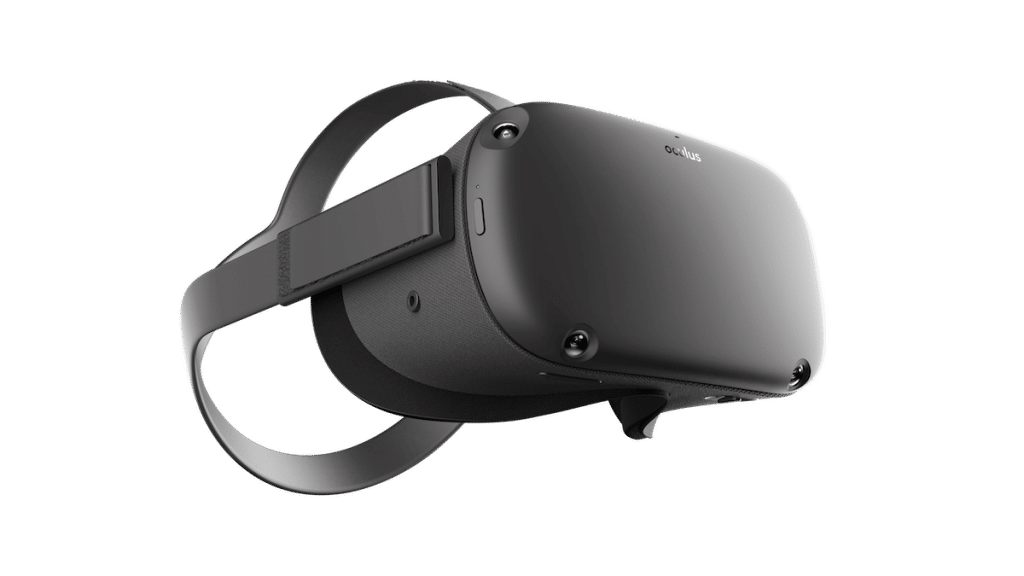
Despite not being available in the official Quest store, you can still play Minecraft VR on a Meta Quest two ways: QuestCraft by itself, or Vivecraft through your PC. Both work on the Quest 2, Quest 3 and Quest 3S, and both need Minecraft: Java Edition.
QuestCraft Method (No PC Needed After Setup)
- Make sure you own Minecraft: Java Edition and have SideQuest set up for your headset. Our sideload guide walks through it.
- Download the QuestCraft APK from the official releases page on GitHub to your computer or an Android device.
- Install the APK on your headset with SideQuest.
- Put on your headset and open the QuestCraft launcher. It may be listed under Unknown Sources in your library. Allow the permissions it asks for.
- Log in with your Minecraft account, choose the Minecraft version you want and press Play.
- Wait for the files to download. It takes about 10 minutes depending on your connection, and you repeat it for every Minecraft version you want to play. Keep the headset on while it downloads.
The first launch with the default mods takes about 1 to 4 minutes, so be patient. After that you can add mods from the launcher’s mod manager.
Vivecraft Method (Quest Plus PC)
This is the same Vivecraft setup as above, with your Quest acting as the screen. Connect the headset to your PC, start SteamVR, then launch Minecraft. You can connect in four ways:
- Meta Quest Link with a USB cable. The Quest charging cable works.
- Air Link for wireless play over your home Wi-Fi.
- Virtual Desktop, a wireless option many players prefer.
- Steam Link, which streams SteamVR from your PC.
Once your headset is connected and SteamVR is running, follow the PC install steps above to add Vivecraft.
Minecraft VR Troubleshooting
Vivecraft Problems
- If the game will not start on a laptop, force the high-performance graphics card in your graphics control panel. Integrated Intel graphics are not supported.
- If you cannot find the Vivecraft profile after using the standalone installer, tick the checkbox for modded profiles in the launcher.
- If your gamepad does nothing, that is expected. Vivecraft supports VR motion controllers or a keyboard and mouse, but not gamepads.
- If your Quest will not connect to your PC, see our guides for Meta Quest Link, Air Link and Virtual Desktop.
QuestCraft Problems
- If the game lags, set the Stereo Rendering resolution to 80 percent in VR Settings. Keep render distance between 4 and 6 and avoid 9 or higher. Skyblock and Oneblock worlds run best because they ask less of the hardware.
- If the game crashes after you add mods, open
latestlog.txtinAndroid/data/com.qcxr.qcxron your headset. A Fabric error near the bottom names the mod causing it. You can also ask for help in the QuestCraft Discord. - If QuestCraft starts downloading again, that is normal. It downloads its files separately for each Minecraft version you pick.
Can You Play Minecraft on PlayStation VR?
No. Official Minecraft VR for PlayStation VR was removed in 2025, and there is now no way to play Minecraft in VR on a PlayStation console. If you want to play in VR, you need a PC with Vivecraft or a Meta Quest with QuestCraft.
Minecraft VR Tips

Here are some specific tips about playing Minecraft in virtual reality that you should know about.
- If you plan to use mods and enable shader packs, be aware that this will slow down your game and max out your computer resources. This is amplified when playing in virtual reality. Vivecraft’s developers say Sodium and Iris both work with it, and that other mods are untested.
- Get familiar with the menu and building controls in virtual reality, which are different than on PC and can feel slower at first.
- Play in short bursts to get your legs used to playing in virtual reality.
- Stop as soon as you feel motion sickness coming out.
We have tons of other VR tips which are useful for playing games in virtual reality.
General Minecraft Tips
The following tips will help you survive in Minecraft VR:
- Don’t take large risks far from home. Always carry a stack of touches
- Don’t forget to get enough food. You can find food by robbing villages or grabbing animals.
- Build a sustainable house using cobblestone or obsidian.
- Make sure to have a lot of lightning.
- Use Armor because it is super effective and will help you defend yourself against your enemies.
- Cave mining works to gain stacks of loot
- Use dogs as your companion; they will do the hard work for you
- Try fishing or farming if you are bored
- Get diamonds by mining large tunnels at bedrock levels, or find them in village chests.
Have any other tips to add? Let us know at the bottom of the article!
Minecraft VR FAQ
Can you play Minecraft Bedrock in VR?
No. Mojang removed VR support from Bedrock Edition in 2025 on every platform. To play Minecraft in VR you need Java Edition with Vivecraft on a PC, or QuestCraft on a Meta Quest.
Can you play Minecraft VR on Meta Quest 3 and Quest 3S?
Yes. QuestCraft runs on the Quest 2, Quest 3 and Quest 3S with no PC, and Vivecraft works on any Quest connected to a PC through Link, Air Link, Virtual Desktop or Steam Link. Both need Minecraft: Java Edition.
Do you need a PC to play Minecraft VR on Quest?
Not with QuestCraft. You only need a computer or Android device once to download the APK and sideload it with SideQuest. Vivecraft does need a PC with SteamVR.
Is Minecraft VR free?
Vivecraft is a free mod, but both Vivecraft and QuestCraft require you to own Minecraft: Java Edition. There is no free official VR version anymore.
Which is better, Vivecraft or QuestCraft?
Vivecraft is better if you have a gaming PC, because it runs on your graphics card and supports shader packs and higher render distances. QuestCraft is better if you want to play wireless without a PC and can live with a lower render distance.
Can you play Minecraft on PlayStation VR or PS VR2?
No. The official PlayStation VR mode was removed in 2025, and there is now no way to play Minecraft in VR on a PlayStation console.
Can you play Minecraft VR multiplayer?
Yes. Vivecraft supports single player, LAN and server multiplayer, and QuestCraft connects to regular Minecraft servers. Other players can see your hand movements if they have Vivecraft or its NonVR Companion mod.
Can you use mods and shaders with Minecraft VR?
Yes. Vivecraft works with Sodium and Iris, and its developers say other mods are untested. QuestCraft includes a mod manager and comes with optimization mods already installed.
Final Thoughts
Minecraft VR is no longer an official feature, so the mods are your options now. If you have a gaming PC, install Vivecraft and play at full quality. If you have a Meta Quest and no PC, sideload QuestCraft and play on the headset by itself.
What is your favorite game to play on Minecraft? Comment below and help other players out!

Do you have a techno toon that can install mincrsft onto my headset for me .