The FEAR VR mod lets you play the original F.E.A.R. campaign in PC VR with tracked hands, physical weapon handling and a visible body, and in this guide I’ll walk you through how to install it and play it on a Meta Quest or any other PC VR headset. It’s free, it installs with a setup program, and it needs your own copy of the base game from Steam or GOG.
F.E.A.R. was always a game about slow-motion gunfights and an unsettling little girl in a red dress, so it was only a matter of time before someone put it in a headset. The one in the Gamertag VR video is TheFreeMike’s, and this guide is built around its latest release. There is also a second, older FEAR VR mod on GitHub with a completely different install, so I’ve covered both and explained how to tell them apart.
F.E.A.R. VR Mod at a Glance
| Detail | Answer |
|---|---|
| Mod covered | TheFreeMike’s F.E.A.R. VR (latest release) |
| Price | Free (you need your own copy of F.E.A.R. on Steam or GOG) |
| Games supported | The original F.E.A.R. single-player campaign only |
| Download | TheFreeMike’s F.E.A.R. VR releases page |
| Headsets | Quest 3 (tested by the creator) through Virtual Desktop or Steam Link, plus other PC VR headsets through SteamVR |
| PC required | Yes, Windows 10 or 11. It is not a standalone Quest app |
| Needs Public Tools | No (that’s only for DR-89’s older mod) |
| Quest Link or Air Link | Not supported |
| F.E.A.R. 2 or F.E.A.R. 3 | No VR mod available |
- F.E.A.R. VR Mod at a Glance
- What Is the FEAR VR Mod?
- Does F.E.A.R. Officially Support VR?
- FEAR VR Mod GitHub: TheFreeMike vs DR-89, Which One Should You Use?
- F.E.A.R. VR Mod Requirements: What You Need Before You Start
- FEAR VR Mod Download: Which GitHub Release to Get
- How to Install the FEAR VR Mod (Step by Step)
- F.E.A.R. VR on Meta Quest 3: Virtual Desktop or Steam Link
- How to Launch and Play F.E.A.R. VR
- F.E.A.R. VR Controls and Comfort Settings
- What’s New in F.E.A.R. VR: Full Body, Kick and Slide
- The Other FEAR VR Mod: How DR-89’s Install Works
- Is There a FEAR 2 VR Mod? (And F.E.A.R. 3)
- FEAR VR Mod Not Working? Fixes for Common Problems
- Is the FEAR VR Mod Worth Playing?
- F.E.A.R. VR Mod FAQ
- Final Thoughts
What Is the FEAR VR Mod?
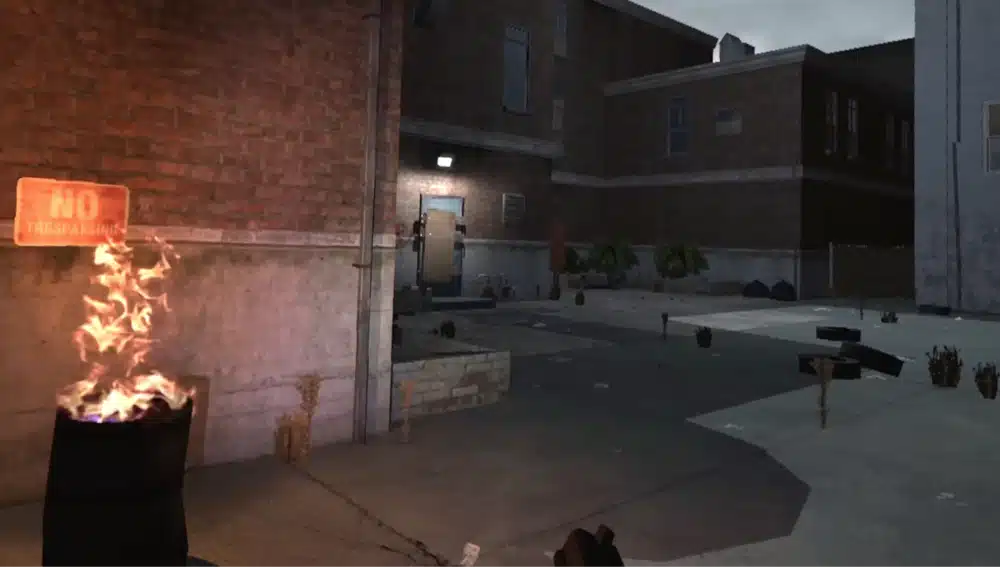
The FEAR VR mod is a free, unofficial community project that adds native stereo VR rendering, head tracking and motion controls to the original F.E.A.R. on PC. You get tracked hands, controller aiming, physical reloads and holsters, ladder climbing, calibration tools and comfort options, all on top of the normal single-player campaign.
A recent major update added a full visible body, so when you look down you see arms, torso and legs that follow your headset and controllers, plus a flying kick and a slide move. The body pose is estimated from your headset and hands, so you don’t need any extra body trackers.
The project page says the mod was built with AI coding assistance alongside the creator’s own headset testing, so read its known limitations page before you install.
Does F.E.A.R. Officially Support VR?
No. F.E.A.R. launched in 2005 as a flat PC game, and Monolith never released a VR version. Everything in this guide comes from the community mod, which is not endorsed by the game’s rights holders and does not include the game itself.
FEAR VR Mod GitHub: TheFreeMike vs DR-89, Which One Should You Use?
Search for the FEAR VR mod on GitHub and you’ll find two different projects with almost the same name. They are separate mods with separate installers, and TheFreeMike’s own README tells you not to mix files from the two. This is the comparison that matters:
| TheFreeMike’s F.E.A.R. VR | DR-89’s fear-vr | |
|---|---|---|
| Where | github.com/thefreemike31/fear-vr | github.com/DR-89/fear-vr |
| Seen in the Gamertag VR video | Yes | No |
| Release status | Actively updated, with frequent releases | Still a beta release |
| Install method | Extract the ZIP and run F.E.A.R. VR Setup.exe | Installer, or drag and drop beside FEAR.exe |
| Needs F.E.A.R. Public Tools 1.08 | No | Yes |
| Base game | Steam base game or GOG Platinum Collection | F.E.A.R. 1.08 (only the Steam version is confirmed in-game) |
| Source code | Not published (downloads and guides only) | Open source |
My recommendation is TheFreeMike’s mod for almost everyone. It’s the one in the video, it has the more recent and more active releases, and it doesn’t make you hunt down the Public Tools. DR-89’s project is worth knowing about if you want the source code, and I’ve covered its install further down so you don’t follow the wrong steps by accident.
F.E.A.R. VR Mod Requirements: What You Need Before You Start
- A legitimate copy of the base game: F.E.A.R. on Steam (the list price is $9.99) or the F.E.A.R. Platinum Collection on GOG. Expansions and other executable versions are not supported.
- A Windows 10 or 11 PC that can run PC VR. This is a PC VR mod, not a standalone headset app, so it can’t run on a Quest by itself.
- A VR headset connected through Virtual Desktop with its VDXR OpenXR runtime, or through Steam Link or SteamVR with Win32 (32-bit) OpenXR support.
- Touch controllers if you’re on a Quest. Quest 3 with Touch controllers is the hardware the creator has tested, and other headsets are listed as experimental.
- A few minutes to confirm the unmodified game works first. Start the flat game once, load a level, then quit.
One thing that trips people up: Meta Quest Link and Air Link are unsupported, even if you route them through SteamVR. If you’re on a Quest, plan on Virtual Desktop or Steam Link instead.
If you haven’t set either of those up yet, my guides on Virtual Desktop on Meta Quest and Steam Link on Meta Quest cover the headset side.
FEAR VR Mod Download: Which GitHub Release to Get
Go to TheFreeMike’s F.E.A.R. VR releases page and open the newest release. Under Assets, download the ZIP named like fear-vr-vX.Y.Z.zip and the matching .sha256 file. Ignore GitHub’s automatic Source code downloads, because those are not the mod.
Check the file before you run anything. Open the .sha256 file in Notepad, then run this in PowerShell from the folder that holds the ZIP and compare all 64 characters:
Get-FileHash -Algorithm SHA256 -LiteralPath '.\fear-vr-vX.Y.Z.zip'If the hash doesn’t match, download the file again from the official release. The releases are unsigned, so Windows may show a publisher warning, which is different from an antivirus detection naming a threat.

How to Install the FEAR VR Mod (Step by Step)
Step 1: Extract the Complete ZIP
Right-click the ZIP and choose Extract All, and extract it into a new empty folder. Don’t run Setup from inside the ZIP, and don’t merge it into an older extracted copy. Keep the setup-files folder sitting next to F.E.A.R. VR Setup.exe, because Setup needs it.
Step 2: Run F.E.A.R. VR Setup.exe
Close F.E.A.R. if it’s running, then open F.E.A.R. VR Setup.exe. If Windows blocks writing to your game folder, close Setup and run the same file again with Run as administrator.
Step 3: Choose Your Game Folder (Steam or GOG)
Check the Game folder field. It must be the folder that holds the original FEAR.exe, not an expansion folder and not the folder where you extracted the mod. If Setup picked the wrong copy, use Choose another game folder.
- Steam: stay signed into the account that owns F.E.A.R. The launcher starts the game through Steam for you, so leave Steam running.
- GOG: point Setup at your GOG install folder. The creator recommends GOG, because Steam level loads can take several minutes, so if you own both, GOG is the smoother start.
Step 4: Install or Upgrade
Click Install F.E.A.R. VR, or Upgrade F.E.A.R. VR if you already have an earlier version. You can upgrade directly from a previous beta without uninstalling first. Setup keeps your saves, backs up any files it replaces, and does not start the game when it finishes.
On Steam, the first normal VR start also prepares the verified executable to use up to 4 GB of address space. Because the game is a 32-bit application, extra system RAM doesn’t help on its own, which is why this step matters. Press Play in VR once and let it finish. Keep the backup file named FEAR.exe.fearvr-memory-original beside FEAR.exe, and don’t apply a separate 4 GB patch.
F.E.A.R. VR on Meta Quest 3: Virtual Desktop or Steam Link
The mod runs on your PC, so a Meta Quest is just the screen and controllers. You connect it in one of two ways. Pick one route per session.
F.E.A.R. VR With Virtual Desktop and VDXR
- Open the Virtual Desktop Streamer on your PC and select VDXR as its preferred OpenXR runtime.
- Connect from Virtual Desktop in your headset and confirm both controllers track.
- Close SteamVR on the PC. If a usable SteamVR is running, the mod picks it first.
- Run F.E.A.R. VR.exe from the installed game folder.
Steam ownership of the game doesn’t require SteamVR, so this route works fine with a Steam copy too.
F.E.A.R. VR With Steam Link and SteamVR
- Start SteamVR, then connect your headset. On a Quest, connect the Steam Link app to your PC. Wait until the headset and controllers track.
- Use a SteamVR build with Win32 (32-bit) OpenXR support. If the launcher can’t find a runtime, update SteamVR or try its beta branch.
- In SteamVR Settings, find OpenXR (turn on advanced settings if needed) and choose Set SteamVR as OpenXR Runtime, then restart SteamVR if it still isn’t found.
- Run F.E.A.R. VR.exe in the installed game folder.
Why Quest Link and Air Link Don’t Work
The mod’s documentation lists Meta Quest Link and Air Link as unsupported, including when they feed SteamVR. If those are how you normally play PC VR, switch to Virtual Desktop or Steam Link for this game.
How to Launch and Play F.E.A.R. VR
Always start the game from F.E.A.R. VR.exe in the installed game folder. Launching FEAR.exe or an old store shortcut starts the flat game instead. You can make a desktop shortcut to the VR launcher, but leave the executable itself beside the game.
- Wake both controllers and make sure the headset is connected before you launch.
- In the launcher, choose Fullscreen, Windowed or Borderless for the desktop mirror, then select Play in VR. These settings control the monitor window, not the headset resolution.
- Once in the game, open Options > VR Settings. Start with Centered (Recommended) projection and 100% view width.
- Run calibration for height, hand fit and holsters before your first mission.
At the loading prompt that says to press any key, release and press either trigger to continue. If that prompt is unresponsive, update to a recent release with Setup, which fixes it.
F.E.A.R. VR Controls and Comfort Settings
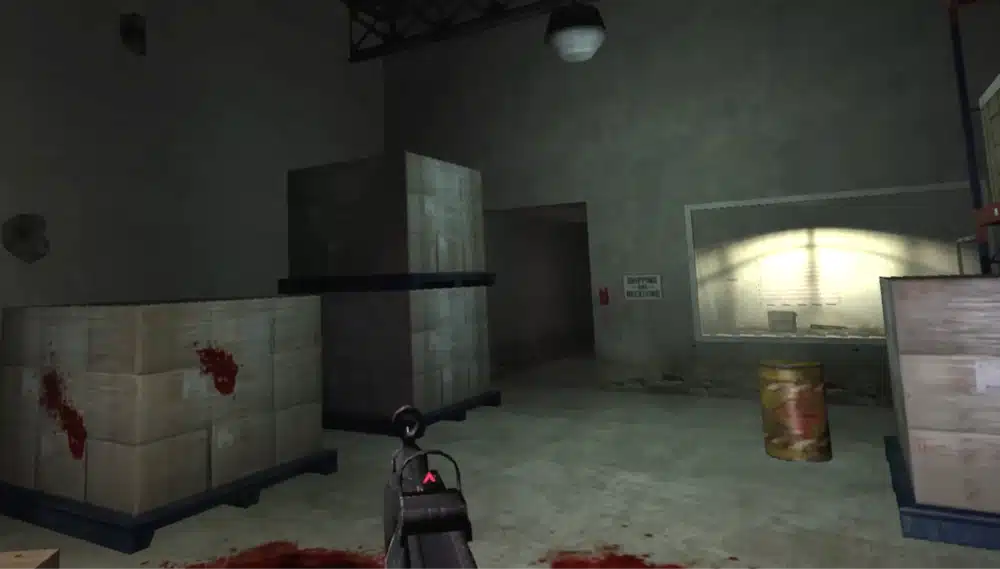
Controller layouts are saved per controller profile, and the ZIP includes a Controller Layouts file with diagrams for each. These are the basics to know first.
Weapon Handling: Grip & Holsters or Classic Sticky
Grip & Holsters has you reach to a body slot and press Grip to draw a weapon. Reloads work on the weapon you’re holding. Classic Sticky keeps conventional tap switching and a hold-to-open weapon selector, and movement is blocked while that selector is open. You pick between them under Options > VR Settings > Controls & Layout, along with handedness and button remapping. If reaching a holster feels awkward in Grip & Holsters mode, move the slot in calibration instead of changing how you stand.
F.E.A.R. VR Movement, Slow-Mo and Shortcuts
- You start in run mode. With default Touch controls, tap the left stick to walk and tap again to run. Holding it uses a medkit.
- Pause on SteamVR with Touch controllers is Right A and Left X pressed together.
- Y and B together opens or closes the mission screen. Hold Y and A for 2 seconds to quick save, and X and B for 2 seconds to quick load. Quick load uses the quick save slot, not your latest checkpoint, so save first.
- Flying kick: flick the jump stick up, let it return, then flick up again while airborne. Slide: hold forward on the movement stick and flick the jump stick down twice quickly.
Comfort and Subtitles
Open Options > VR Settings > Comfort & Movement for play position, turning and vignette options. Smooth turning defaults to 180 degrees per second, so lower it or switch to snap turning if you’re sensitive. Movement direction defaults to your head, and you can switch it to follow the controller. For dialogue captions, go to Guidance Cards and set Subtitles to Yes.
If you get motion sick easily, my Titanfall 2 VR mod guide has comfort habits that apply to any flat-to-VR conversion.
What’s New in F.E.A.R. VR: Full Body, Kick and Slide
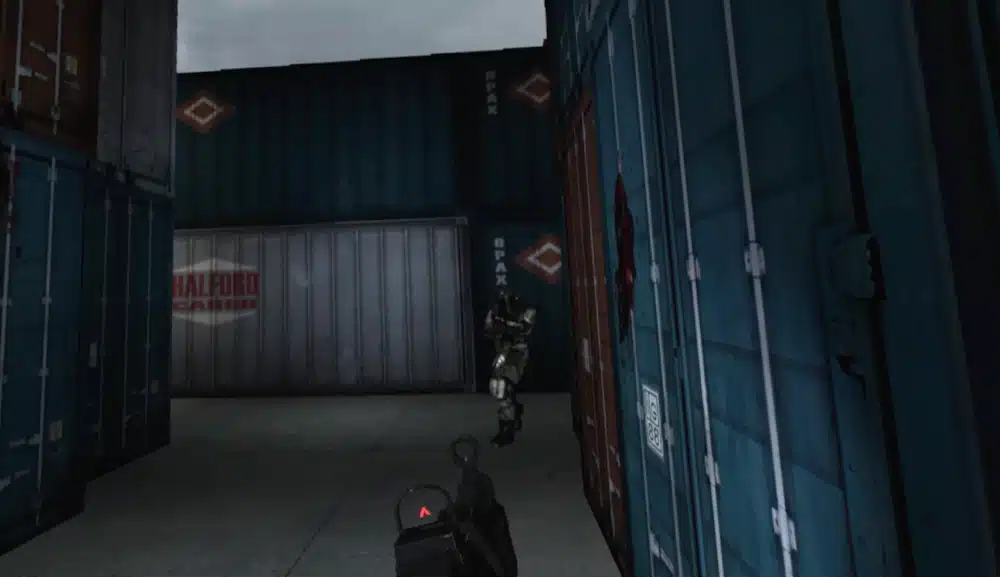
The most recent major update added full-body IK, which gives you articulated arms, torso, legs and feet, with a body fitting tool that lets you adjust height, reach, shoulder width, forward position and fullness in a mirror. The same update also covers improved weapon weight, physical combat and room-scale movement.
A follow-up hotfix then repaired a ladder bug from the body update that could block campaign progress, and it added an optional, experimental OBS capture window for recording. If you installed the first release with the body update, upgrade with the complete latest package. Your saves and calibration are kept.
The Other FEAR VR Mod: How DR-89’s Install Works
If you landed on DR-89’s fear-vr repository instead, this is the older, open-source project. It is still at a beta release, and its install is a different process from everything above. Don’t copy files from one mod into the other.
- Download the installer (FearVR-Setup) or the overlay ZIP from the releases page.
- Install F.E.A.R. Public Tools 1.08. The Steam version includes the installer in its extras folder, and GOG or retail owners can get the same F.E.A.R. SDK v1.08 download from AusGamers.
- Run the installer, or drop the ZIP contents into the folder with FEAR.exe. Nothing is replaced, and the mod’s files sit beside the game’s own.
- Start your headset runtime, which must be SteamVR or Virtual Desktop with VDXR, then double-click Start F.E.A.R. VR.cmd.
The Public Tools installer expects a registry value named Patch set to 8, while Steam normally uses 10. DR-89’s instructions say to set it to 8 for the install and restore 10 afterwards. Only the Steam Ultimate Shooter Edition is confirmed in-game, and GOG and retail copies are listed as untested. Its README also recommends the F.E.A.R. HD Textures mod from ModDB for better visuals.
Is There a FEAR 2 VR Mod? (And F.E.A.R. 3)
Not that I could find. Searching for a FEAR 2 VR mod or a F.E.A.R. 3 VR mod turns up flat-screen fixes and texture packs for Project Origin, but no VR conversion. Both of the mods in this guide cover only the first game. TheFreeMike’s project states that the Extraction Point and Perseus Mandate expansions, multiplayer and Linux or Proton are outside its supported scope.
If you want other classic games converted to VR, my guide to the best VR mods is the place to start, and the UEVR install guide covers Unreal Engine games.
FEAR VR Mod Not Working? Fixes for Common Problems
Start with the basics: confirm the unmodified game works, verify the ZIP hash, extract the entire archive into a new folder, launch from F.E.A.R. VR.exe, and wake both controllers before you start.
The Game Always Starts Flat on the Monitor
Check that your headset runtime is right first. With Virtual Desktop, select VDXR in the Streamer and close SteamVR. With Steam Link, start SteamVR first and use a build with Win32 OpenXR support. If the headset is fine and the game still stays flat, a ReShade OpenXR layer left behind by another tool can be the cause. A player reported that disabling the 32-bit ReShade OpenXR layer’s registry entry fixed it, but that edit also affects other 32-bit OpenXR apps, so follow the exact steps in the mod’s troubleshooting guide and back up the key first.
Windows Defender Blocks the Mod or Setup Says a File Is Missing
Some players have had Defender block or quarantine mod files, and allowing the official mod fixed one reported install. It doesn’t happen on every PC. If a file disappears or Setup reports it can’t verify F.E.A.R. VR.exe, check the mod’s download and antivirus troubleshooting section, and only allow files from the official release.
Steam Level Loads Take Minutes
This is a known limitation on the Steam version. The creator says level loading can take several minutes and recommends GOG. Don’t close the launcher while it starts up.
Setup Says Another Mod Loader Is Present
On GOG, older versions mistook the original dinput8.dll for another mod loader. Use a recent release, which allows the verified original file. Don’t swap in a DLL from a download site.
Black, Frozen or Distorted Headset View
Open Options > VR Settings > Headset Display and restore Centered (Recommended) projection and 100% view width, or use Restore Display Defaults. The game is a 32-bit application, so very high per-eye resolutions can cause memory and GPU pressure even on a PC with plenty of RAM. Change one setting at a time and restart the game after any resolution change.
Still stuck? Use the mod’s GitHub Issues page, and search the existing issues first so you don’t post a duplicate.
Is the FEAR VR Mod Worth Playing?
Yes, if you own the game already or can pick it up cheaply and you have a PC VR setup. It’s a free mod that turns a 2005 horror shooter into a physical, hands-on VR campaign, and the install is a proper setup program instead of a manual file shuffle. The caveats are real, though. Steam loads are slow, the creator has only validated Quest 3 with Touch controllers, and the project’s own known-limitations page lists open issues, so treat it as an actively developed mod rather than a finished port.
F.E.A.R. VR Mod FAQ
Is the FEAR VR mod free?
Yes. TheFreeMike’s mod is free to download from GitHub, and donations are optional. You only need your own copy of F.E.A.R. on Steam or GOG.
Does the FEAR VR mod work on Quest 3 without a PC?
No. It’s a PC VR mod that runs on a Windows PC. A Quest 3 works as the headset when you connect it through Virtual Desktop with VDXR, or through Steam Link and SteamVR. Quest Link and Air Link are unsupported.
Does the FEAR VR mod work with the Steam and GOG versions?
Yes. TheFreeMike’s mod supports the original Steam F.E.A.R. base game and the GOG F.E.A.R. Platinum Collection. The creator recommends GOG because Steam level loads can take several minutes.
Do I need F.E.A.R. Public Tools for the FEAR VR mod?
Not for TheFreeMike’s mod. Public Tools 1.08 is only required for DR-89’s older fear-vr project.
Which FEAR VR mod is better, TheFreeMike’s or DR-89’s?
TheFreeMike’s is the one shown in the Gamertag VR video and has the newer releases, a setup program and full-body support. DR-89’s is open source but is still at a beta release and needs Public Tools. Don’t mix files from the two.
Is there a FEAR 2 VR mod?
No VR mod for F.E.A.R. 2: Project Origin or F.E.A.R. 3 turned up in my searches. The available mods cover the first game’s single-player campaign only.
Does the FEAR VR mod support multiplayer or the expansions?
No. Multiplayer, Extraction Point and Perseus Mandate are outside the supported scope of TheFreeMike’s mod.
Final Thoughts
The FEAR VR mod is free and, with a setup program and a full visible body, easy to get running. Pick TheFreeMike’s latest release, verify the download, run Setup against your Steam or GOG folder, connect through Virtual Desktop or Steam Link, and start from F.E.A.R. VR.exe. Spend a few minutes on calibration and comfort settings before your first firefight.
If you enjoy this one, the Gran Turismo 2 VR guide and the Portal 2 VR mod guide cover other classics that have been brought into VR.